
Blog
TestLink Database Configuration

TestLink Database Configuration
MySQL TestLink Database Configuration is to define the database server details to the TestLink instance. We can define it during the TestLink installation process.
The username and password of the MySQL database should be provided to setup the DB schema. The table prefix would be attached before the database objects like tables, views etc. If you work on multiple databases this prefix would identify the TestLink tables.
Screenshot
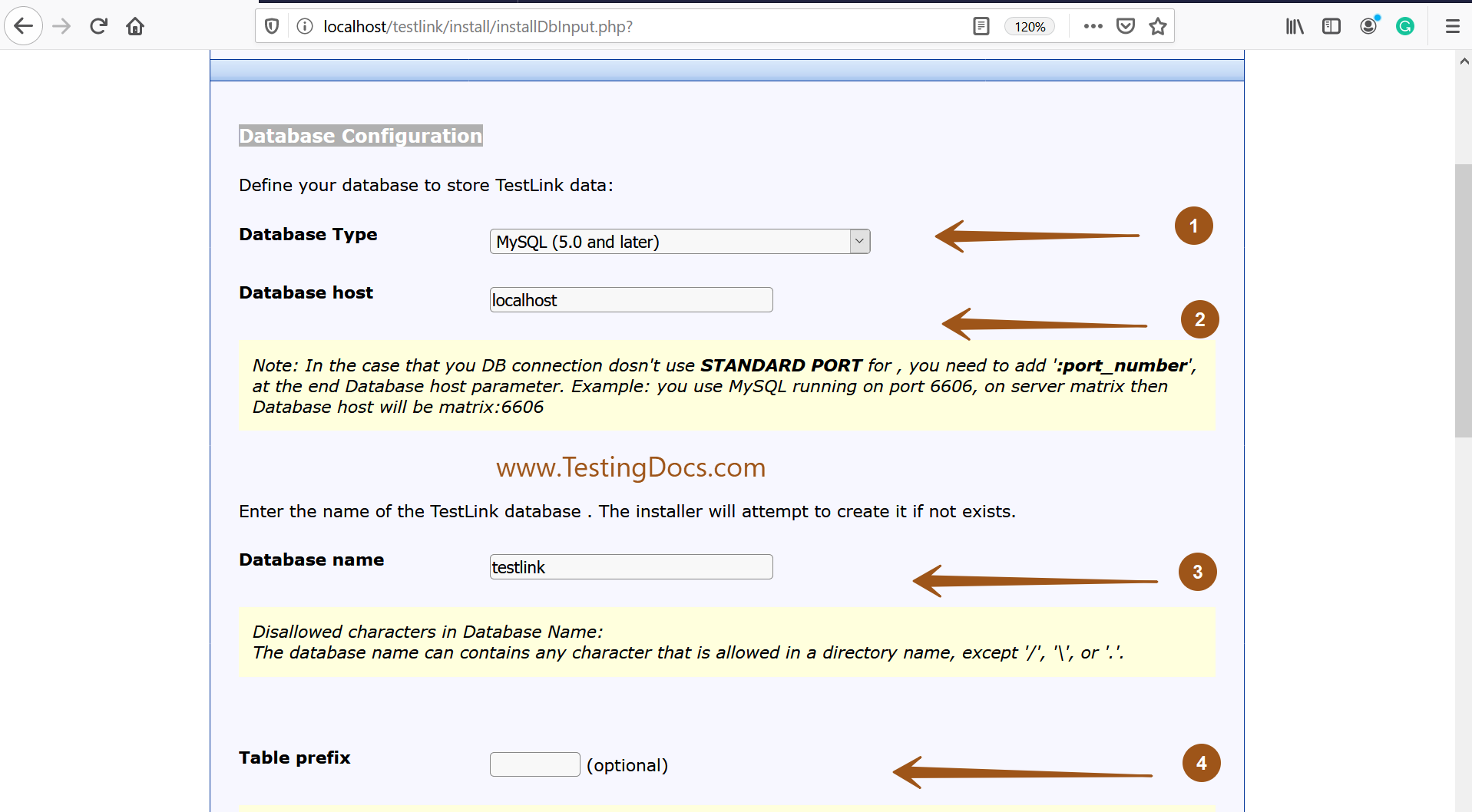
Two SQL scripts would be used to create Table schema and populate the TestLink schema with sample data. These scripts can be found under the install folder. install/sql/mysql
testlink_create_tables.sql
testlink_create_default_data.sql
Database Configuration File
The TestLink DB Configuration file is stored in the file: config_db.inc.php
This file would be automatically created by the TestLink installer during the install process. Sample File contents:
<?php
// Automatically Generated by TestLink Installer - Mon, 20 Mar 17 16:30:59 +0000
define('DB_TYPE', 'mysql');
define('DB_USER', 'testlink_user200');
define('DB_PASS', 'testlinkPaswrd33');
define('DB_HOST', 'localhost');
define('DB_NAME', 'testlink_db200');
define('DB_TABLE_PREFIX', 'tl_');
TestLink DB User
In this screen, we need to provide MySQL server root credentials ( * This is NOT the root user credentials of the Linux box * ) and TestLink DB User credentials. This TestLink DB user should have all the privileges on the database.
Warning
As part of the installation process, all TestLink tables present on the database/schema (if any TestLink table exists) would be dropped. Backup your database Before install