
Blog
Dart print() function

Dart print() function
The Dart print() function is a built-in function for output data to the console screen. It allows you to display messages, values, expressions, or any other information while running your Dart program.
print() Syntax
The print() function takes one or more arguments and prints the string representation to the console. The general syntax of the print() function is as follows:
print(object);
object: The data you want to print. It can be a single value or an expression. Dart provides ${expression}, which is used to put the value inside a string.
Example
Letâs have a look at the following example.
Printing a String:
The following code will print the string to the console.
print(“Hello, World!”); // prints the string Hello, World!
Printing a Variable:
int number = 79;
print(number); // prints 79
Printing an Expression
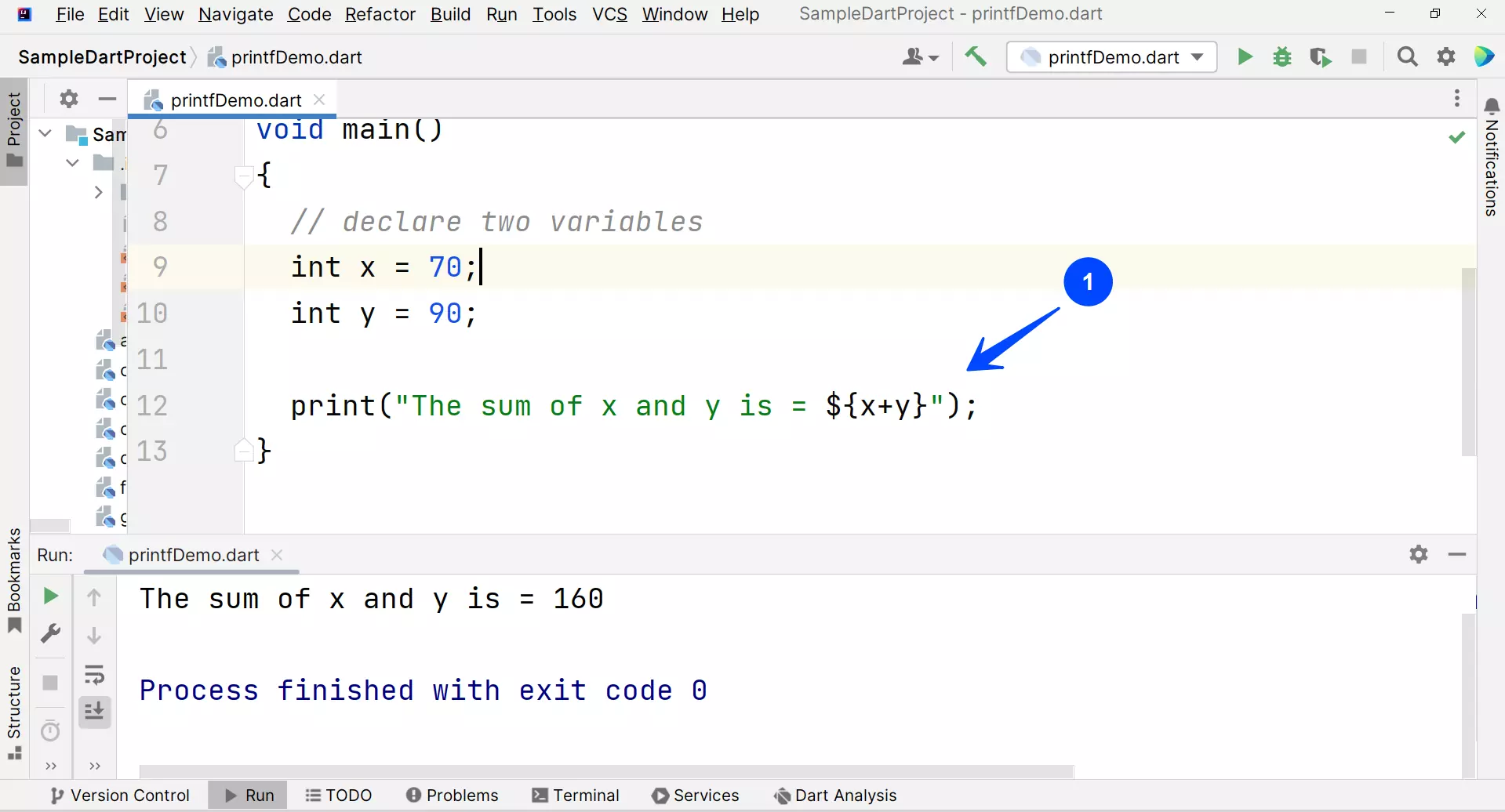
We can print and add the expression to the print statement using the ${expression}.
/*
Dart printf() demo Program
Dart Tutorials – www.TestingDocs.com
*/
void main()
{
// declare two variables
int x = 70;
int y = 90;
print(“The sum of x and y is = ${x+y}”);
}
When debugging and developing, the print() function comes in handy. However, in production applications, it’s advisable to utilize a logging framework to better manage and categorize log messages.
Dart Tutorials
Dart tutorial on this website can be found at: