
Blog
Basic Dart Program Example

Basic Dart Program Example
This tutorial will teach us to create a basic Dart program using IntelliJ IDEA. Dart is an object-oriented programming language developed by Google, Inc., for building web and mobile applications.
Dart supports different types of development, like command-line applications, client, and server-side application development. To execute and run the Dart programs, you can use dart.exe on Windows or an IDE tool like IntelliJ IDEA, or Eclipse.
Dart Program Example
Let’s create a sample Dart program to print the Hello, World! message on the standard output.
Launch IntelliJ IDEA.
Create a Dart project.
Steps to create a Dart project using IntelliJ IDEA:
Add a new Dart source file to the project.
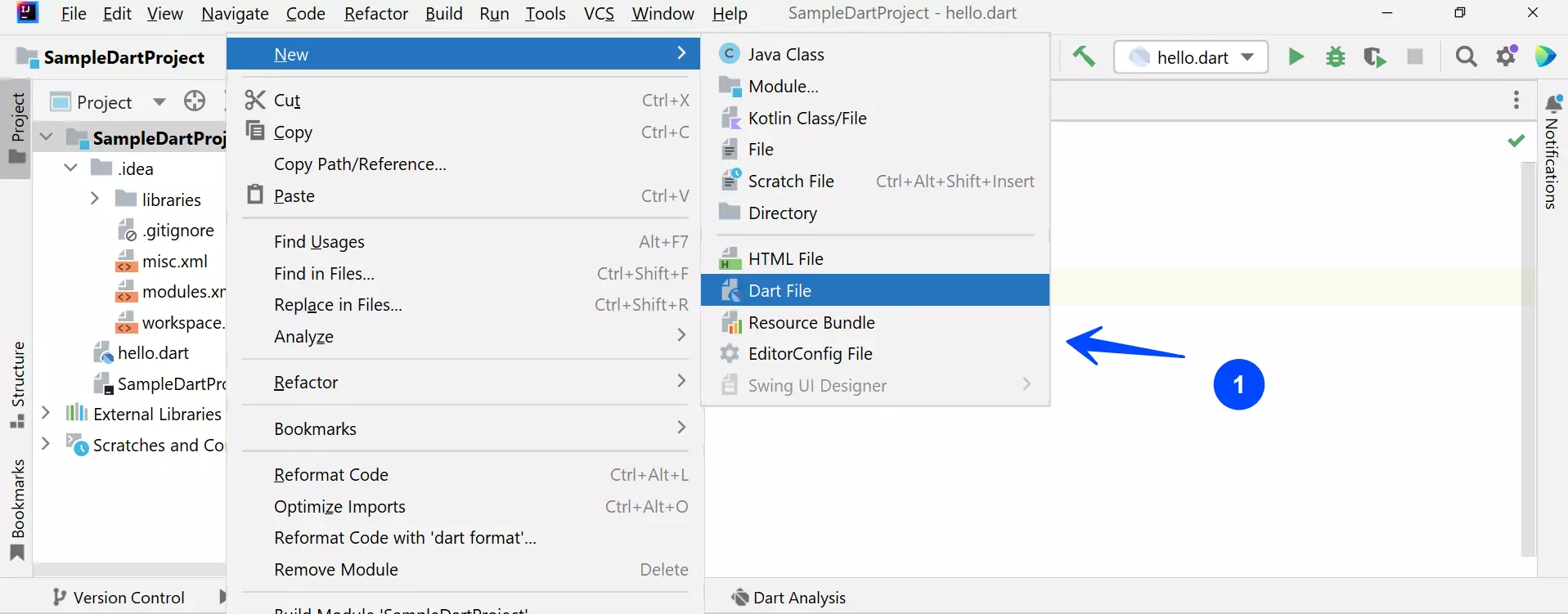
Specify the filename. The Dart file would have a .dart file extension.
For example, hello.dart file.
Code Listing
Add the following Dart source code to the file.
/* * Hello World Dart Program
* Dart Tutorials – www.TestingDocs.com
*/
main(){
print(“Hello, World!”);
}
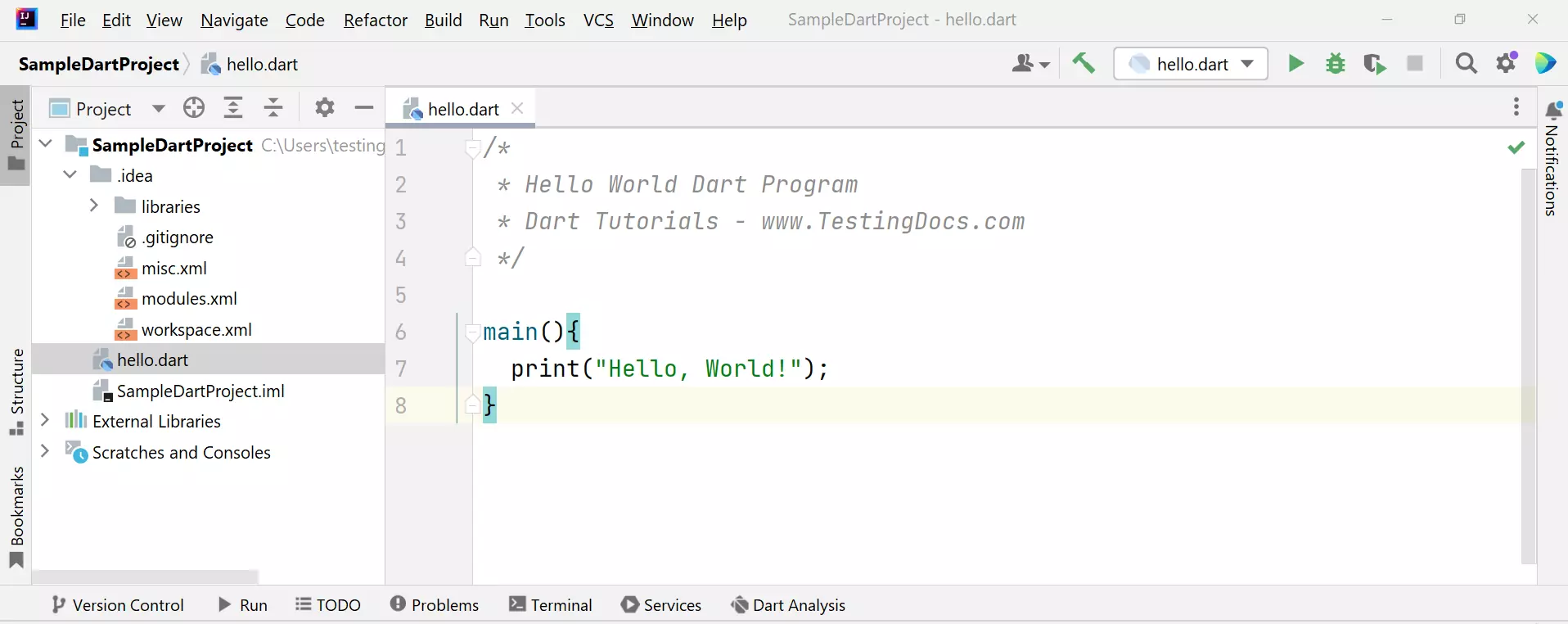
The main() function as an entry point to the Dart application. The print() function is predefined and prints the specified string or value to the standard output device like the console window on the computer screen.
Run Dart Program
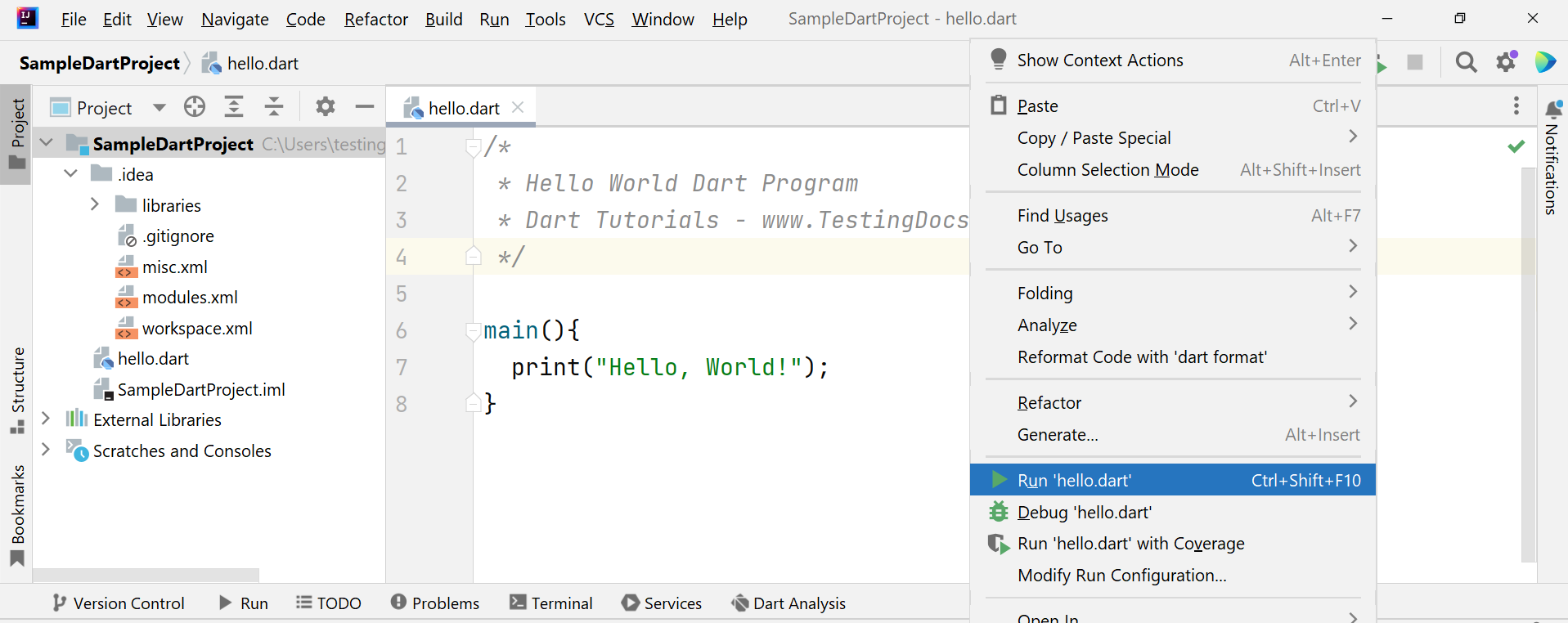
To execute or run the program, click on the green play button next to the filename or right-click and choose the Run option.
Run ‘filename.dart’
Program Output
C:/tools/dart-sdk/bin/dart.exe –enable-asserts C:\Users\testingdocs\SampleDartProject\hello.dart
Hello, World!
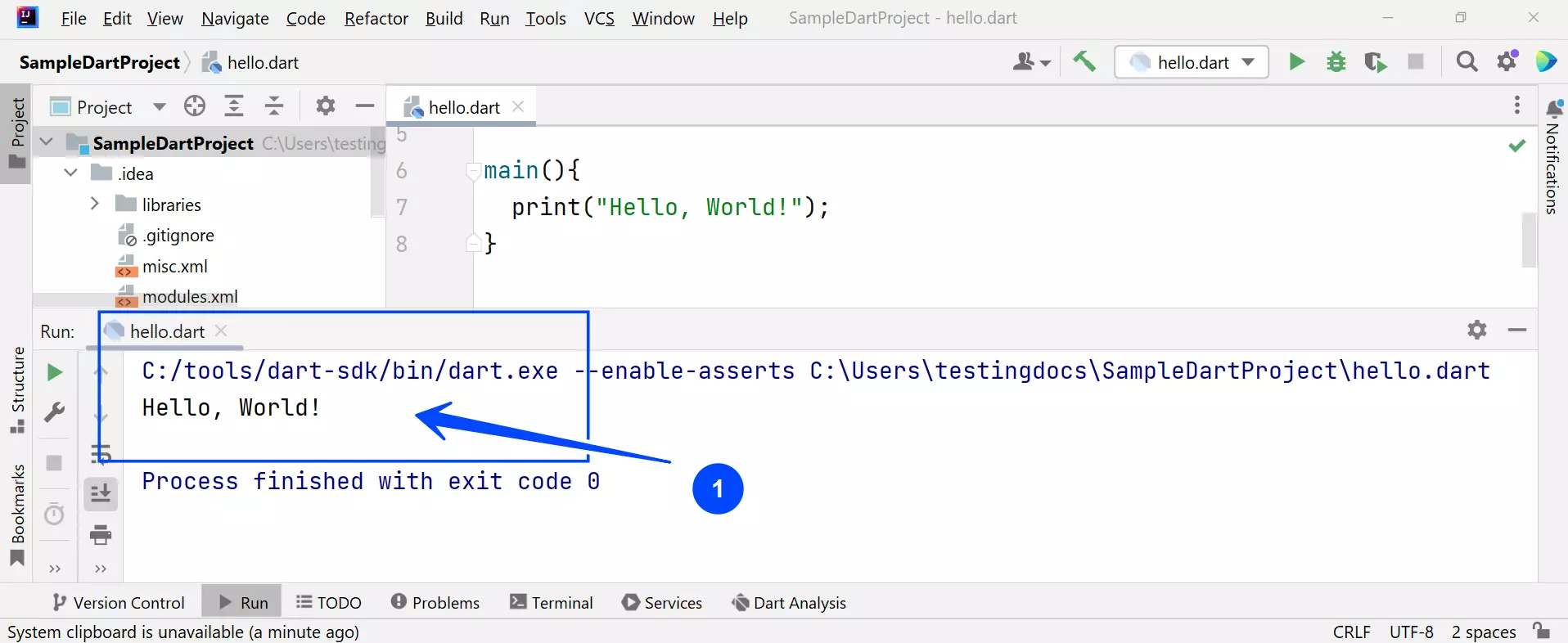
That’s it. You have successfully executed a sample Dart program.
Dart Tutorials
Dart tutorial on this website can be found at: