
Blog
Octave format command

Octave format command
In this tutorial, we will learn about the Octave format command. The format is a built-in Octave function. The format command specifies or resets the format of Octave’s output, such as the output produced by the disp command. The format command only affects the display of the number, not how the number is stored or computed.
Syntax
The general syntax of the command is as follows:
>> format options
Examples
Let’s understand the command with the help of some examples.
>> format short
By default, Octave displays a fixed-point format with
4 digits to the right of the decimal point in a human-readable format.
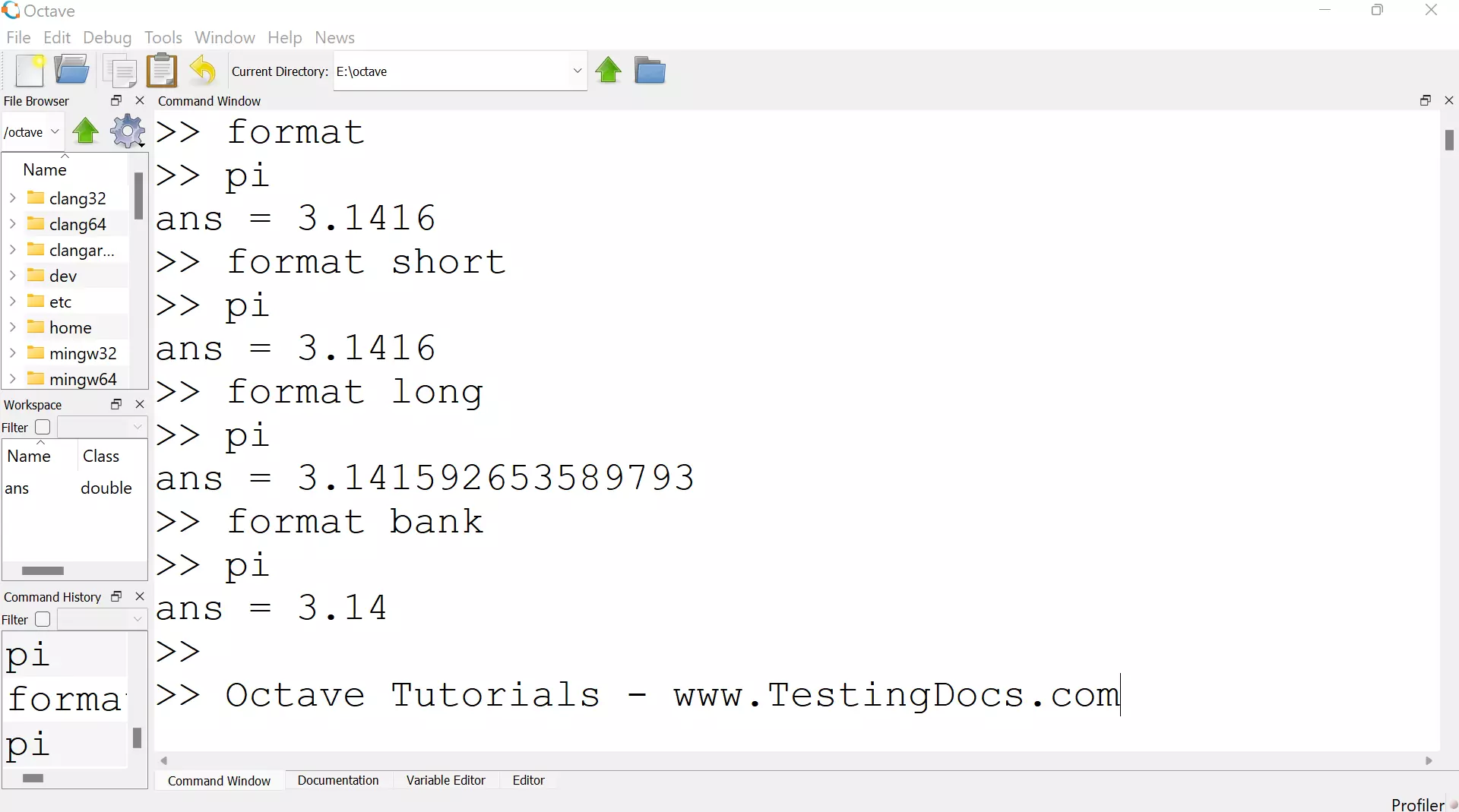
>> format long
Displays a fixed point format with 15 digits to the right of the decimal point.
>> format bank
Displays a fixed format with two digits to the right of the decimal point.
Octave Tutorials
Octave Tutorial on this website can be found at: