
Blog
SQLite UPDATE Statement

SQLite UPDATE Statement
The SQLite UPDATE Statement is used to modify the existing data in a table. We can use the WHERE clause to identify the row(s) and update the respective columns with new data.
Syntax
The general syntax of the UPDATE statement is as follows:
To update a single column:
UPDATE table_name
SET column1 = value1
WHERE <condition>;
To update multiple columns:
UPDATE table_name
SET column1 = value1, column2 = value2…., columnN = valueN
WHERE <condition>;
Example
Example to update a single column:
In this example, we will modify James Smith’s bonus to $500 using the UPDATE statement.
sqlite> UPDATE emp
…> SET bonus=500
…> WHERE empno = 3;
sqlite>
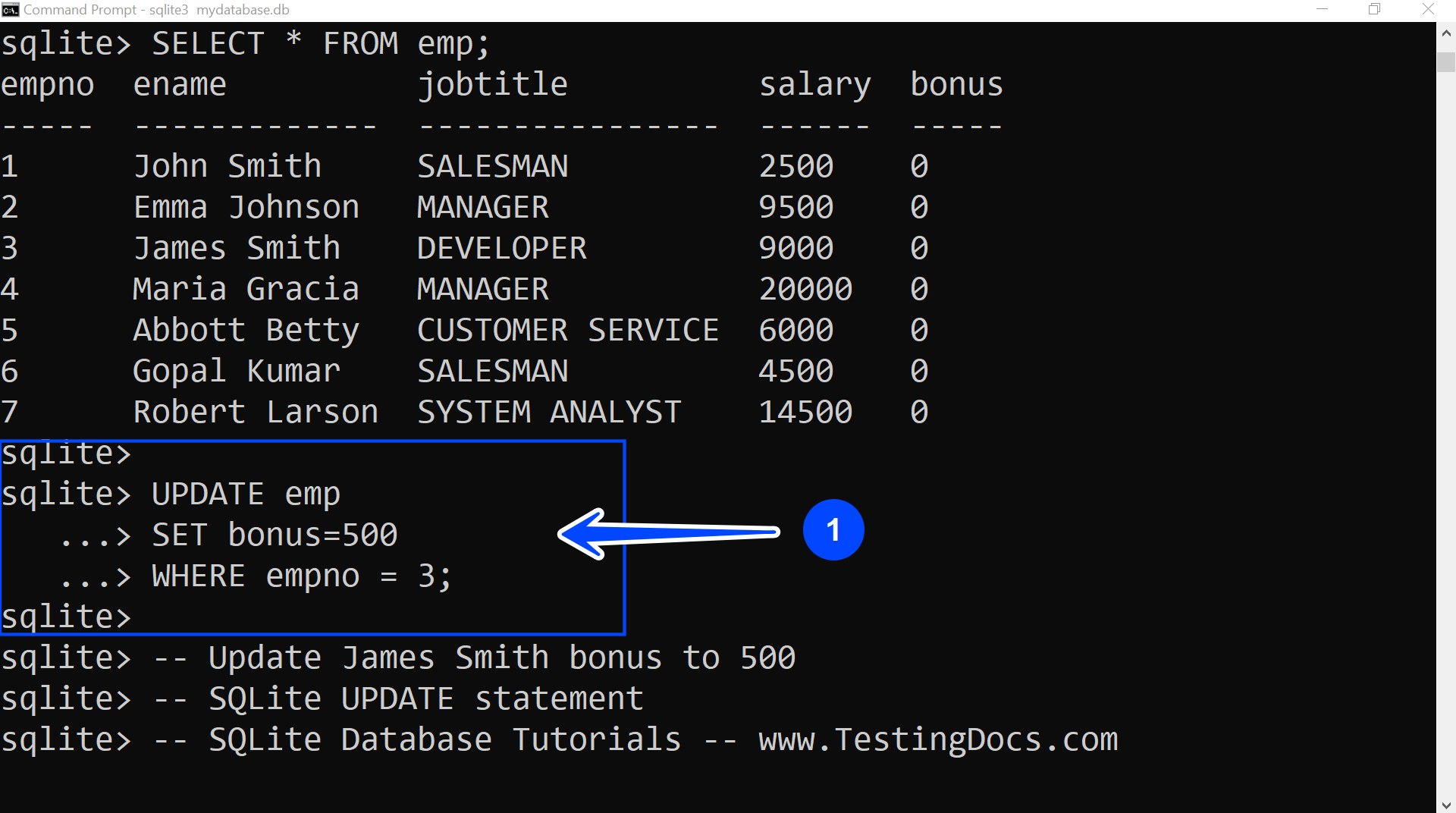
We used the table’s PRIMARY KEY empno to identify the employee record uniquely. James Smith’s empno is 3 in the emp table.
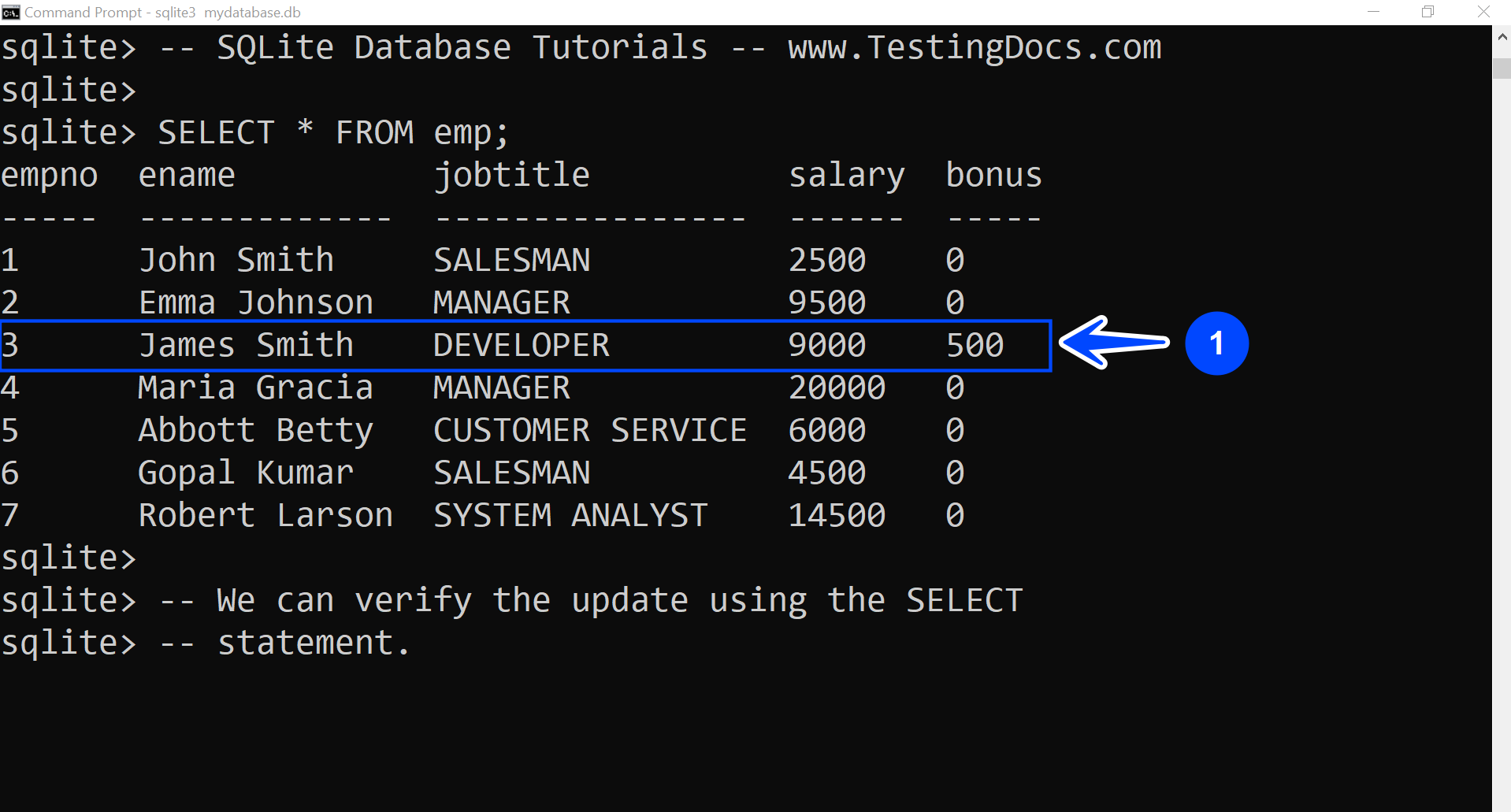
We can verify the modification using the SELECT statement.
Example to update multiple columns:
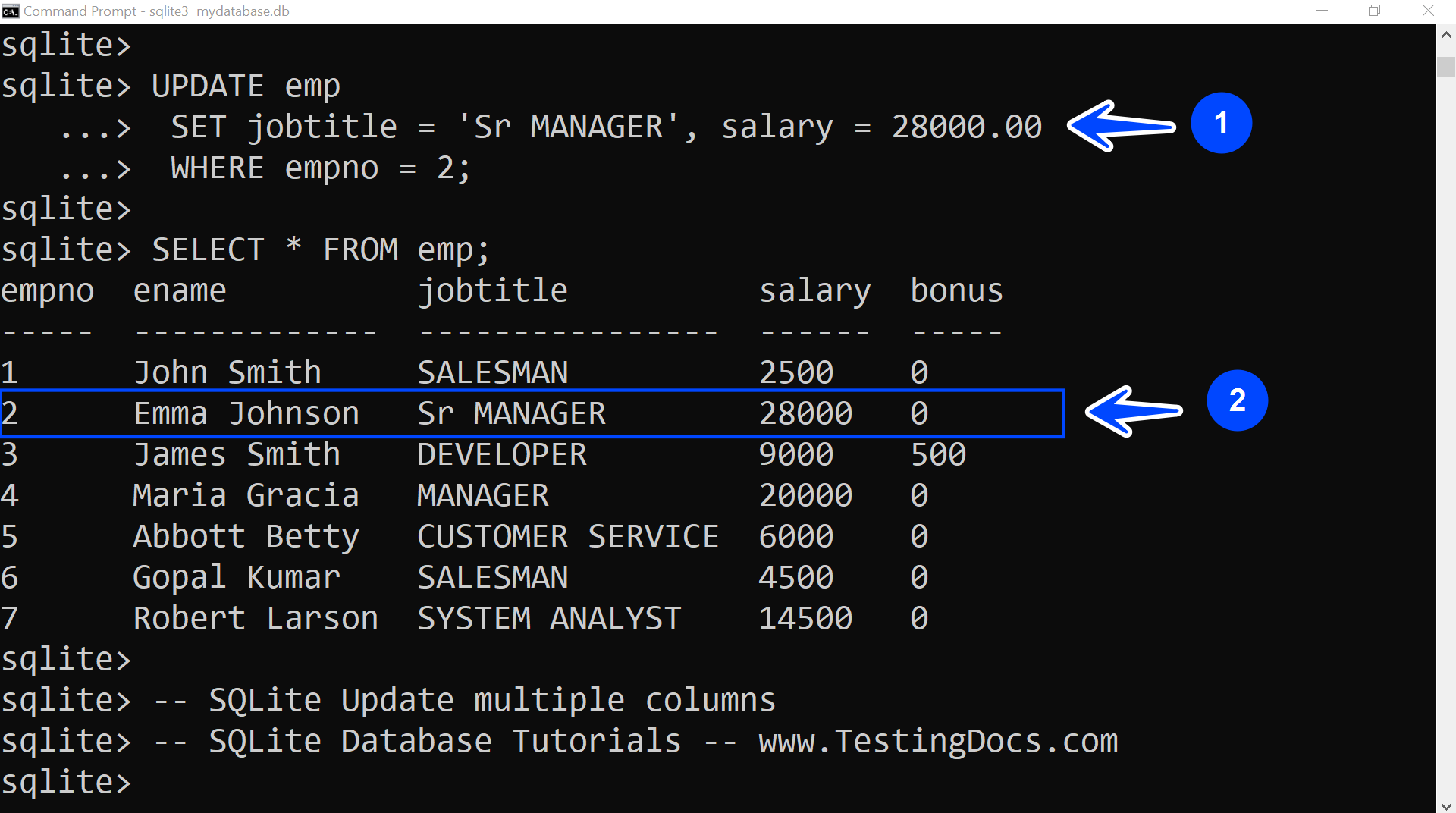
In this example, we will update Emma Johnson’s new role and salary after promotion. Her new role is Sr. Manager, and her new salary is $ 28,000.
sqlite> UPDATE emp
…> SET jobtitle = ‘Sr MANAGER’, salary = 28000.00
…> WHERE empno = 2;
sqlite>
The next example is to update a single column and all table rows.
Write the update statement to update the bonus of all the employees in the emp table to $ 1000.
sqlite> UPDATE emp
…> SET bonus=1000;
All rows will be updated when we omit the WHERE clause in the UPDATE statement. We can also specify the obvious true condition in the WHERE clause.
sqlite> UPDATE emp
…> SET bonus=1000
…> WHERE 1 = 1;
SQLite Tutorials
SQLite tutorials on this website:
https://www.testingdocs.com/sqlite-database-tutorials/