Blog
Enable TestNG in IntelliJ IDE

Enable TestNG in IntelliJ IDE
IntelliJ IDEA is a powerful IDE for Java development. It is known for its intelligent code assistance, robust refactoring tools, and seamless integration with various build systems and version control systems. It enhances productivity with advanced debugging, code analysis, and support for various programming languages and frameworks.
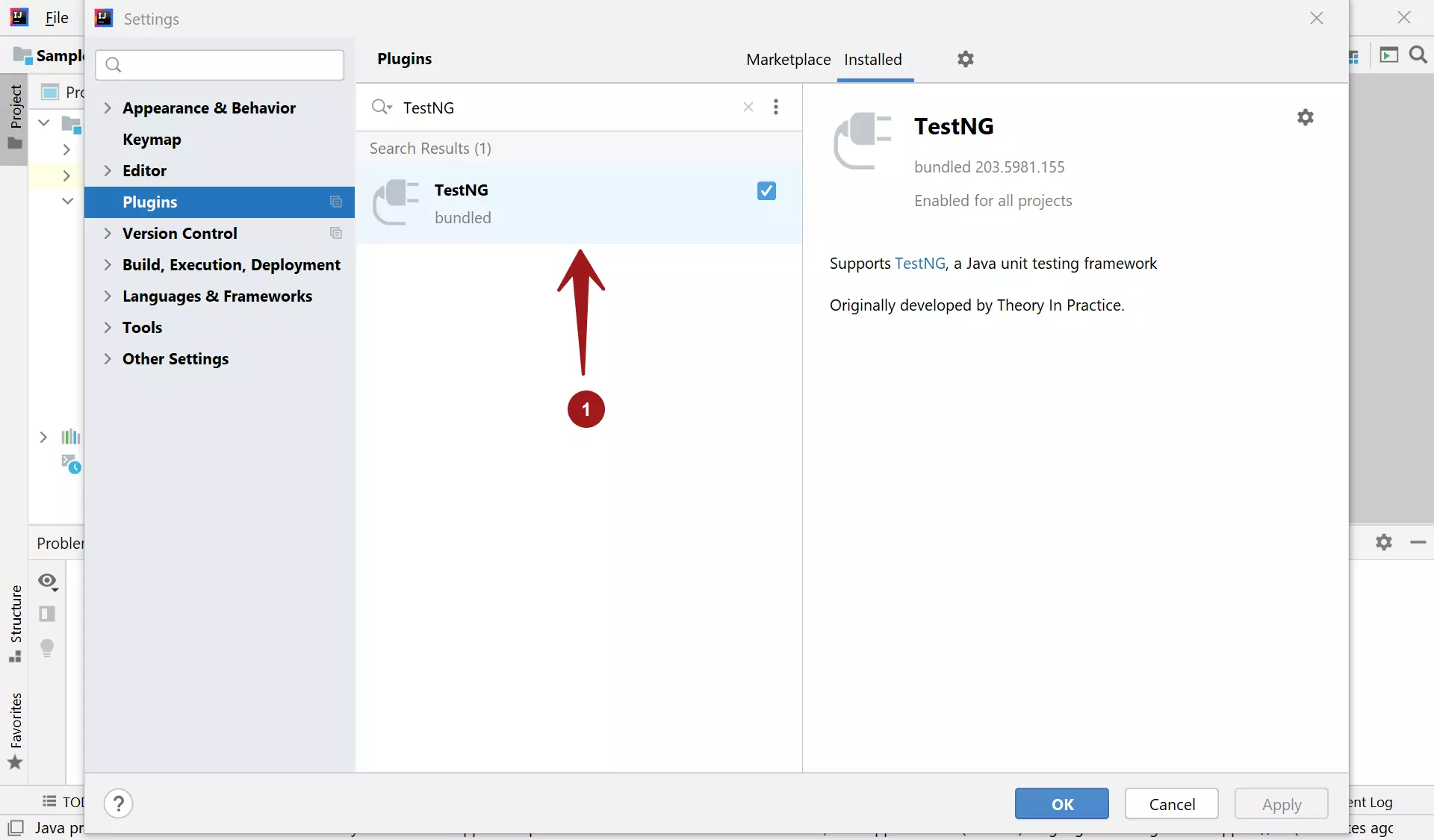
TestNG is bundled with the IntelliJ installation. If it’s disabled in the IDE, we can enable the plugin using the steps below.
Steps to Enable
Steps to enable are as follows:
- File >> Settings… >> Plugins
Click on the Installed tab.
Search for the TestNG plugin.
Adding TestNG to the Project
We can add the TestNG dependency to the Maven project. Configuring TestNG in the project is a one-time step.
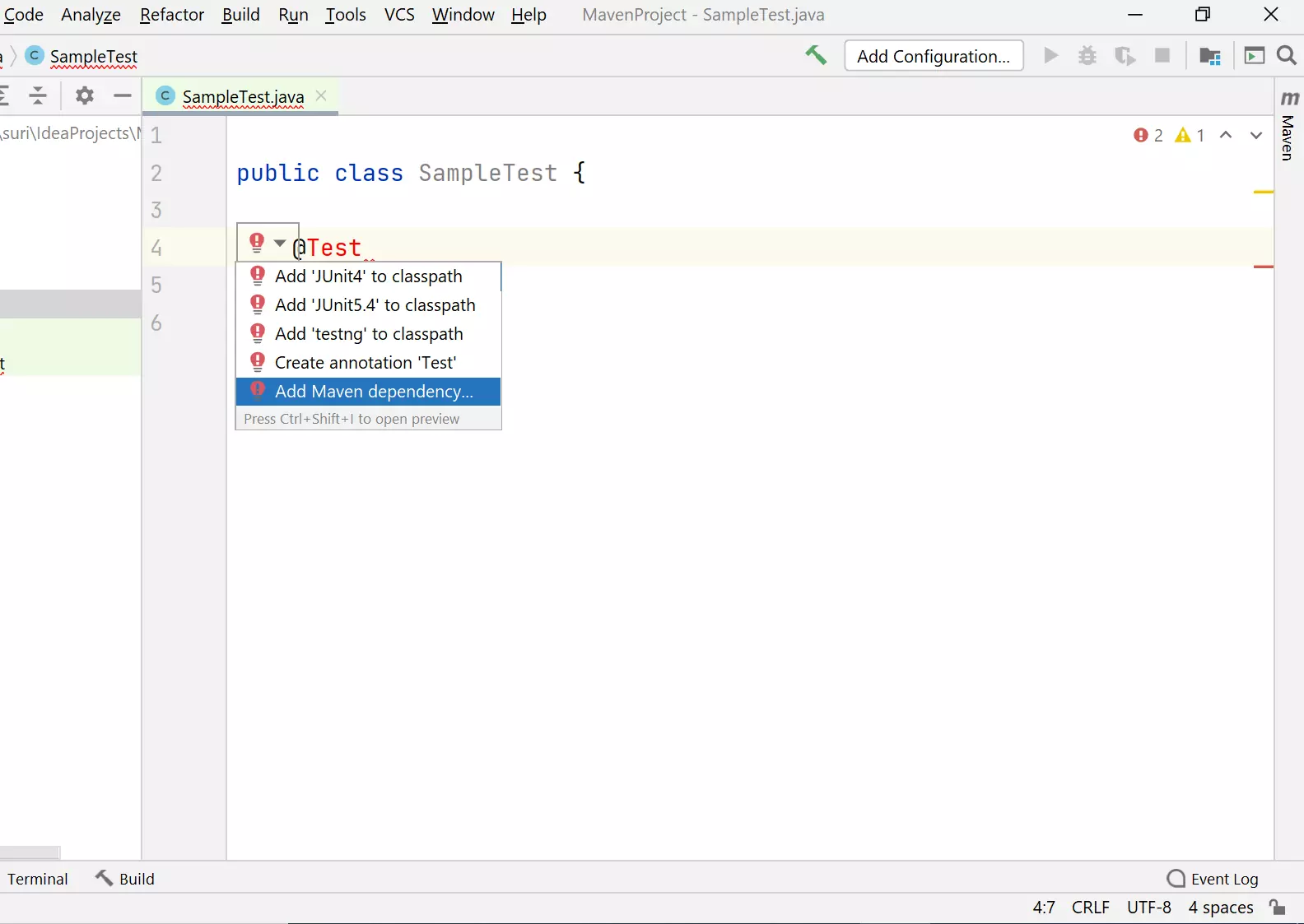
Add @Test annotation, click on the red bulb icon, and click the drop-down.
Choose Add Maven dependency…
<dependencies>
        <dependency>
            <groupId>org.testng</groupId>
            <artifactId>testng</artifactId>
            <version>7.1.0</version>
            <scope>test</scope>
        </dependency>
</dependencies>
Maven would automatically download the latest TestNG jar artifact to the local repository ( .m2 directory).