
Blog
Install TestNG latest version from the update site

Install TestNG latest version from the update site
Let’s see how to install the TestNG plugin from the update site. The update site to install the TestNG is: Update site:
https://dl.bintray.com/testng-team/testng-eclipse-release/
Install
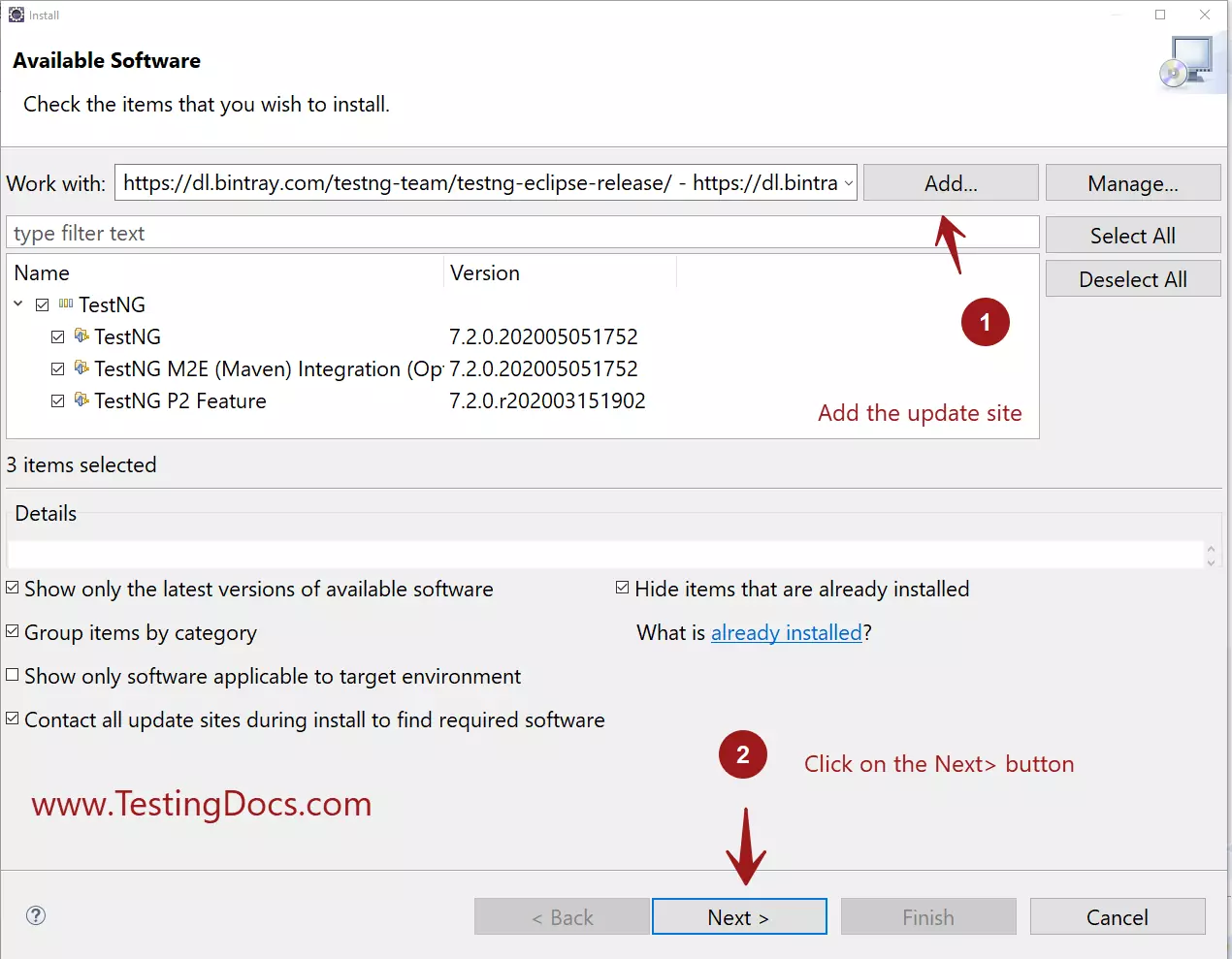
Proceed to the next screen. Click on the Next> button.
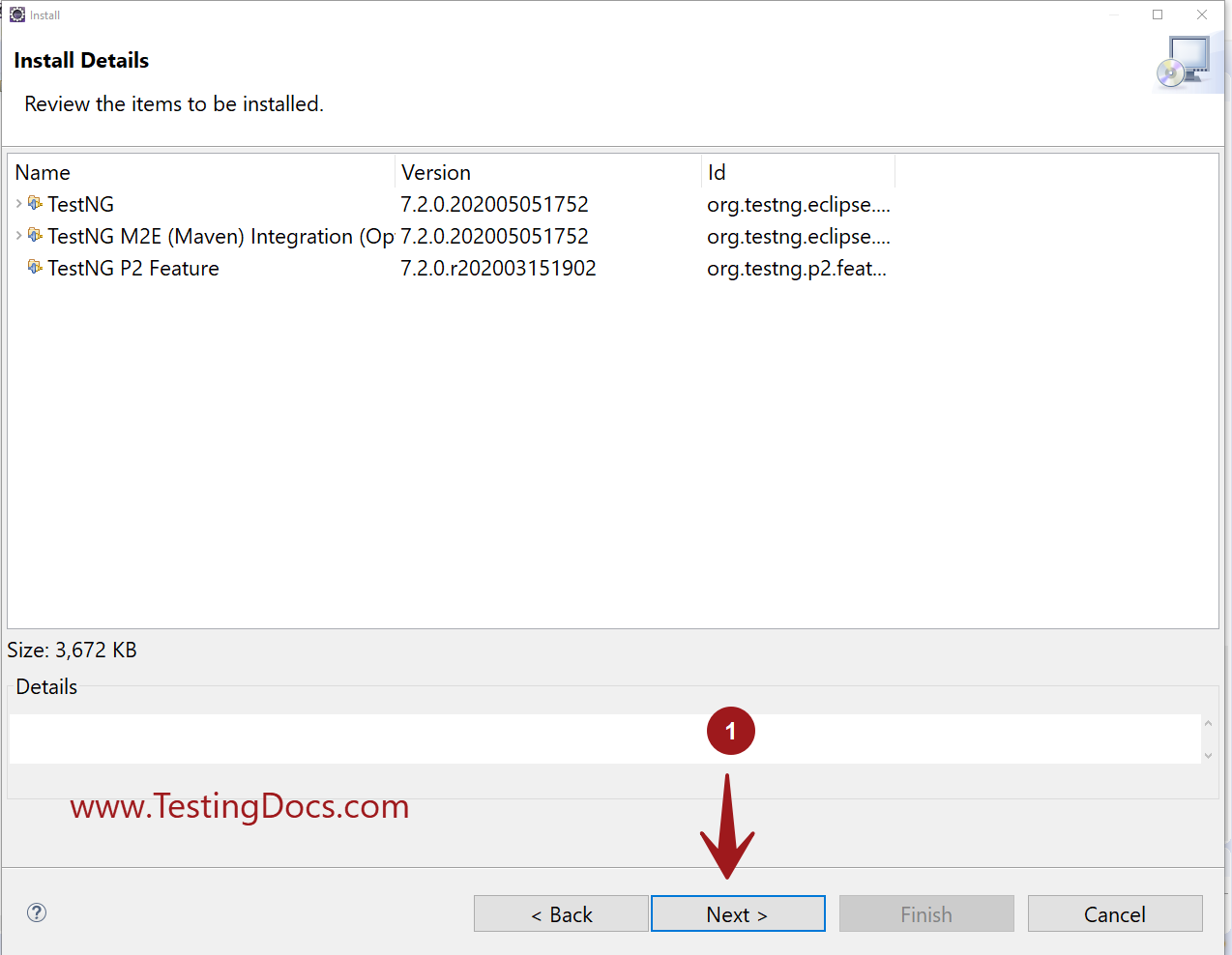
Choose the components and click on the Next> button.
Accept the license agreement.
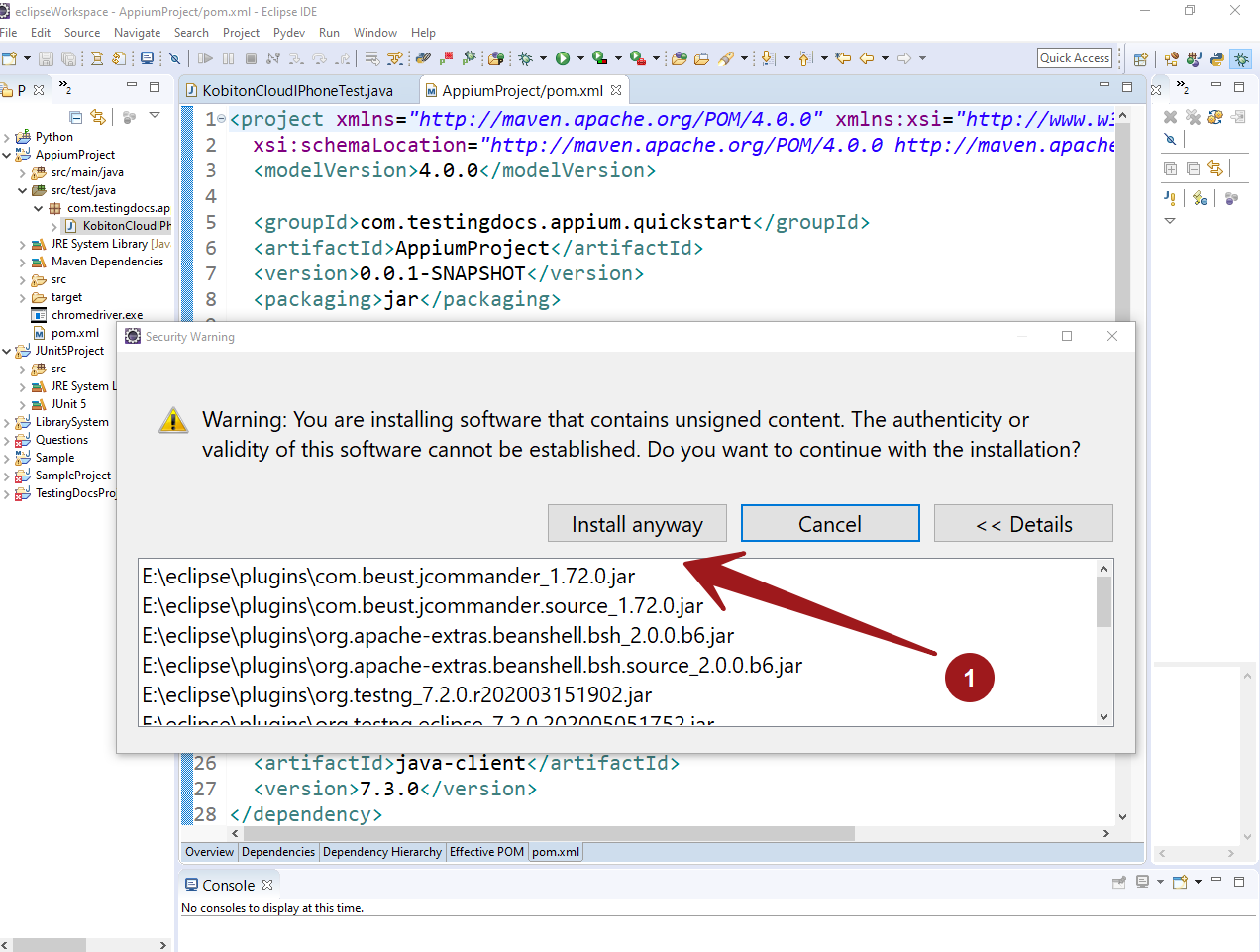
Security Warning
Click on the Install anyway button to proceed with the installation.
Restart the Eclipse IDE to complete the TestNG installation.