
Blog
Selenium RemoteWebDriver

Selenium RemoteWebDriver
In this post, we will discuss RemoteWebDriver. First of all, Remote WebDriver is an implementation class of the WebDriver interface that can use to execute test code on a remote machine via the RemoteWebDriver server.
There are two parts to RemoteWebDriver
- Server.(Server is a Java Servlet)
- Client.( The client is the WebDriver test )
Servlet is a Java class that runs in a Web container. Class diagram of RemoteWebDriver
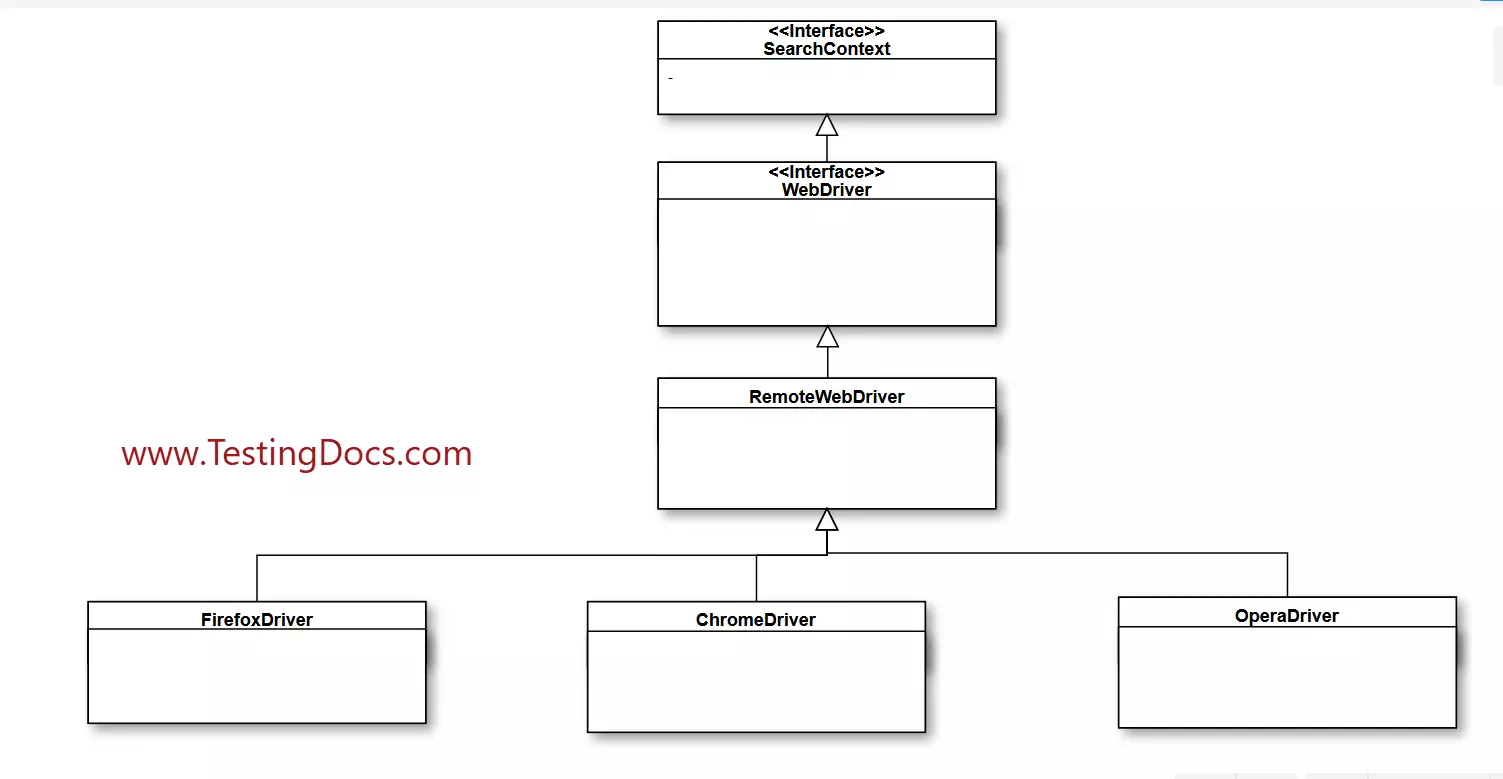
RemoteWebDriver Server
To Run the server
There are two ways to use the server: command line or configured in code. To start the RemoteWebDriver server execute the following command on the remote machine.
For example:
/> java -jar selenium-server-standalone<<Version>>.jar
The server has 2 different timeouts, which can be set as follows:
java -jar selenium-server-standalone-<<VERSION>>.jar -timeout=30 -browserTimeout=90
browserTimeout : Controls how long in seconds the browser is allowed to hang.
timeout : Controls how long in seconds the client can be gone before the session is reclaimed.
Note that if the Webdriver tests forget to terminate the remote sessions, the server might leak memory. If you keep long-running sessions, we probably need to stop/quit the server every now and then or increase memory with the -Xmx JVM option. This is the case with limited hardware resources.
Docker Containers
We can fix these issues by running scalable and distributed grids on Docker containers.
Server as Servlet
The process is as simple as mapping the DriverServlet to a URL. If you run the servers for other purposes, you can host the web page in a lightweight container, such as Jetty, or a dedicated App server container, like Tomcat or JBoss.
Remote WebDriver client
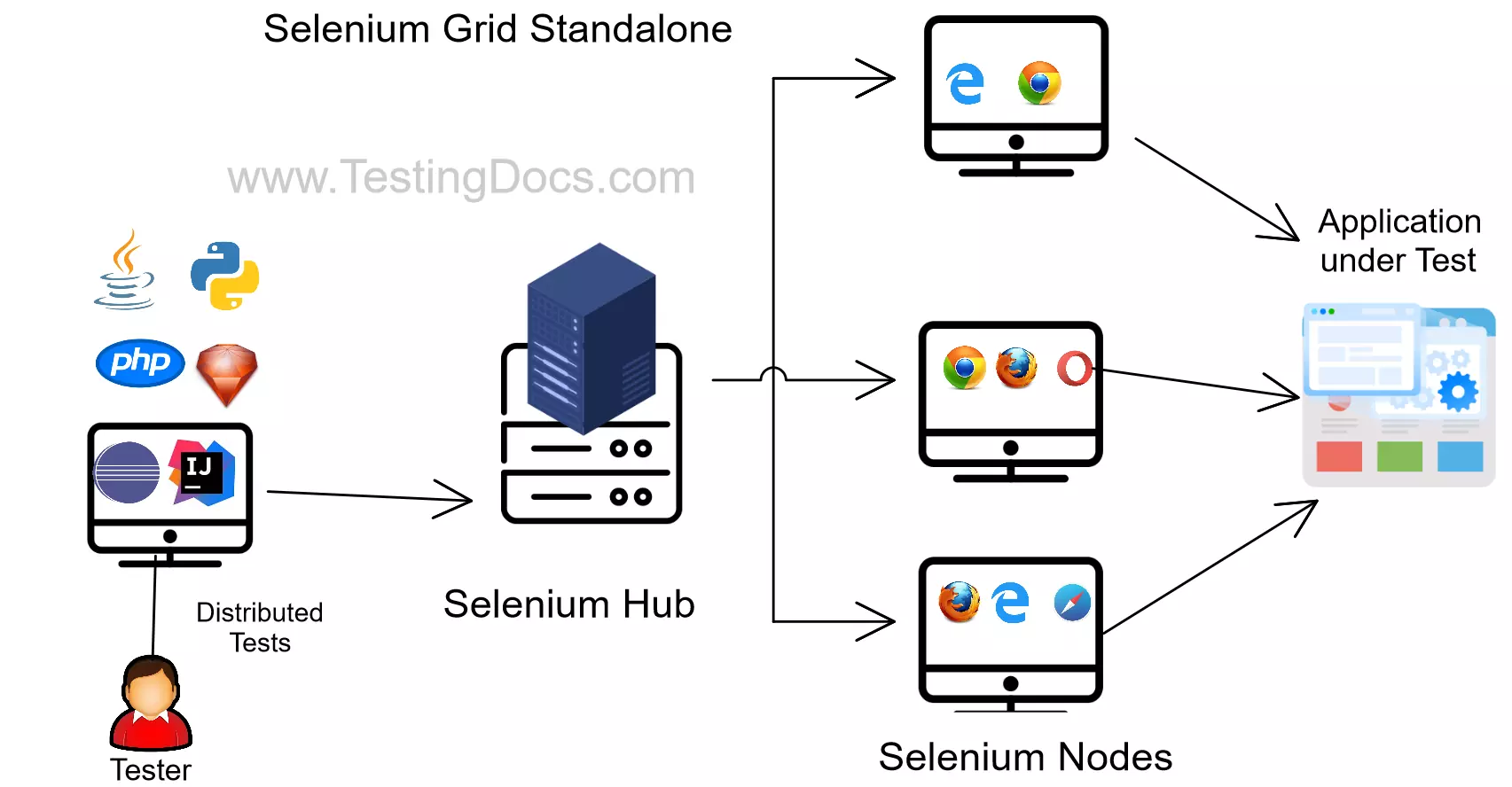
When you execute your tests locally, the WebDriver client libraries talk to FireFoxDriver /ChromeDriver/EdgeDriver etc.
When we try to execute the tests remotely, the WebDriver client libraries talk to the RemoteWebDriver server and the server talks to either the FireFoxDriver, ChromeDriver, Edge Driver etc on the Node machines/containers.
Code Snippet
  public class SampleCodeExample {
      public static void main(String[] args){
         DesiredCapabilities capabilities =new DesiredCapabilities();
         capabilities.setBrowserName("Firefox");
         RemoteWebDriver remotedriver =null;
        try{
              remotedriver = new RemoteWebDriver (new URL("http://
127.0.0.1:444/we/hub"),capabilities);
         }  catch (MalformedURLException mfe){
                mfe.printStackTrace();
           }
    }
}
To customize the browsers and their capabilities consider using FirefoxOptions, ChromeOptions, etc. to run remote Web driver tests.
You can view all of the sessions established with the RemoteWebDriver server by navigating to the default URL: http://127.0.0.1:4444/we/hub. ( However, we can also configure this according to our own needs.)
Note that this is the old and classic standalone mode. The architecture has significantly changed with Selenium 4 with a new Distributed mode, so we can leverage some of the limitations and disadvantages.