
Blog
OpenAI Image Generation API

OpenAI Image Generation API
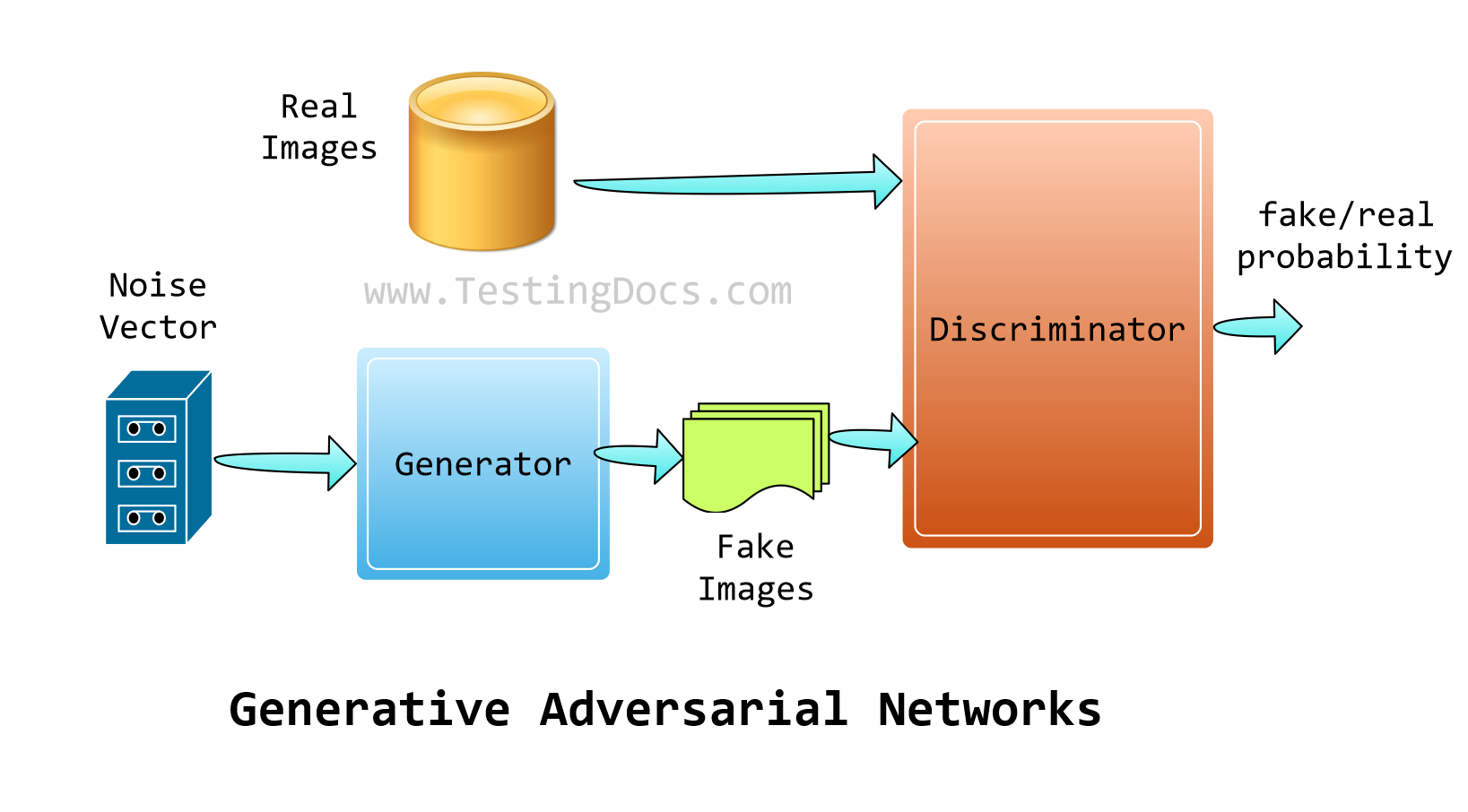
In this tutorial, we will learn the OpenAI image generation API. The API picks the DALL.E model to generate an image from the user prompt. (The textual description of the image that needs to be generated by the model.)
DALL.E is a GAN and works with two networks:
- A generator network( takes the user prompt and generates an image)
- A discriminator network ( this evaluates the generated image with the dataset)
DALL.E has many advantages. There are listed here.
Pre-requisites
Things you need for this tutorial:
- Python Install
- OpenAI Python SDK
- Python IDE like PyCharm, Spyder, etc.
- OpenAI account
- OpenAI Project
- OpenAI API Credits
Example
This tutorial’s goal is to create an image using OpenAI API. To do so, you must issue a POST call to the following API endpoint with the request.
The API Endpoint is:
HTTP POST on https://api.openai.com/v1/images/generations
Launch the Python-supported IDE.
Create a file with a .py file extension to add the program and the following code.
Sample Code
Sample Python code to invoke the image generation API is as follows:
# import
from openai import OpenAI
client = OpenAI()

# invoke the Image API
response = client.images.generate(
    model="dall-e-3",
    prompt="a computer in the 90s",
    size="1024x1024",
    quality="standard",
n=1,
)

image_url = response.data[0].url

print(image_url)
Code Output
DALL.E AI model generated image output.
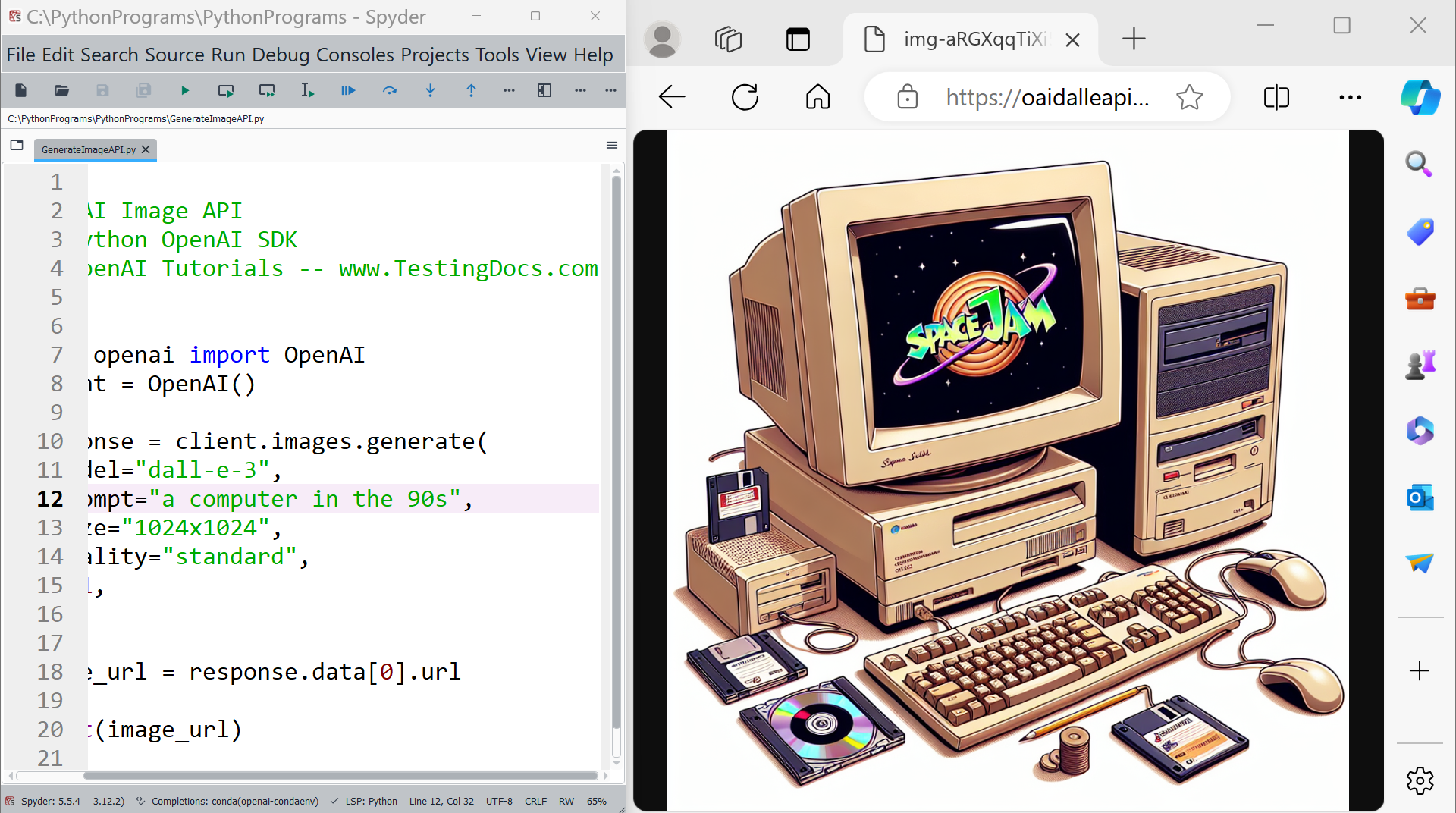
Run the code in the IDE. The user prompt is to generate an image of a computer in the 1990s. The other parameters in the API request are the size and quality of the image. In this example, we have requested a standard quality image of size 1024 x 1024
The API response is a JSON that will contain the following:
revised prompt, i.e., coherent image description by the model
generated image URL.
That’s it. You have successfully generated an image using OpenAI using the DALL.E AI model.