
Blog
Run Karate Test with JUnit5

Run Karate Test with JUnit5
In this tutorial, you will learn how to Run a Junit5 Karate Test. To create a Karate automation Maven Archetype project, follow the link:
Maven dependency
Karate Junit5 Maven dependency. Add this to the Maven pom.xml file and update the project. Maven would automatically add Karate Junit 5 support to the project.
<dependency>
<groupId>com.intuit.karate</groupId>
<artifactId>karate-junit5</artifactId>
<version>${karate.version}</version>
<scope>test</scope>
</dependency>
Cucumber Feature
In this tutorial, we will test MantisBT Rest API call to create an issue using HTTP Post method. To know more about the REST API endpoint:
https://www.testingdocs.com/mantisbt-rest-api-guide/
Add a BDD .feature file (aka .story file) to automate the Rest API call. There is no code required to write the step definitions. We just need to add the Gherkin as per the Karate DSL.
—
#Author: www.TestingDocs.com

#Sample Feature Definition Template

Feature: Post Mantis Issue
I want to test POST Mantis API call

@Mantis
Scenario: Create MantisBT Issue
Given url 'http://localhost/mantis/api/rest/issues/'
And header Authorization = '<Access Token>'
And request { "summary": "This issue created using Karate Tool-JUnit5 Demo",
"description": "[TestingDocs.com]Issue Description sample test bug API",
"category": { "name": "General" },

"project": { "name": "TestingDocsProject" } }
When method POST
Then status 201
—
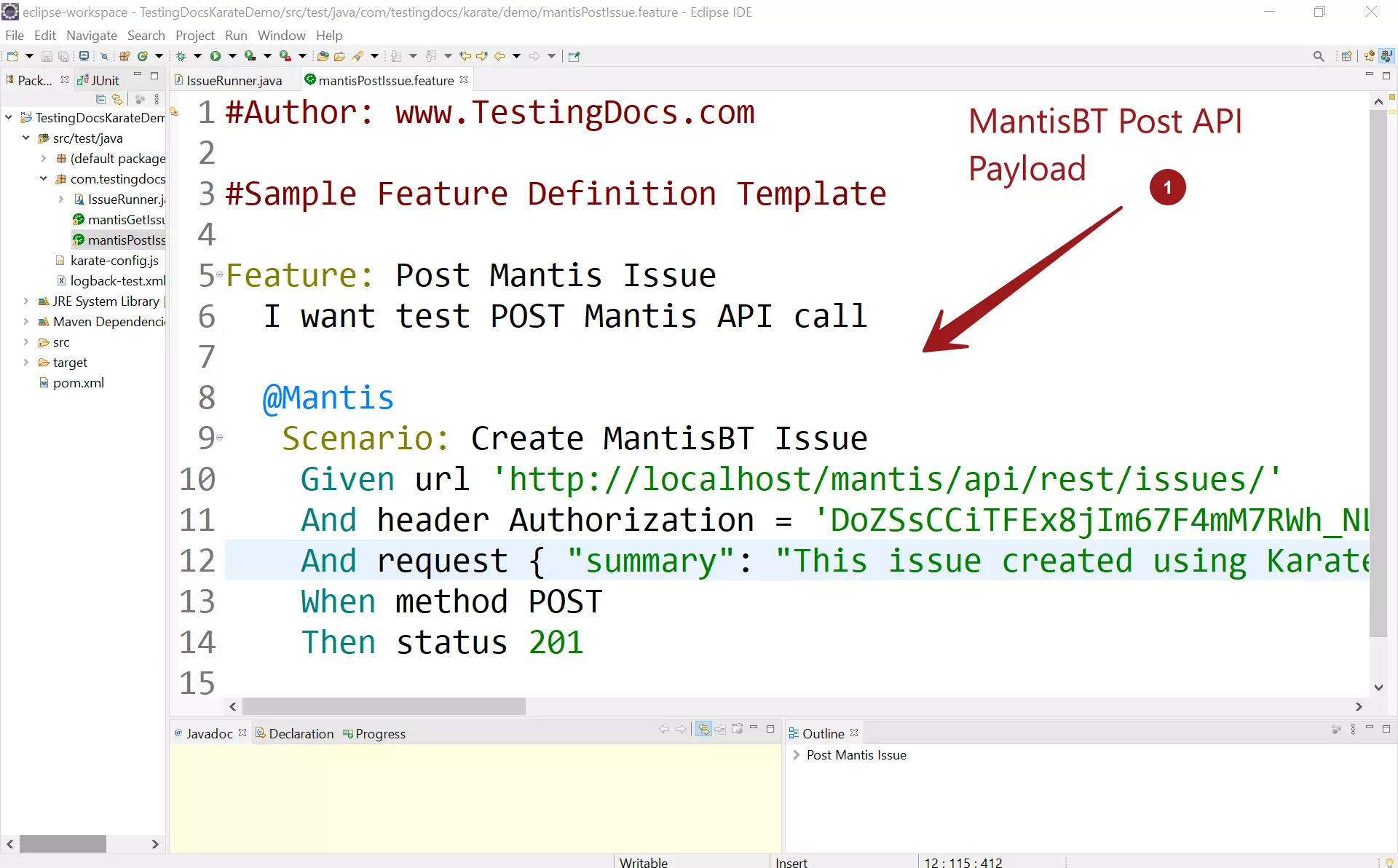
In the feature file, we assert for HTTP response code 201. This implies that MantisBT issue is created in the bug tracker tool. In real testing scenarios, we can add further checks and validations to the API JSON Response with JsonPath expressions.
Run Karate Test
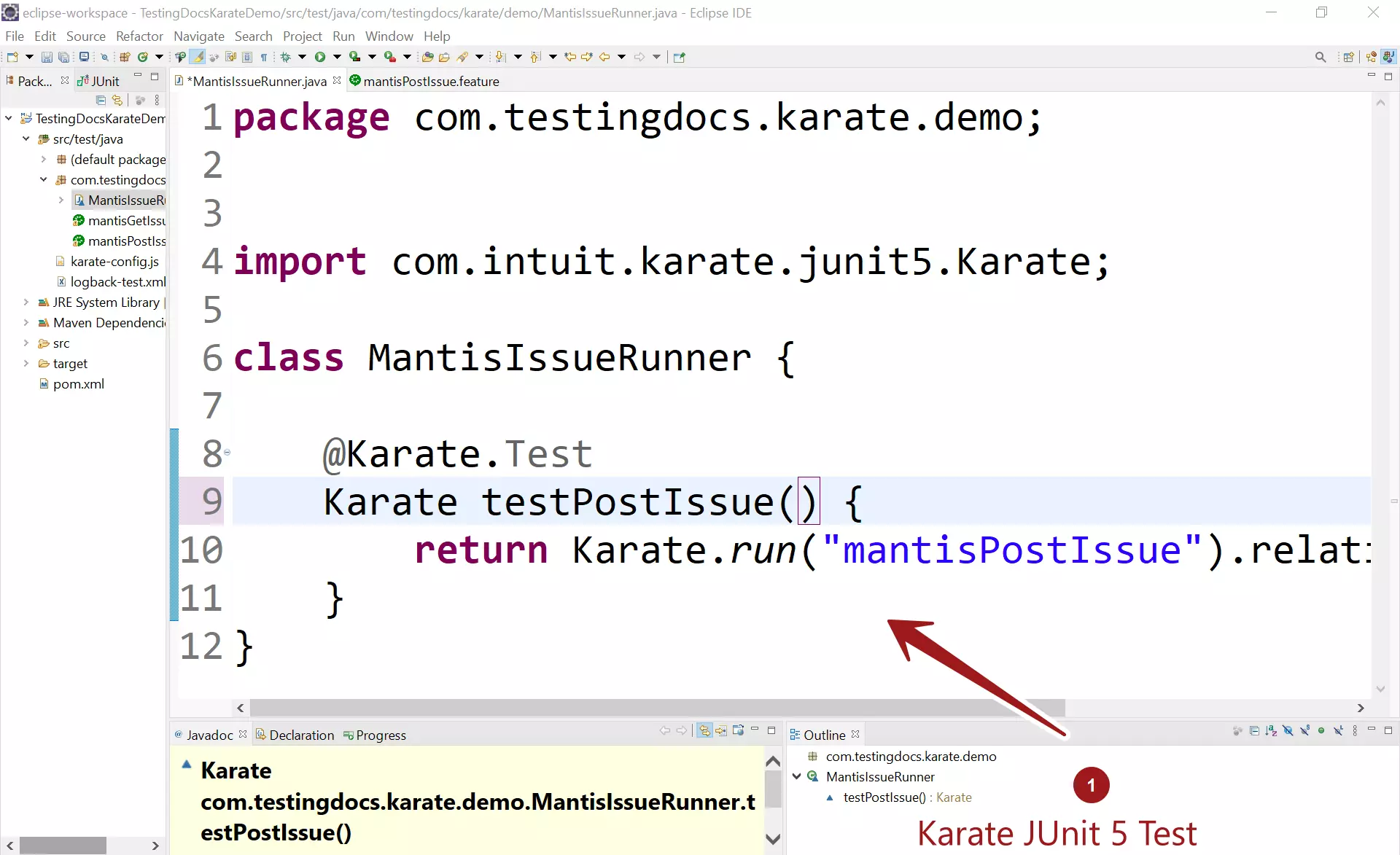
Add a runner Java class with Karate Junit 5 test. Annotate the test with the annotation
@Karate.Test
package com.testingdocs.karate.demo;

import com.intuit.karate.junit5.Karate;

class MantisIssueRunner {

    @Karate.Test
    Karate testPostIssue() {
        return Karate.run("mantisPostIssue").relativeTo(getClass());
    }
}
Run JUnit Test
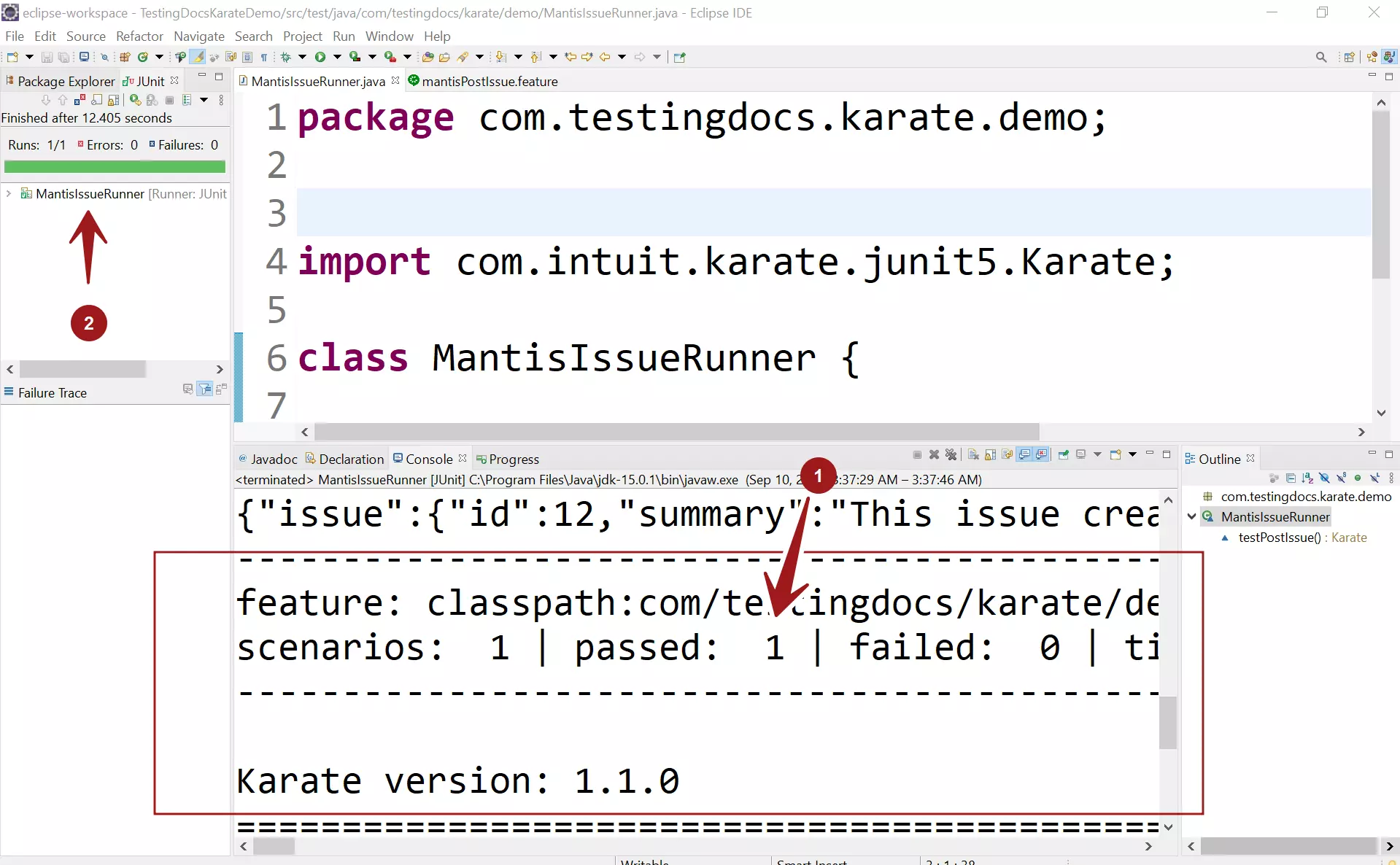
Run the test. Right-click
Run as >> Junit Test
Karate Automation Tutorials
Karate tool tutorials on this website can be found at:
More information on the tool: