
Blog
Download Notepad++ Editor on Windows 11

Download Notepad++ Editor on Windows 11
This is a step-by-step tutorial for downloading the Notepad++ editor for the Windows 11 operating system. Notepad++ is an open-source, free text and source code editor that supports many programming languages.
Notepad++ editor is written in C++ programming language. It is fast and performance-centric. It uses Win32 API and the STL ( Standard Template Library ) to ensure high execution speeds and reduce CPU power consumption.
Download Notepad++
Open a web browser. (For example, Google Chrome, Microsoft Edge or Mozilla Firefo browser)
Navigate to the Notepad++ website.
- https://notepad-plus-plus.org/
Click on the Download link.
Select the latest version and click on the Installer link to download the tool.

Install Notepad++
Click on the Show in folder link. This will open the downloads folder.
Double-click on the installer file to install the tool.

Notepad++ supports many natural languages. Select the language option from the drop-down and click on the OK button.

This will launch the setup wizard screen. Click on the Next > button.
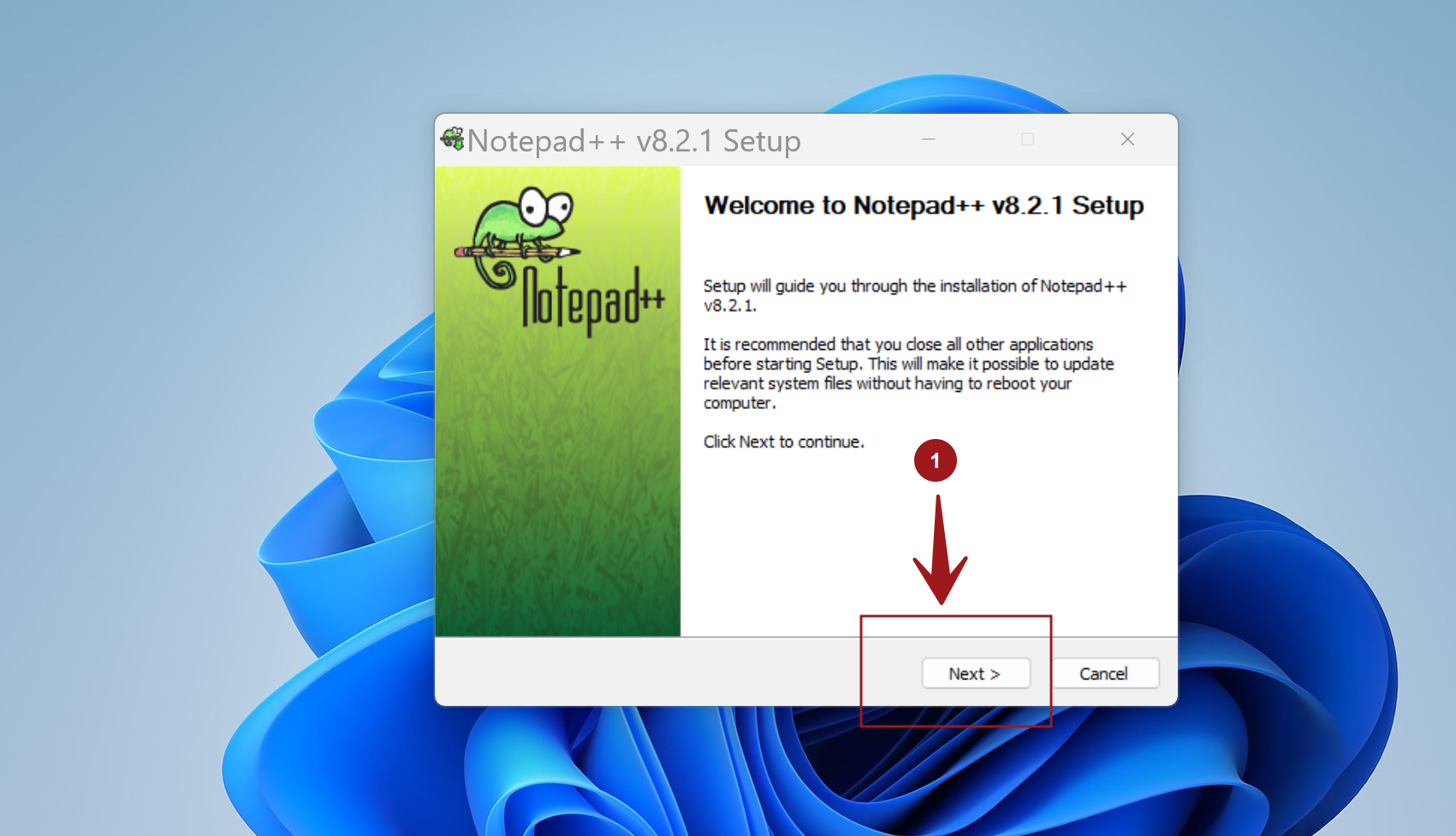
Read and accept the license agreement. Click on the ‘I Agree’ button to proceed with the installation.

Choose Install location. By default, the tool will install under the following folder.
C:\Program Files\Notepad++
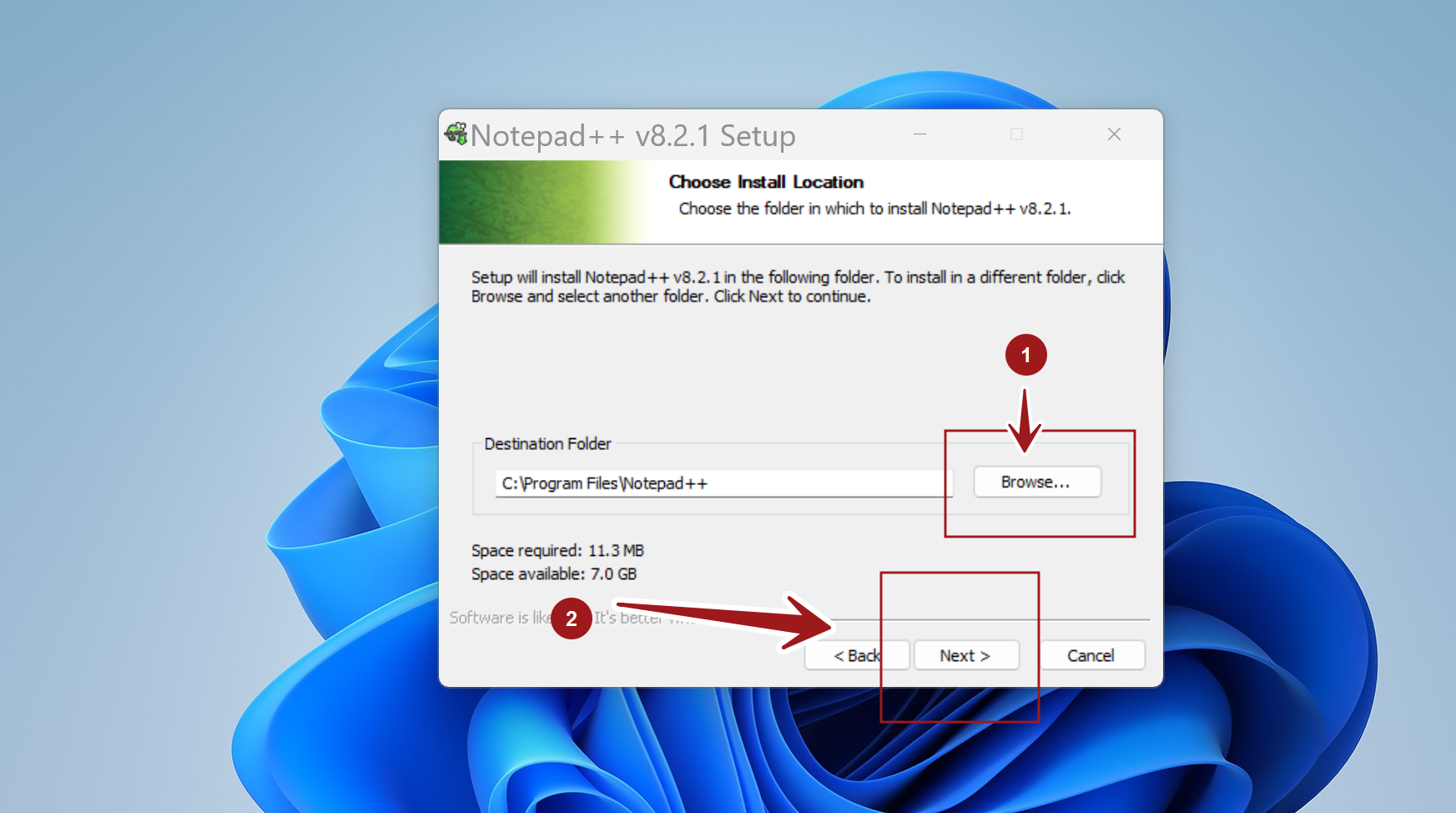
Click on the Next > button to proceed.
Choose components to install. By default, choose all the components.
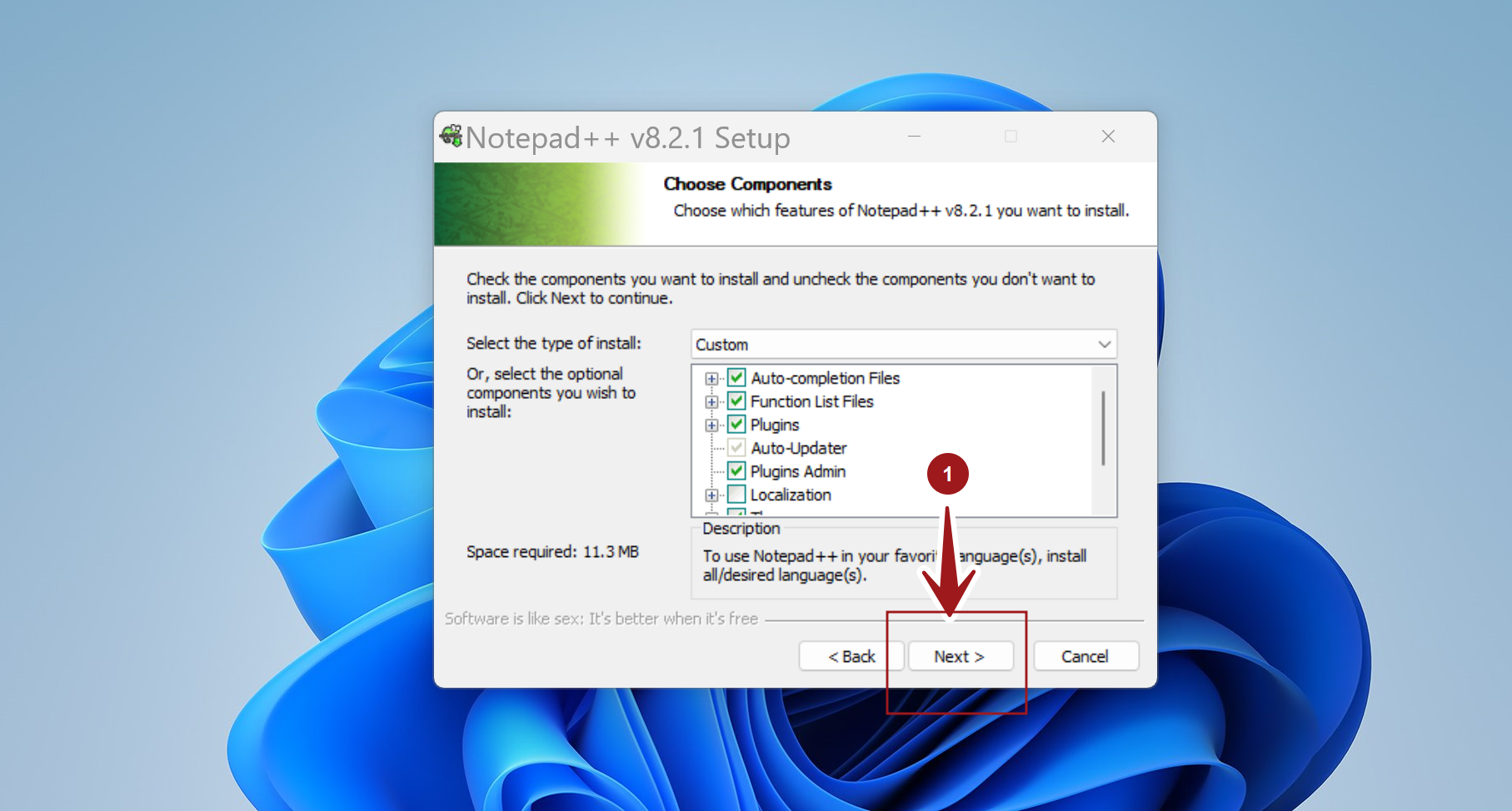
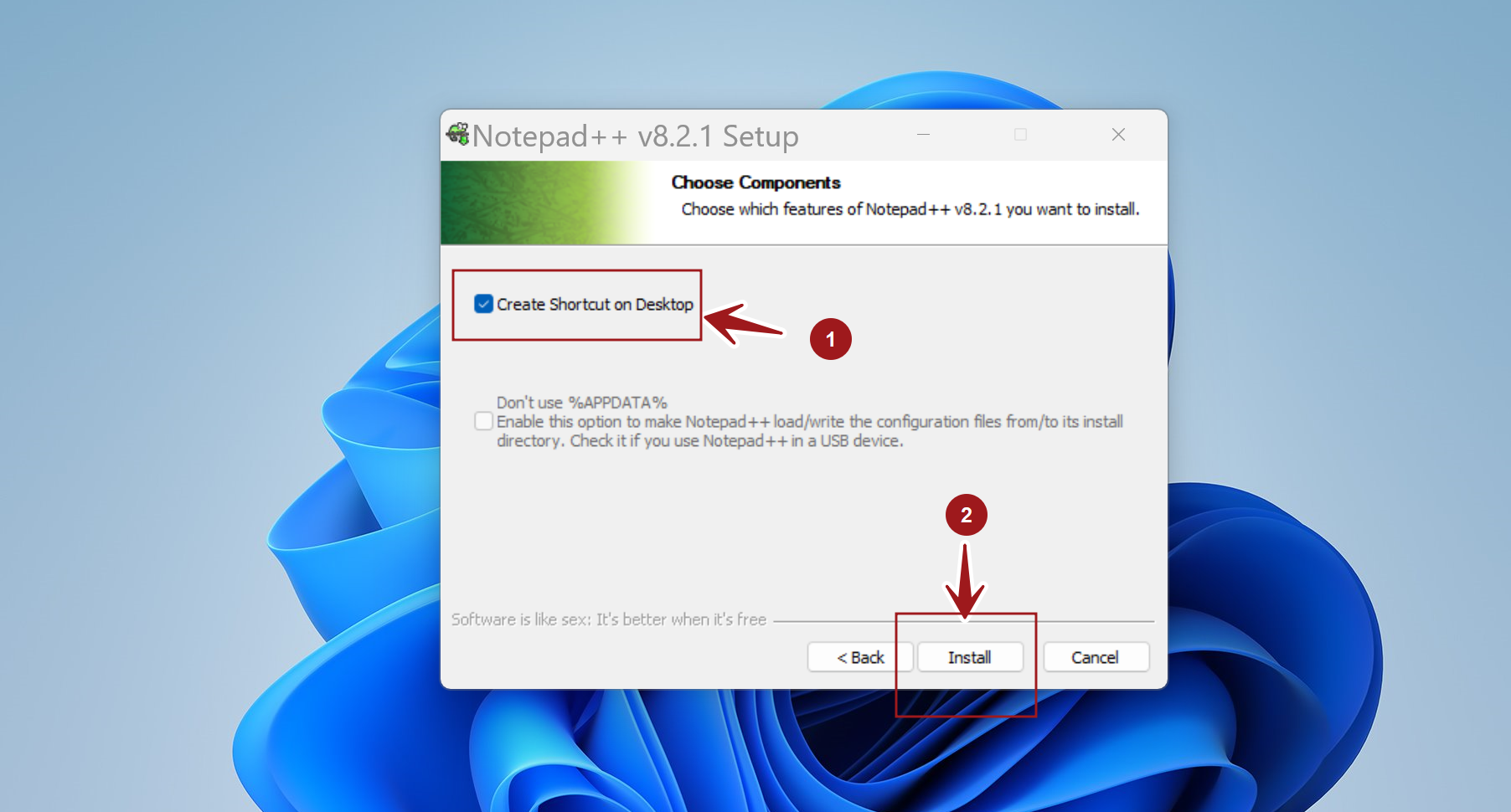
To create a desktop shortcut, check the option Create Shortcut on Desktop.
Click on the Install button to install the tool. The setup will copy all the required files onto the computer device.
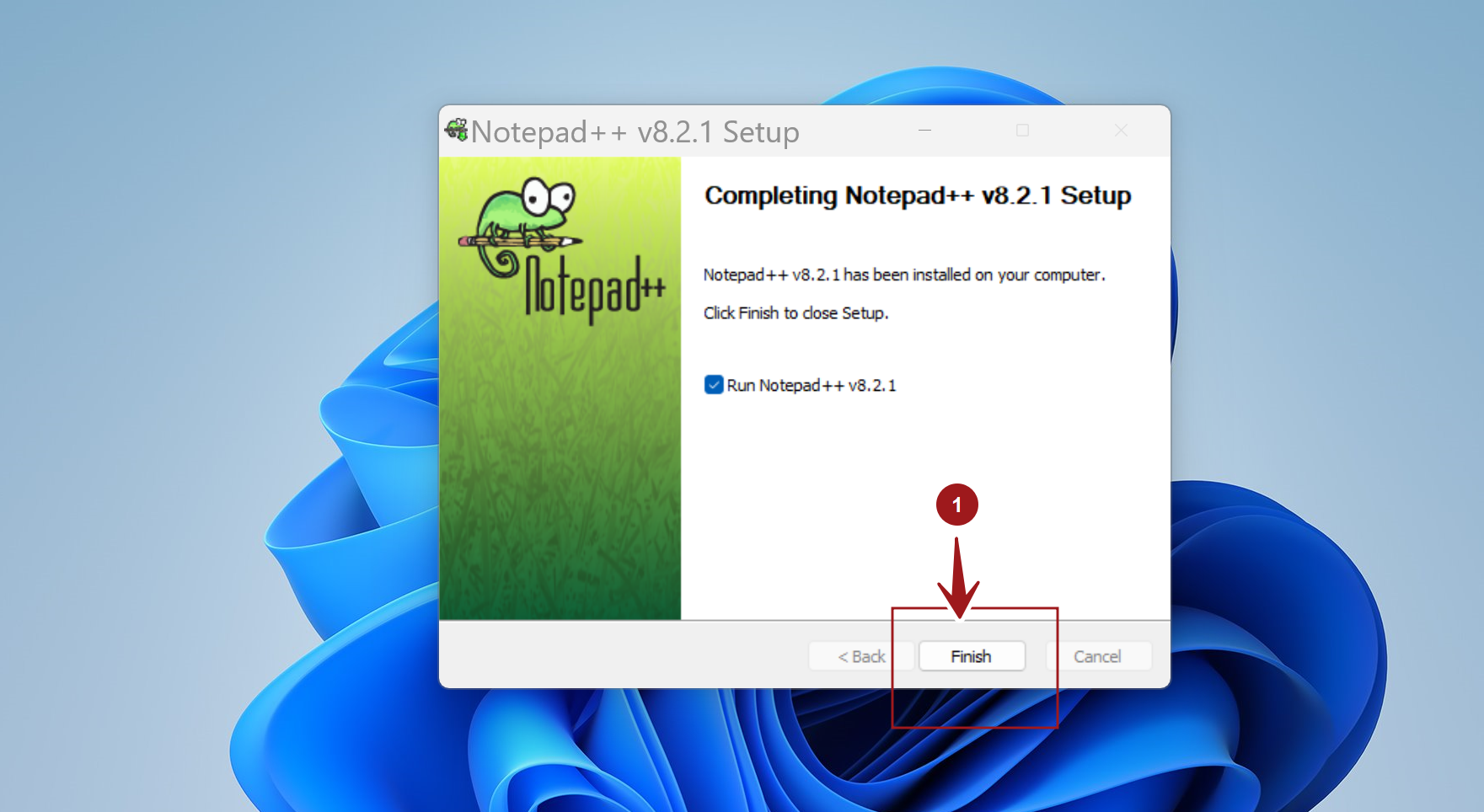
Click on the Finish button to complete the installation and exit the setup wizard screen. We can also choose the run the software.
Check the option Run Notepad++ <version> to run the software.
That’s it. We have successfully installed the Notepad ++ editor on the Windows 11 system.