
Blog
Location Privacy Settings

Location Privacy Settings
In this tutorial, you will learn Windows system settings related to Location Privacy Settings. Windows can use the device capabilities to determine the geographic location and to improve its applications and services.
Windows Location service will use a combination of technologies like Global Positioning System (GPS), Cell phone towers, nearby Wireless Access Points, and the device IP address to determine the deviceâs location.
If you have enabled the device location setting, the device sends de-identified location information such as wireless access point information, cellular tower information, and GPS location to Microsoft after removing any data identifying the person or device.
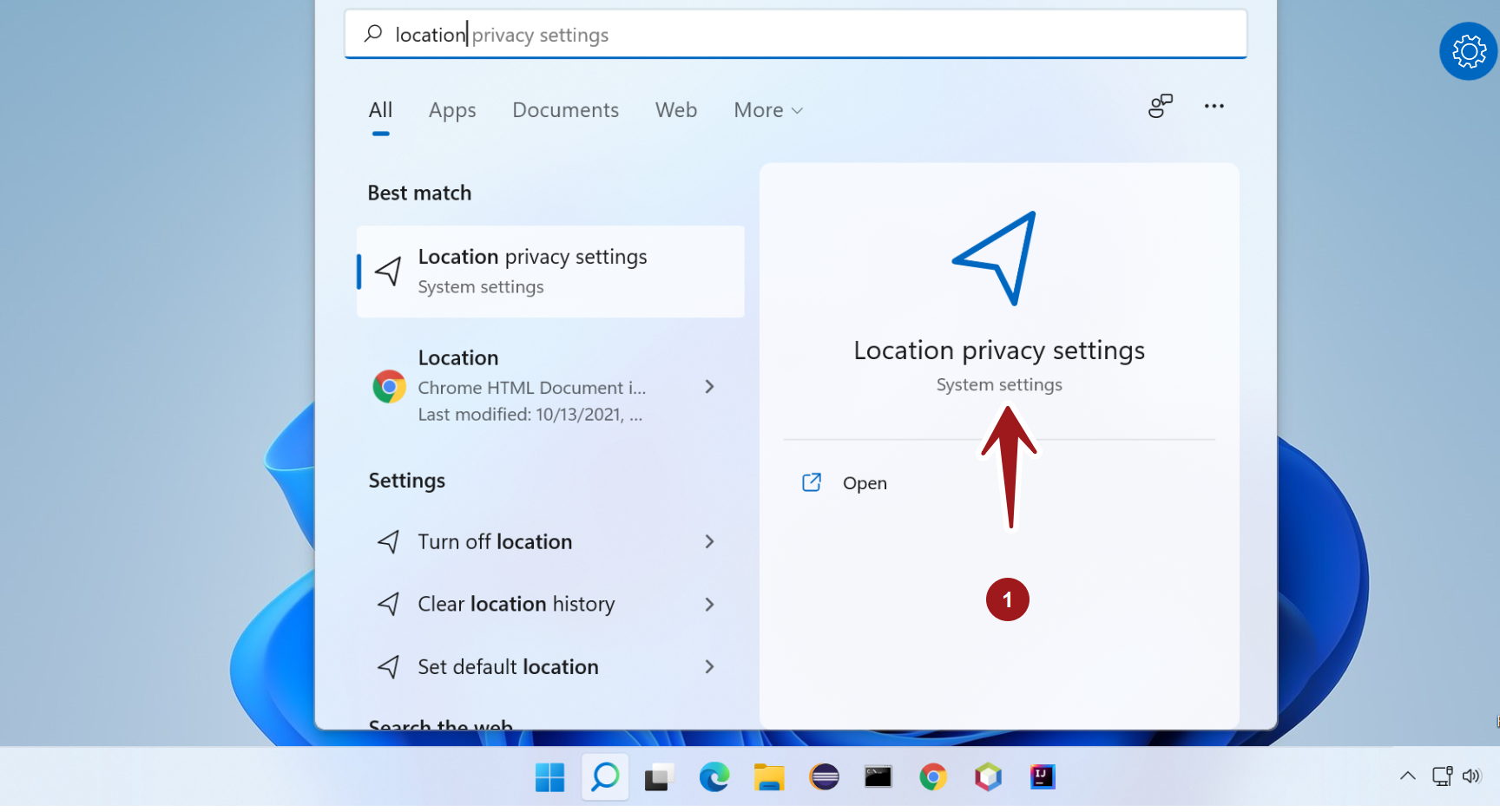
Turn off/on Location
Click on the Search icon and type Location.
Open Location privacy settings
Toggle the Location Services setting to On/Off to turn On and Off the location services on the device.
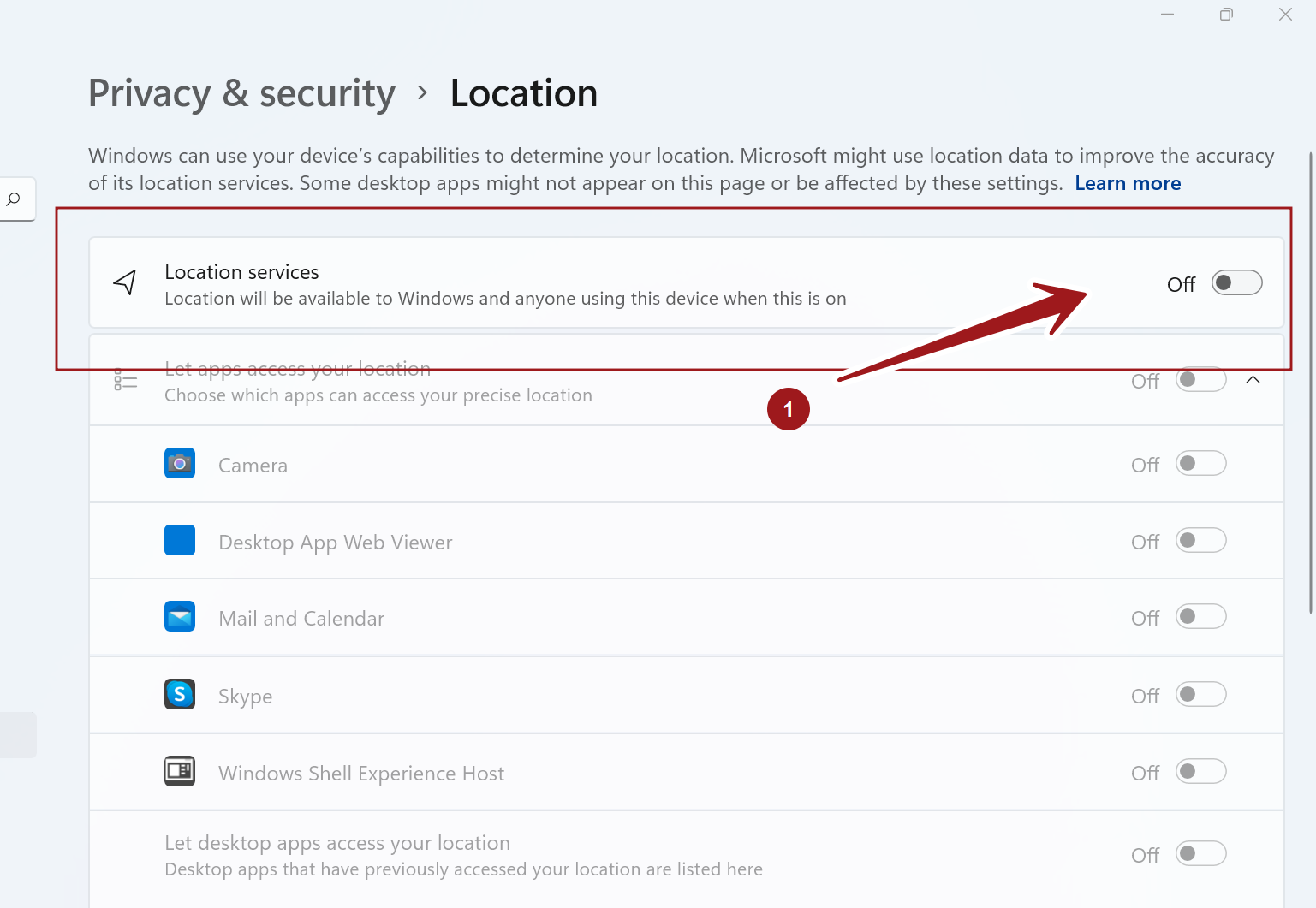
We can also fine-tune the Apps access to the location with individual settings.