
Blog
Install Google Chrome on Windows 11

Install Google Chrome on Windows 11
This tutorial outlines the steps to install the Google Chrome browser on the Windows 11 operating system. Google Chrome is one of the most popular web browsers.
Environment
We will use the below environment in this example.
- Windows 11 Operating System
- Microsoft Edge Browser. Microsoft Edge browser is built-in. Itâs already installed in Windows 11.
Download Google Chrome
Open Microsoft Edge browser on Windows 11 PC. We can easily find the Edge browser icon on the Taskbar.
Navigate to the official Google Chrome download URL
- https://www.google.com/chrome/
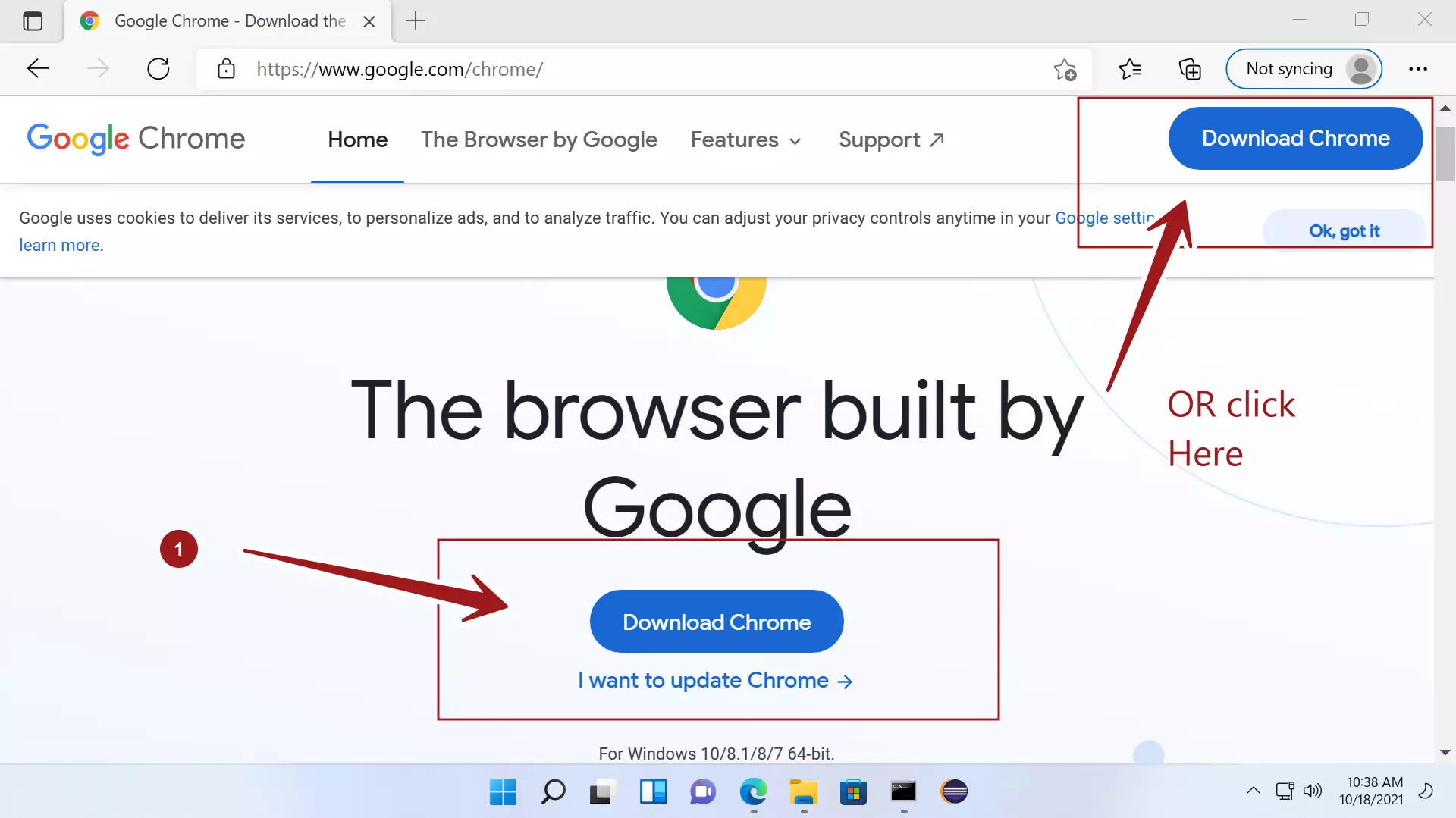
Click on the Download Chrome button.
This will download ChromeSetup.exe on to the computer.
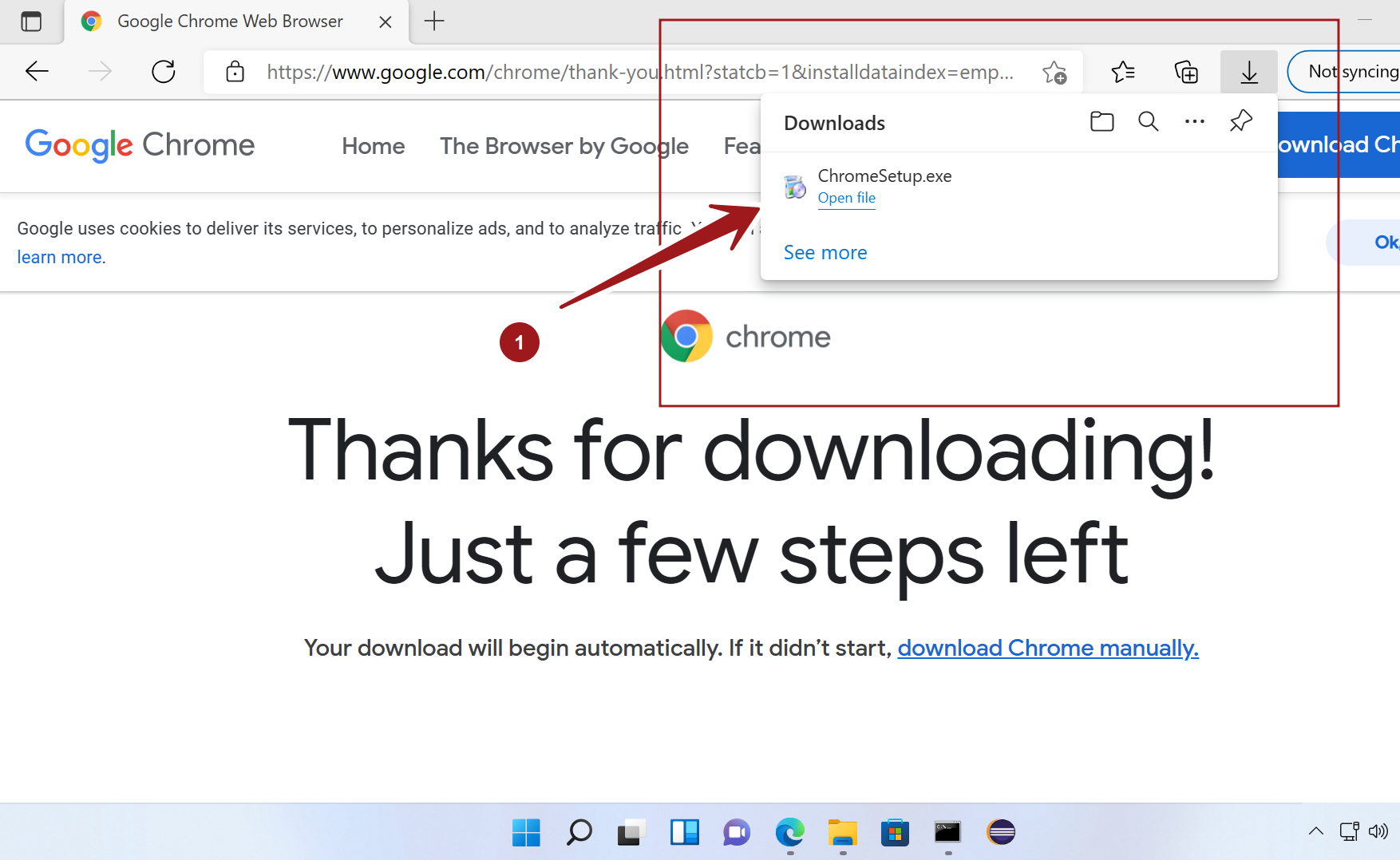
Install Google Chrome
Double click on the ChromeSetup.exe to install Chrome.
Click Yes on the UAC elevation prompt. UAC prompt is a built-in security feature to notify the user if a program makes administrative tasks on the computer.
Check the Verified publisher in the UAC dialog prompt.

Google Chrome browser would be installed on the computer.
We can customize the Google Chrome install using the First run wizard. For example, to add bookmarks to popular Google Apps, Background setting, etc.

Double click on the Desktop Chrome icon to launch the browser.
Quick access
We can pin Google Chrome to Start and Taskbar for quick access.
Pin to Start
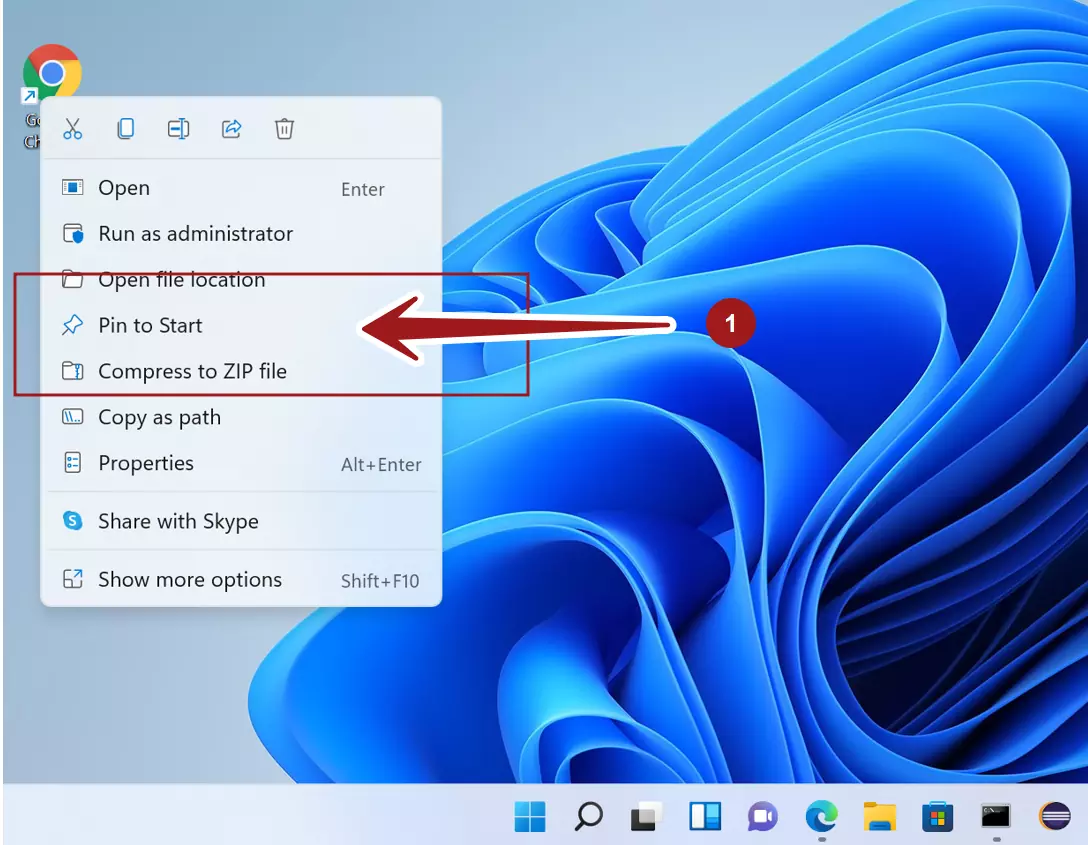
Right click on the Desktop icon and choose Pin to Start to pin the Google Chrome to the Start screen.
Pin to Taskbar
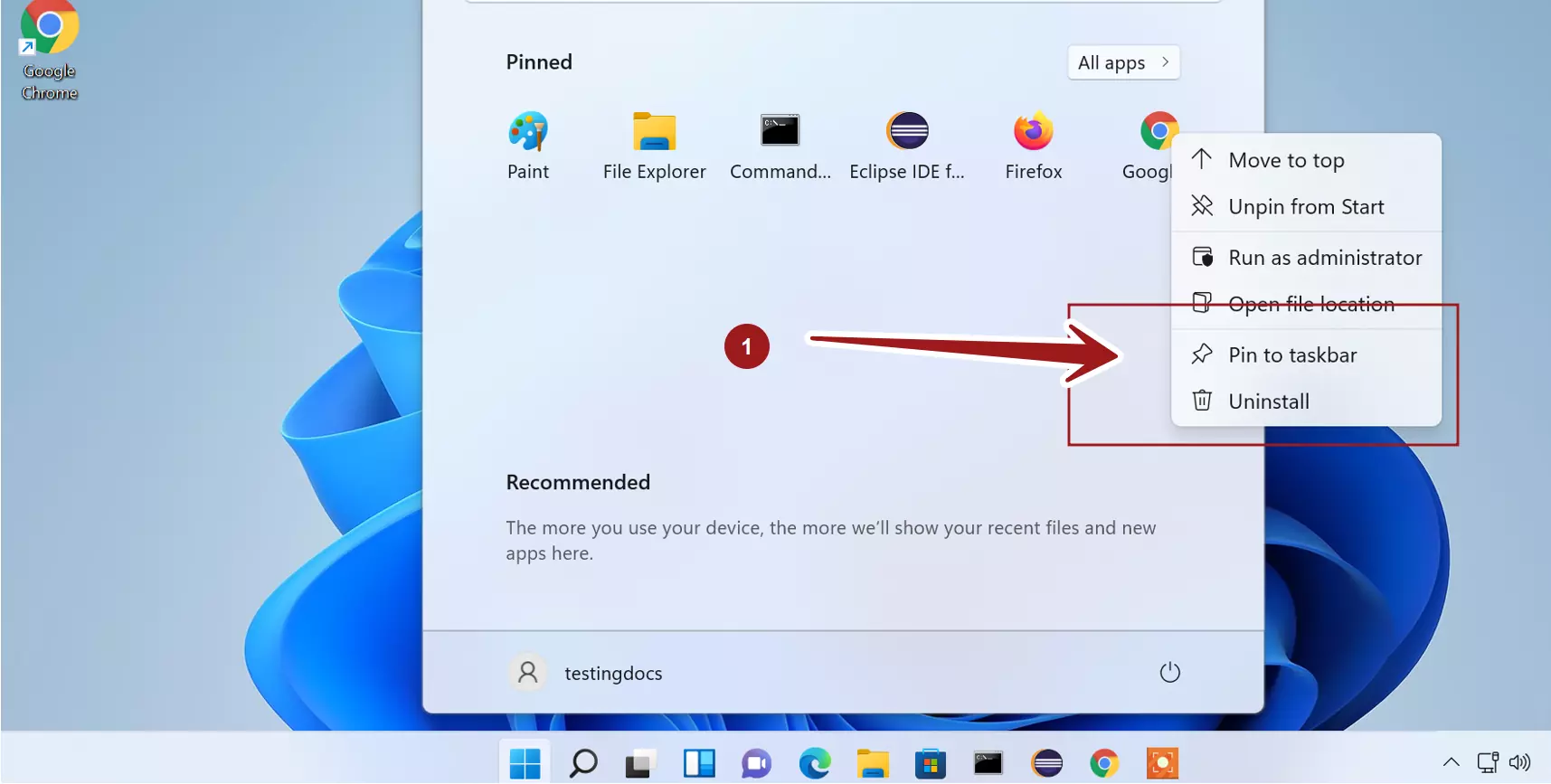
Right click on the pinned Chrome icon in the Start screen. Choose Pin to taskbar option from the context-sensitive menu. This will pin the Google Chrome browser icon to the Taskbar.
That’s it. We have successfully installed Google Chrome on Windows 11 machine. You now have Google Chrome installed and ready on Windows 11.