
Blog
Set ANDROID_HOME environment variable on Windows

Set ANDROID_HOME environment variable on Windows
Let’s see the steps involved in setting up the ANDROID_HOME environment variable on the Windows operating system platform.
Steps
Right-click My Computer and select Properties.
Alternatively, Launch Control Panel >> System and Security >> System
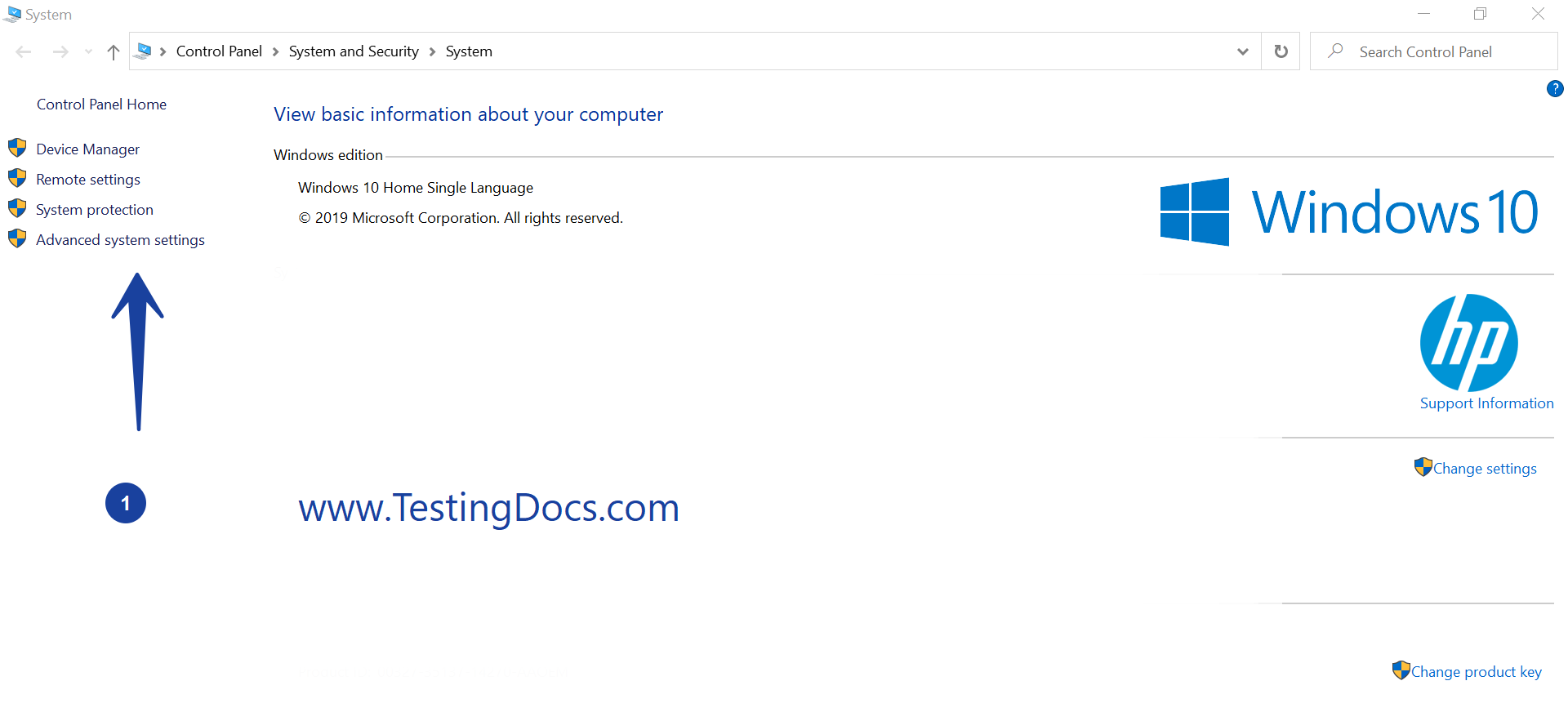
On the Advanced system settings, select Environment Variables… button.
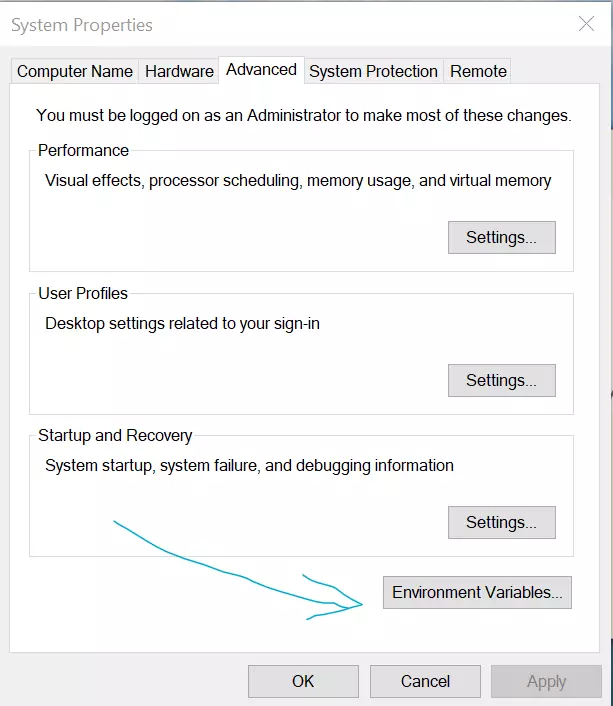
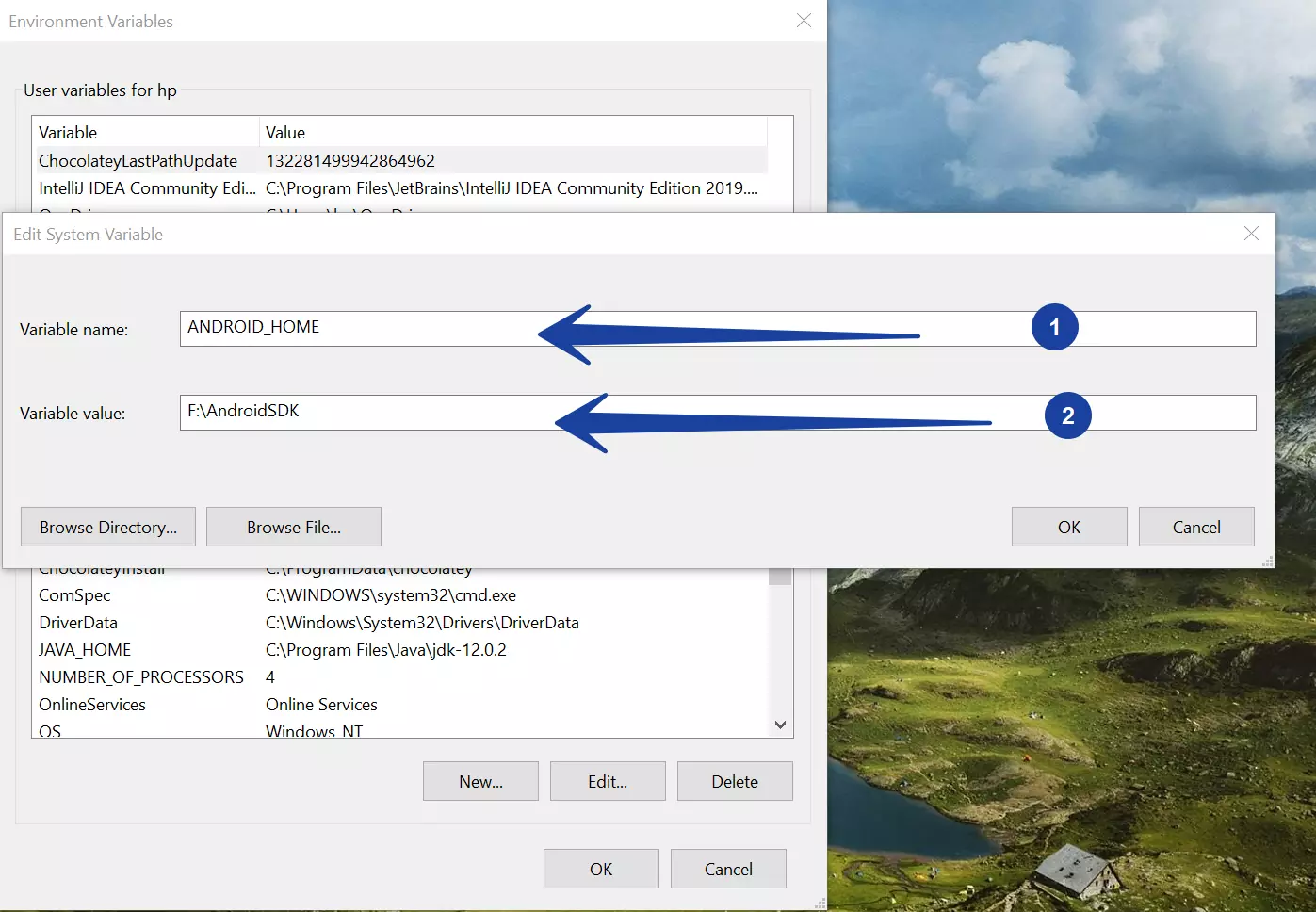
Choose System variables >> Click on the New… button to add a new environment variable.
ANDROID_HOME
Add ANDROID_HOME to point to where the Android SDK directory is installed.
Click on OK button to save the changes.
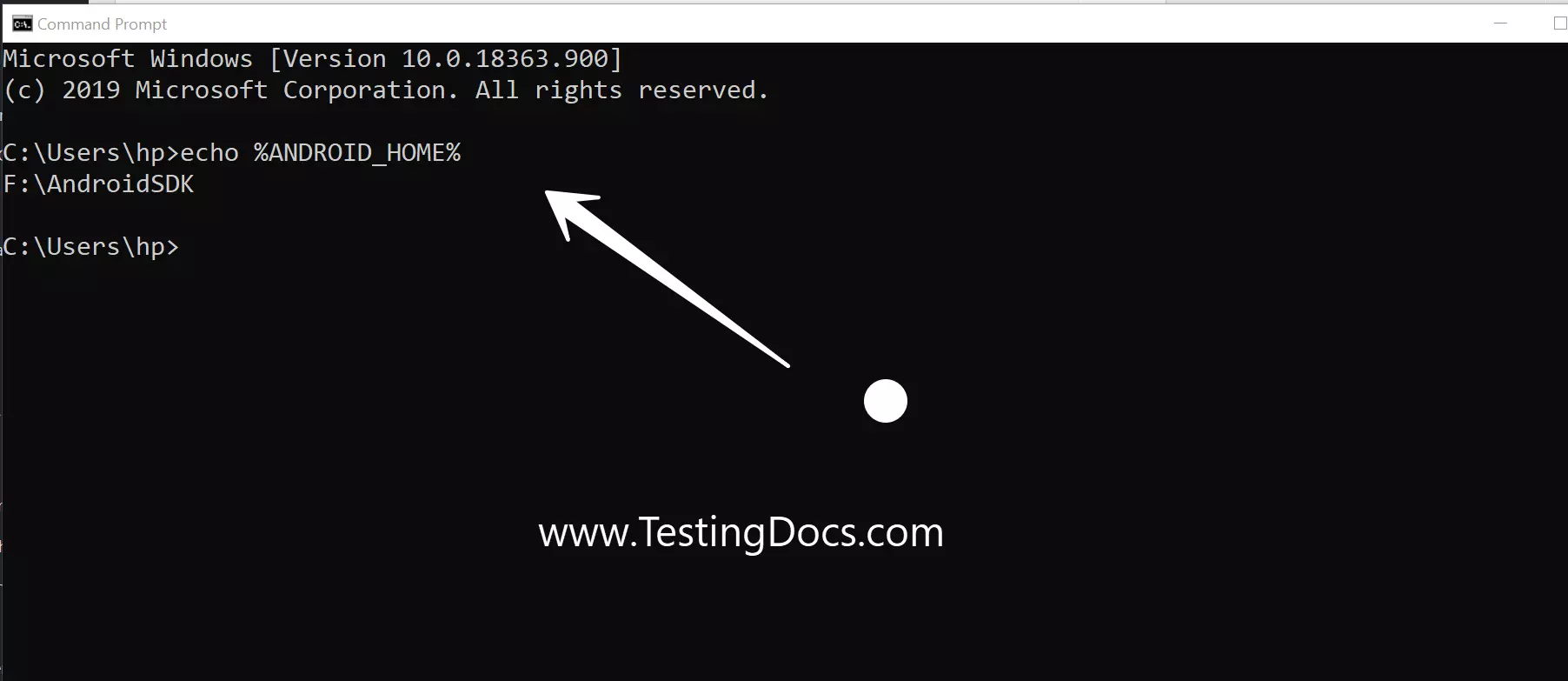
Verify
You can verify it on the Command prompt using the echo command.
/> echo %ANDROID_HOME%
The output should display the Android SDK path.
That’s it. We have successfully set the environment variable on Windows.
Appium Tutorials:
https://www.testingdocs.com/appium-tutorials/