
Blog
Create a Sprint in Jira Software

Create a Sprint in Jira Software
In this post, we will learn how to create a Sprint in Jira Software. Sprints can be created in the Backlog screen. One active sprint can be started in the dashboard. A Sprint is a time-boxed frame in Scrum framework usually 2 to 4 weeks. Agile Scrum team works to complete the sprint tasks, stories assigned in the sprint.
Usual Workflow to create sprint:
- Create Backlog items
- Plan the Sprint
- Create the Sprint.
Create Items
Scrum team can create the items that needs to be done in the Sprint. Jira software allows you to drag and drop of the items(story, task, bug) on to the current active sprint.
Plan the Sprint
Open Jira Software.
Log in to Agile Dashboard
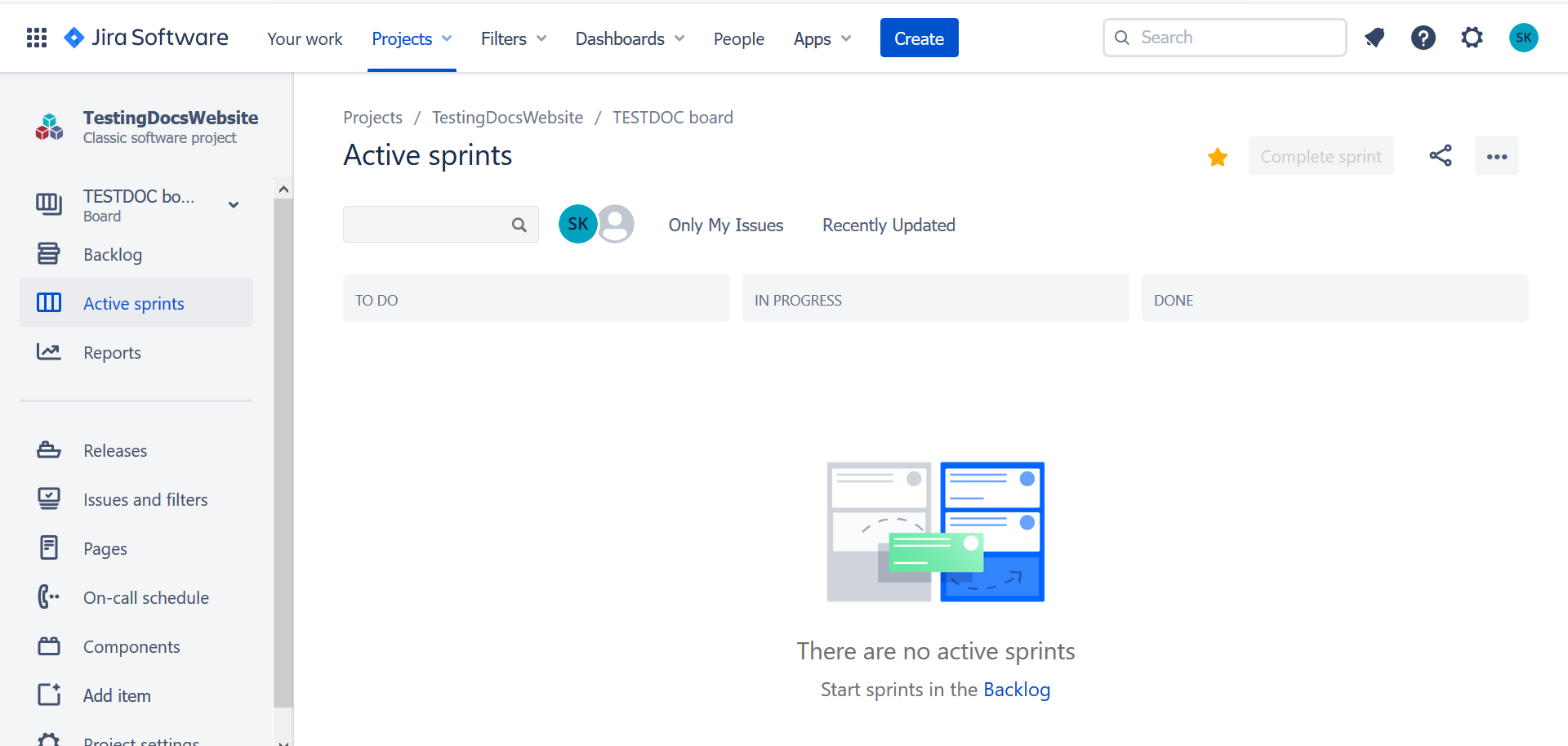
Click Active Sprints. If there are no active sprints then, we can create or start a new Sprint in the Backlog screen.
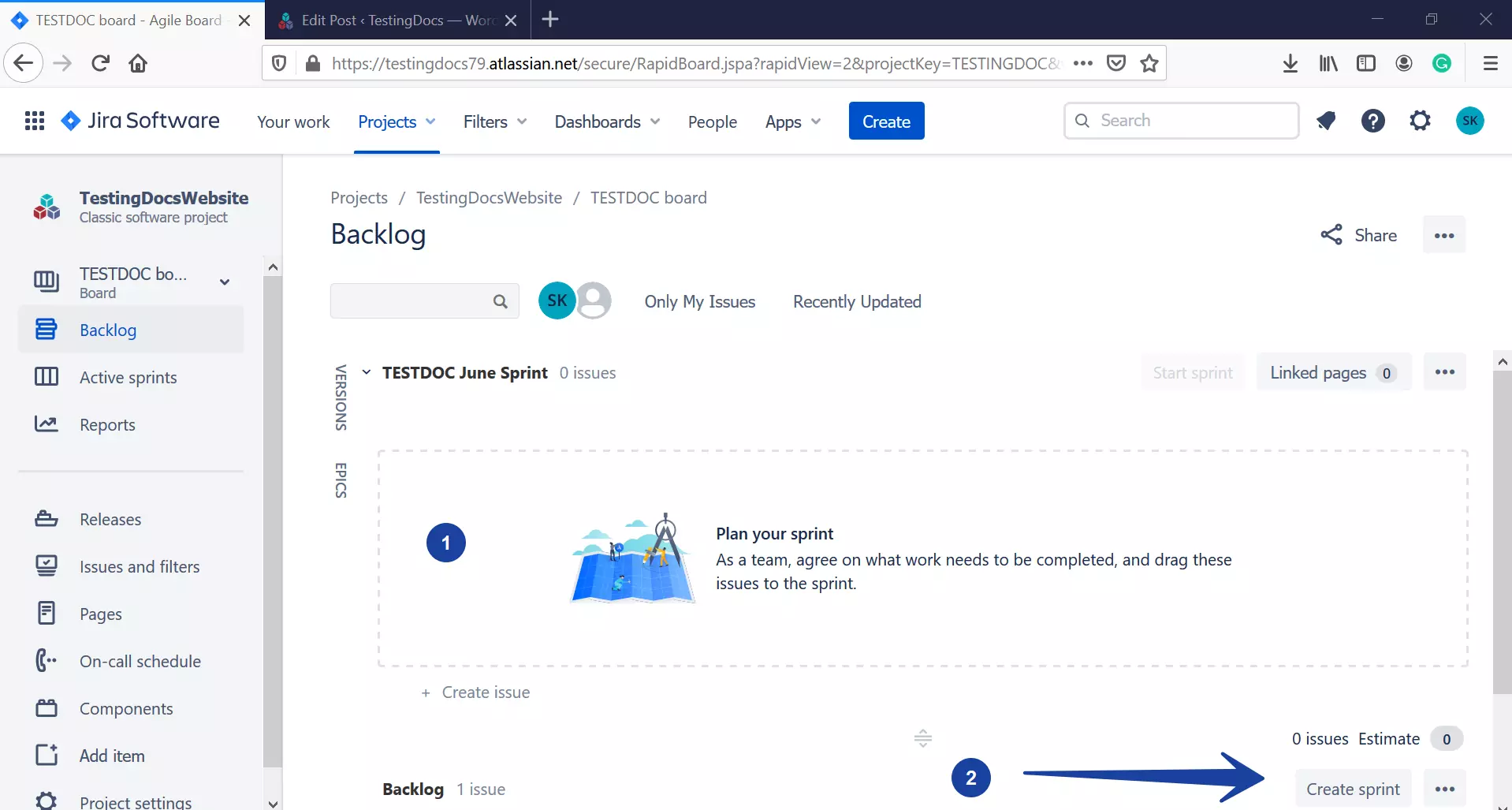
Create a Sprint
Once the sprint planning is done, click on the Create sprint button to create the sprint.
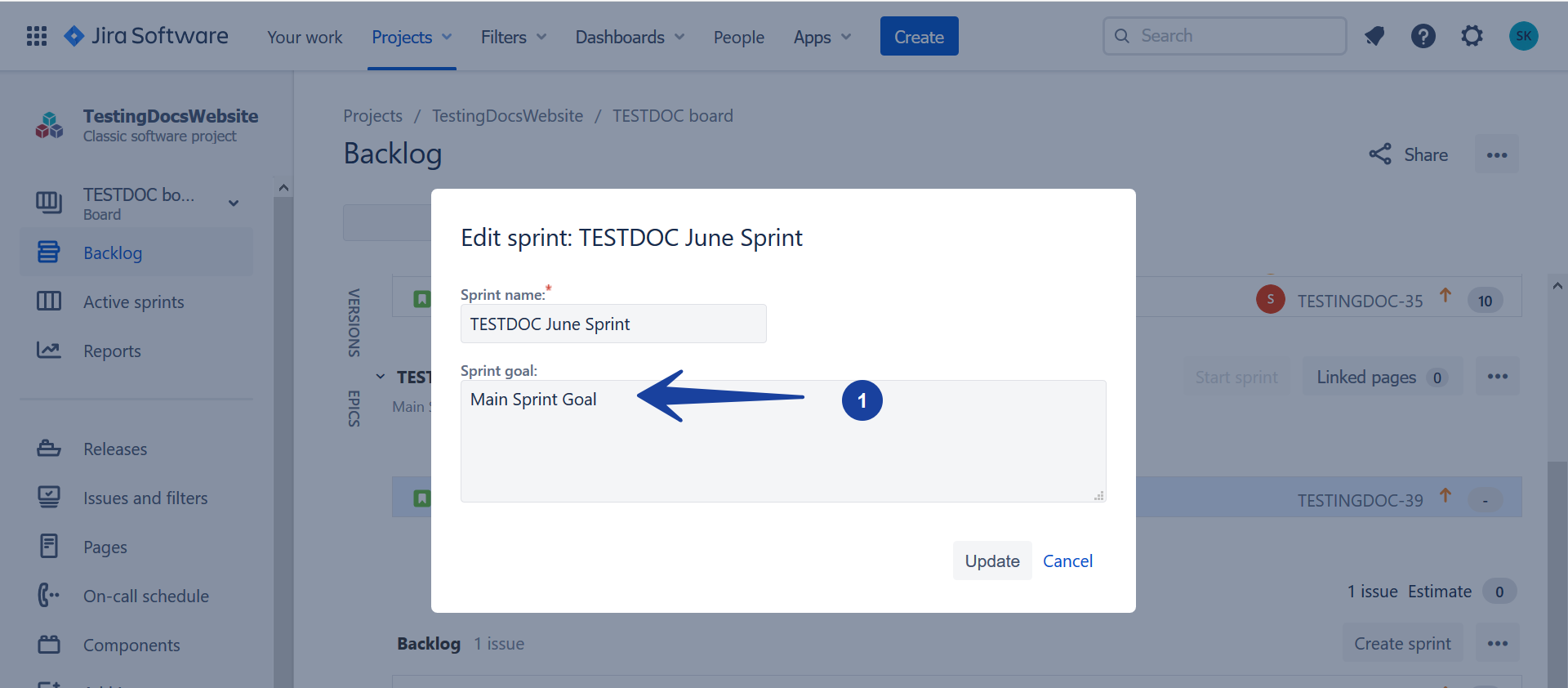
Add Sprint details
Choose the Sprint duration, and the Start date. Add the Sprint execution main goal in the Sprint Goal box.
We can plan for upcoming sprints by creating them in the Backlog screen. To start the planned sprint the current active sprint should be completed.
—
Jira Tutorials
Jira Software Tutorials link on this website: