
Blog
Create Scrum Project in Jira Software

Create Scrum Project in Jira Software
In this tutorial, we will learn the steps to create a Scrum Project in Jira Software. Jira software provides a variety of project templates to quickly set up projects on the fly.
Create Scrum Project
Launch Jira Software.
Choose from the Top menu, Click on the Projects and select Create project.
Projects >> Create project
A new window will open in which you need to select the Project type or Template.
Project Template
Choose the Project Template you want to create.
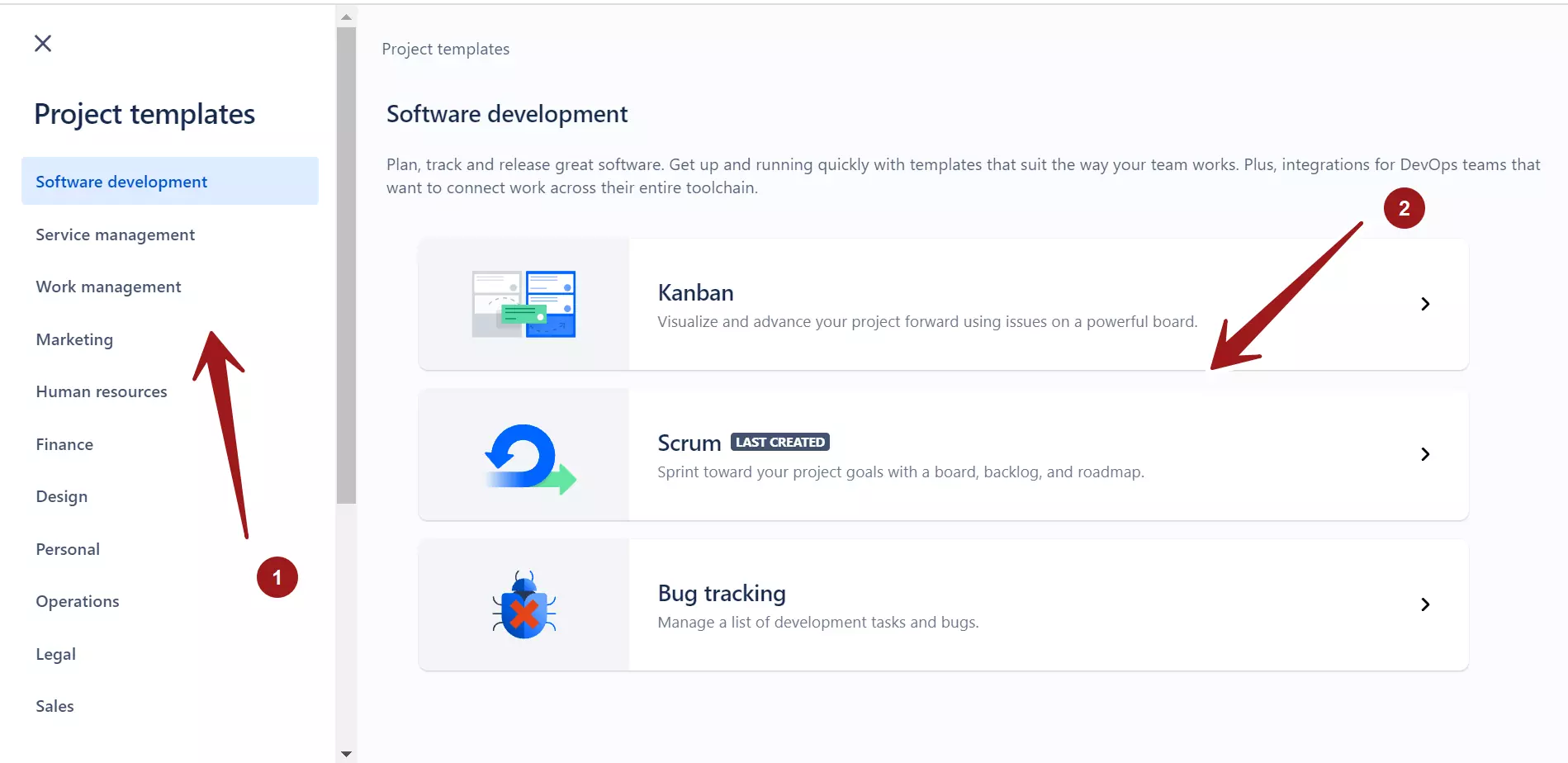
For example, to create a Software development project that follows Scrum framework, choose
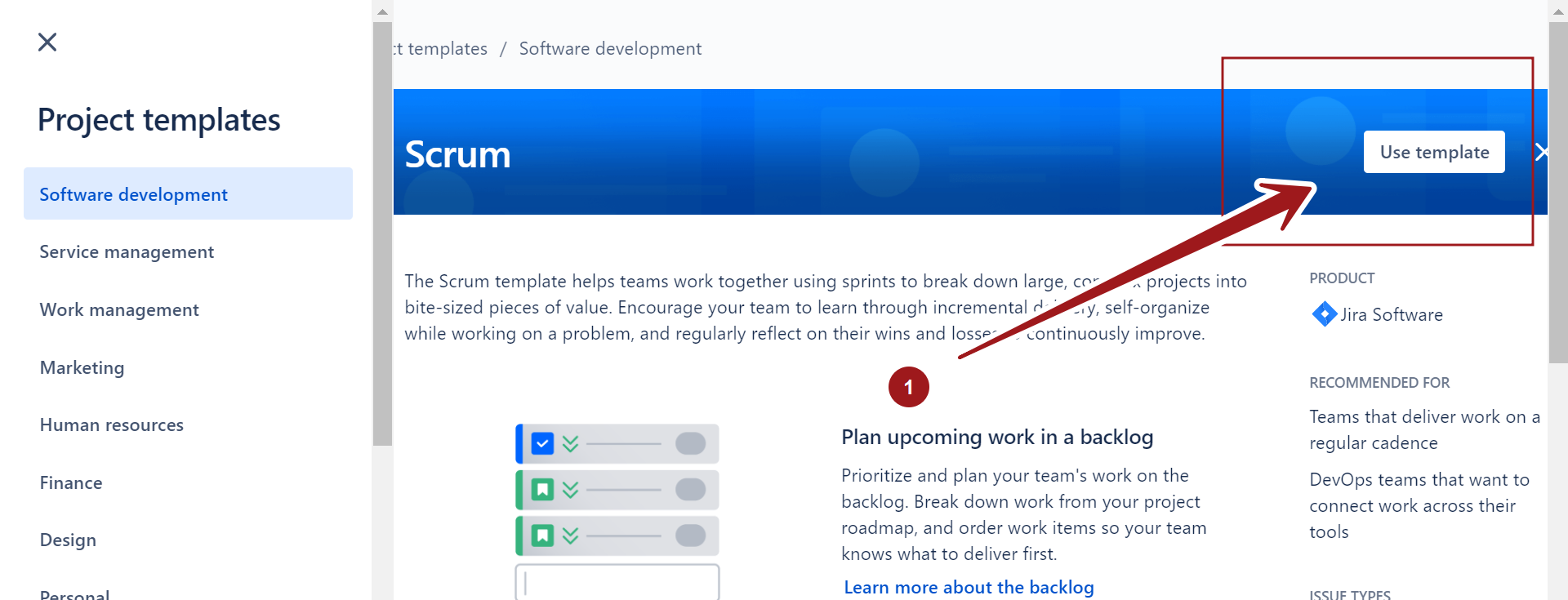
Software Development >> ScrumÂ
Click on the Use Template button.
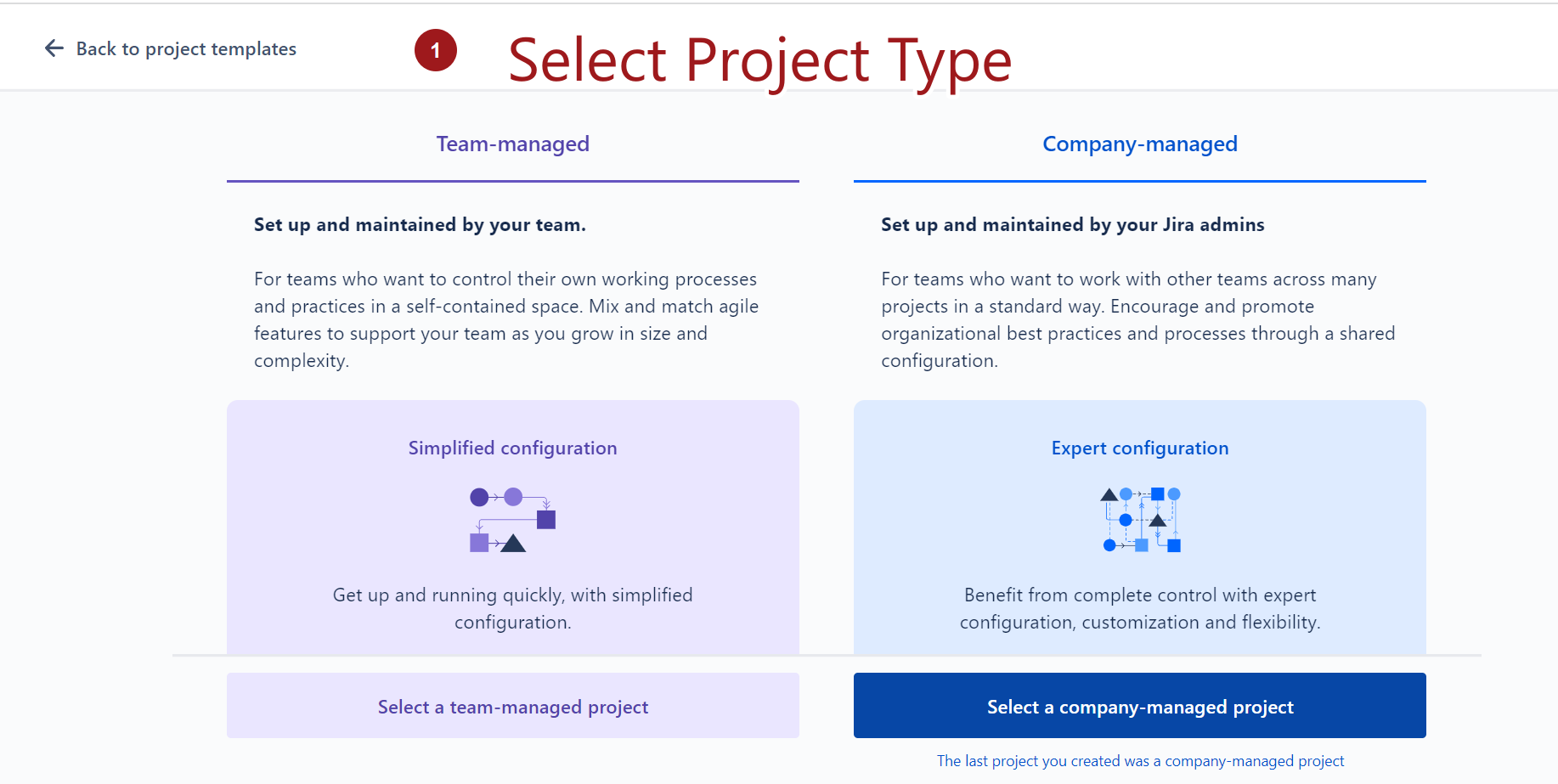
Project Type
Select the Project type.
- Team-managed Project ( Basic Project setup )
- Company-managed Project ( Advanced Project Setup)
Add Project Details
Add project details like Project Name, Key and click on the Create project button to create the project.
Key is the prefix that would be added to all the issues related to the Project. Choose a descriptive Key to uniquely identify the project.
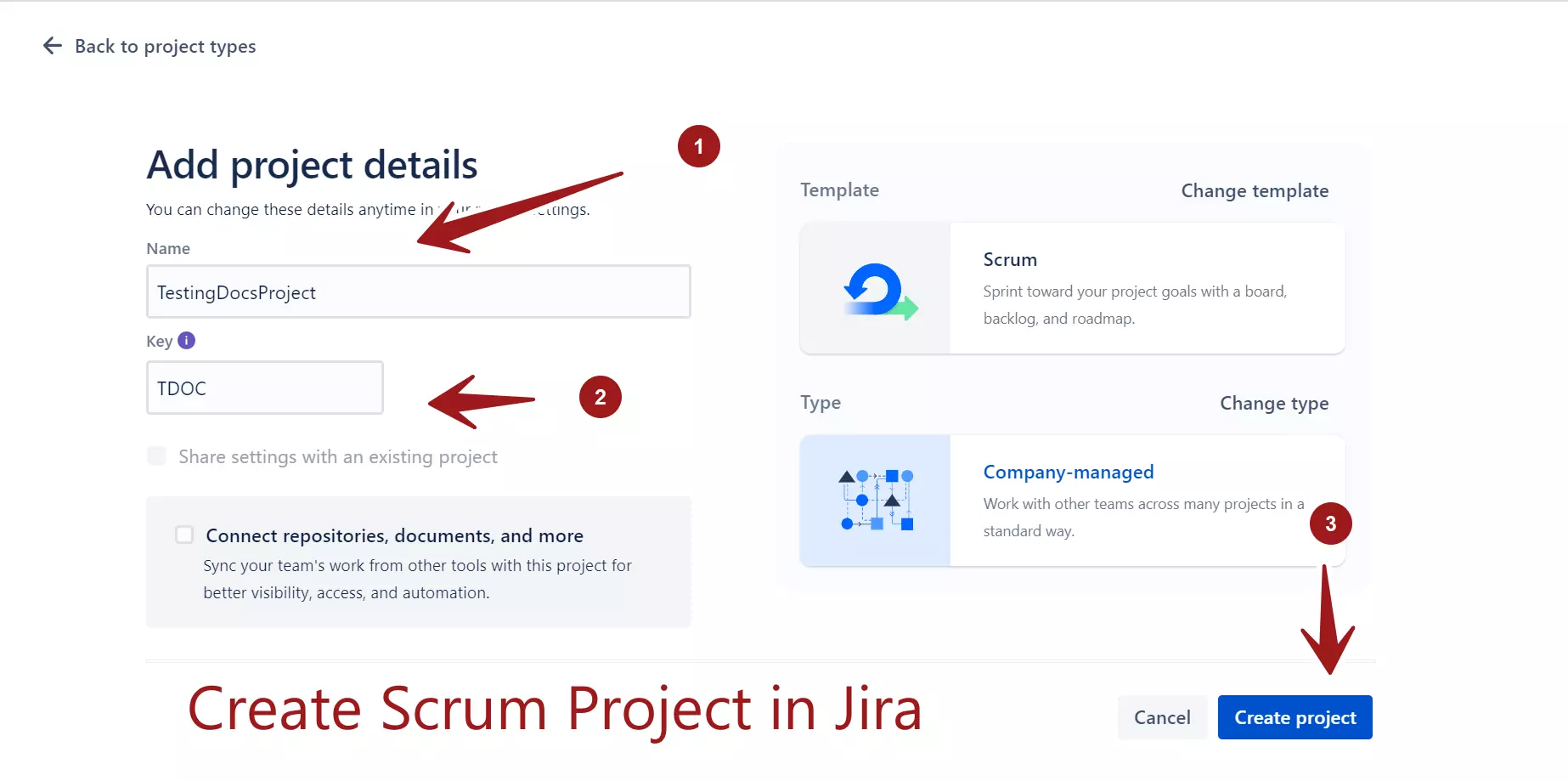
That’s it. We have successfully create a Scrum project in Jira Software.
—
Jira Tutorials
Jira Software Tutorials link on this website: