
Blog
OpenAI API Keys

OpenAI API Keys
In this tutorial, you will learn how to create an OpenAI API key. The ChatGPT API keys authenticate and authorize access to the ChatGPT API. Developers can use the API keys to integrate ChatGPT into their applications, websites, or services. For example, you can build a chatbot, virtual assistant, or any other conversational interface using the API.
Build Custom Chat Interfaces
To create a custom chat interface that interacts with ChatGPT, you can use the API keys to make API requests and receive responses. Researchers and data scientists can also use the API keys to experiment with different prompts, fine-tune models, and explore ChatGPT’s capabilities.
Steps to Create API Keys
The steps to create keys are as follows:
Sign up or log in to the official OpenAI platform.
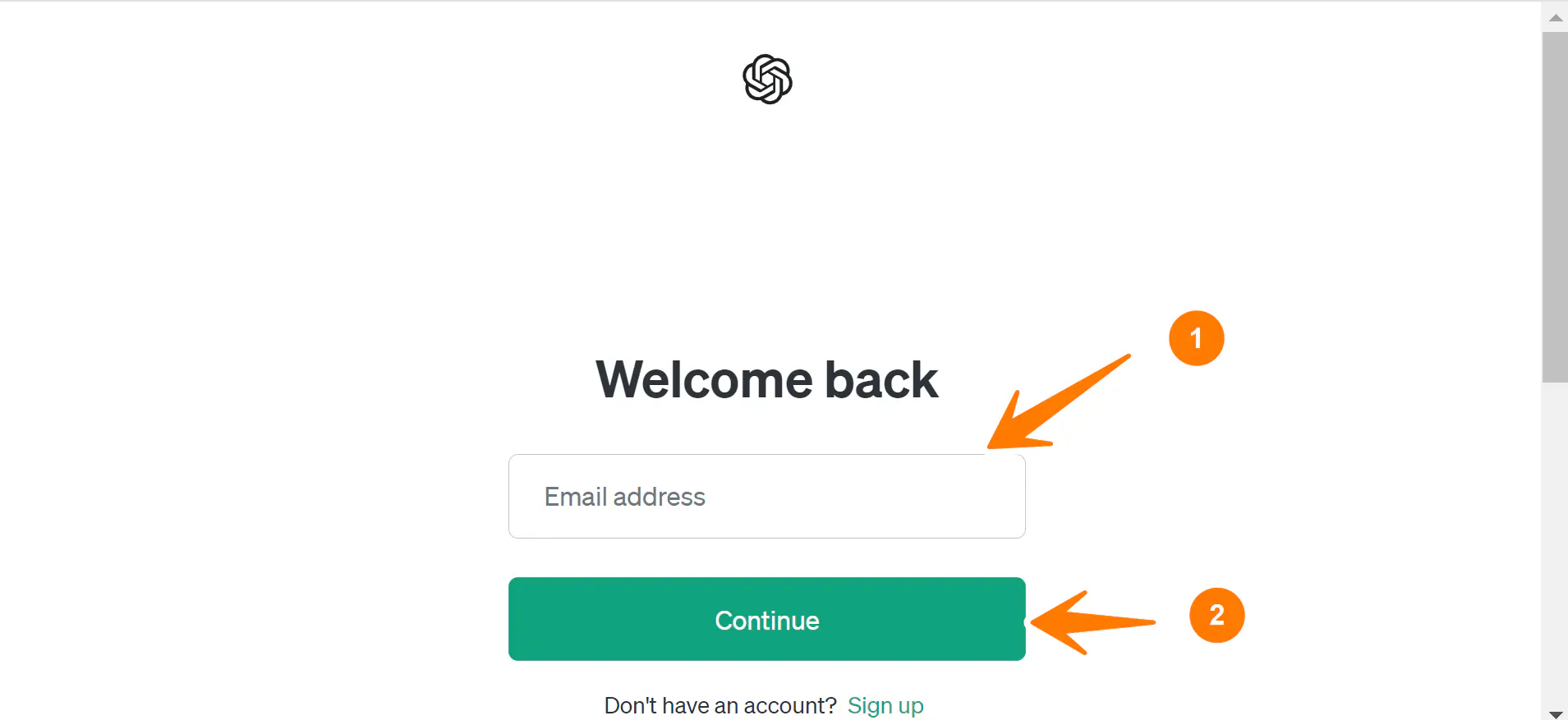
Click on the API keys tab in the left pane. Alternatively, navigate to the following URL to generate the API keys:
- https://platform.openai.com/api-keys
Verify your phone number to create an API key. Click on the Start verification button.
Enter your phone and verify the OTP code.
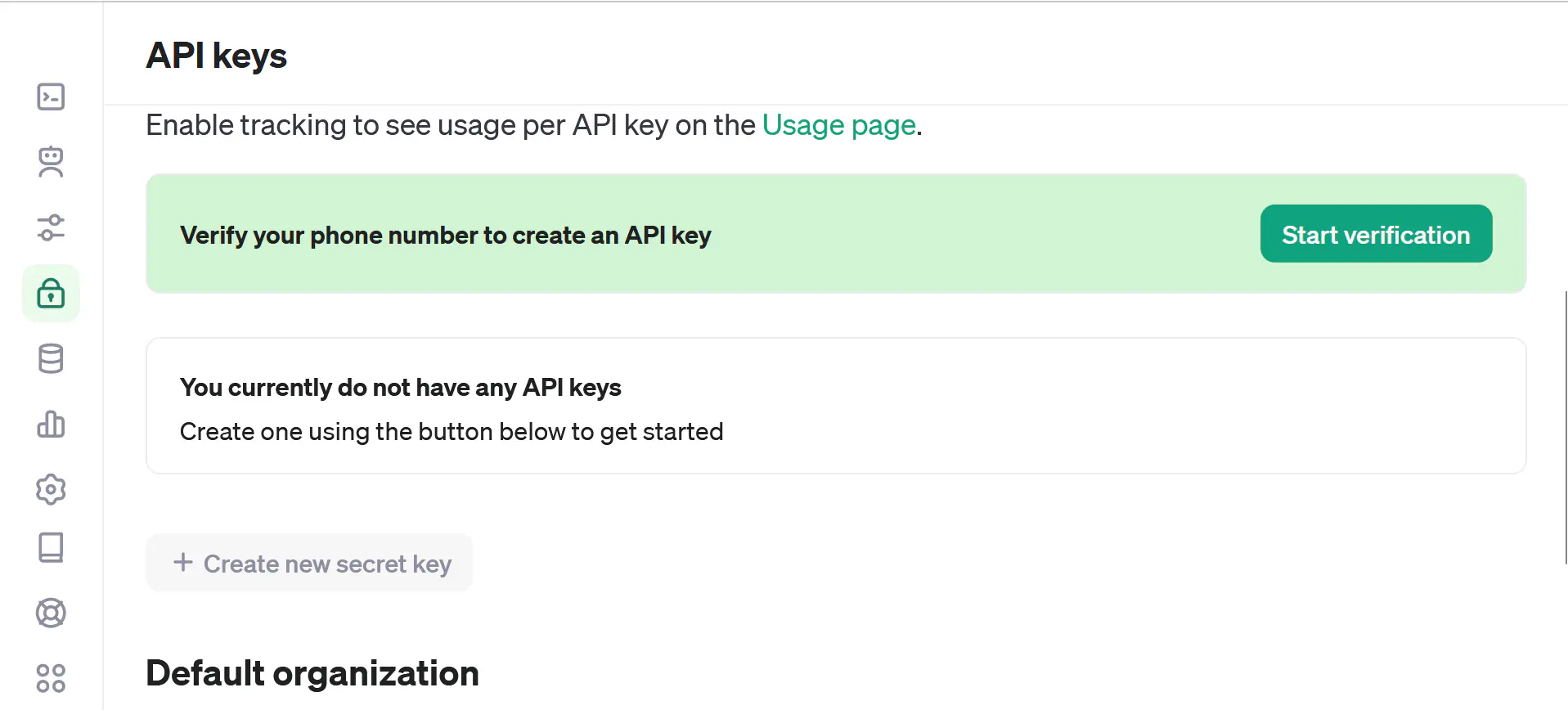
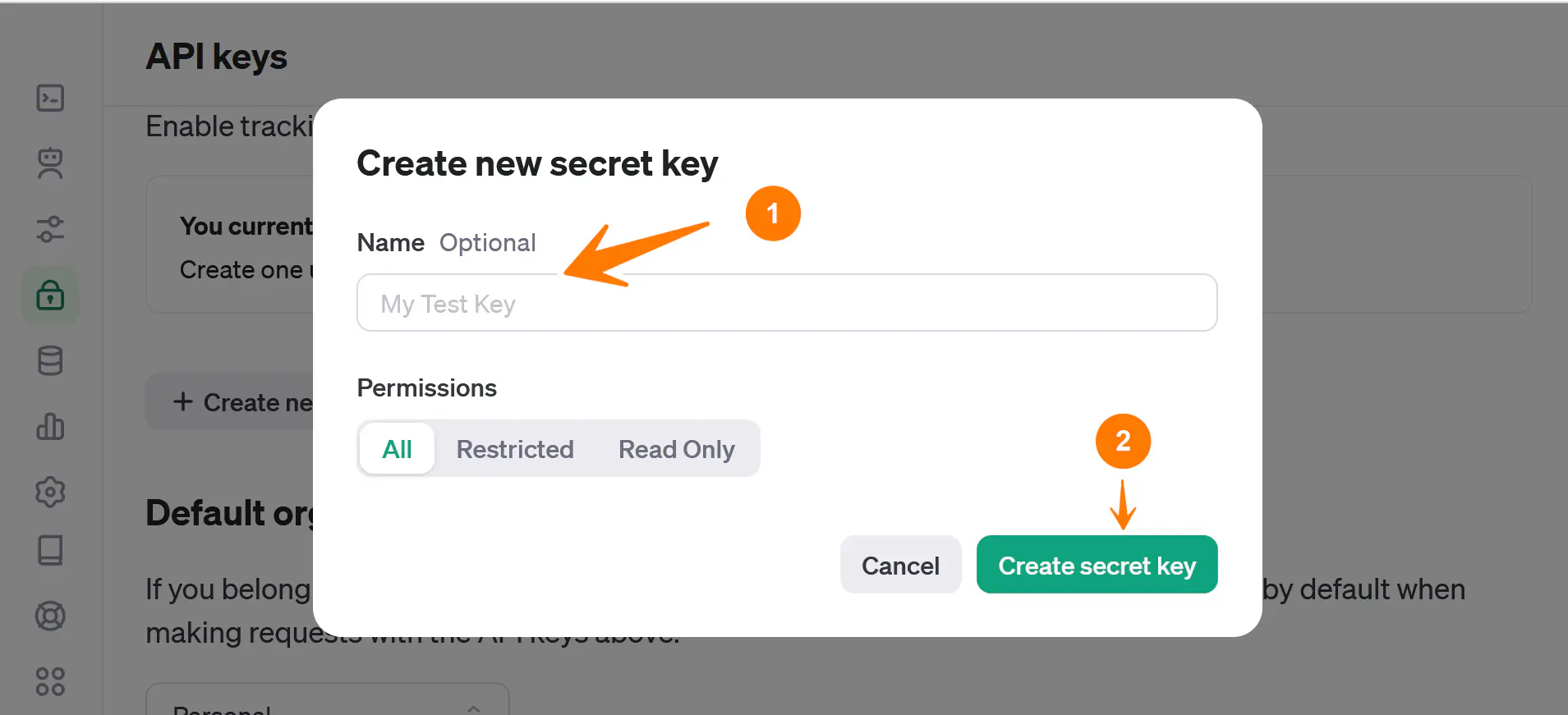
Create OpenAI API secret key.
Enter the key name to identify it. Choose the ACL permissions.
Click on the Create secret key button to create an API key.
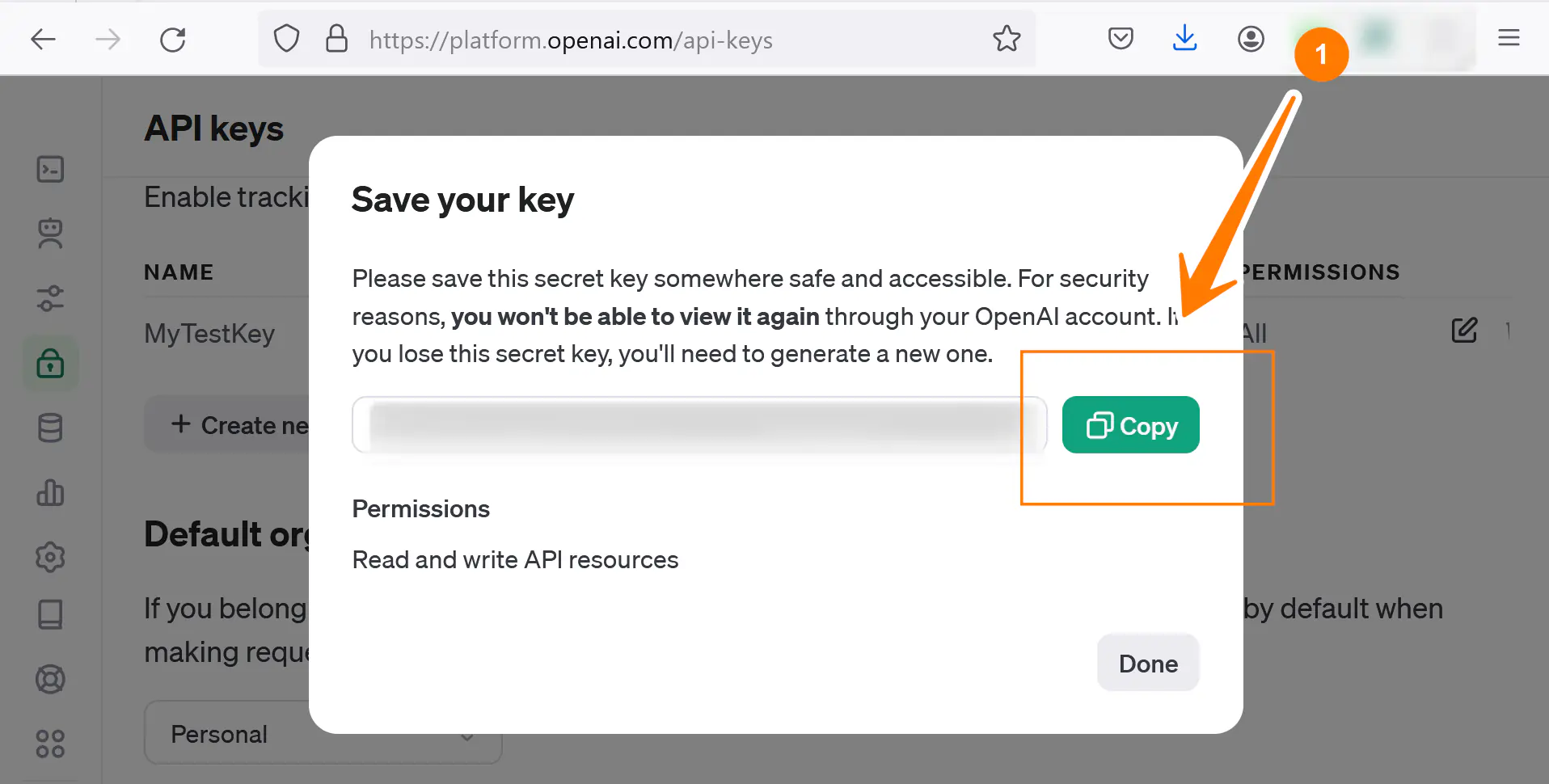
Once you’ve done this, you’ll see the Copy screen. You can copy the key and use it for integration. Note that this is the only time you’ll see the token. You need to copy and save this safely and securely elsewhere.
You can track API usage on the following page of your OpenAI account.
- https://platform.openai.com/usage
That’s it. You have successfully created an API token to use ChatGPT. Remember to keep your API keys secure and avoid sharing them publicly.