
Blog
CodeBlocks IDE Features

CodeBlocks IDE Features
In this tutorial, we will learn about the features of CodeBlocks IDE, a free, open-source, cross-platform IDE for C, C++, and Fortran.
CodeBlocks Features
It has many features that make it suitable for different kinds of projects and programming needs. Some of the features are as follows:
- Open-source
- Cross-platform
- Multi-language support
- Compiler support
Open-Source
Code::Blocks is a free, open-source IDE.
Cross-platform
Code::Blocks IDE is cross-platform that supports many operating systems.
Multi-language support
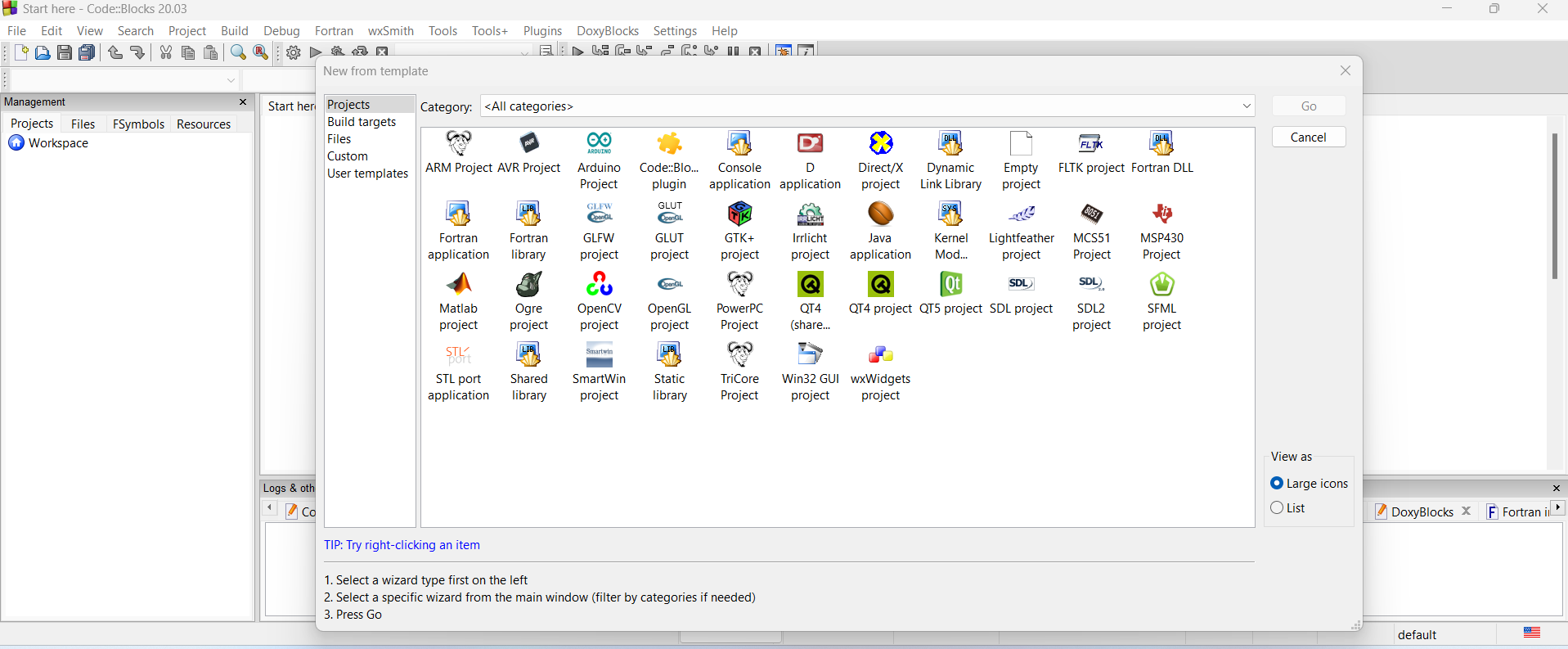
Code::Blocks IDE supports multiple programming languages like C, C++, Java, Matlab, and Fortran.
Compiler support
Code::Blocks IDE supports multiple compilers like GCC, MSVC++, clang, etc. It also supports a custom build system that does not require makefiles.
Syntax Highlights
Code::Blocks supports syntax highlighting, code folding, code completion, class browser, etc. Tabbed interface, smart indent, one-key swap between header and source files, etc
It also supports parallel builds and inter-project dependencies. Debugger with full breakpoints support, call stack, disassembly, etc.
Code::Blocks Tutorials
Code::Blocks Tutorials on this website can be found at: