
Construct an E-R Diagram

Construct an E-R Diagram
This tutorial is a step-by-step guide to constructing an E-R Diagram. Creating an Entity-Relationship (E-R) Diagram involves several steps aimed at modeling the database structure for applications.
Steps to create
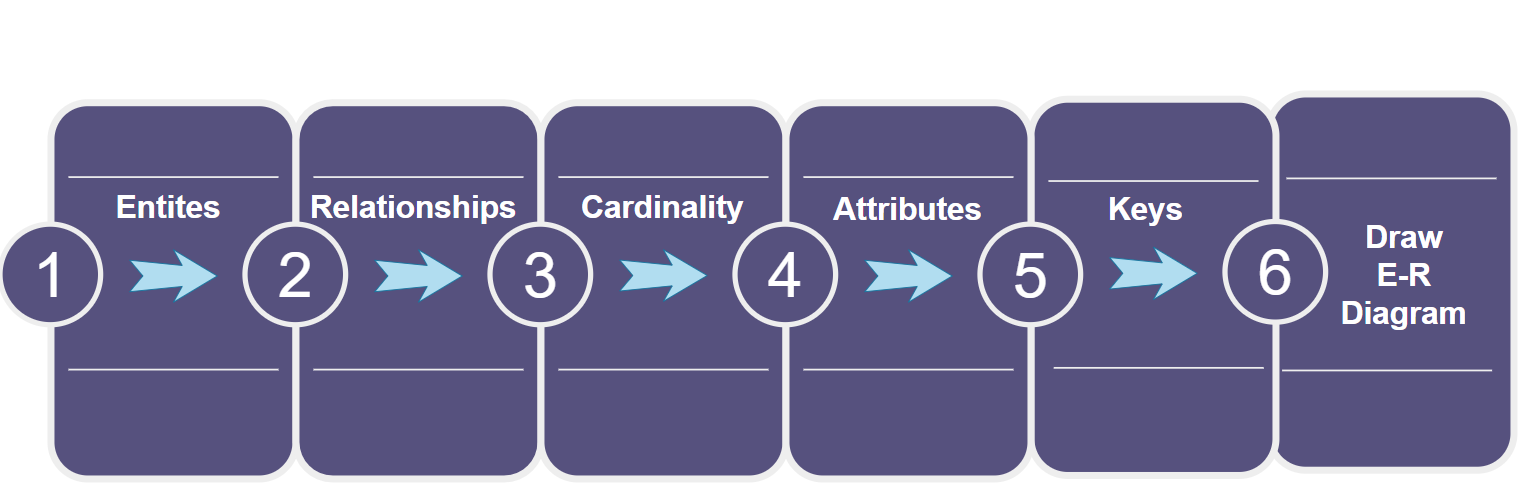
The main steps are as follows:
- Entity Identification
- Relationship Identification
- Cardinality Identification
- Identify Attributes
- Define Primary Keys
- Add Foreign Keys
- Normalization
- Draw the E-R Diagram
Entity Identification
Begin by listing all entities that need to be included in the database.
Entities represent real-world objects or concepts that store data. Examples include ‘Customer’, ‘Order’, and ‘Product’.
Relationships Identification
Relationships describe how entities relate to each other. For instance, a ‘Customer’ might place an ‘Order’. Identify the relationships among the tables.
Cardinality
Determine the cardinality of each relationship in the diagram:
- One-to-one (1:1)
- One-to-many( 1:M )
- Many-to-many.( M:N)
Identify Attributes
Attributes are properties or characteristics of entities. An example is a ‘Customer’ entity with attributes like CustomerID, Name, and Address.
Identify Keys
Each entity should have a primary key attribute that uniquely identifies each record. Identify primary keys that uniquely identify each row in an entity. A combination of attributes (composite key) is sometimes a primary key.
Foreign keys are attributes in one entity that link to the primary key of another entity, facilitating the representation of relationships. Determine which entities need foreign keys to establish the identified relationships.
Draw the Diagram
Create the diagram using an E-R diagramming tool or software. Start by drawing entities as rectangles, attributes as ovals, and relationships as diamonds or lines connecting entities. Clearly label all entities, attributes, and relationships, including cardinality, to indicate the relationships.
Once done, review the E-R diagram with team members to ensure accuracy and completeness. Based on the feedback, make any necessary adjustments to the diagram.
Constructing an E-R Diagram is an important step in database design. It requires a clear understanding of the system’s data requirements and how entities relate to each other.