
Blog
TestLink Apache Server Configuration

TestLink Apache Server Configuration
Apache Server Configuration: We need to configure the Apache Webserver to enable the .htaccess mod_rewrite module for TestLink REST API to work. There are different steps to enable this module based on the operating system. We need to tweak some lines in the Apache configuration file.
Apache Server Configuration
Apache configuration files based on OS environments.
Windows    —> http.conf
Linux            —> apache2.conf
http.conf is the main Apache configuration file. Steps to enable the mod_rewrite module on Windows 10 Operating system are as follows:
Locate the http.conf configuration file located under conf apache server directory.
Open the file using a text editor. (for example Notepad++ )
Enable the mod_rewrite module. Uncomment the line: i.e remove the #
#LoadModule rewrite_module modules/mod_rewrite.so
to

LoadModule rewrite_module modules/mod_rewrite.so
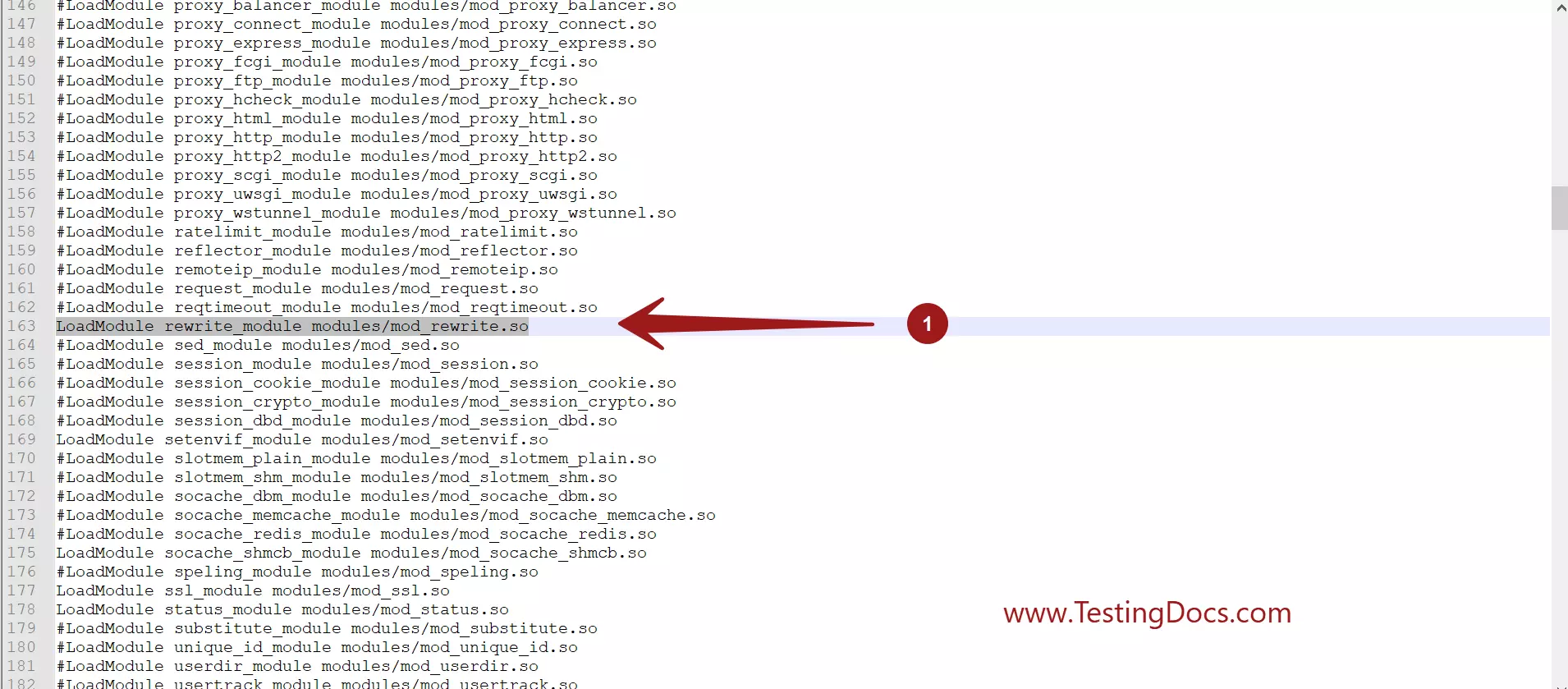
Allow access to serving the content from the Testlink directory by modifying the line in the directory specification. AllowOverride controls what directives may be placed in .htaccess files. Mark this directive from None to All. Override this setting for the htdocs directory.
AllowOverride None

AllowOverride All
Save the configuration file.
Restart Apache Webserver for changes to take effect.