
Blog
Connection refused Error Selenium Tests On Docker

Connection refused Error Selenium Tests On Docker
Let’s see how to fix the Connection refused error while testing Selenium Tests On Docker. Docker is a container platform for seamless application delivery. We can leverage Docker to Selenium tests as well.
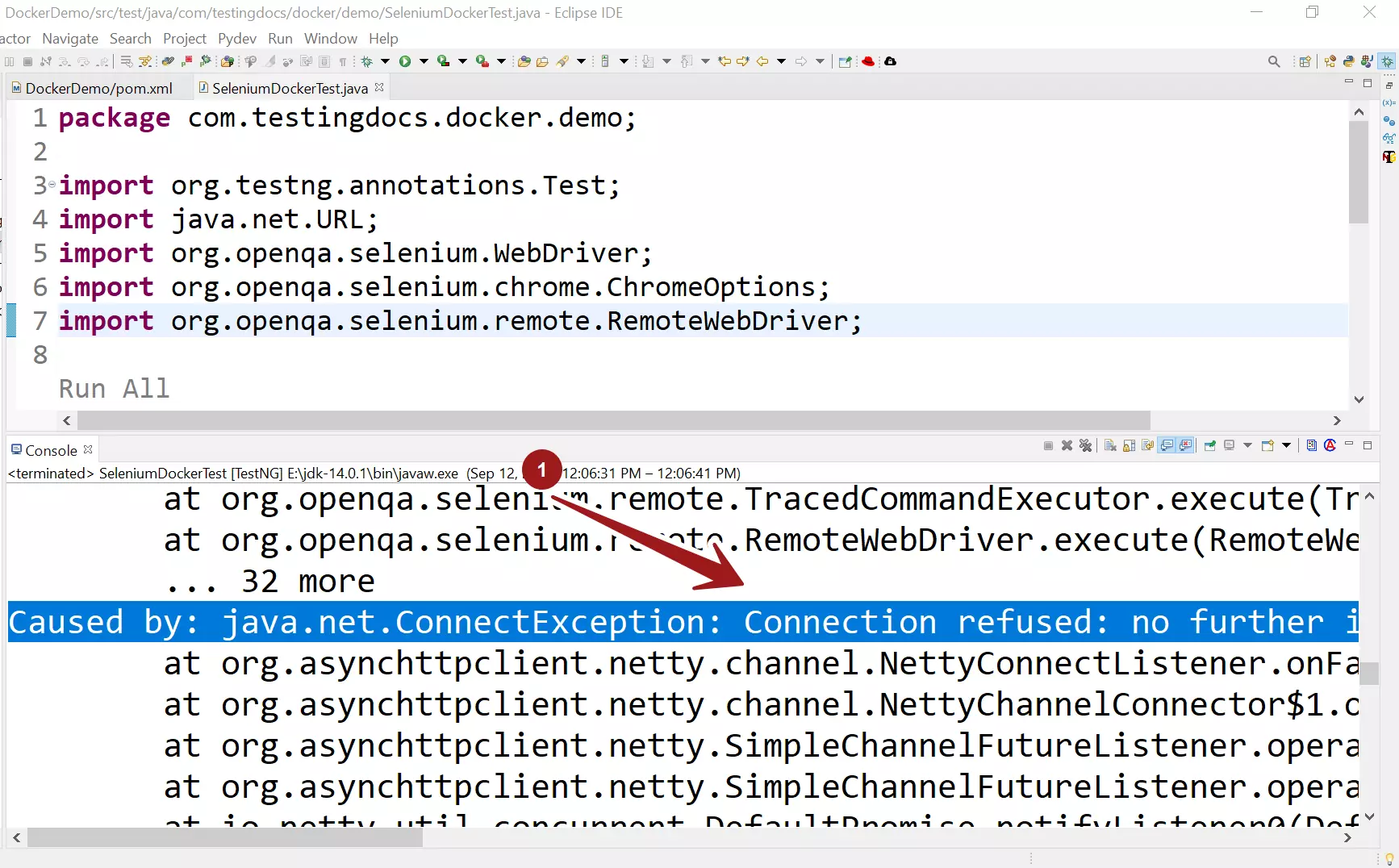
Connection refused Error
Caused by: java.net.ConnectException: Connection refused: no further information: localhost/[0:0:0:0:0:0:0:1]:49153
at org.openqa.selenium.remote.http.netty.NettyHttpHandler.makeCall(NettyHttpHandler.java:80)
at org.openqa.selenium.remote.http.AddSeleniumUserAgent.lambda$apply$0(AddSeleniumUserAgent.java:42)
at org.openqa.selenium.remote.http.Filter.lambda$andFinally$1(Filter.java:56)
Possible Fixes
Container
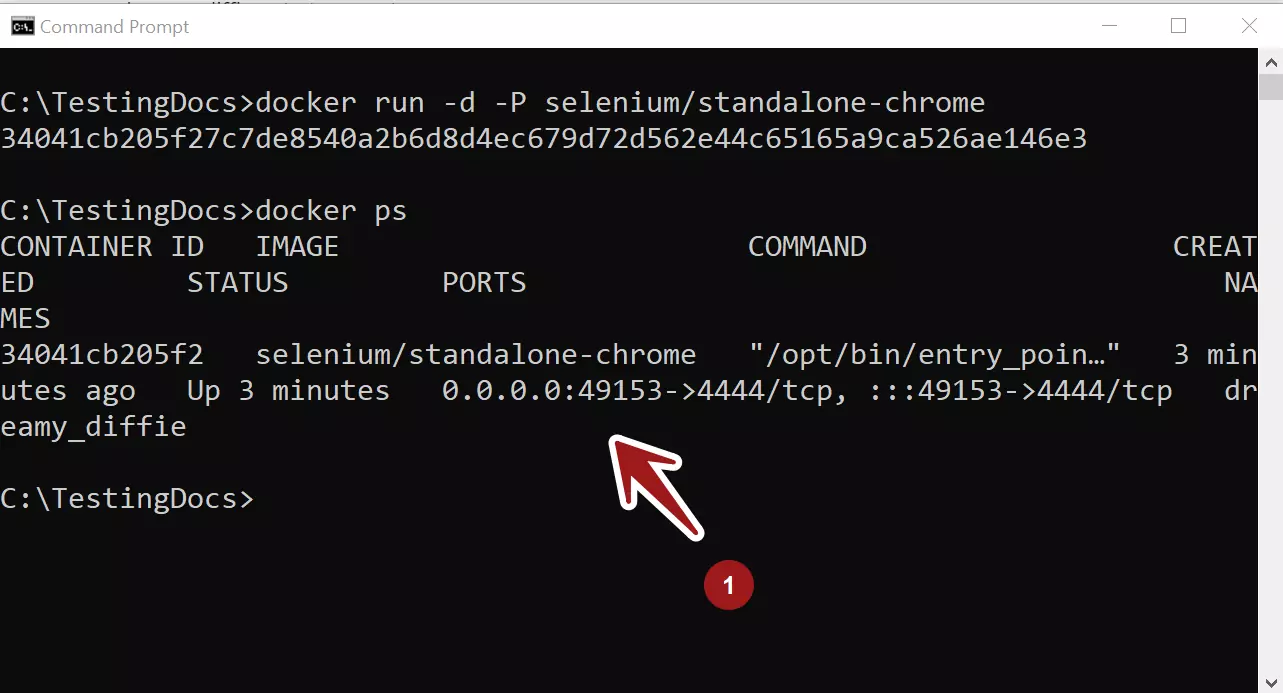
First things first, check if the Docker container is up and running. Check with the docker ps command to check the status. If the container is not running, start the container.
Port
Check the container logs and the docker ps command to check on which port is used for the Selenium RemoreWebDriver Hub URL.
\> docker ps
Network/Firewall Issues
Check if the port is open and not blocked by the Firewall application. Blocked ports can stop the Selenium test communication to the remote Selenium Grid server.
A sample Windows Firewall security alert that has blocked Selenium Server features is shown below.
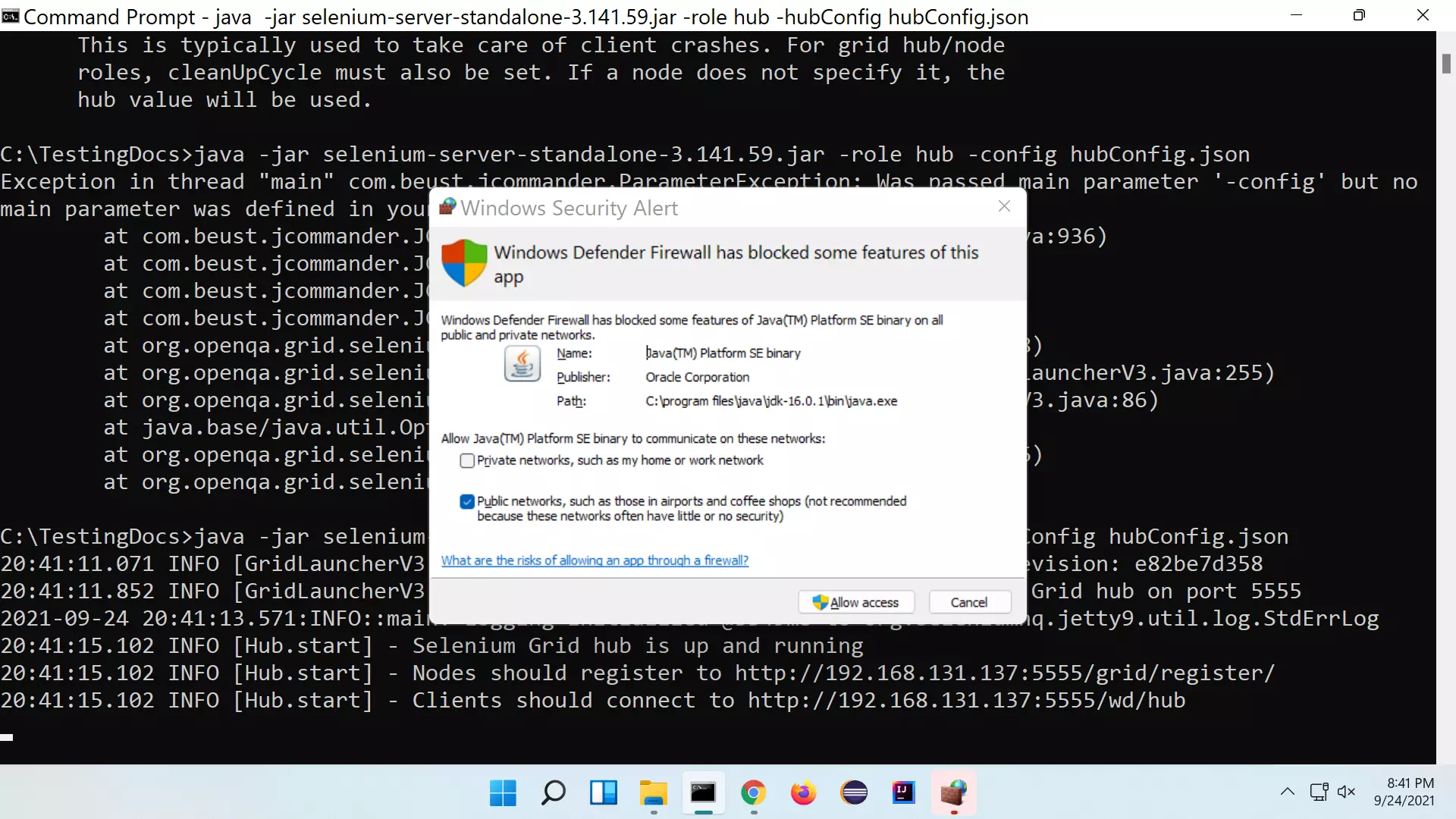
We need to look at the Firewall inbound/ outbound firewall rules to fix this.
Related
More Information on Docker:
- https://www.docker.com/