
Blog
MySQL CASE Function

MySQL CASE Function
In this tutorial, we will learn about MySQL CASE Function. The CASE function provides a branching evaluation construct.
CASE Function
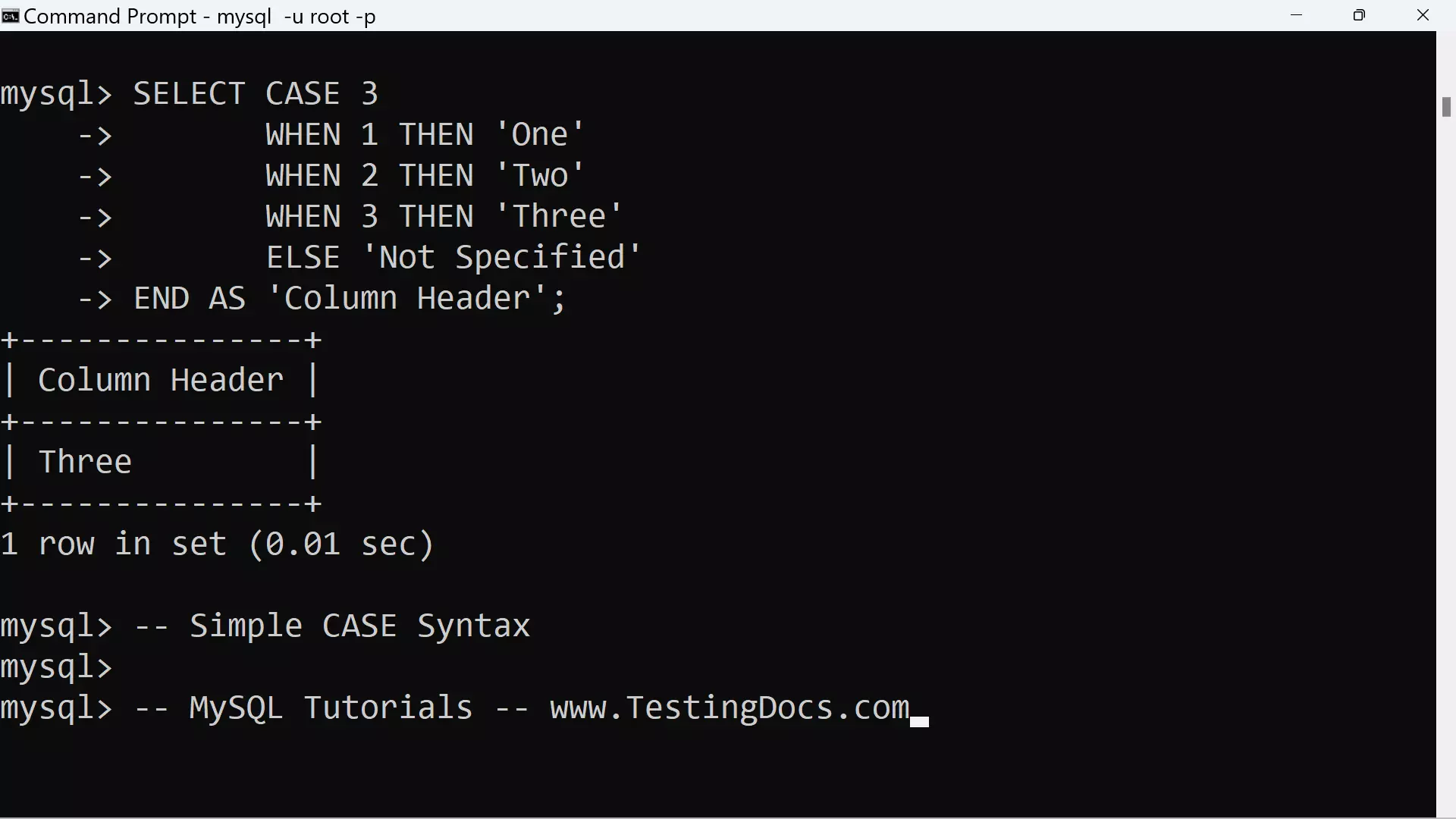
When the initial expression value is present, CASE compares it to the expression following each WHEN. For the first one that is equal, result for the corresponding THEN value is returned. This is useful for comparing a given value to a set values.
Simple CASE Syntax
The general syntax for the CASE function is as follows:
CASE value
WHEN <compare_value> THEN <result>
[WHEN <compare_value>THEN<result>…]
[ELSE <result>]
END
Example
mysql> SELECT CASE 3
-> WHEN 1 THEN ‘One’
-> WHEN 2 THEN ‘Two’
-> WHEN 3 THEN ‘Three’
-> ELSE ‘Not Specified’
-> END AS ‘Column Header’;
+—————+
| Column Header |
+—————+
| Three |
+—————+
1 row in set (0.01 sec)
mysql> — Simple CASE Syntax
Search CASE Syntax
When the initial expression value is not present, CASE evaluates the WHEN expressions. For the first one that is true (not zero and not NULL), the result for the corresponding THEN value is returned. This is useful for performing non-equality tests or testing arbitrary conditions. If no WHEN expression matches, the expression for the ELSE clause is returned, if there is one.
Syntax
CASE
WHEN <condition>THEN<result>
[WHEN<condition>THEN<result>…..]
[ELSE<result>]
END
The first version returns the result where value=compare_value. The second version returns the result for the first condition that is true. If there was no matching result value, the result after ELSE is returned, or NULL if there is no ELSE part.
MySQL CASE Example
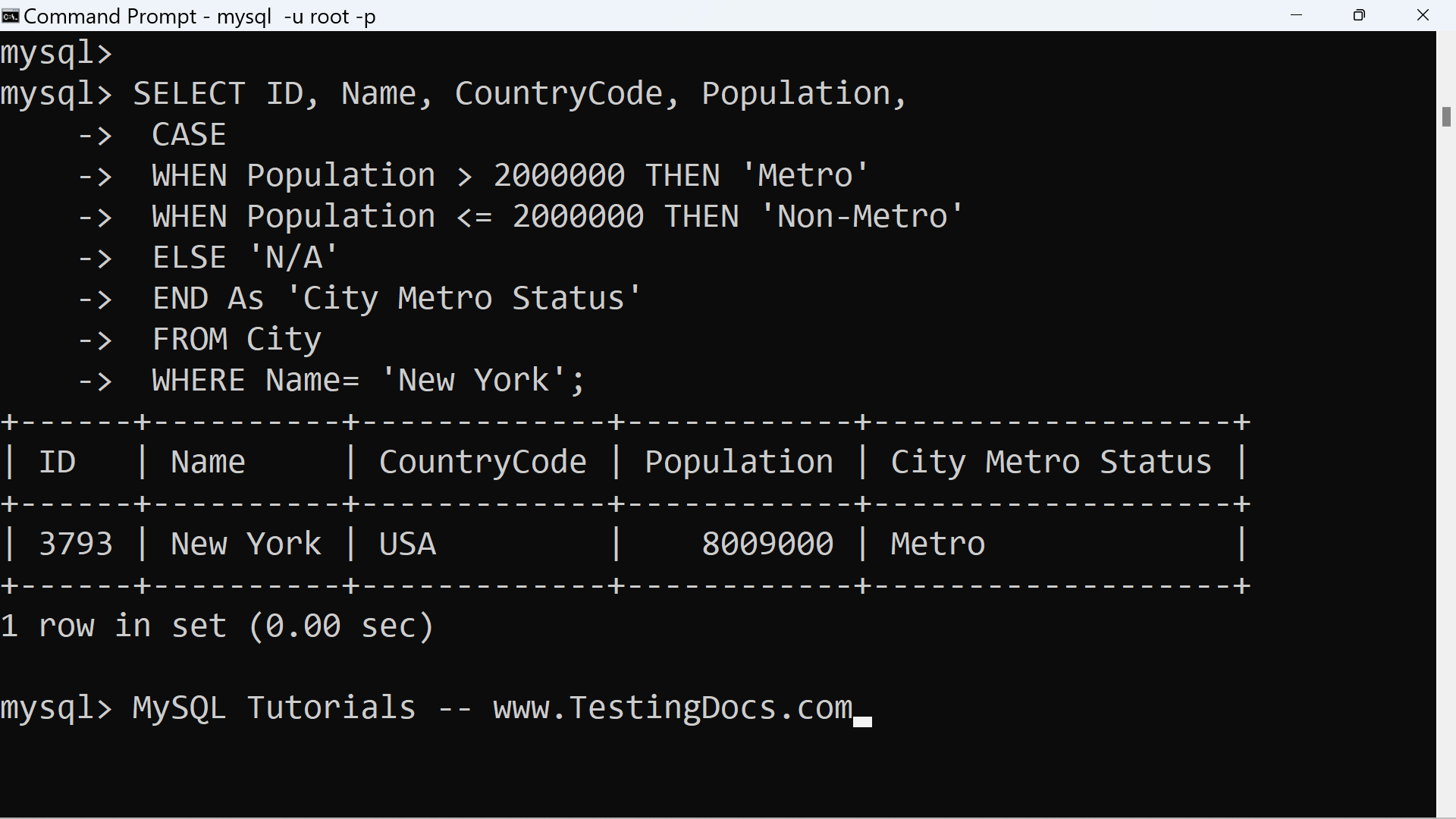
Let’s take an example from the City table from the world MySQL database. Suppose that if a city population is greater than 2 million then its called as a metropolitan city. We will the CASE function to print the New York city metro status in the following query:
mysql> SELECT ID, Name, CountryCode, Population,
-> CASE
-> WHEN Population > 2000000 THEN ‘Metro’
-> WHEN Population <= 2000000 THEN ‘Non-Metro’
-> ELSE ‘N/A’
-> END As ‘City Metro Status’
-> FROM City
-> WHERE Name= ‘New York’;
+——+———-+————-+————+——————-+
| ID | Name | CountryCode | Population | City Metro Status |
+——+———-+————-+————+——————-+
| 3793 | New York | USA | 8009000 | Metro |
+——+———-+————-+————+——————-+
1 row in set (0.00 sec)
MySQL Tutorials
MySQL Tutorials on this website: