Blog
Bruno Dev Tools

Bruno Dev Tools
Bruno is an open-source, offline-first API client that offers a suite of developer tools (DevTools) designed to enhance the API testing and debugging experience. These tools help developers inspect requests, analyze responses, and troubleshoot issues efficiently.
Chrome Console
-
Functionality: Integrated directly within Bruno, the Chrome Console allows developers to inspect requests, view parameters, and debug issues in real-time. It mirrors the familiar Chrome Developer Tools experience, providing access to logs, network activity, and JavaScript debugging .
-
How to Access:
-
Open the Bruno app.
-
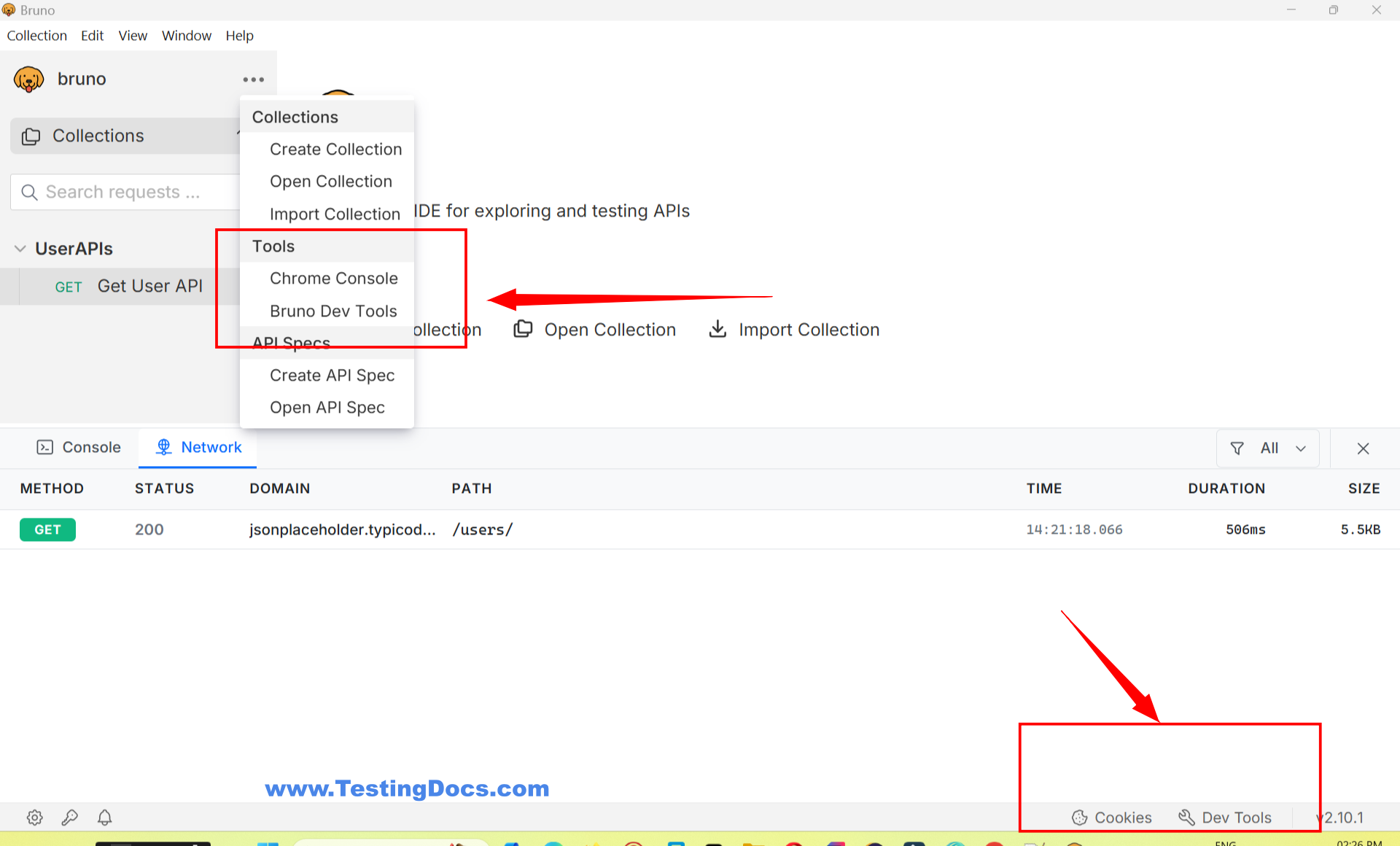
Click on the Main Menu.
-
Select Chrome Console from the dropdown menu
-
How to Access
-
Open the Bruno app.
-
Click on the Main Menu.
-
Select Bruno DevTools from the dropdown menu
Console
Centralizes all console logs, making it easier to track and debug issues during request execution
Network
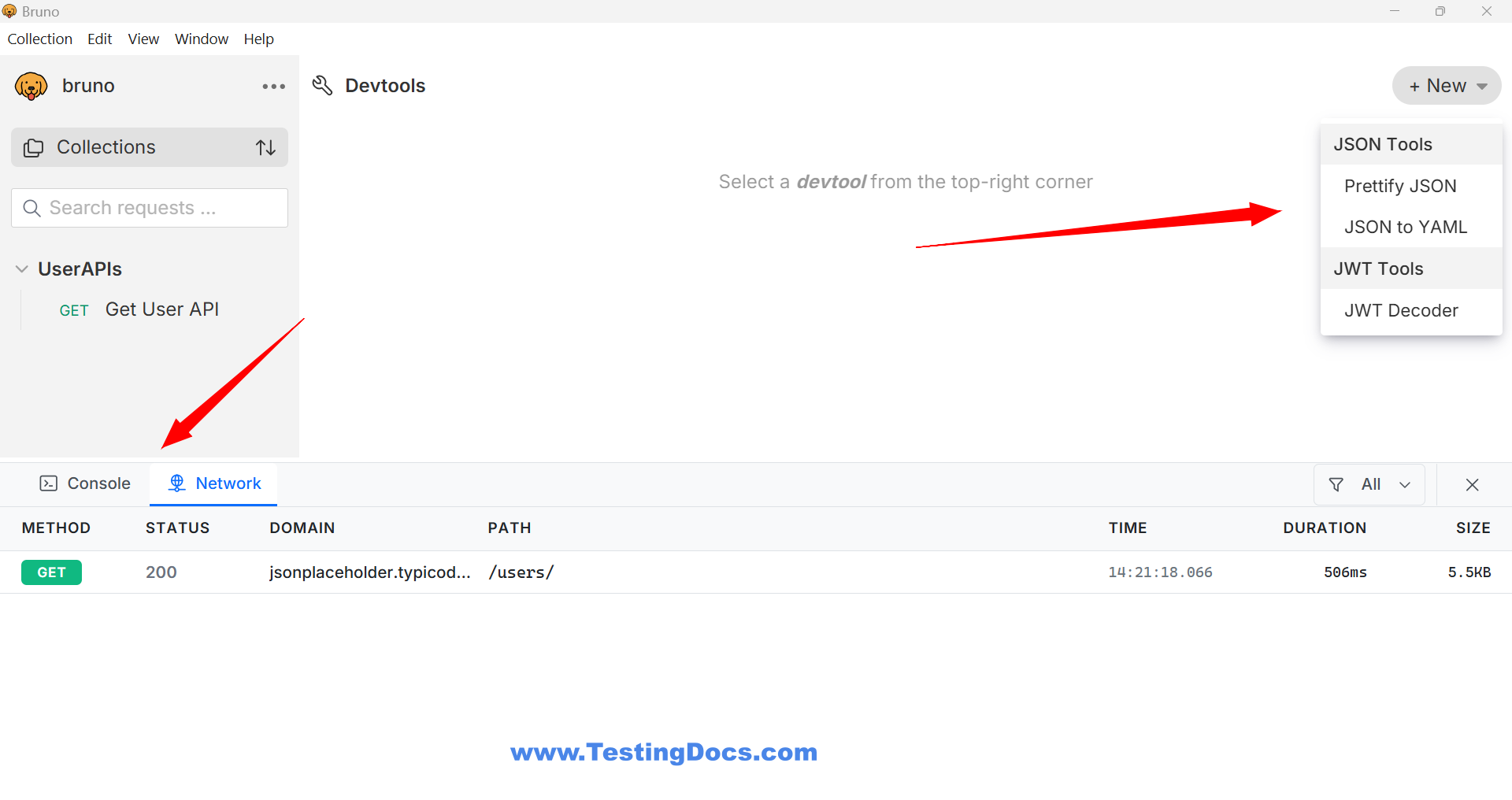
Inspect all HTTP requests and responses, including timelines, headers, and body content. This tab provides granular visibility into API traffic, similar to browser developer tools.
Bruno DevTools
This is a specialized set of utilities tailored for API testing, offering features like:
-
-
Prettify JSON: Formats raw JSON responses into a structured, indented layout for improved readability .
-
Convert JSON to YAML: Transforms JSON data into YAML format, which is useful for configuration management and readability .
-
JWT Decoder: Decodes JSON Web Tokens (JWT) to inspect their header, payload, and signature, aiding in authentication debugging
-