
Blog
Java Control Structures

Java Control Structures
Control structures are basic blocks that analyze variables and chooses a direction in which to go based on given conditions. Flow control details the direction the program takes. Hence it is the basic decision-making process in computing. The flow control determines how a computer will respond when given certain conditions and parameters.
If..Else Example
A control structure is a decision that the program makes. If the given condition is True the program executes one path, and if the condition is false the program takes another path. Let’s see a simple example, below a sample piece of Java code:
package com.testingdocs.sample.programs;

public class JavaIFExample
{

  public static void main(String[] args)
   {

    int dummyVariable = 70 ;
    if(dummyVariable == 70 )
    {
      System.out.println("Inside : dummyVariable = " + dummyVariable);
      }

    if(dummyVariable > 100)
    {
      System.out.println("dummyVariable > 100 ");
    }
    else
    {
      System.out.println("dummyVariable < 100 "); }

   }

}
Output of the Program
Inside if : dummyVariable = 70
dummyVariable < 100
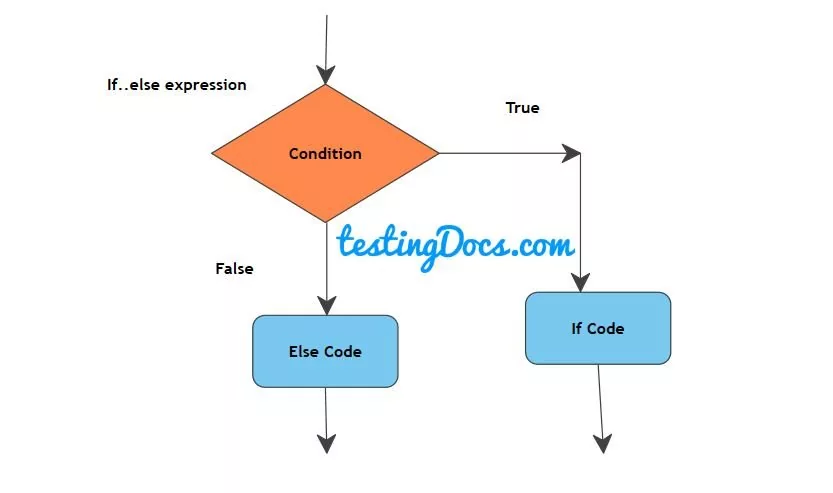
What will happen inside the If..Else control structure, depends on the value assigned to the variable. The program output depends on what value we pass to the variable. The program executes the code depending on the value of dummyVariable in the above program.
switch Statement
switch statement can have a number of possible execution paths. Use switch to specify many alternative blocks of code to be executed. Example below:
package com.testingdcos.examplescripts;

public class SwitchExample {

      public static void main(String[] args) {
          int weekday = 3;
          switch (weekday) {
              case 1:  System.out.println("Sunday"); break;
              case 2:  System.out.println("Monday"); break;
              case 3:  System.out.println("Tuesday"); break;
              case 4:  System.out.println("Wednesday"); break;
              case 5:  System.out.println("Thursday"); break;
              case 6:  System.out.println("Friday"); break;
              case 7:  System.out.println("Saturday"); break;

              default: System.out.println("Not in week!! ");break;
          }
      }
  }
—
Java Tutorials
Java Tutorial on this website:
https://www.testingdocs.com/java-tutorial/
For more information on Java, visit the official website :