
Blog
Download Selenium IDE

Download Selenium IDE
In this post, you will learn how to download the Selenium IDE tool. Selenium IDE is an open-source browser add-on for recording and playing back web application tests.
In earlier days, the older IDE was only supported on Firefox browser. The new IDE is from the v3 branch and built as modern browser extension and supports many browsers. The following browsers are supported:
- Mozilla Firefox
- Google Chrome
- Microsoft Edge
Launch the supported browser and navigate to the following Selenium official website. Always download the latest version of the tool. Latest release would have enhancements and bug fixes.
- https://www.selenium.dev/
There are two options to Download the tool from the Selenium website as shown below.
- Downloads link
- READ MORE link
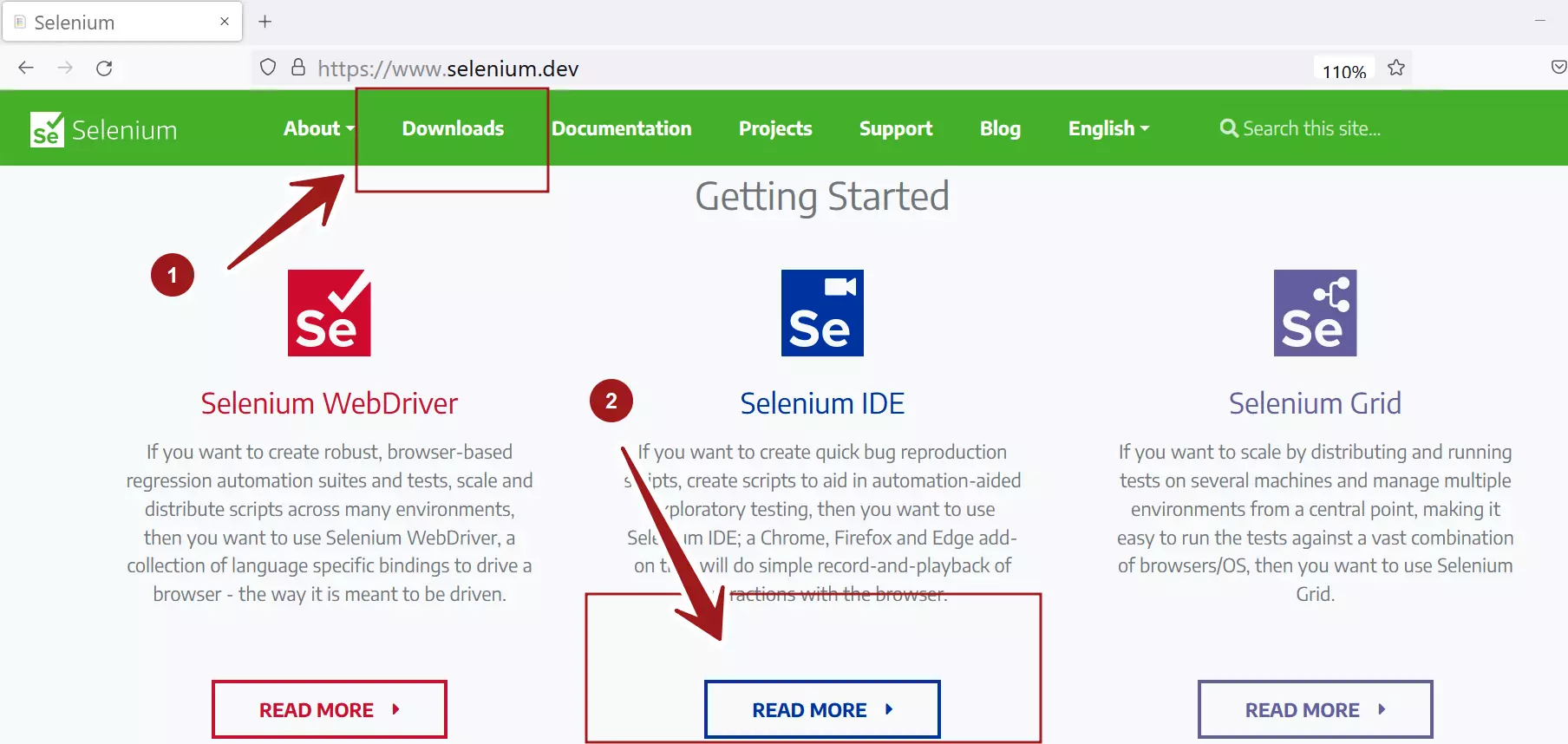
#1 Option
Click on the Downloads link.
Scroll the downloads page to find Selenium Download links.
Click on the respective browser download link.
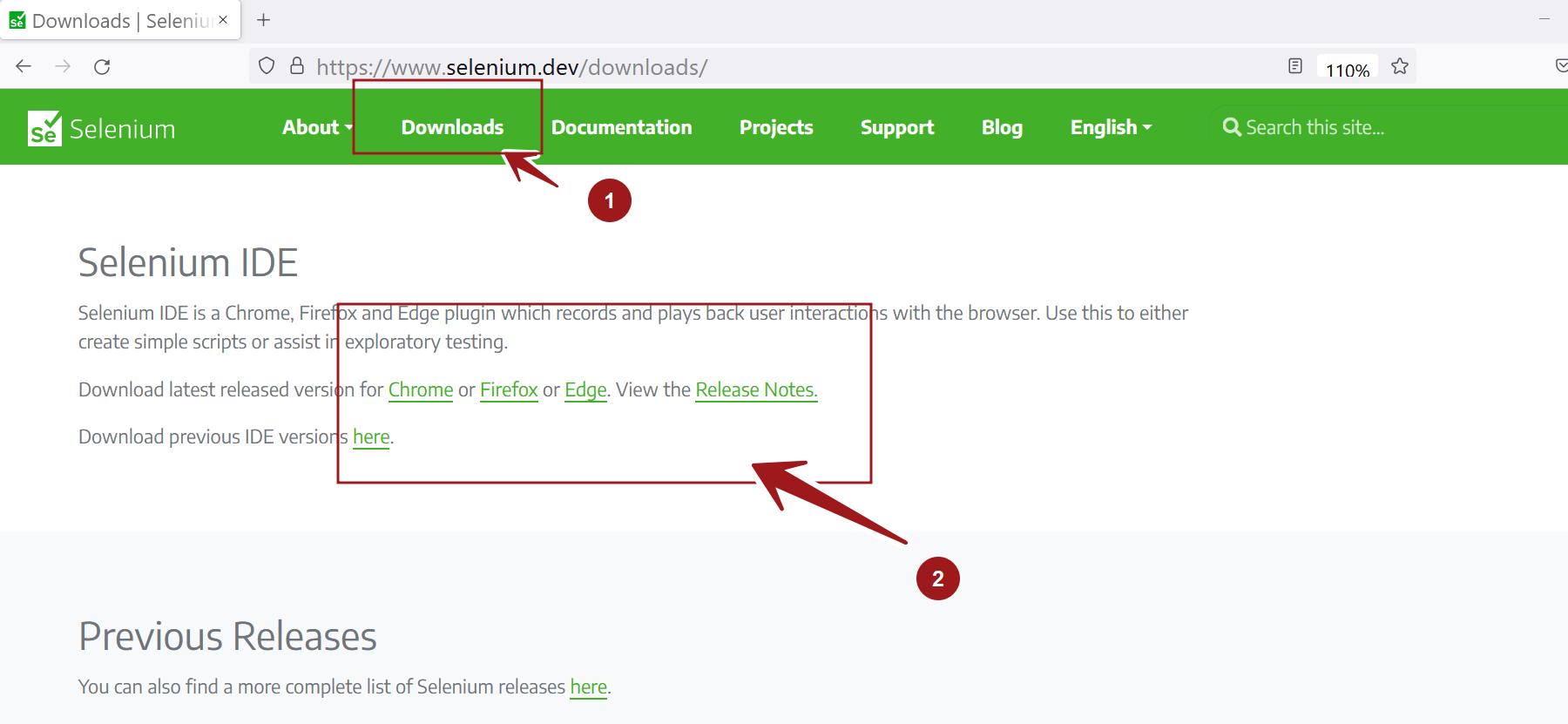
#2 Click Selenium IDE READ MORE link.
Click on the Download button to download the tool.
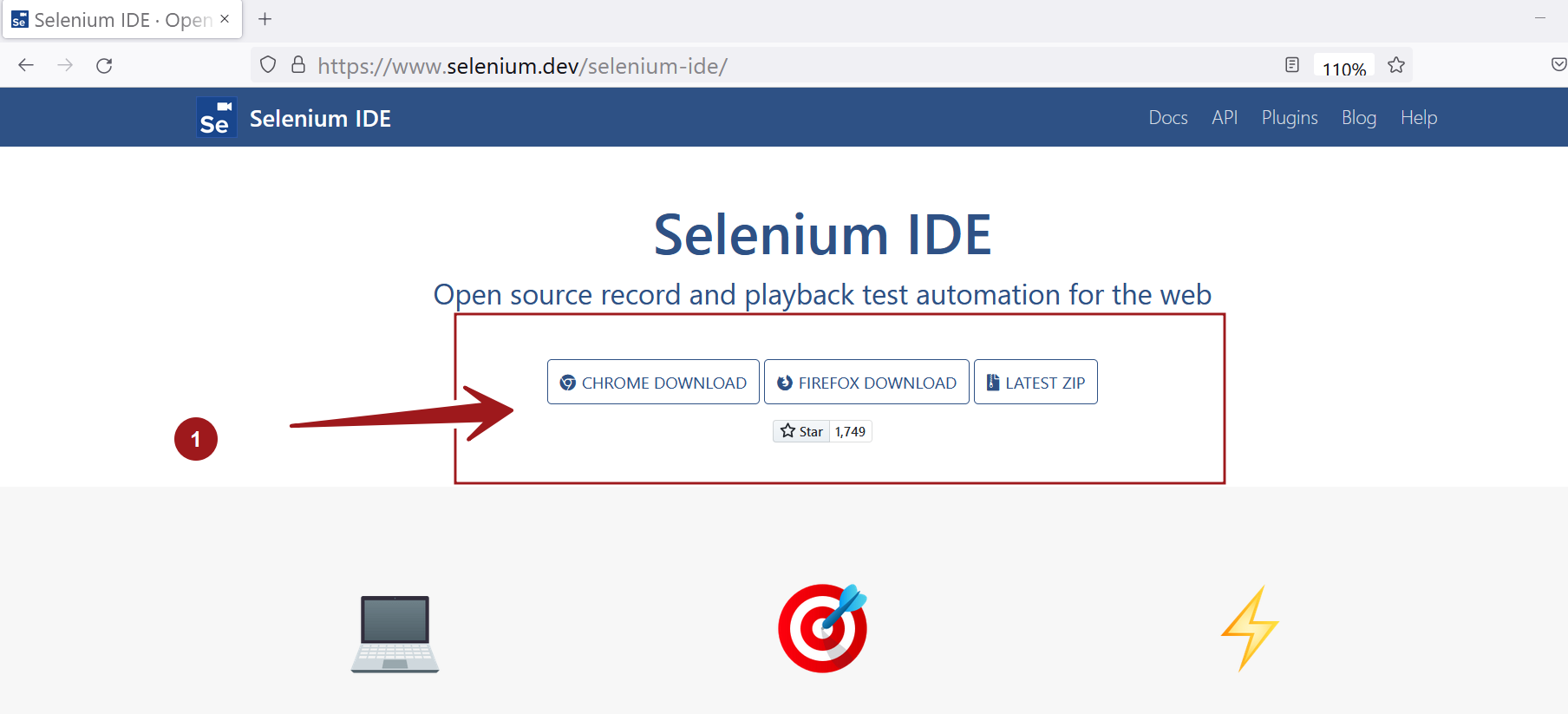
The LATEST ZIP button will open the GitHub repository URL. Selenium IDE code is hosted on GitHub.
Install Selenium IDE
Follow the below links to learn the steps to install the tool on various supported browsers.
Firefox browser
Chrome browser
Edge browser