
Blog
Selenium Grid Hub JSON Configuration

Selenium Grid Hub JSON Configuration
In this tutorial, we will learn how to customize Selenium Grid Hub with JSON Configuration files. We can customize Selenium Grid with a JSON configuration file. JSON stands for JavaScript Object Notation. It is a lightweight data exchange format to exchange data between the client and the server. JSON is also human human-readable file format and used for configuration files.
Selenium Grid Hub Configuration
Create a JSON file with Hub configuration. We can specify and customize many configuration parameters in this file.
Sample Hub configuration file
We have changed the Grid listening port to 5555 and timeouts. Place the file in the Selenium jar directory. We can just pass the filename in the Grid start command in the next section.
{
  "port": 5555,
  "newSessionWaitTimeout": 12000,
  "servlets" : [],
  "withoutServlets": [],
  "custom": {},
  "capabilityMatcher": "org.openqa.grid.internal.utils.
DefaultCapabilityMatcher",
  "registry": "org.openqa.grid.internal.DefaultGridRegistry",
  "throwOnCapabilityNotPresent": true,
  "cleanUpCycle": 5000,
  "role": "hub",
  "debug": true,
  "browserTimeout": 120,
  "timeout": 120
}

Start the Hub with Config File
Now, we can start the Grid with the JSON configuration file using the below command. The command line switch is -hubConfig followed by the JSON configuration file name. The JSON file should define the hub properties.
\>java -jar <selenium-server-standalone-version.jar>Â -role hub -hubConfig hubConfig.json

Grid Console
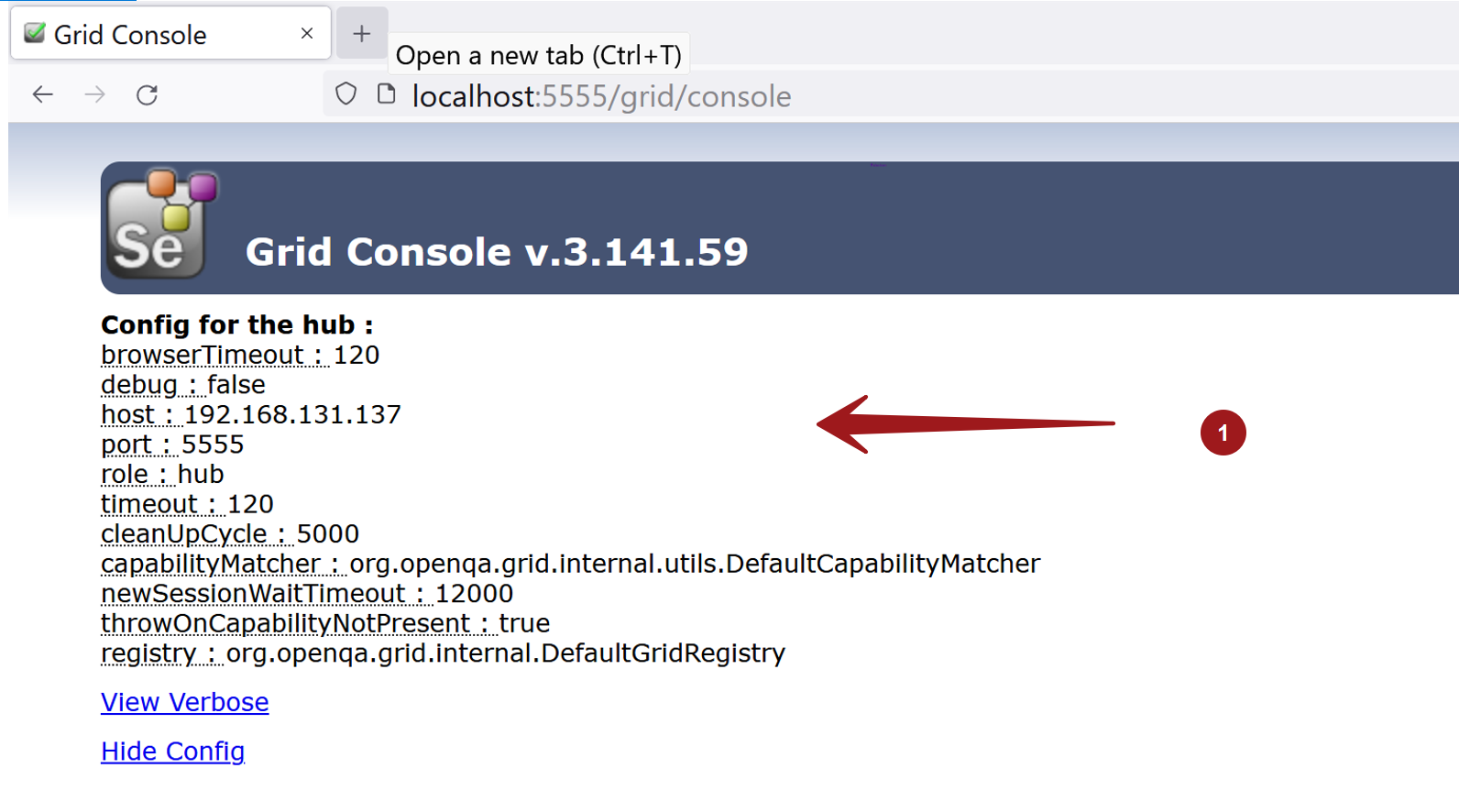
Launch Grid Console to verify the configuration. In this example, we have used 5555 port
http://localhost:5555/grid/console
Click on the View Config link to check the Hub Configuration.
In the next tutorial, we will see how to register a Node with configuration file:
Node Configuration JSON file
https://www.testingdocs.com/selenium-grid-node-json-configuration-file/