
Blog
Windows 11 New Features

Windows 11 New Features
Windows 11 comes with a host of exclusive new features designed to enhance user experience and productivity. From its visually stunning user interface to its improved multitasking capabilities, Windows 11 offers a range of new functionalities that set it apart from its predecessors.
In this post, let’s sneak a peek at some of the new Windows 11 Features. The official Microsoft page provides the set of minimum system requirements for the Windows 11 operating system.
Windows 11 Features
New Look & Feel
Windows 11 comes with a glossy new interface and widgets. The Start Menu now has grid of pinned application icons. The flat Live Tiles would be removed in Windows 11.
Windows 11 Start Screen
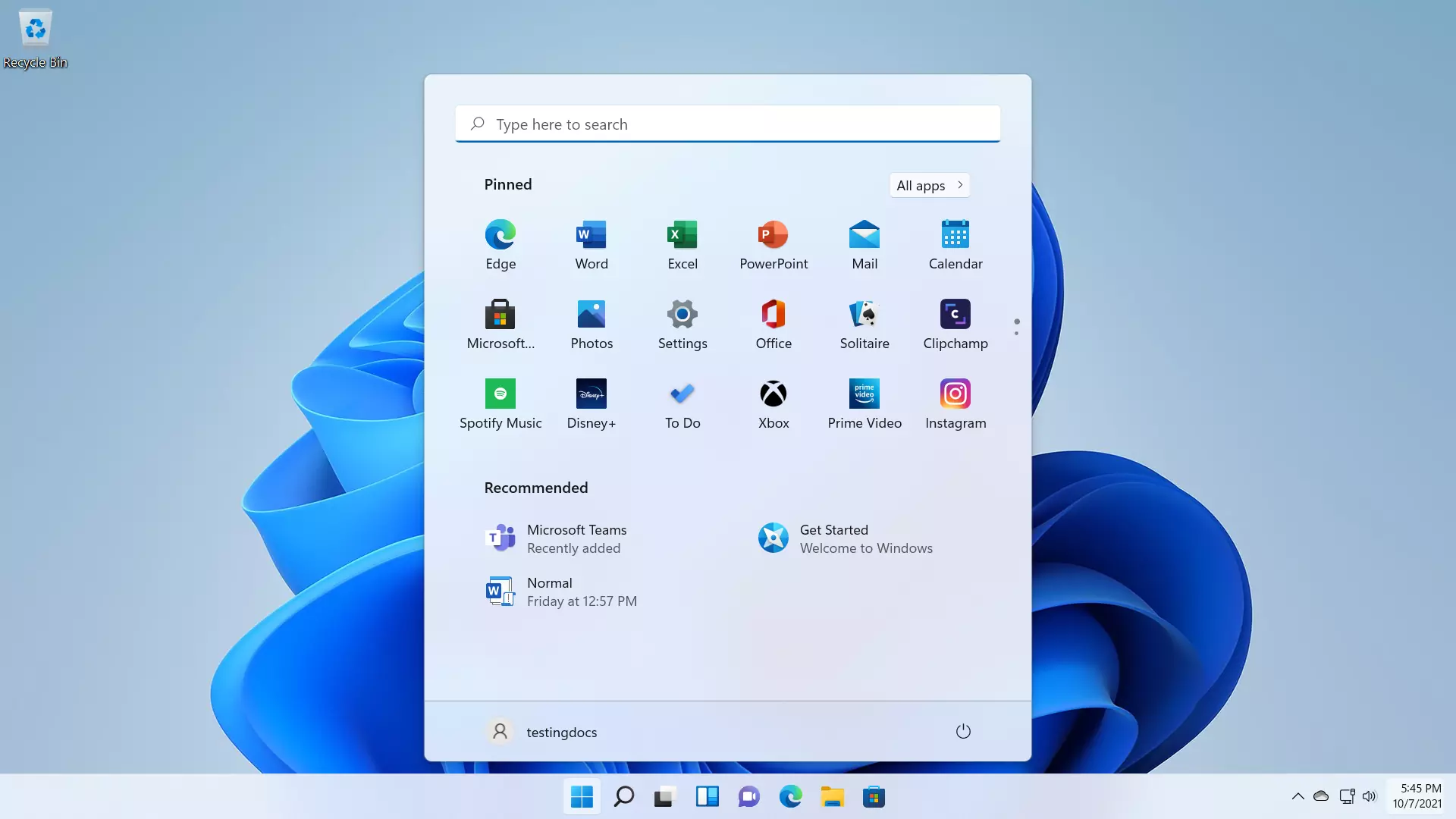
Start Menu
Windows 11 redesigned Start menu and taskbar, which now feature a centered layout. This new design also includes a customizable widget area that provides quick access to news, weather, and other personalized content.
The Start button and the Taskbar are now center-aligned by default. The desktop can be personalized with New themes and glossy colors. Integration of Microsoft Teams directly into the taskbar. This makes it easier to communicate and collaborate with colleagues and friends, whether through text, voice, or video calls.

Microsoft Teams
Microsoft Teams is a group chat and video calling Software. Anyone can engage with and connect with family members, friends, and colleagues to work together on a project.

New Widgets
Applications like Calendar, News, Weather, Sports and Stock leader board, etc can be added as Widgets.

Notifications use the intuitive split notifications with buttons to take actions on the notifications.

Snap Layouts
Snap Layouts and Snap Groups feature, allows users to easily organize and manage multiple open windows on their desktop. This feature makes multitasking more efficient and intuitive, allowing users to create custom layouts and switch between different tasks with ease.
Snap Layouts is a multi-tasking feature that allows users to resize and rearrange windows on the screen. Hover the mouse on the maximize button on the window to see the snap layouts.

Choose a layout and resize windows as per the layout.

New Windows Store
Windows 11 would feature new application store with new improvements and support to Android Apps. Android Apps listed on the Windows Store can be downloaded using Amazon Appstore.

In addition, Windows 11 offers improved gaming capabilities, with features such as DirectStorage for faster load times, and Auto HDR for a more vibrant gaming experience.
Windows 11 brings a range of exclusive new features that aim to provide a more modern, efficient, and enjoyable user experience.
Windows 11 Virtual Machine:
Steps to create a Virtual Machine(VM) with Windows 11 Preview Build are outlined below: