
Blog
Install New Windows 11 Desktop Themes

Install New Windows 11 Desktop Themes
This tutorial will install new Windows 11 Desktop themes on the computer system. By default, Windows 11 ships with six default desktop themes.
A Desktop Theme is a collection of wallpapers, window colors, sounds, and other personalization settings that enhance the Look and feel of the Windows 11 user experience.
Environment:
Windows 11 Preview Build.
Add New Desktop Theme
Steps to add a new Desktop Theme are as follows:
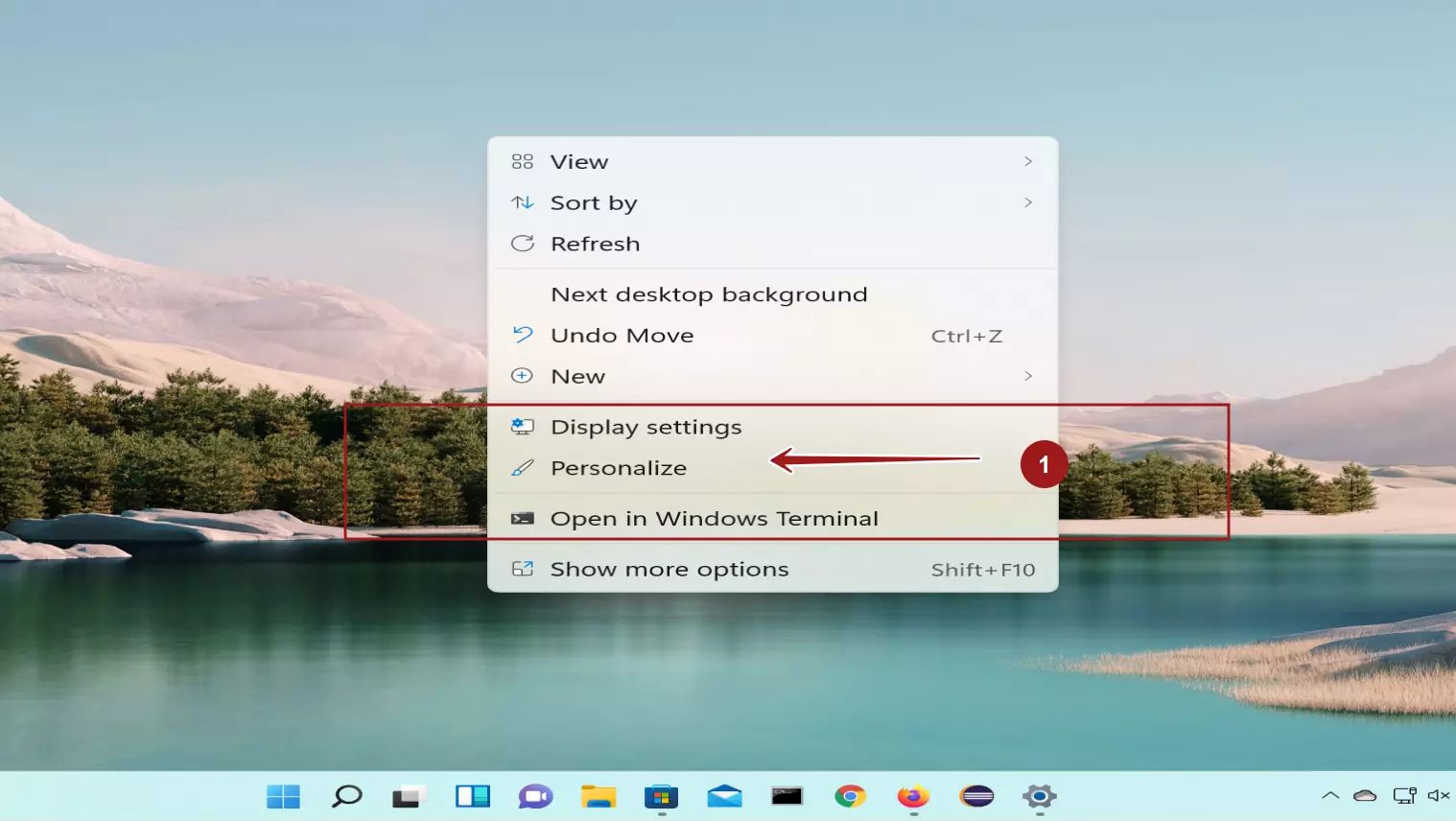
Right-click on the Desktop and Choose to Personalize context menu item to open the Personalization settings screen.
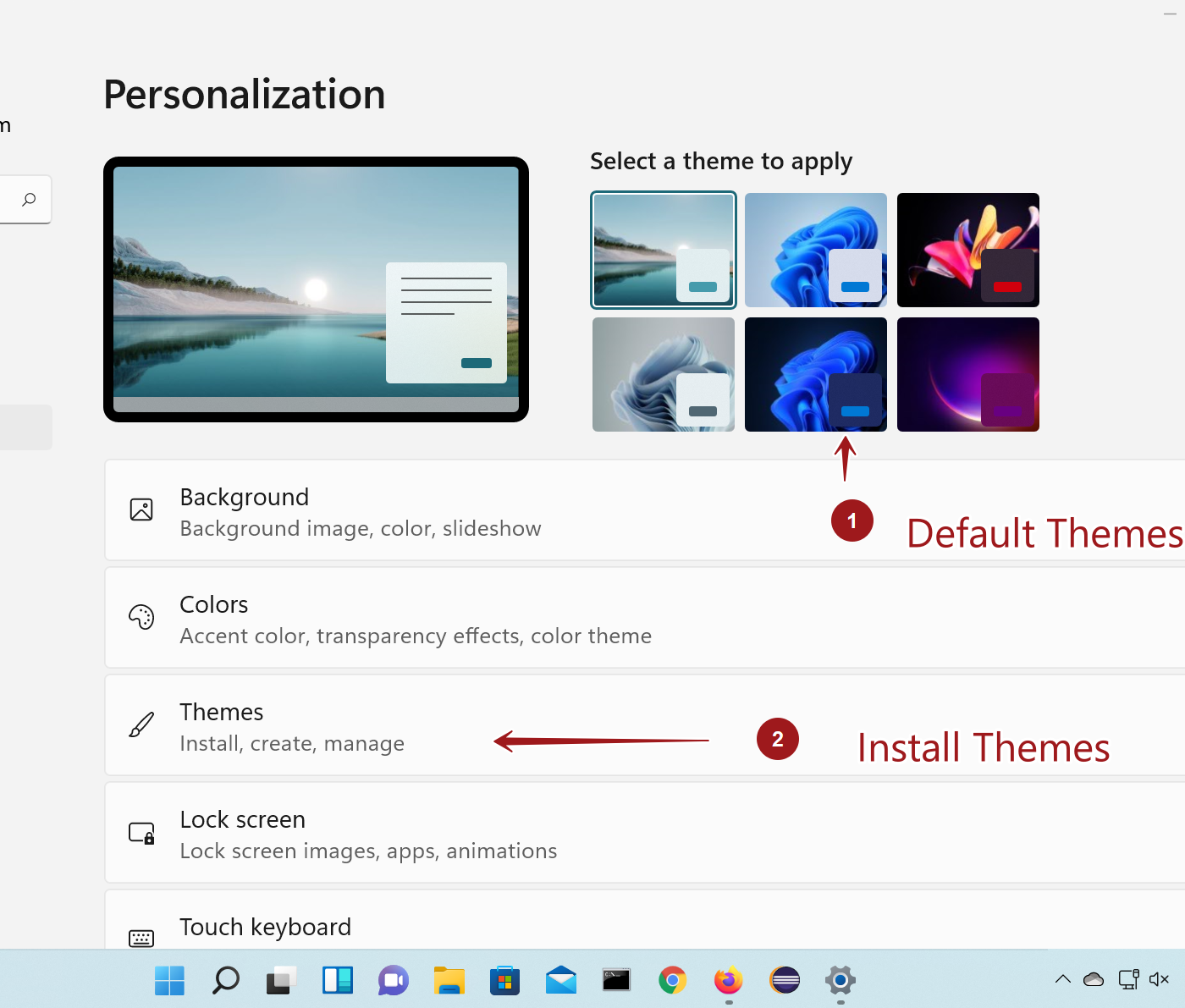
In the Personalization screen, we can find the default themes. We can select and apply the default theme as well.
Install a new theme
Click on the Themes button to install a new theme.
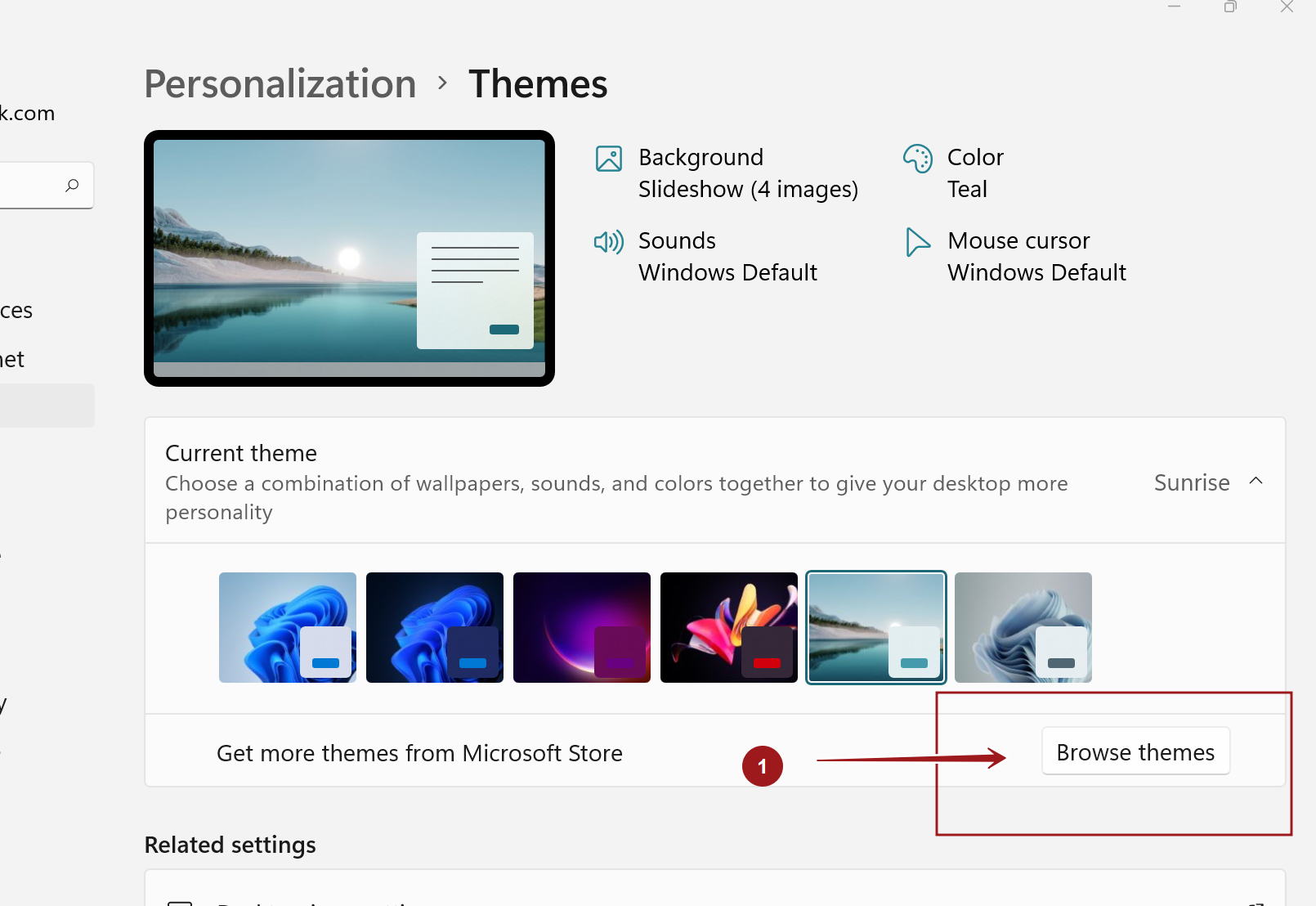
We can install more themes from the Microsoft Store. Click on the Browse themes button to view and add new themes.
Choose the new Theme from the Microsoft Store that you like to download and install the Theme. Themes can be Free as well as Paid premium themes.
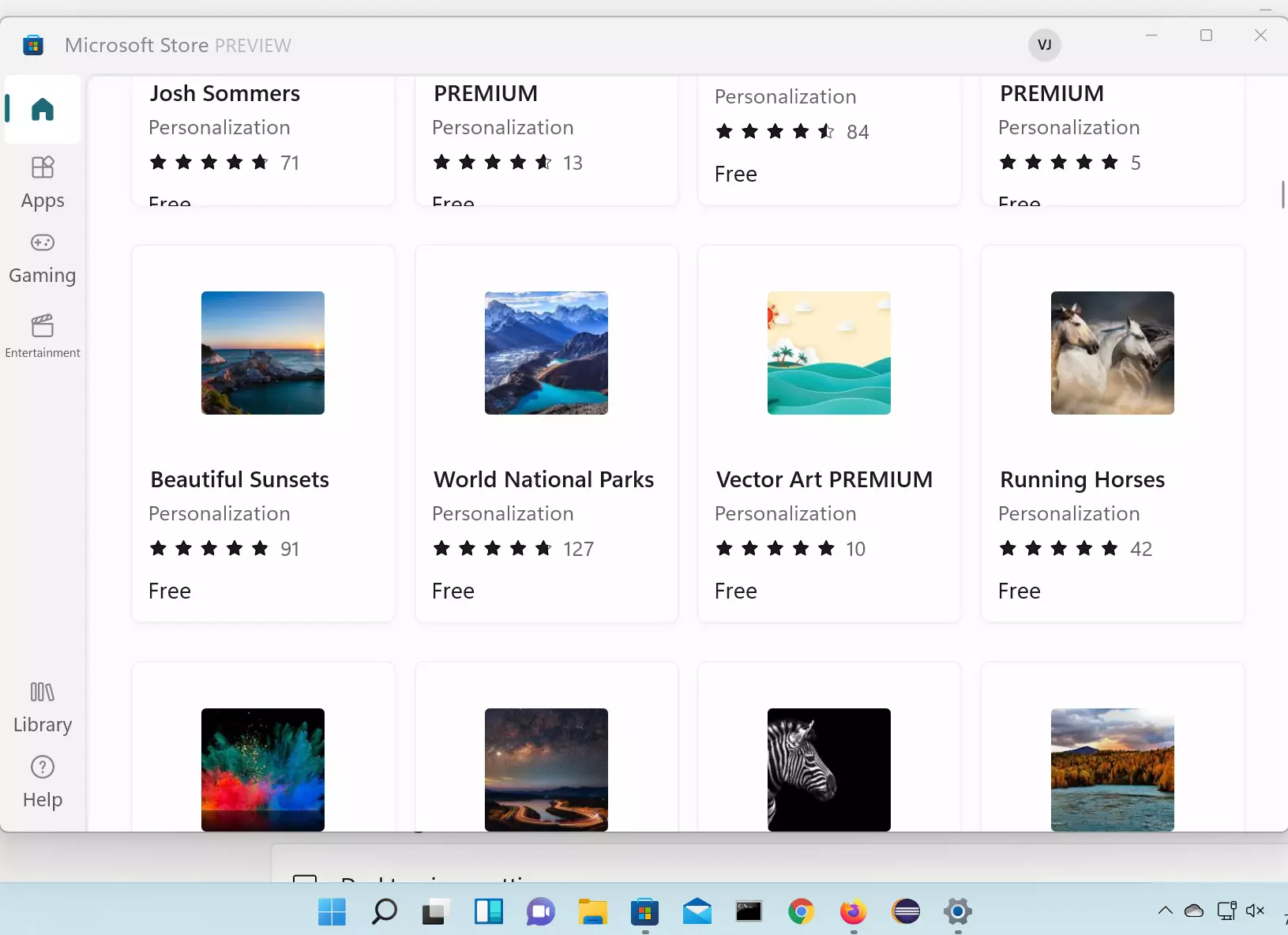
The theme will appear in the theme list after the install. We can select the theme and apply to the Desktop.
That’s it. We have successfully