
Prevent builds from running on the built-in node?

Prevent builds from running on the built-in node?
Running builds on the built-in node can be a security issue. To prevent builds from running on the built-in node, you should set the number of executors on the built-in node to 0
Steps
The steps to prevent builds from running on the built-in nodes are as follows:
Launch Jenkins CI tool.
Navigate to the following page:
Click on the Manage Jenkins gear icon settings link from the dashboard page.
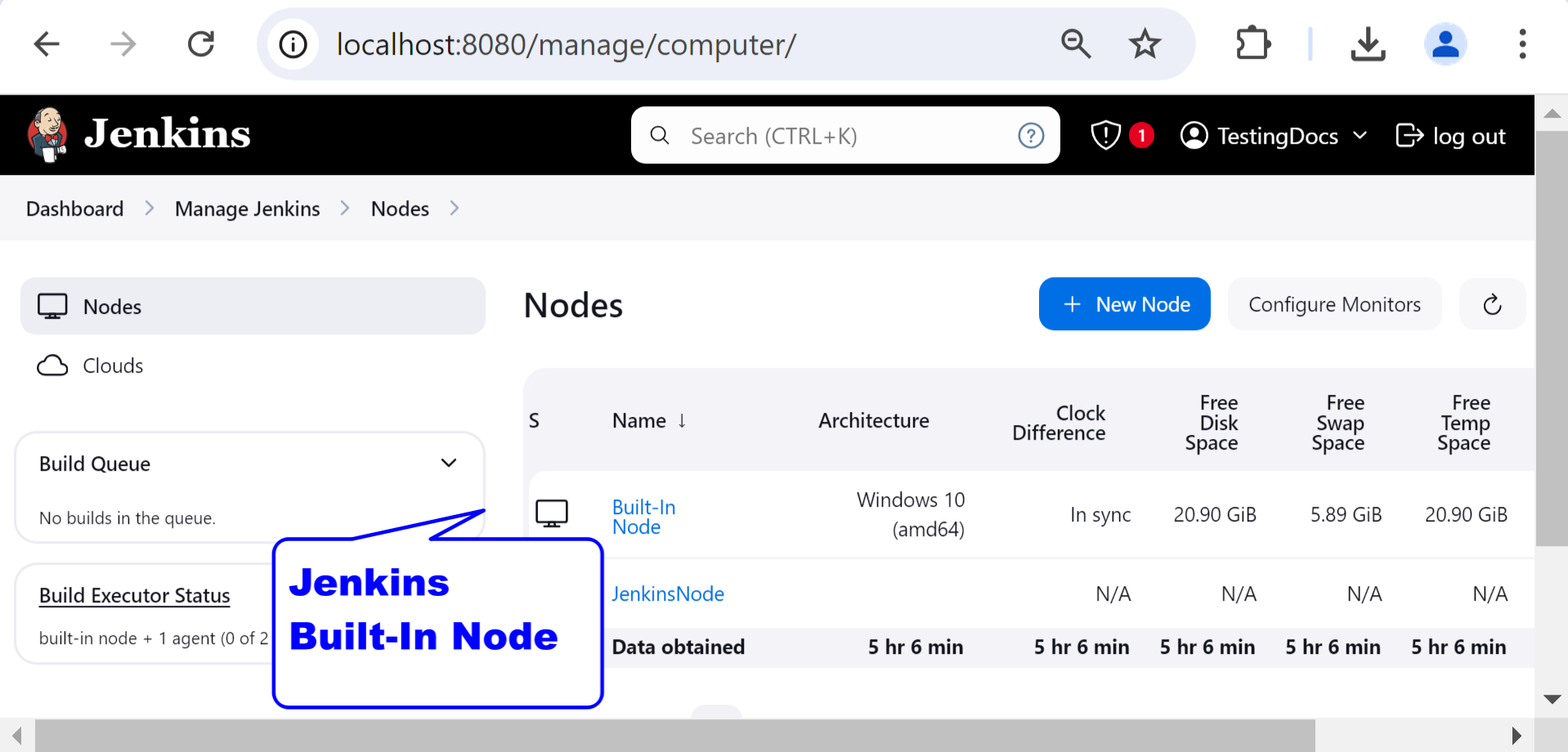
Click on the Nodes.
Dashboard >> Manage Jenkins >> Nodes

Select Built-In Node in the list.
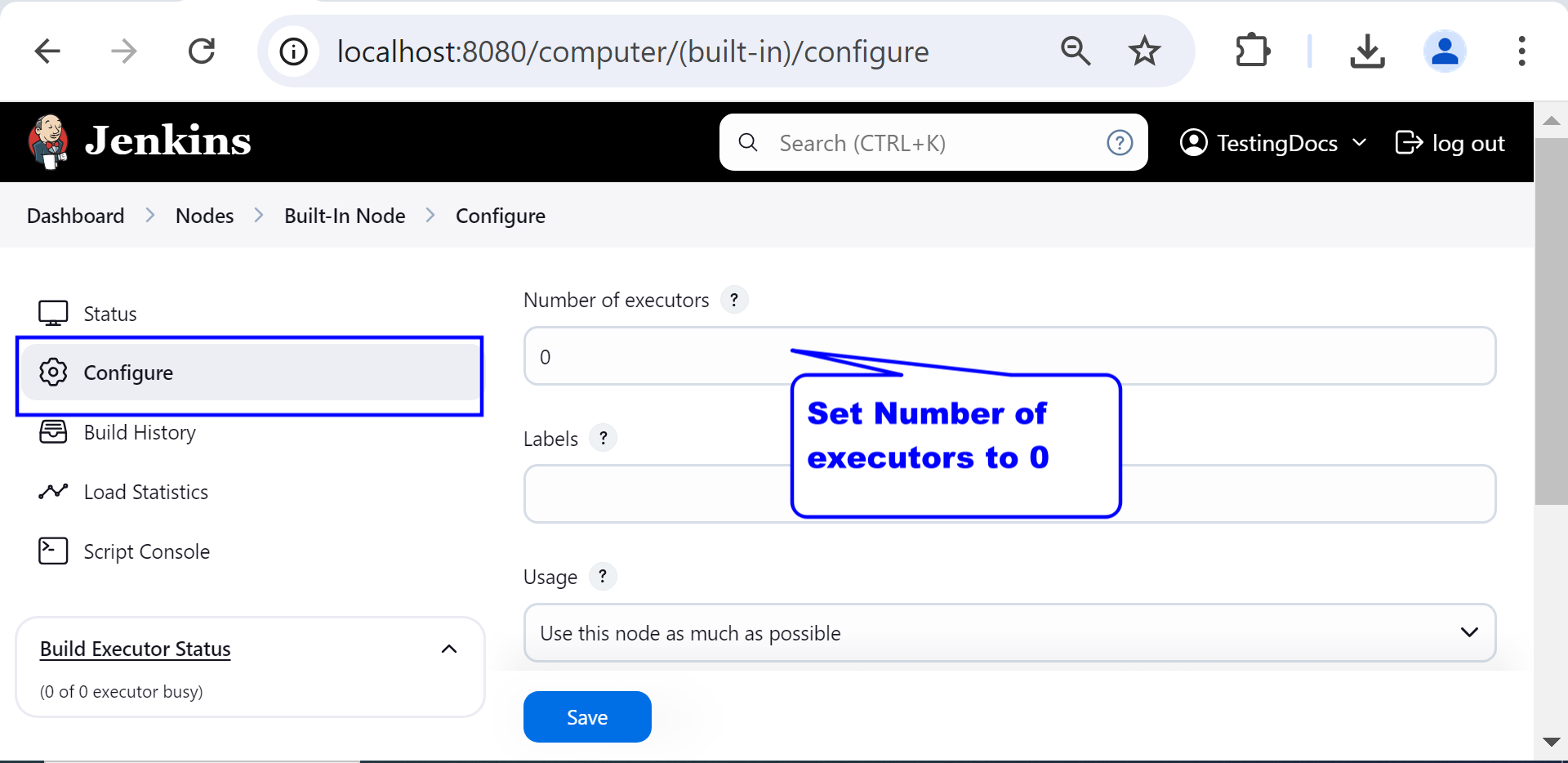
Click on the Configure button in the menu. For example, this will open the following page:
http://localhost:8080/computer/(built-in)/configure
Set the Number of executors to zero and click on the Save button.
Set up Clouds or build Agents to run builds on; otherwise, builds won’t be able to start.
Jenkins Tutorials
Jenkins Tutorials on this website can be found at: