
How to create a package in Eclipse IDE?

How to create a package in Eclipse IDE?
In this post, we will learn how to create a package using Eclipse IDE. Using packages resolves name conflicts of Java classes in the application source code. We can have Java classes with the same name in different packages.
Create a Package
In Eclipse IDE, you can create a Java package easily using the Project Explorer.
Open Eclipse and select your Java project.
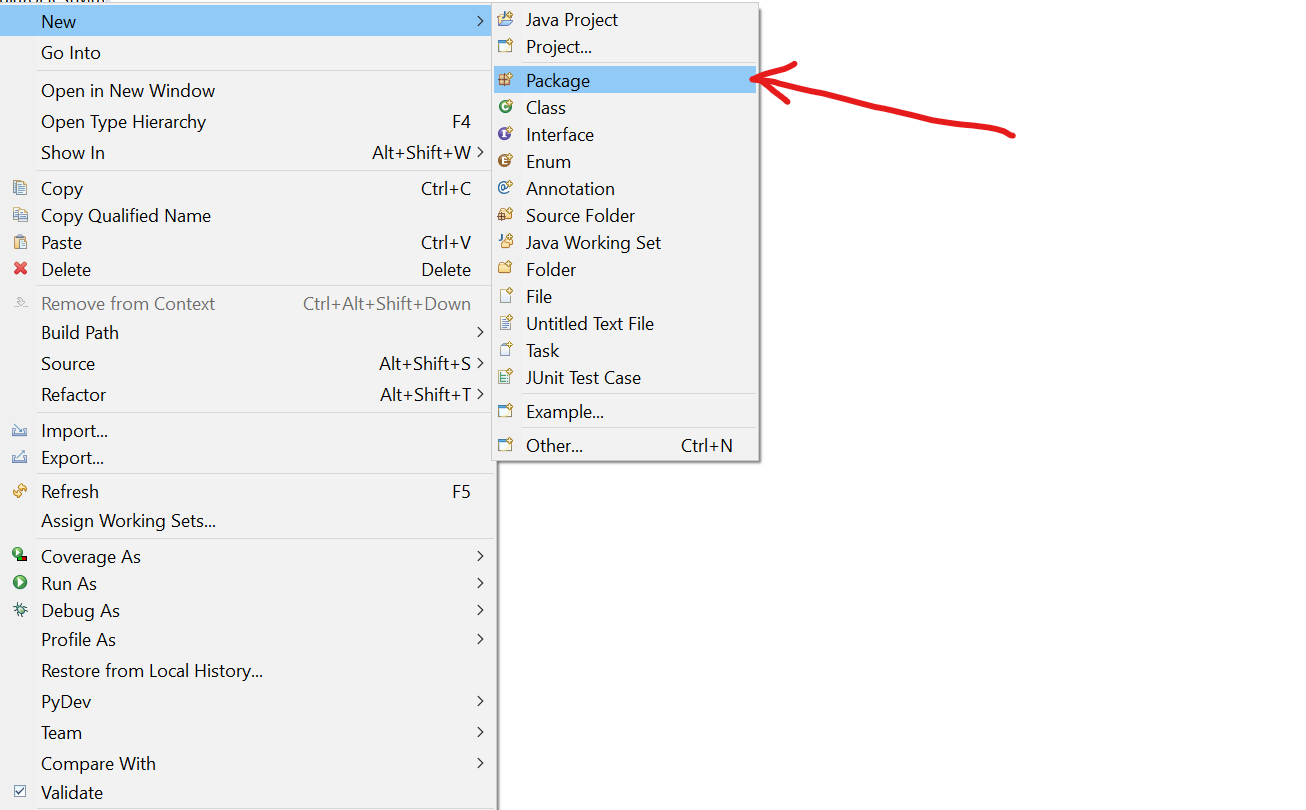
Right click on the Project in the Project Explorer. New >> Package
 Give a package name and click on the Finish button to create package in the Eclipse IDE.
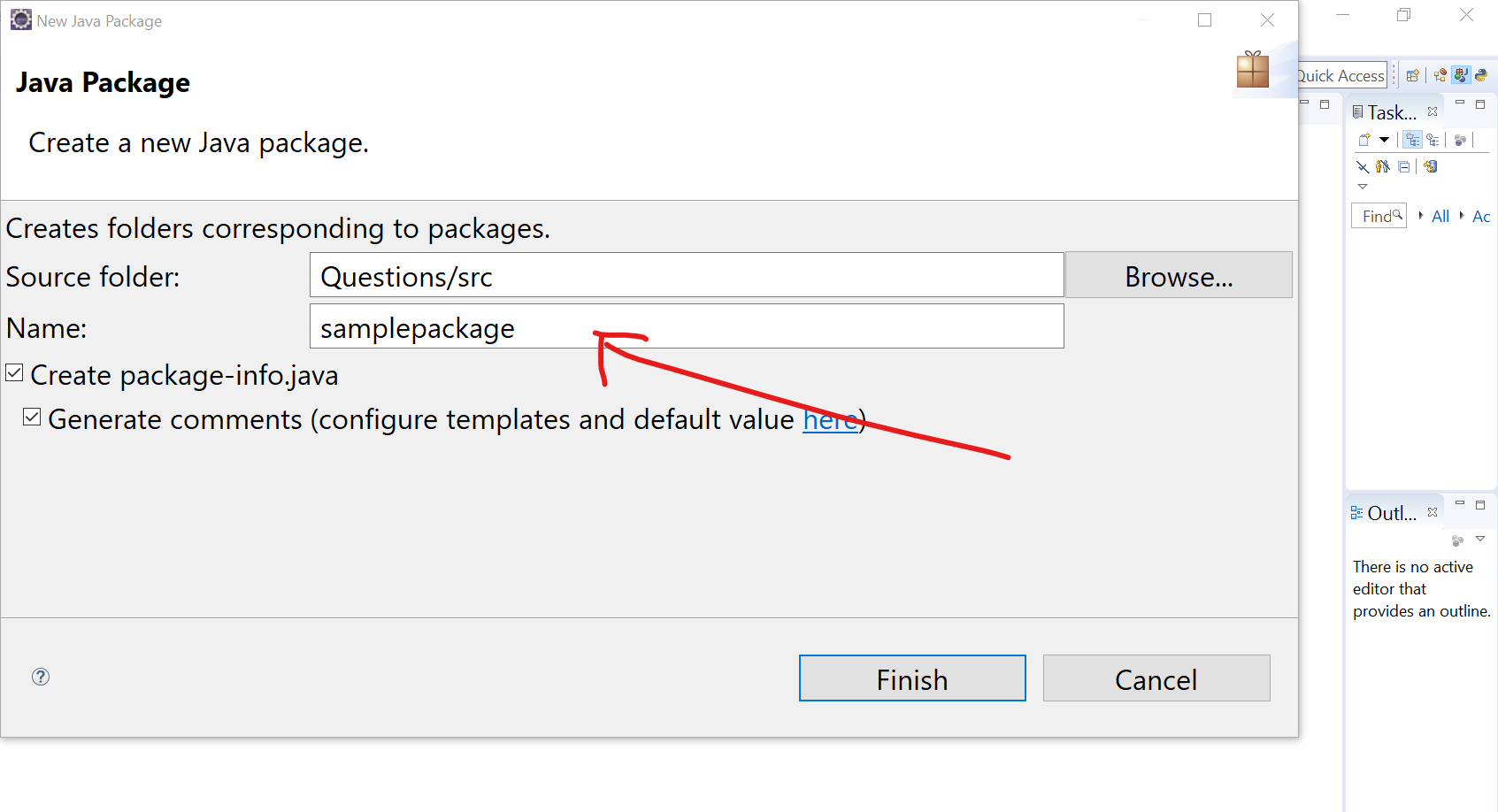
Package-info
Alternatively, you can create package-info.java by checking the checkbox ( Create package-info.java) .
Why do we create packages in Java?
-
To organize related Java classes.
-
To avoid naming conflicts between classes.
-
To improve code reusability and maintainability.
-
To manage access and permissions.
Tip: Java package names are generally written in lowercase, such as com.testingdocs.demo
Java Tutorial on this website:
https://www.testingdocs.com/java-tutorial/
For more information on Java, visit the official website :