
Edit PATH variable on Windows 11?

Edit PATH variable on Windows 11?
In this tutorial, you will learn how to edit the PATH variable on Windows 11 operating system. PATH is a system environment variable that Windows uses to locate programs from the command line. It is a semicolon-separated string of program directories.
Check PATH variable
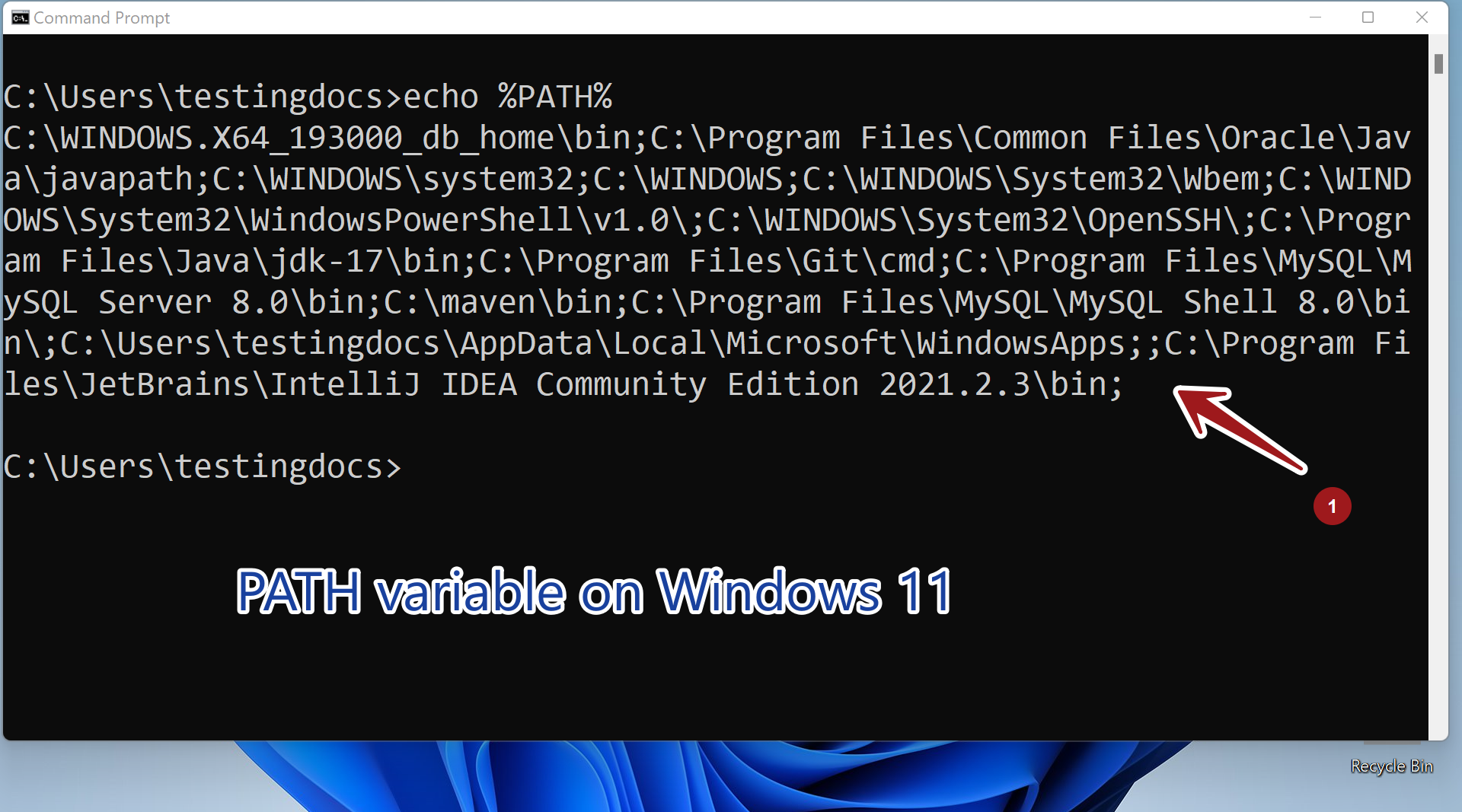
To check the PATH environment variable, open the command prompt.
Steps to launch command prompt on Windows 11 PC.
Type the following command.
\> echo %PATH%
Edit PATH variable
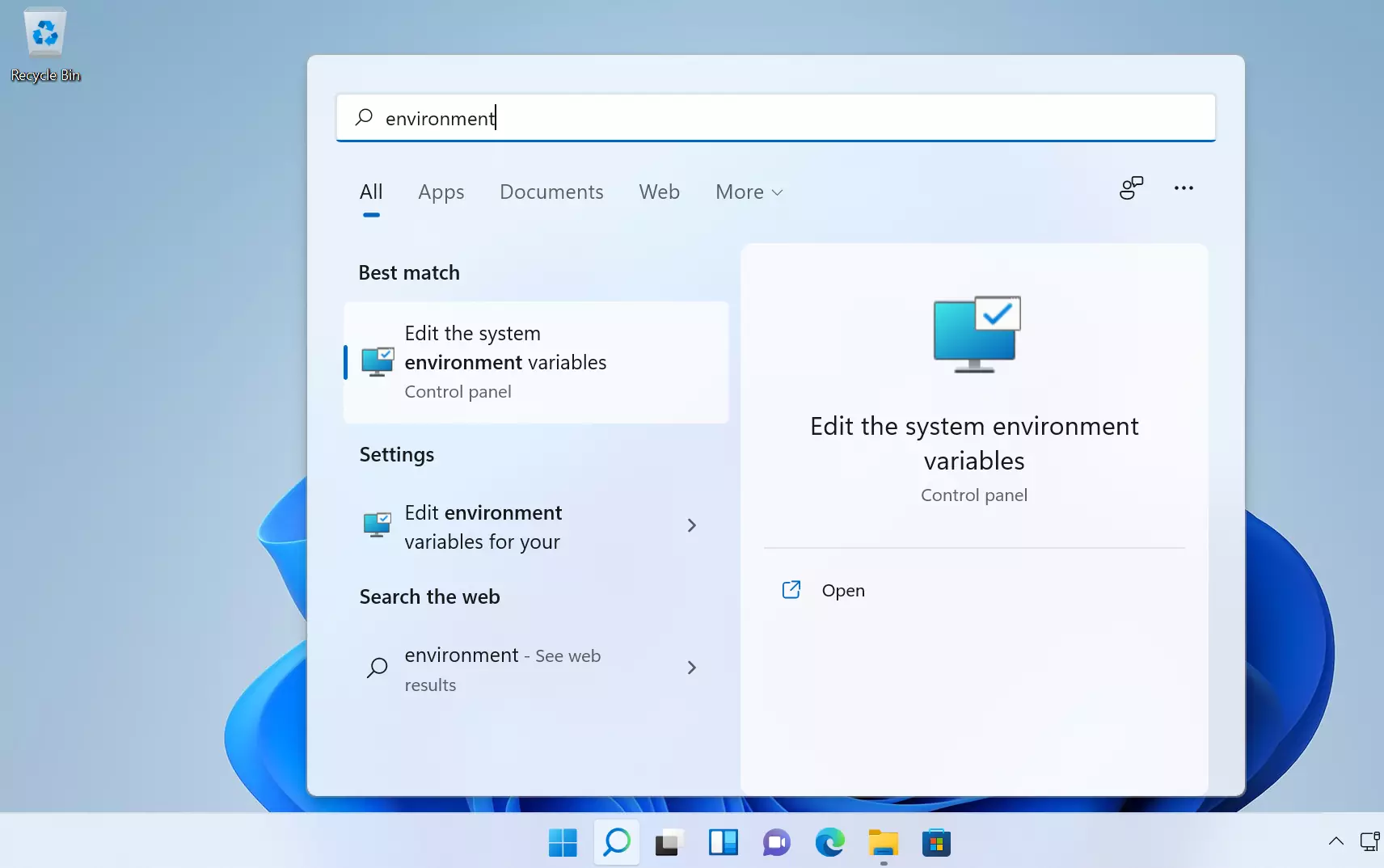
Click on the Search icon in the Taskbar.
Type Environment in the search bar.
Click on the Edit the system environment variables Control panel item.
##Alternatively, open the Run command window ( Windows Key + R ) keyboard shortcut.
Type sysdm.cpl and click on the OK button to open the System Properties window.
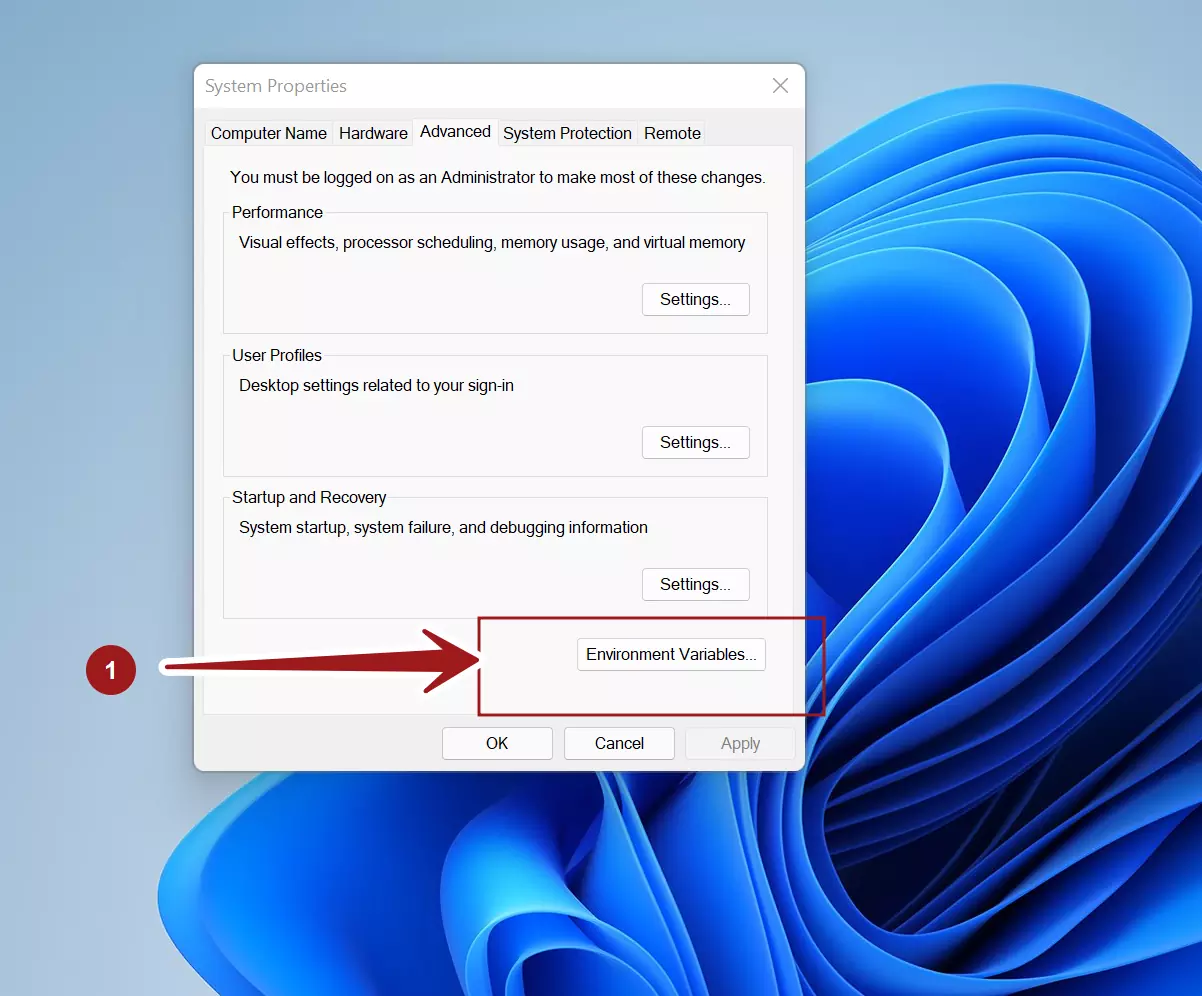
In the System Properties window, switch to the Advanced tab and click on the Environment Variables… button.
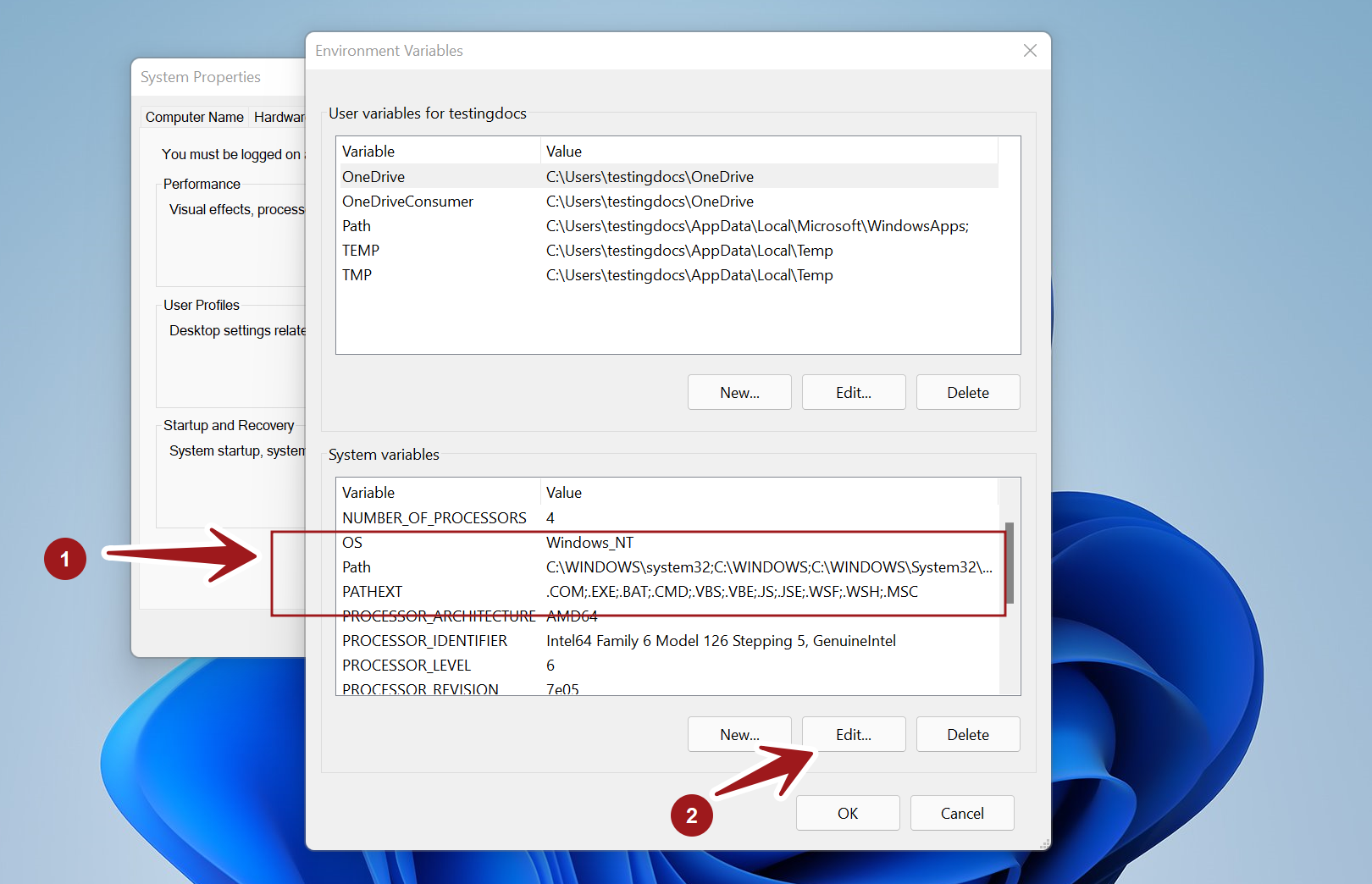
Select the PATH system variables and click on the Edit… button. If the PATH environment variable does not exist, click the New… button.
To edit we can change the entities listed in the window screen.