
How to Install Grammarly Firefox Plugin

How to Install Grammarly Firefox Plugin
This page will walk you through installing the Grammarly Firefox plugin. Grammarly is an awesome tool for correcting grammar and spelling mistakes and setting the tone for your content.
Official website:
- https://www.grammarly.com/
Download
The general steps to install the Firefox plugin are as follows:
Launch the Mozilla Firefox browser.
Visit the official website on the Firefox browser.
Click on the Add to Firefox It’s free button.

In the browser alert box, click on the Continue to Installation button.
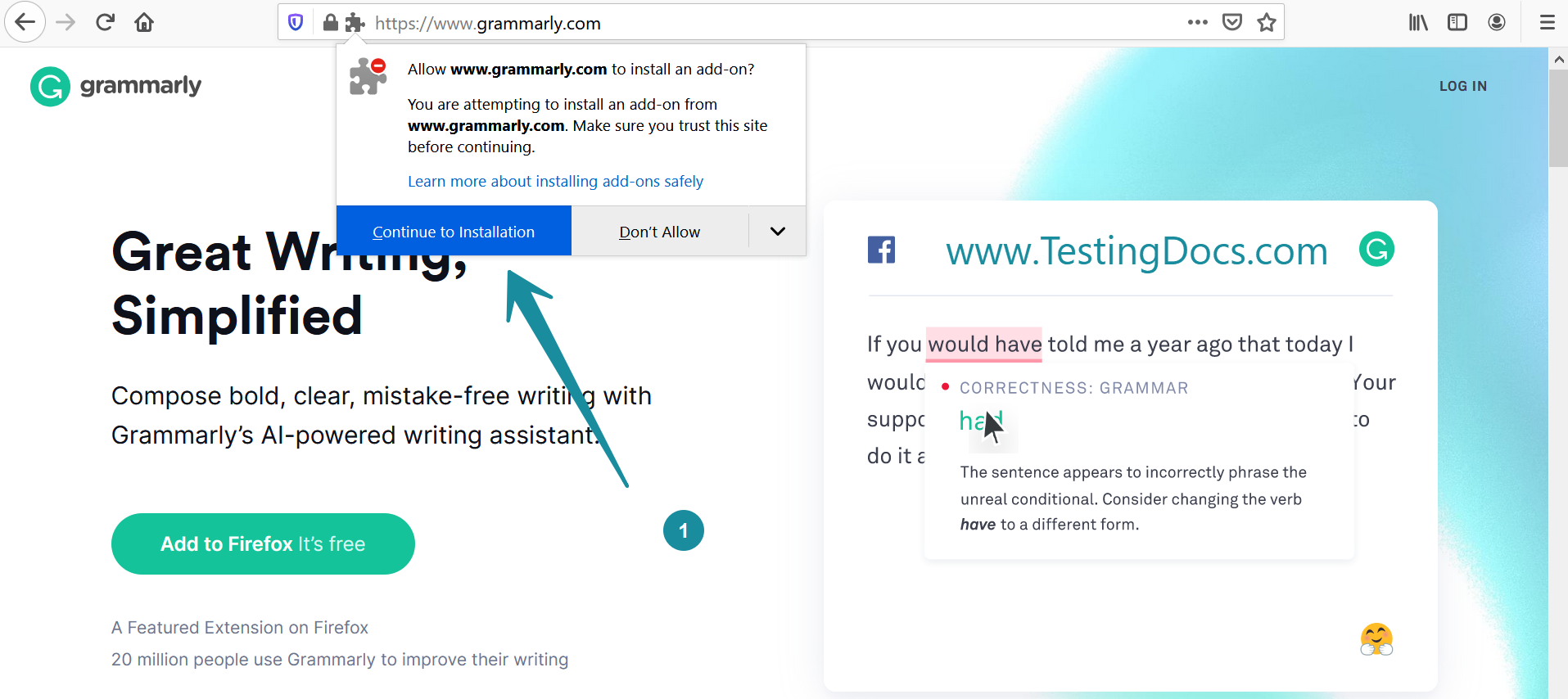
Install Grammarly Firefox Plugin
The Grammarly plugin for the Firefox plugin will download.
Install Grammarly Firefox Plugin
Click on the Add button to install the plugin in the browser.
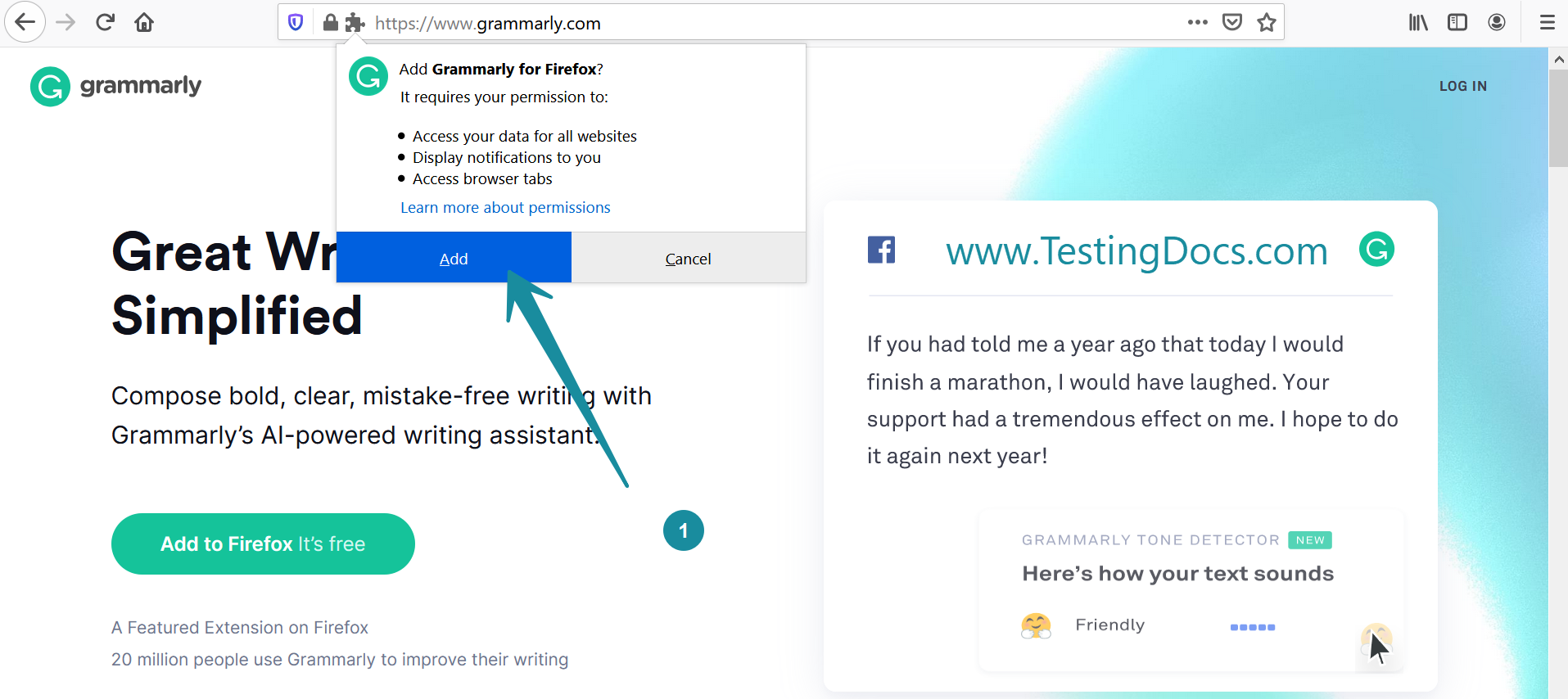
After installation, the Grammarly icon will be added to the browser window.
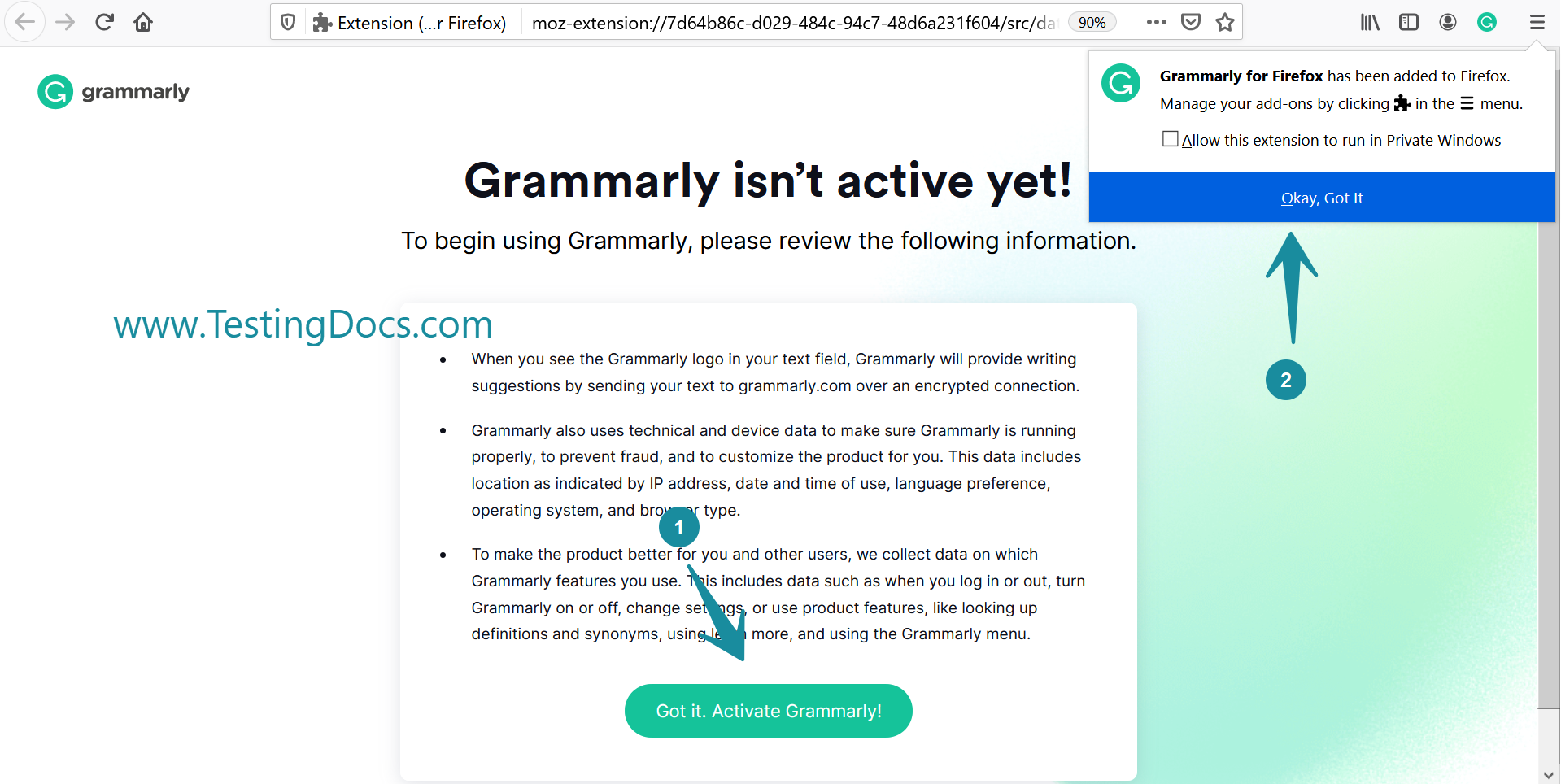
Activate the Plugin
To activate the plugin, click on the Activate Grammarly button.
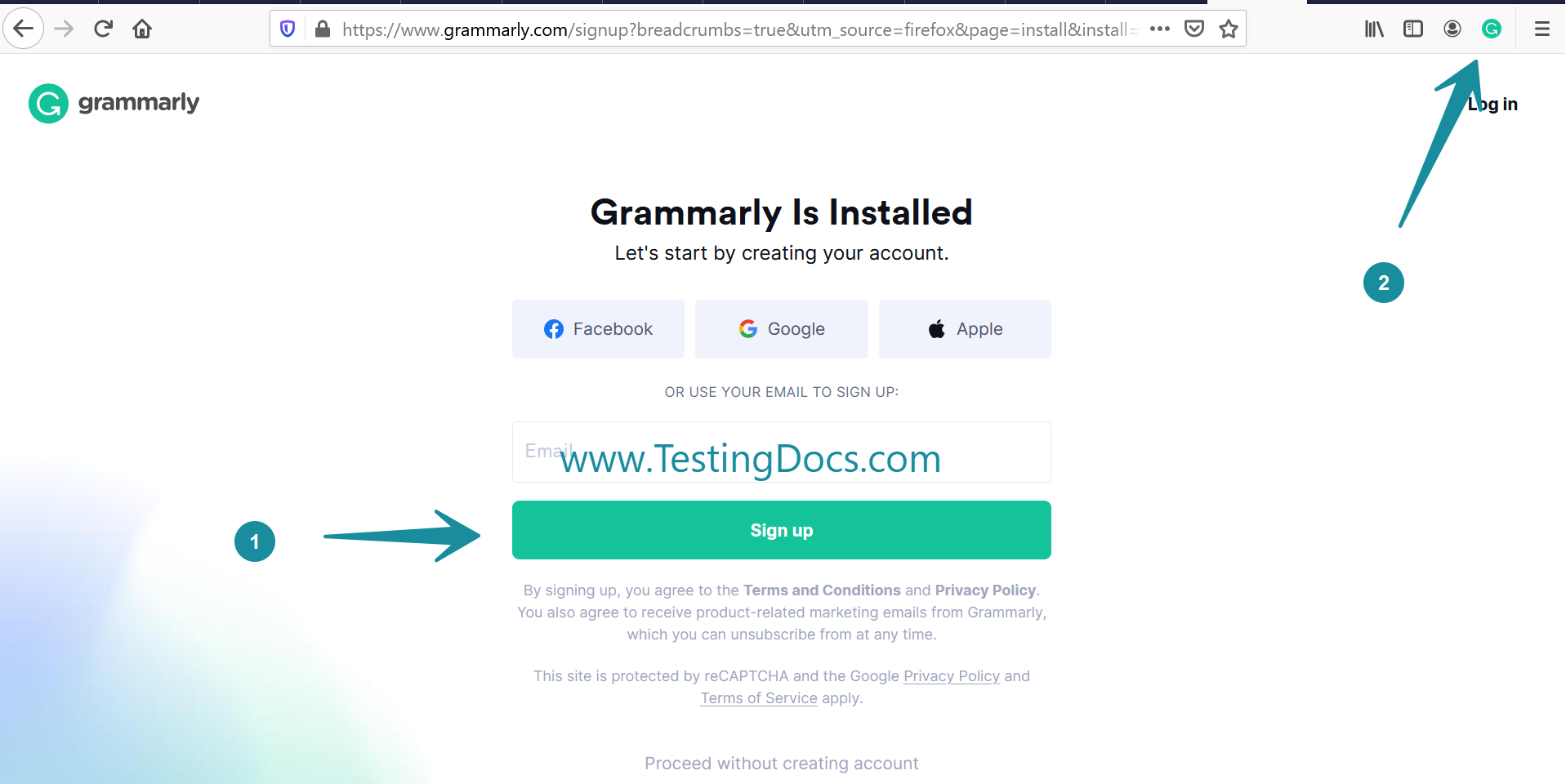
Install Verification
To verify that everything is working, Sign up for the Grammarly service.
Launch the project artifact like the bug defect tool in the browser.
Type text into the text box in the browser.
Grammarly would prompt, correct suggestions, and enhance textual communication.
Use cases of the tool.
The AI tool helps to spell-check typos and grammatical mistakes in project artifacts. Project artifacts can be anything from Defect reports to project plans, Test plans, Software documentation, Blog posts, Academic research papers, etc.
Troubleshoot
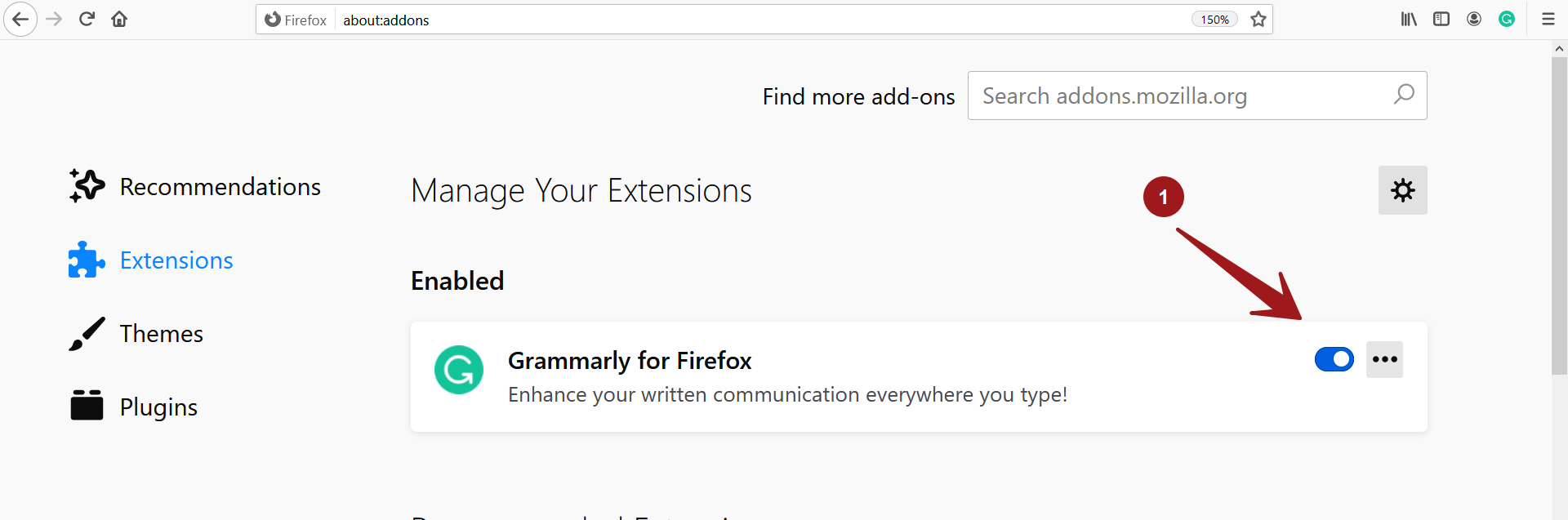
If something is wrong, try to find the extension installed by visiting the browser settings.
Three lines icon >> Addons >> Extensions
or type about:addons in the browser address bar. The plugin should be enabled.
That’s it.
See Also:
Steps to add Grammarly to MS Word Documents: