
How to Activate Tablet Mode on Windows 10

How to Activate Tablet Mode on Windows 10
Tablet mode optimizes the Windows 10 device for touch so that the user doesn’t have to use a mouse and keyboard to interact with the system. In this post, we will learn to activate tablet mode on Windows 10 device.
Steps to Activate Tablet Mode
Open Start Menu >> Click on Settings wheel icon.
On the Settings screen, click on the System.
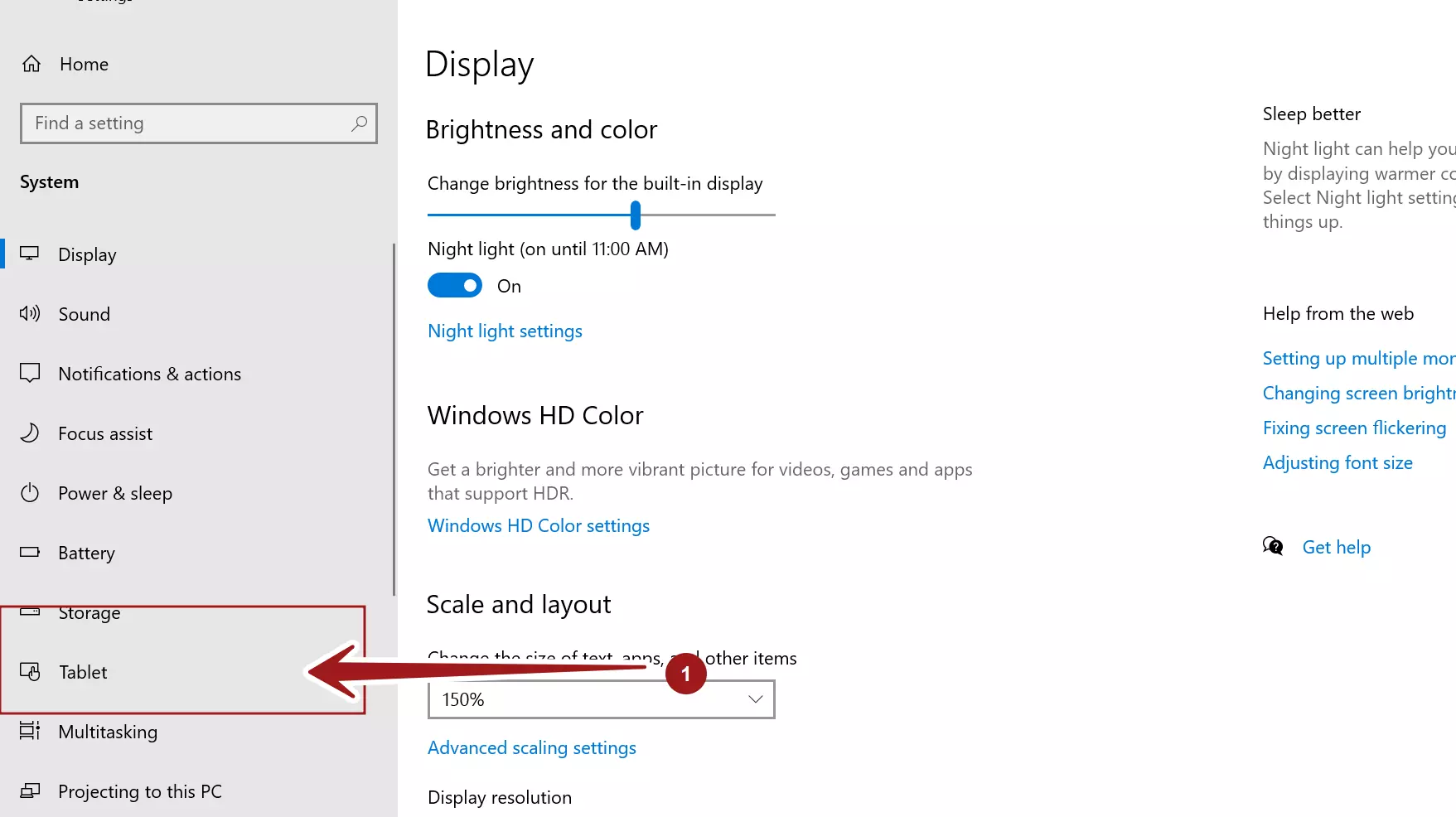
Click on Tablet link.
There are two drop downs on the Tablet screen. Choose the options for the drop downs.
- When I sign in -> Always use tablet mode
- When I use this device as tablet -> Always switch to tablet mode
Click on link Change additional tablet settings.
To activate tablet mode, toggle the Tablet Mode to ON state.
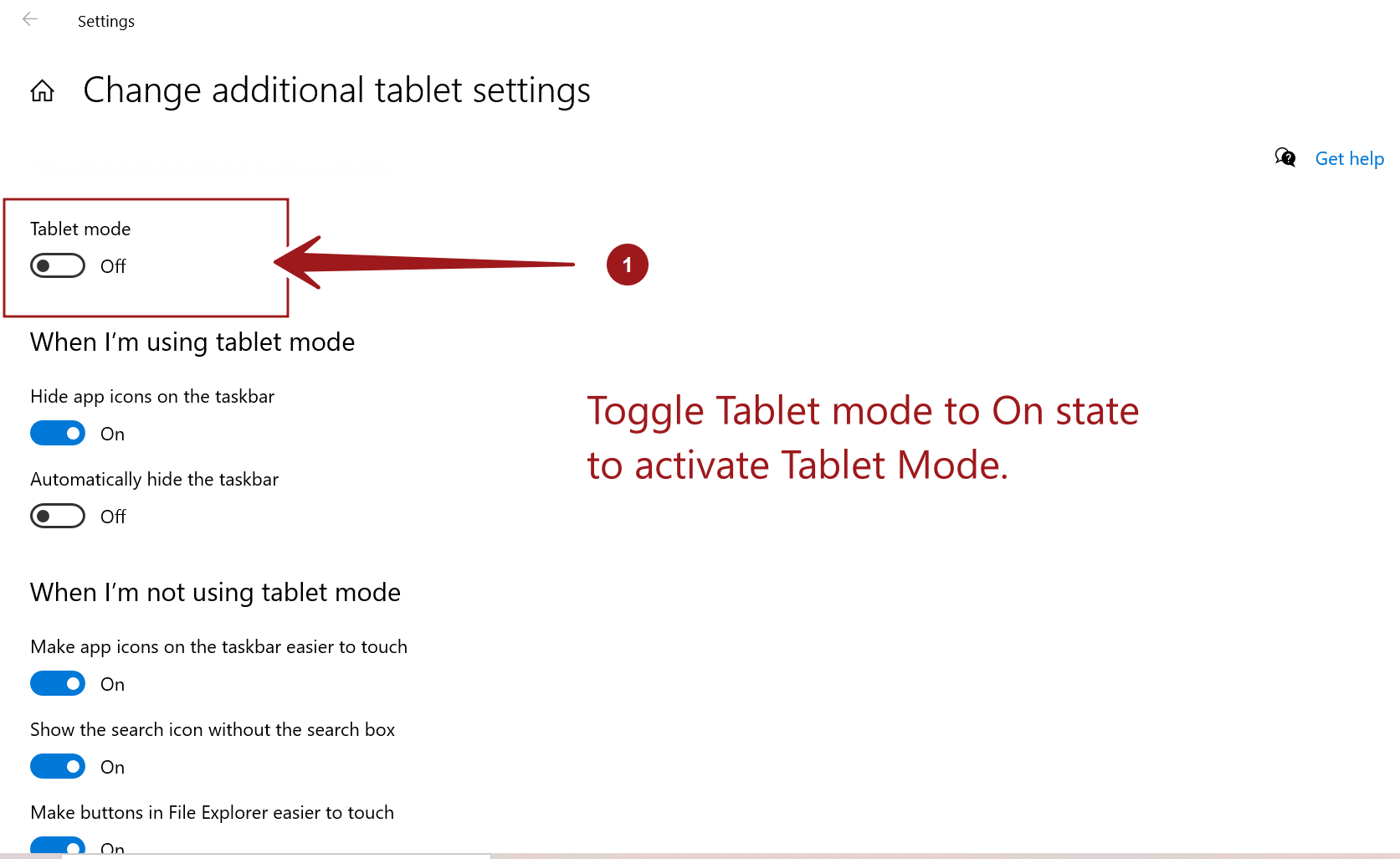
We can optimize other setting on this screen for the tablet mode. For example, to show Touch keyboard when there is no keyboard attached.