
How to Fix Security Warnings on TestLink

How to Fix Security Warnings on TestLink
In this article, you will learn how to fix security warnings on a TestLink Instance. To secure the TestLink instance, we need to follow some steps after the initial configurations, such as changing the default admin password.
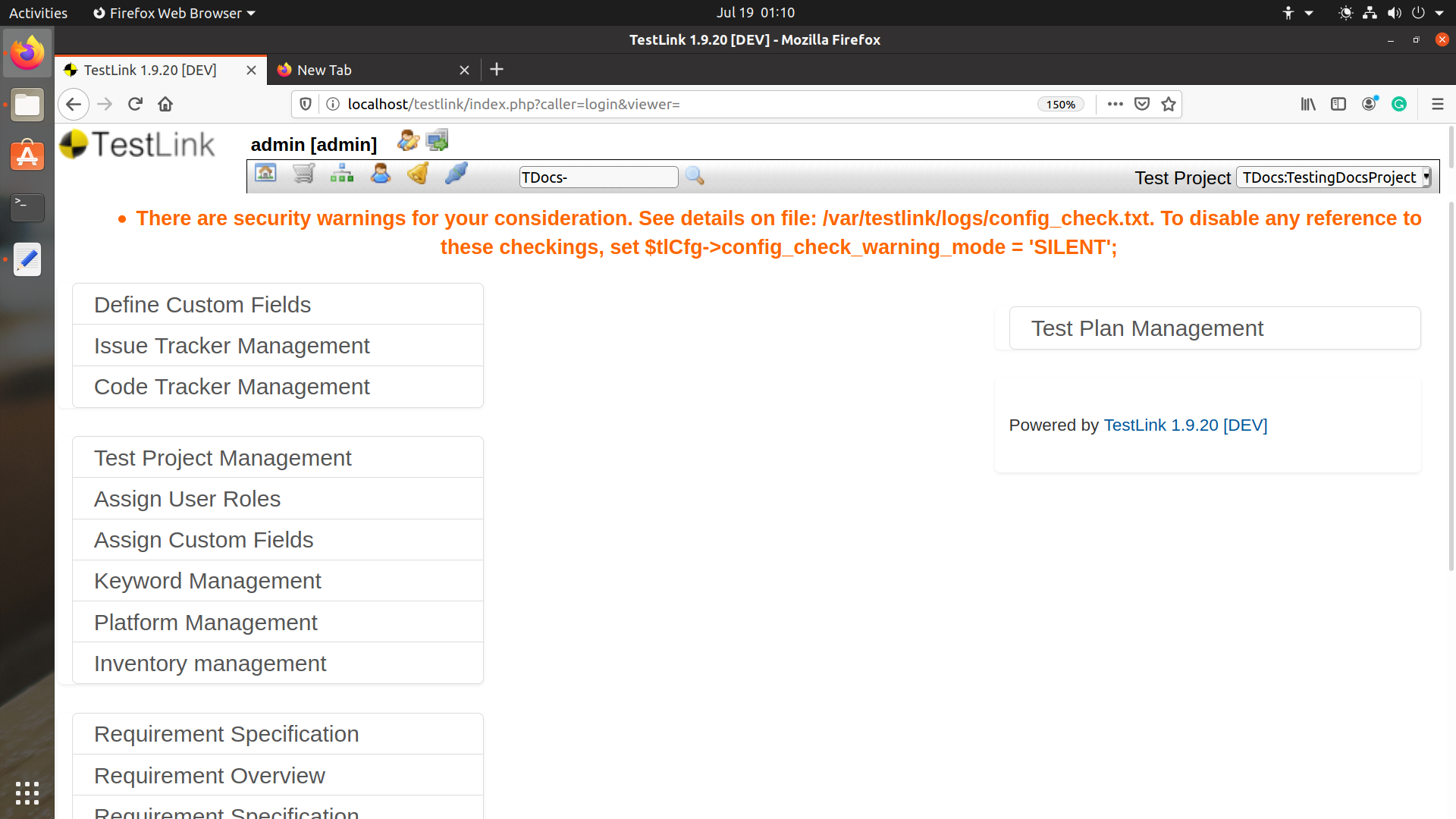
Error
There are security warnings for your consideration.
See details on file: /var/testlink/logs/config_check.txt. To disable any reference to these checkings, set $tlCfg->config_check_warning_mode = ‘SILENT’;
Fix Steps
Launch Terminal
Go to the file /var/testlink/logs/config_check.txt
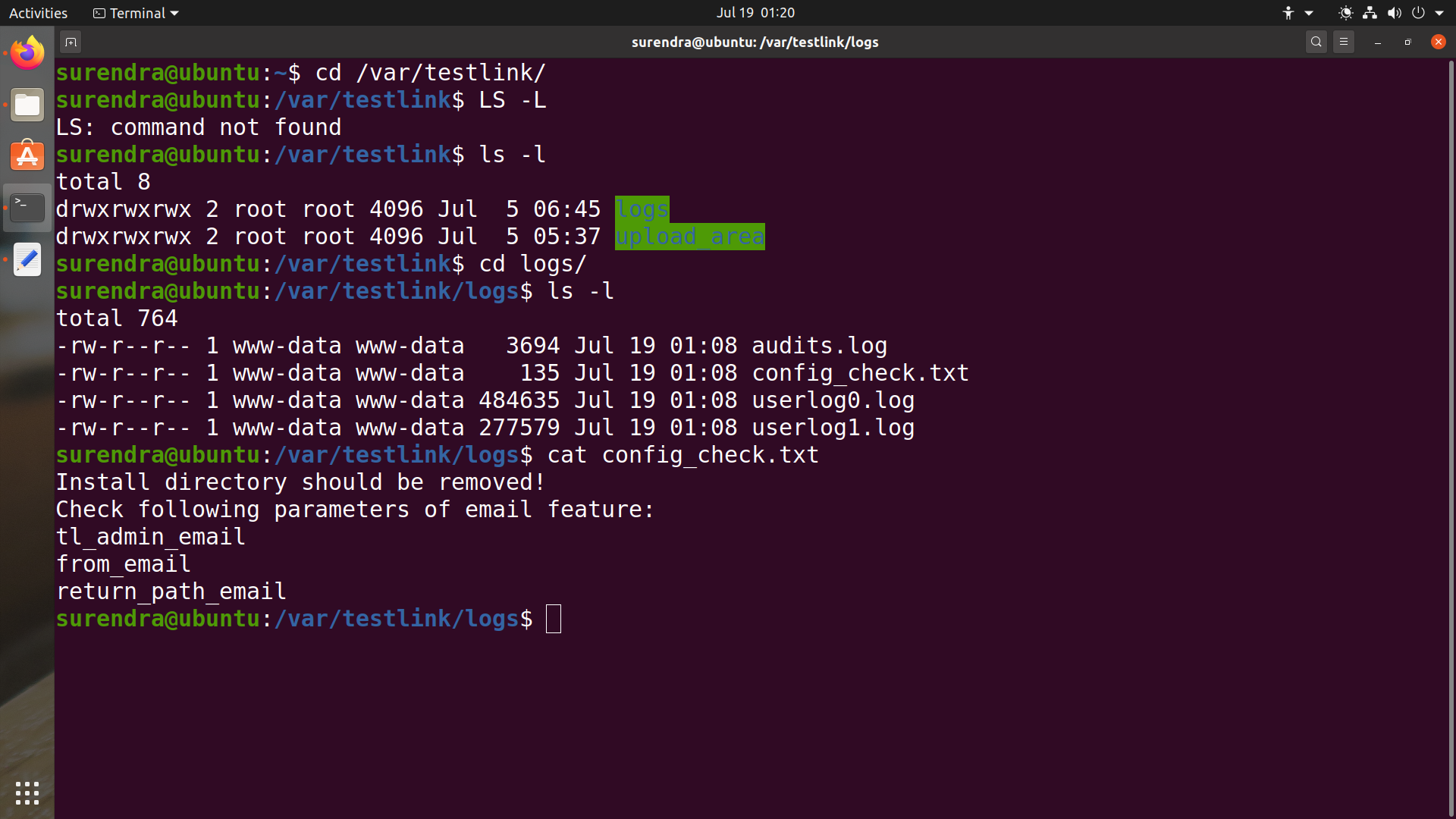
Apply all the fixes that are shown in the text file.
The most common warnings are:
Change the default admin password.
Remove the installation directory after successful TestLink configuration etc.
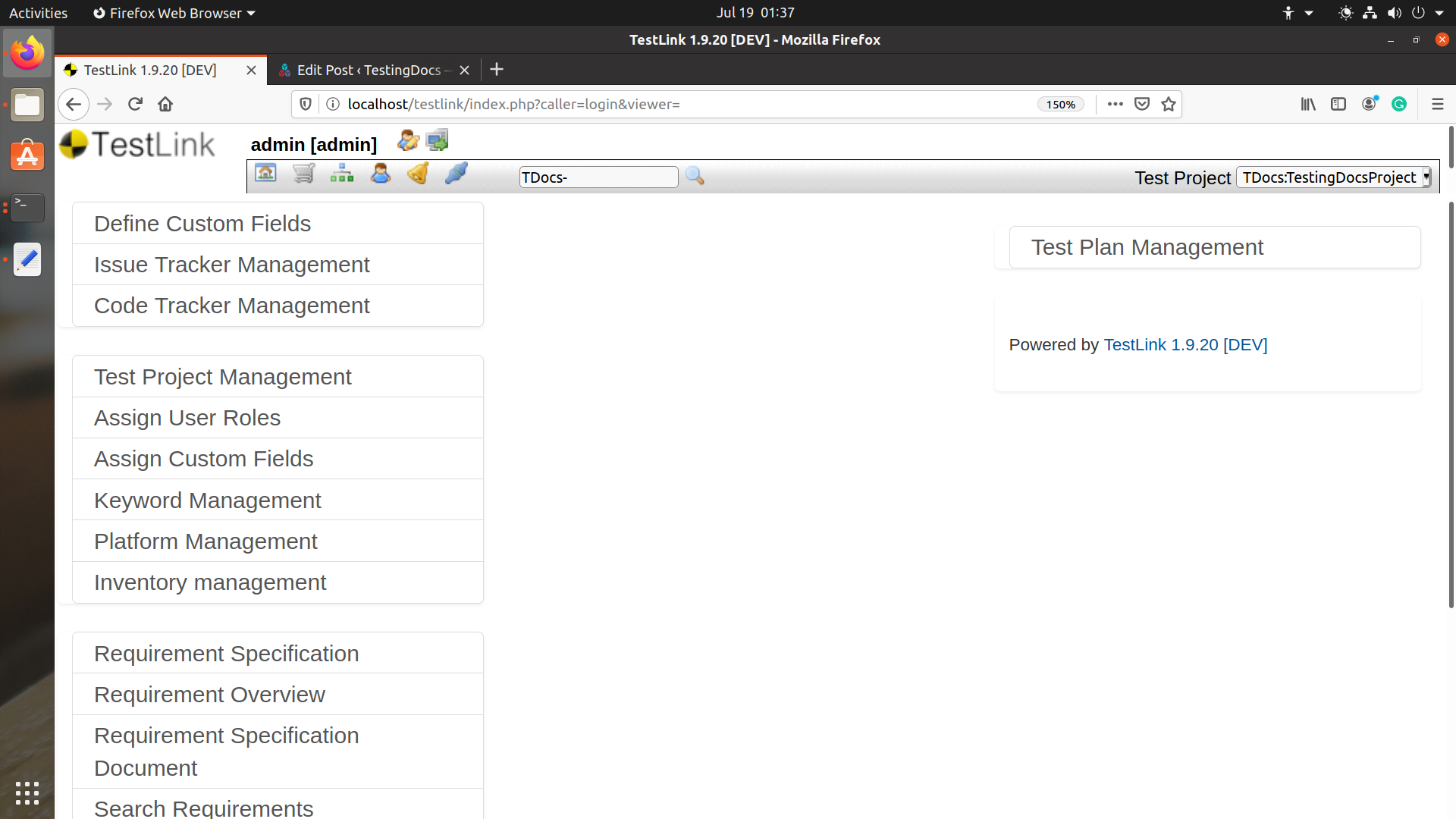
After you fix all the issues in the config text file, the security warning message will stop showing in the TestLink UI. That’s it.