
Add repetition structure to the Raptor Flowchart

How to add repetition structure to the Raptor Flowchart
The repetition structure or Loop symbol in the Raptor flowchart is used to repeat a sequence of symbols until a certain condition is met. The condition is entered into the diamond box of the loop.
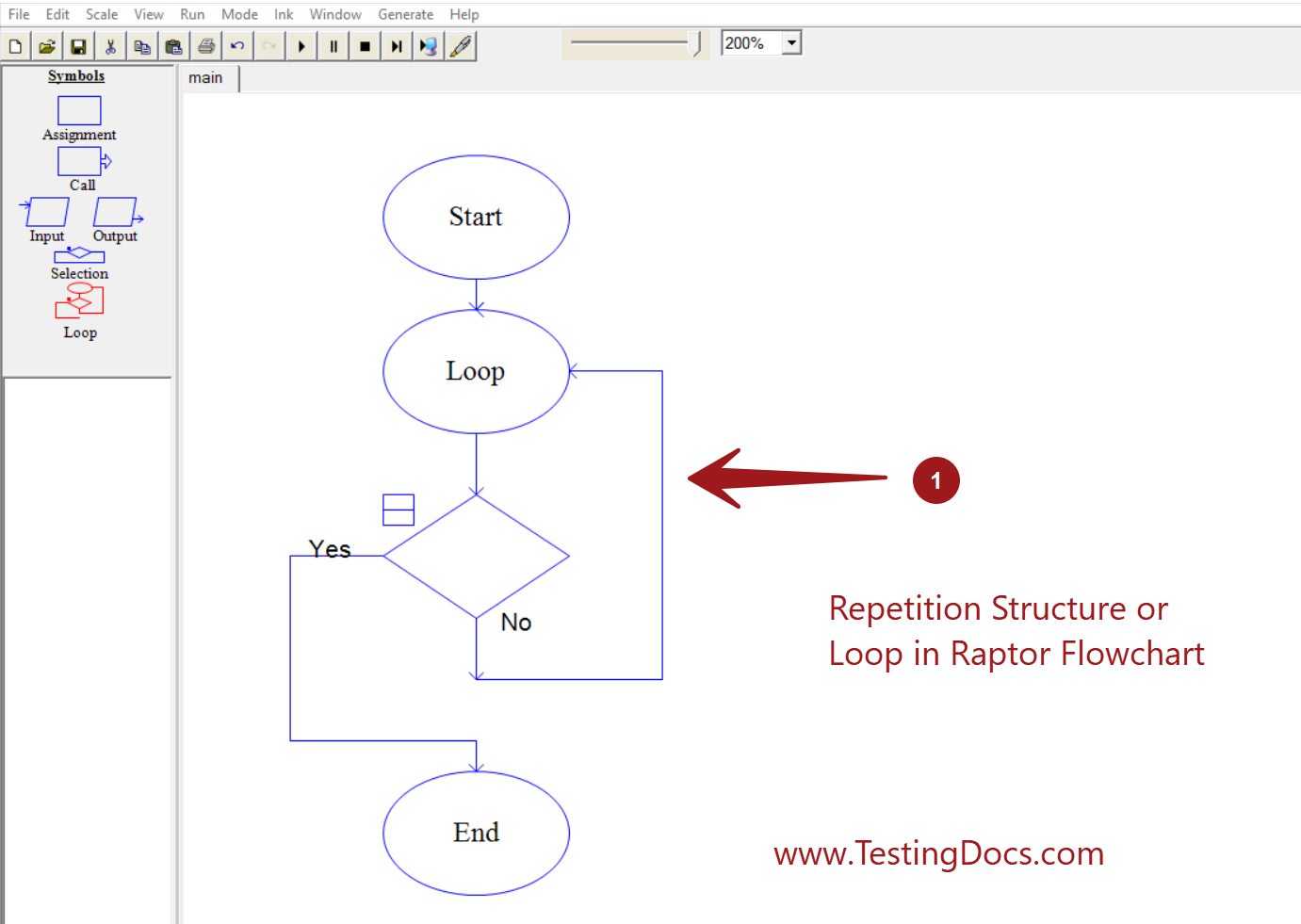
The loop is executed when the condition is False/No. The loop is exited when the condition in the diamond box evaluates to Yes /True.
How to add
We can add the loop symbol to the flowchart in multiple ways.
Drag and drop the loop symbol from the Symbols pane to the flowchart workspace.
Right-click on the workspace >> Insert Loop
Things to take care
Some of the important things to take care of while working with loops are:
Decide on the loop condition.
The loop variable that decides the number of runs should be incremented/decremented inside the loop based on the loop exit condition. Any errors would result in infinite loops in the flowchart. The loop would be executed indefinitely.
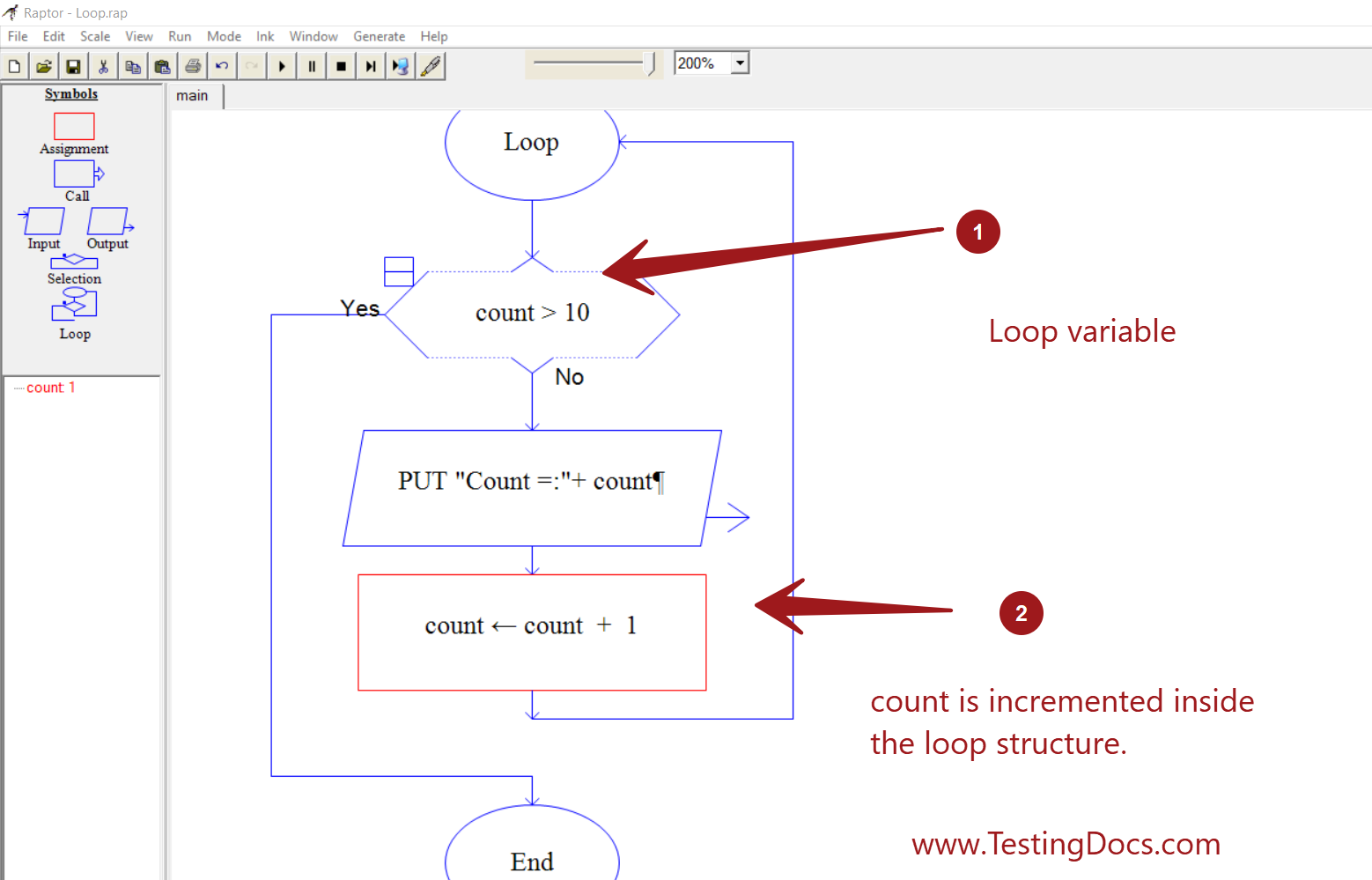
Sample Flowchart
Let’s design a sample flowchart that uses a loop structure to execute the loop for 10 iterations.
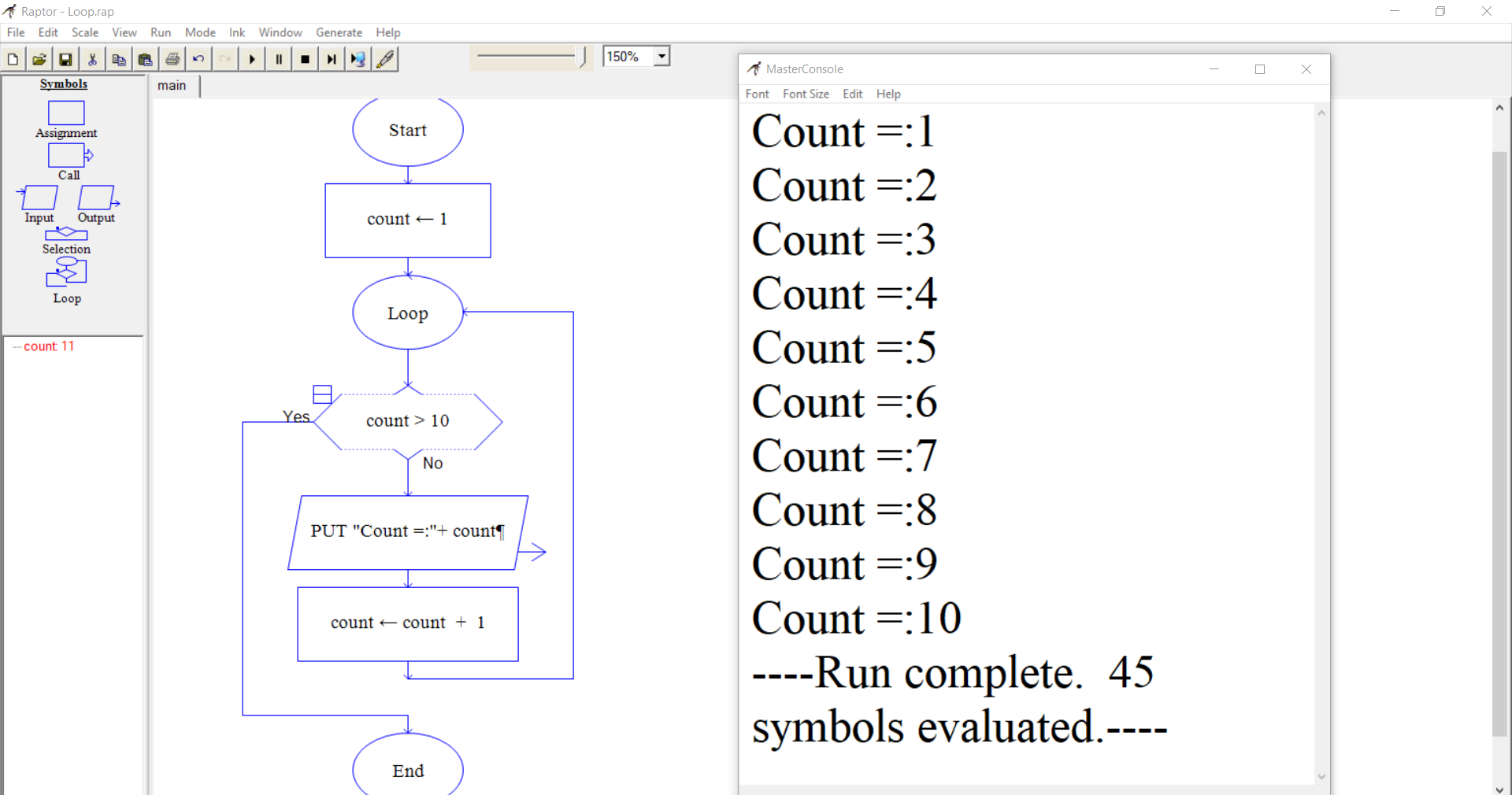
RAPTOR Tutorial Page:
https://www.testingdocs.com/raptor-a-flowchart-tool/
RAPTOR official website: