
Blog
Java Hello World Applet Example

Java Hello World Applet Example
In this tutorial, we will create a Java Hello World Applet. The applet displays the greeting “Hello World!” A Java Applet is a special program that runs on a Java-enabled web browser, such as Internet Explorer, Firefox, etc. The Java applet class provides the standard interface between the browser and the applet code.
Java Applet Example
The steps to create a Java Applet are as follows:
To create the applet, we’ll perform the following steps.
- Create a Java source
- Compile the Java file
- Create an HTML file
- Run the Java Applet
Create a Java source
Open a text editor and type the following code. Save the file as HelloWorld.java
import java.applet.*;
import java.awt.*;

/**
 * The HelloWorld applet that
 * displays "Hello World!" message.
 */
public class HelloWorld extends Applet {
    public void paint(Graphics g) {

        g.drawString("Hello world! \n Java Tutorials
- www.TestingDocs.com", 250, 250);
    }
}
Compile the Java file
Open the command prompt and type the following command.
\> javac HelloWorld.java
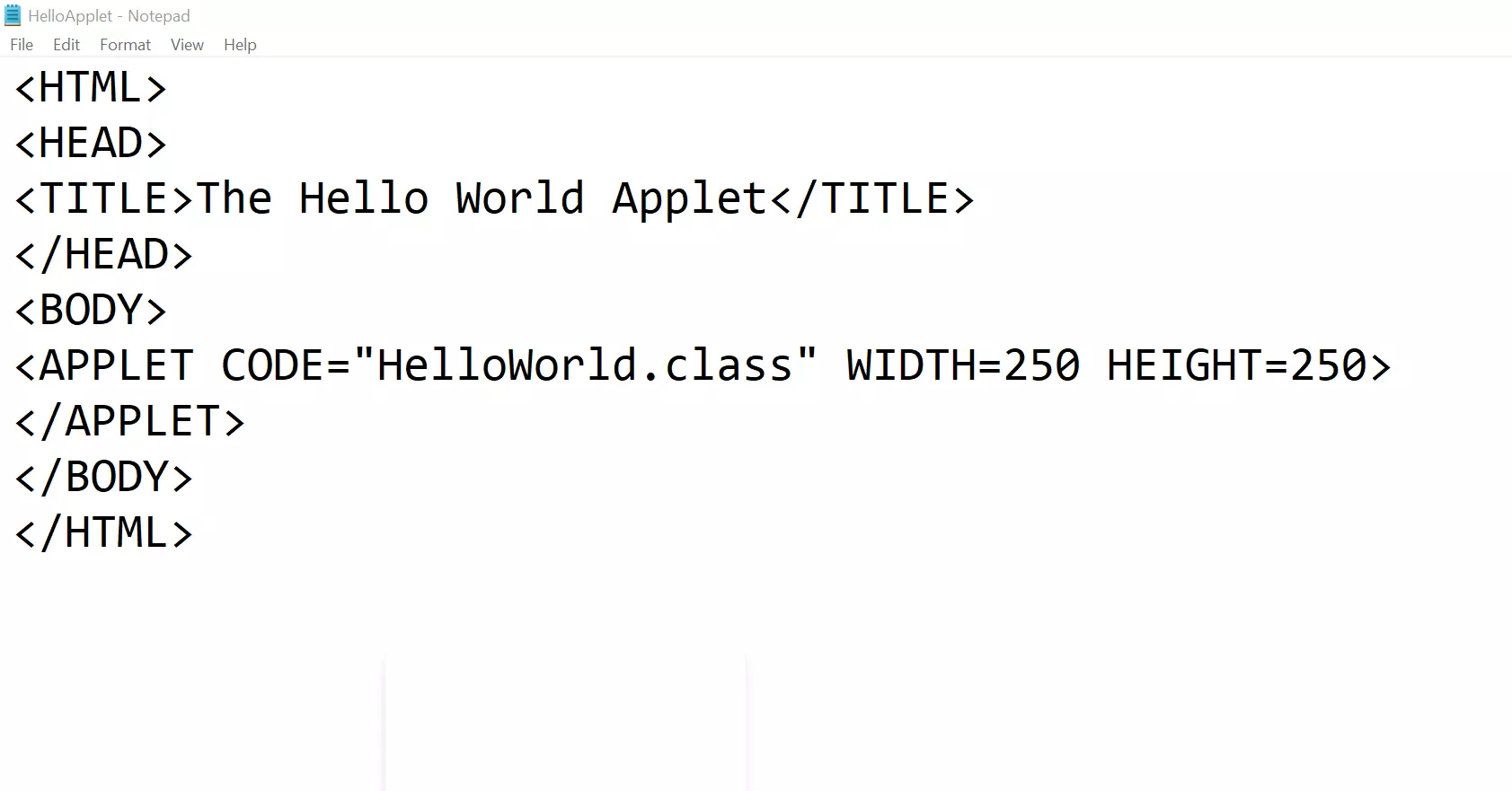
Create an HTML file
Create an HTML file with the following command.
Run the Java Applet
We can run the applet using the applet viewer tool. On Windows operating system the tool can be found under the JDK bin folder. ( appletviewer.exe)
Run the Java applet.
\> appletviewer.exe HelloApplet.html
That’s it. We have successfully created and run a sample Java applet.
—
Java Tutorials
Java Tutorial on this website: