
Blog
Add C++ Class in CodeBlocks

Add C++ Class in CodeBlocks
In this tutorial, we will learn how to add a C++ class to the project in Code::Blocks IDE. Let’s define a sample class and add it to the C++ project.
Add C++ Class
To create a new class, follow the below menu option:
File >> New >> Class…
Enter the class name.
Add member variables to the class definition. Choose the scope of the member variable: {public, protected, private}
Check to checkboxes to add Setter and Getter methods.
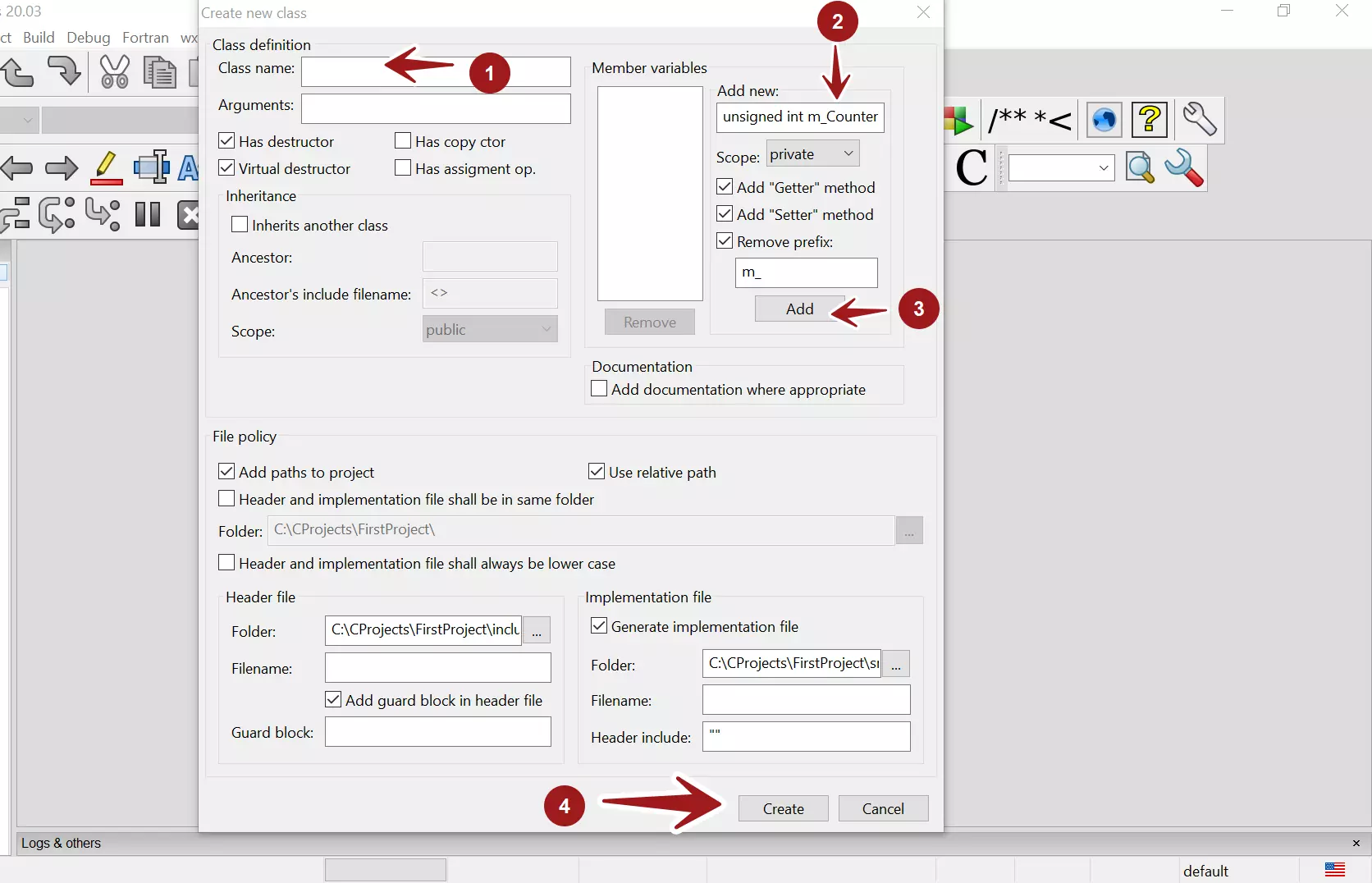
Click on the Add button to add the variable.
Once done, click on the Create button to create the <class>.cpp and the <class>.h files.
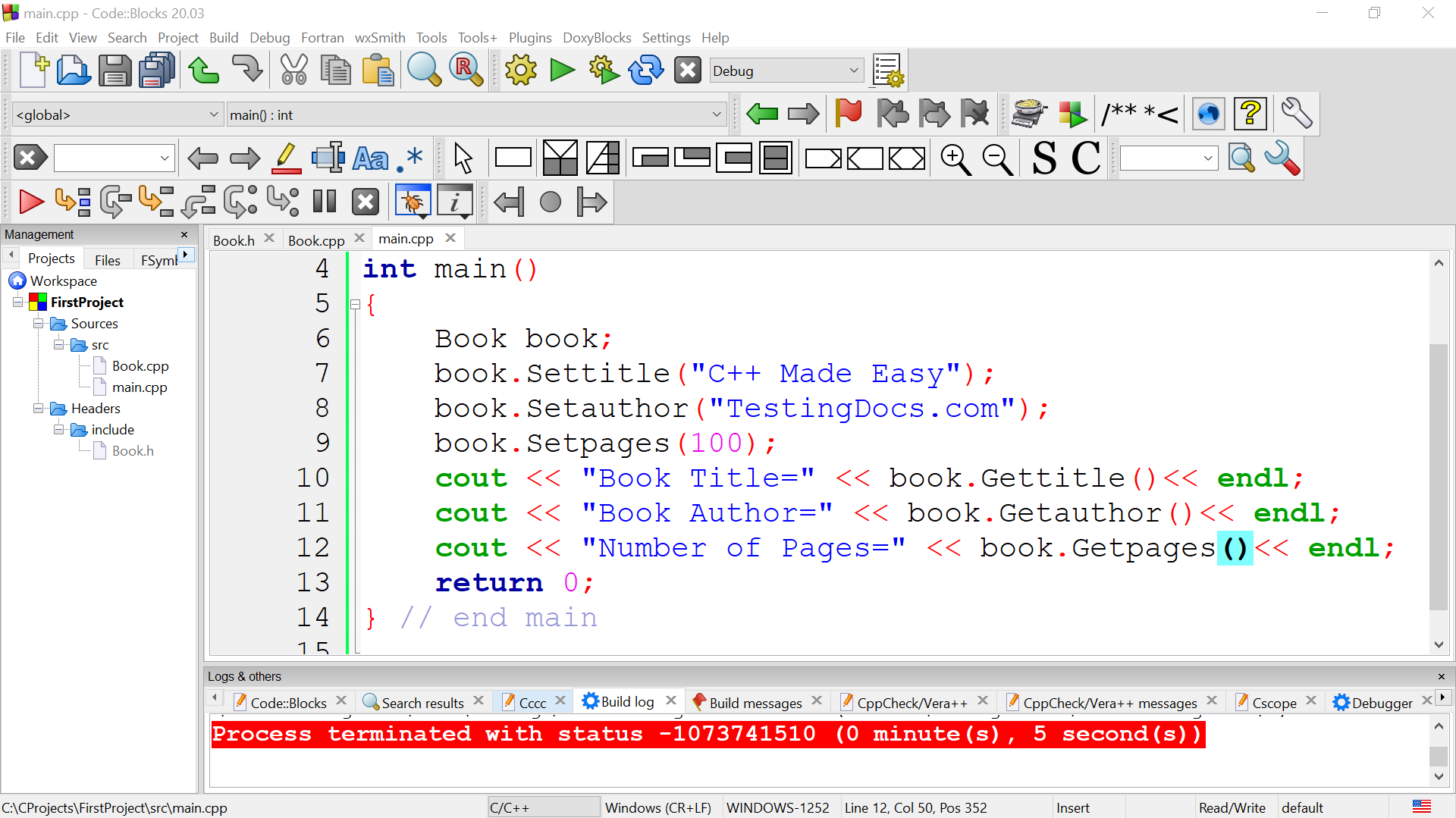
That’s it.
—
Code::Blocks Tutorials
Code::Blocks Tutorials on this website can be found at: