
Blog
Configure Environments in Bruno

Configure Environments in Bruno
Bruno is a modern open-source API client designed to help developers and testers work with APIs easily. It offers a simple, fast, and flexible way to organize requests and manage different environments for testing and development.
What is an API Environment?
An API environment represents different setups like QA, staging, and production, where each has its own configurations such as base URLs, authentication keys, and variables. Managing environments helps developers test the same API in multiple contexts without rewriting requests.
Steps to Create Collection Environment
Steps to create environment are as follows:
- Open Bruno and navigate to your API collection.
- Click on the “No Environment” drop-down section.
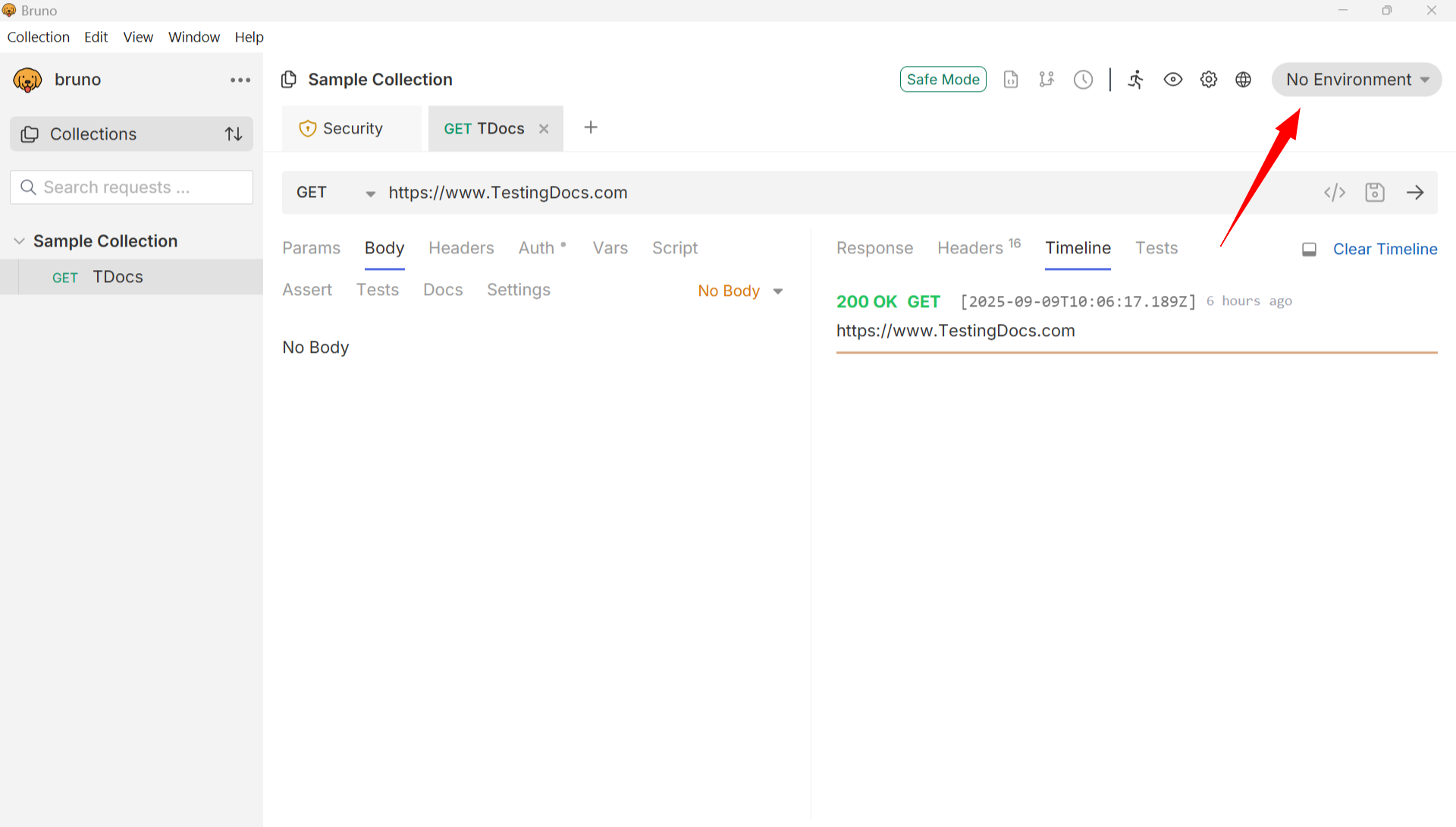
- Choose “Create Environment” button.
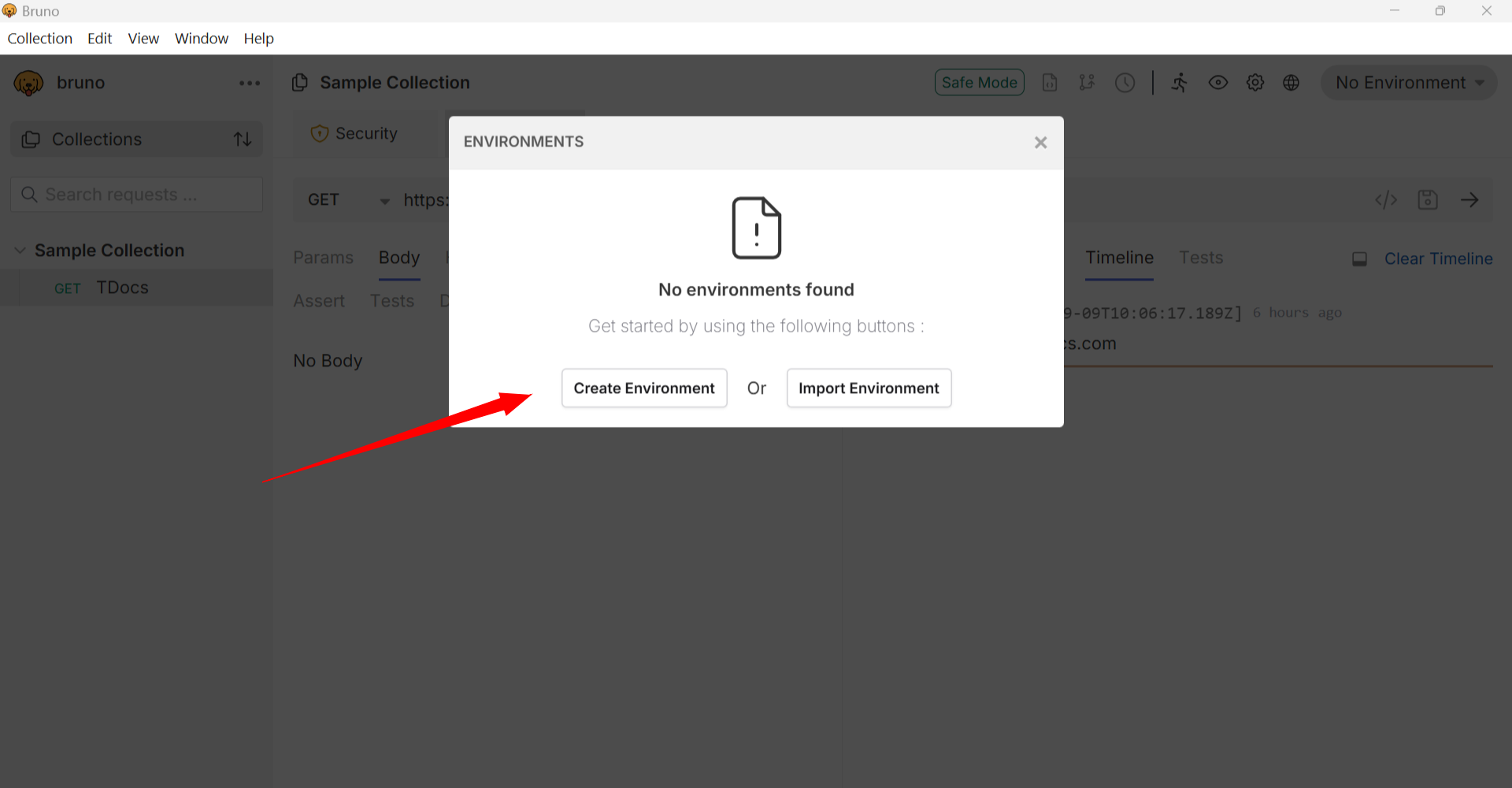
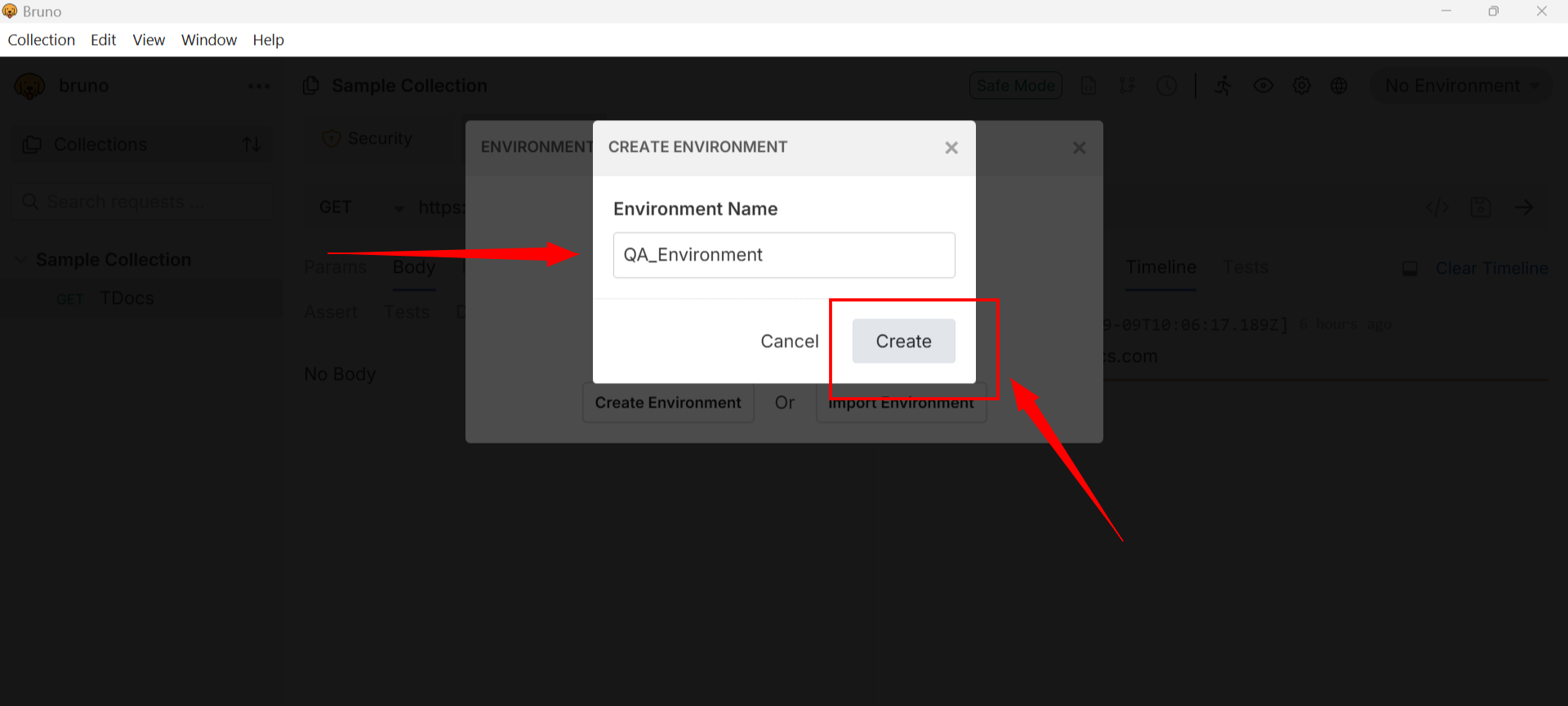
Enter the Environment Name, for example QA, Staging, or Production and click on the Create button.
Now you can create environment variables.
- Define key-value pairs for variables like
baseURL,apiKey, orauthToken.
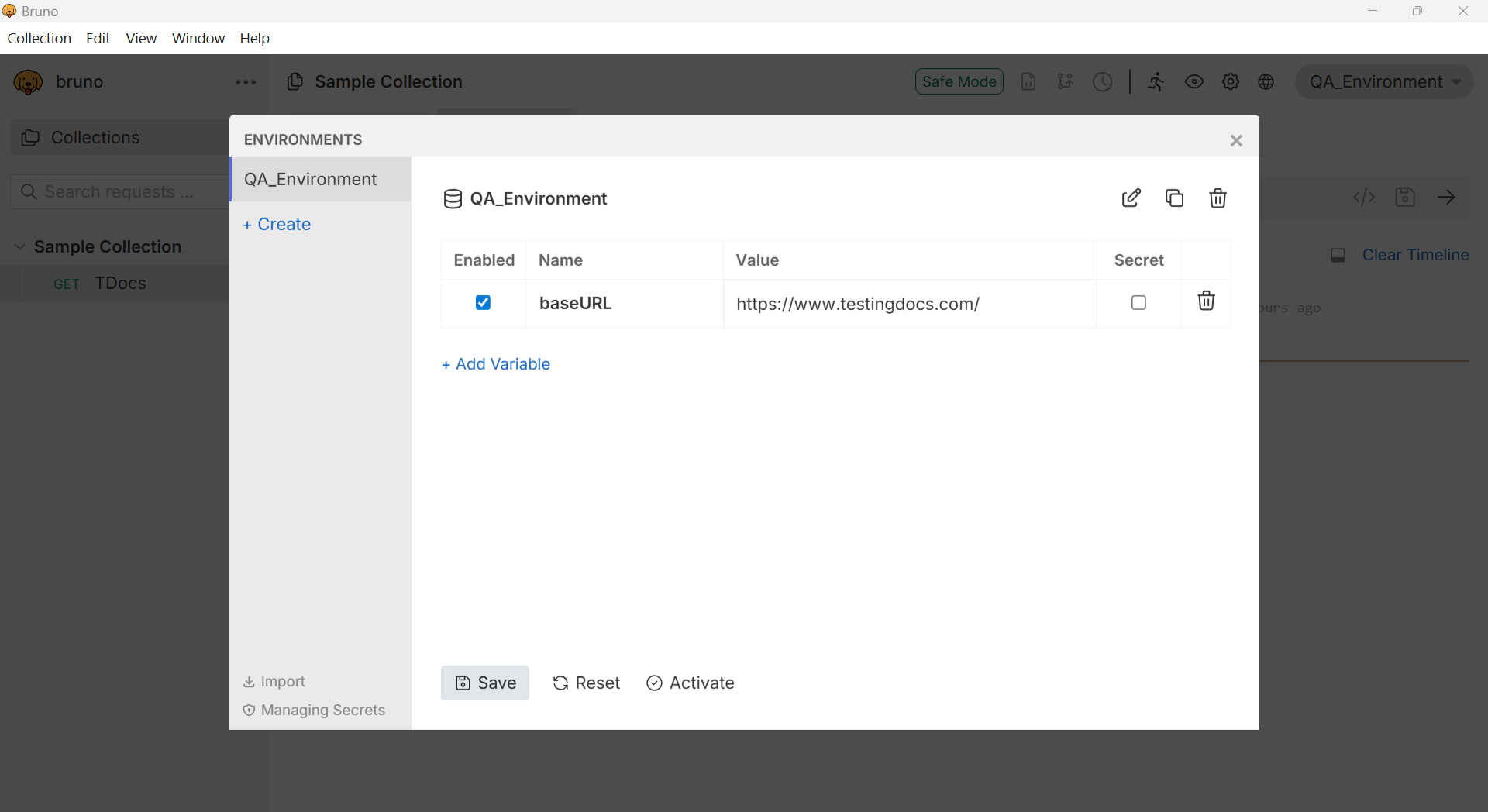
- Save the environment and select it when sending requests.
By using environments in Bruno, you can seamlessly switch between testing, staging, and production systems without altering the actual request details.