
Blog
Create TestNG Test Class in Eclipse

Create TestNG Test Class in Eclipse
Using the TestNG plugin feature, we can easily create a TestNG test class template with annotations.
Create a TestNG class
Option1
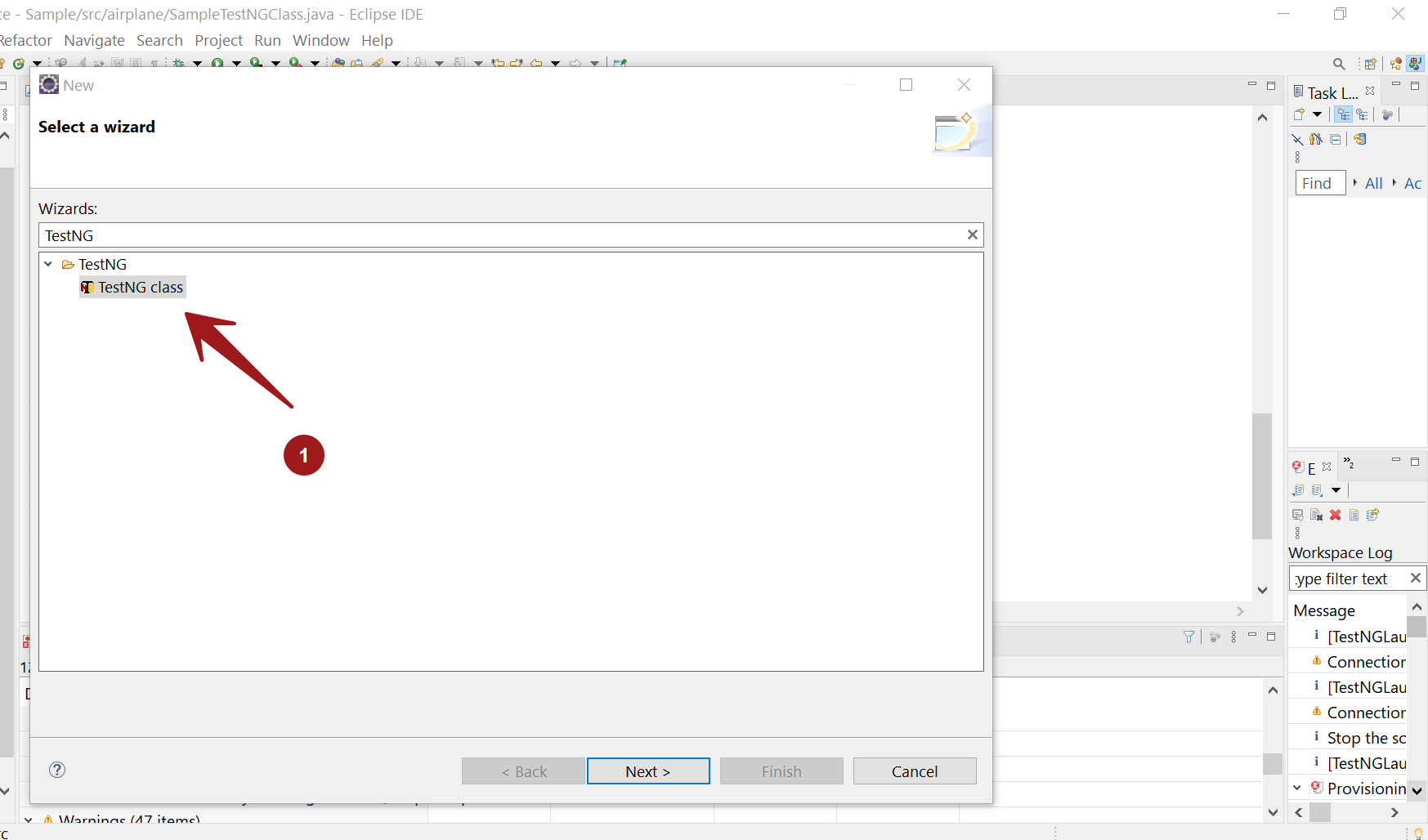
Click File >> New >> Other…
Search for TestNG and choose TestNG class.
Option2
Steps to create a TestNG class in Eclipse.
Launch Eclipse IDE.
Choose the test package to create the class.
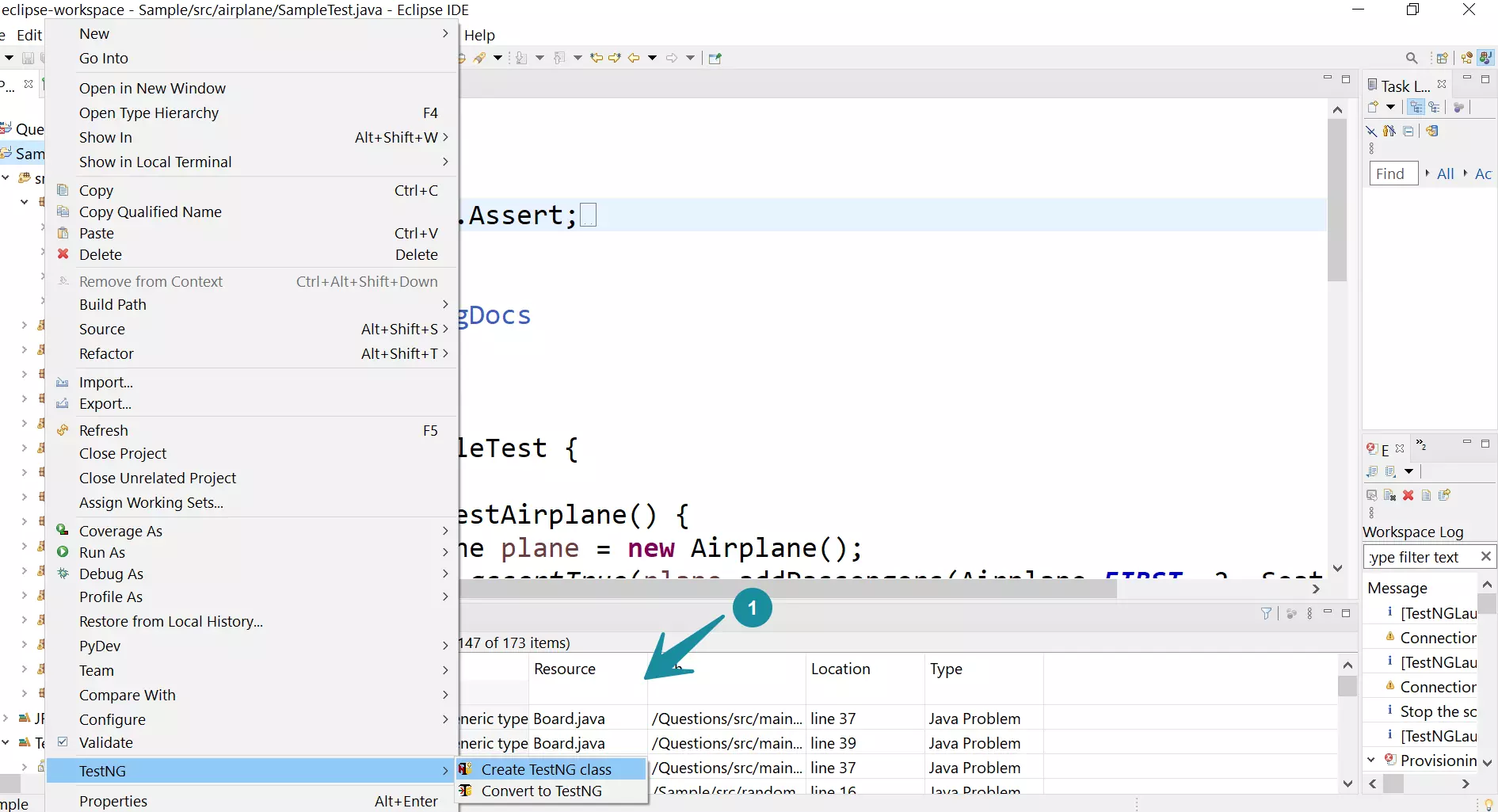
Right-click on the Package Explorer.
Choose TestNG >> Create TestNG class.
In the next screen, we can choose the TestNG test class name, TestNG annotations.
Click on the Finish button.
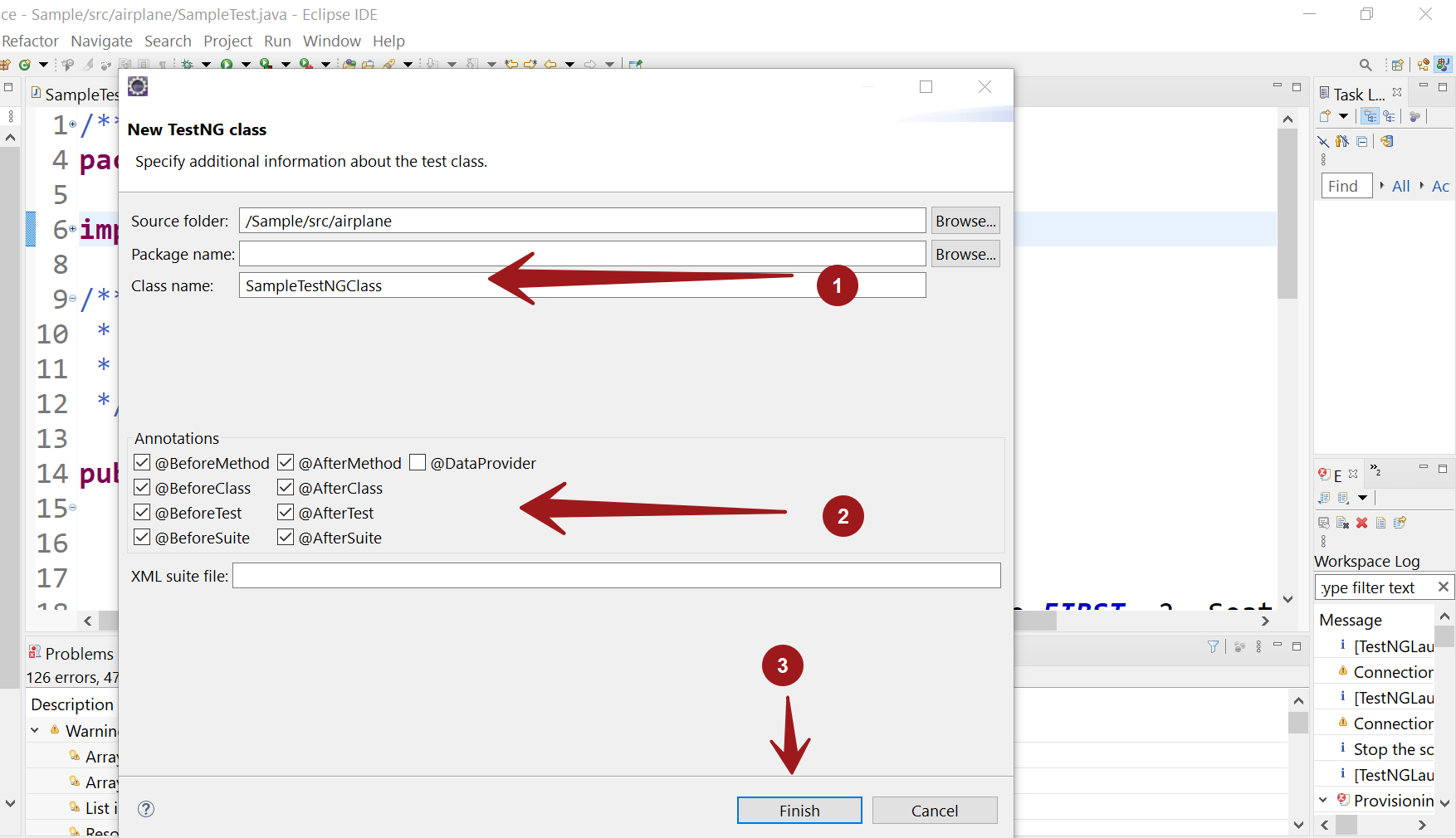
More Information on the TestNG annotations:
TestNG test class template
We can add the test logic to the TestNG test methods and the various annotated methods.
package airplane;

import org.testng.annotations.Test;
import org.testng.annotations.BeforeMethod;
import org.testng.annotations.AfterMethod;
import org.testng.annotations.BeforeClass;
import org.testng.annotations.AfterClass;
import org.testng.annotations.BeforeTest;
import org.testng.annotations.AfterTest;
import org.testng.annotations.BeforeSuite;
import org.testng.annotations.AfterSuite;

public class SampleTestNGClass {
  @Test
  public void f() {
  }
  @BeforeMethod
  public void beforeMethod() {
  }

  @AfterMethod
  public void afterMethod() {
  }

  @BeforeClass
  public void beforeClass() {
  }

  @AfterClass
  public void afterClass() {
  }

  @BeforeTest
  public void beforeTest() {
  }

  @AfterTest
  public void afterTest() {
  }

  @BeforeSuite
  public void beforeSuite() {
  }

  @AfterSuite
  public void afterSuite() {
  }

}