
Blog
Install Python on Windows

Install Python on Windows
Python is available for many platforms. In this post, we will install Python on the Windows operating system.
Download Python
You can download the Windows Python Installer from the official website.
Open a Web browser and navigate to the official website.
- https://www.python.org/
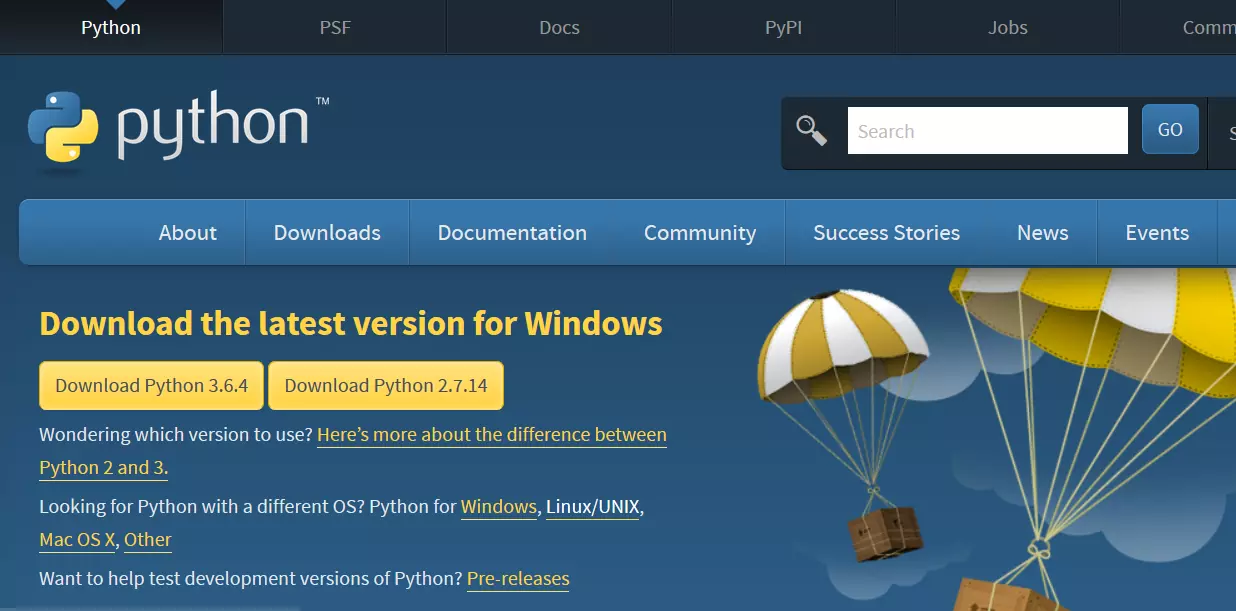
Go to the Downloads section.
Click on the Download Python button to download it.

Install Python
Run the downloaded installer.
Set options and follow the Installer wizard options.
During installation, stick to the default settings and wait for the process to complete. You’ll receive a success message once it’s done.
Verification
Launch a command prompt and issue the following command to check if the installation is successful. This will work if you have added Python to environment variables manually or set it during installation in Advanced options.

Otherwise, change the directory to the installation path of Python and issue the following command.
/> python
or
/> python âversion
Upgrade option
If you have an old version installed on your machine, the installer wizard will prompt you to upgrade to the latest version or choose a custom install. Choose whatever that best suits your need.

—
Python Tutorials
Python Tutorial on this website can be found at:
https://www.testingdocs.com/python-tutorials/
More information on Python is available at the official website: