
Blog
Introduction to Perplexity AI Assistant

Introduction to Perplexity AI Assistant
Imagine a search engine, a helpful AI assistant, and a tiny researcher all rolled into one. That’s the idea behind Perplexity AI Assistant: you ask in everyday language, it finds trusted information, explains it clearly, and lets you keep asking follow-ups until you’re satisfied. Simple, fast, and beginner-friendly.
What is Perplexity AI Assistant?
Perplexity AI Assistant is an AI-powered answer engine. Instead of showing a long list of links, it reads the web for you, compiles what matters, and responds conversationally. You can refine the answer with follow-up questions, switch focus (e.g., explain like I’m five), or ask it to draft, compare, summarize, or translate all in one place.
- A conversational search assistant: Ask natural questions and get concise, sourced answers you can dig into with follow-ups.
- A research helper: It surveys multiple sources, distills key points, and keeps context across your conversation.
- A writing & reasoning aide: It can outline, draft, compare options, summarize long pages, and translate text on request.
Comet Browser
Comet browser is Perplexity’s AI-native web browser that brings the assistant directly into your browsing. Beyond answering questions, Comet can act on pages: it can click, type, submit forms, and autofill helping you shop, schedule, research, or summarize without constant manual steps.
Comet benefits:
- Agentic actions: Ask it to handle routines (price comparisons, checkouts, sign-ups) and it will navigate interfaces for you with your confirmation.
- Unified search + context: Summaries and answers appear alongside the page, so you can evaluate and iterate quickly.
- Email & calendar help: It can brief your day, propose meeting times, and draft repliesâall within the browser.
- Transparency: Comet logs the steps it takes before finalizing actions, so you stay in control.
Note: Agentic browsers are new and evolving; security researchers have highlighted the need for strong safeguards against tricks like indirect prompt injection. Comet and similar tools are actively improving here.
How It Works
- Ask in plain English: Find a quiet cafe near me open after 9 pm and book a table for Friday.
- Review the plan: Comet proposes steps (search, compare, open booking page).
- Approve actions: It clicks/inputs on your behalf, showing each step and asking before submitting.
- Refine: Add constraints like budget, distance, or ratings; Comet adjusts and completes the task.
Prompt Examples
Sample Example prompt to run on the AI assistant
-
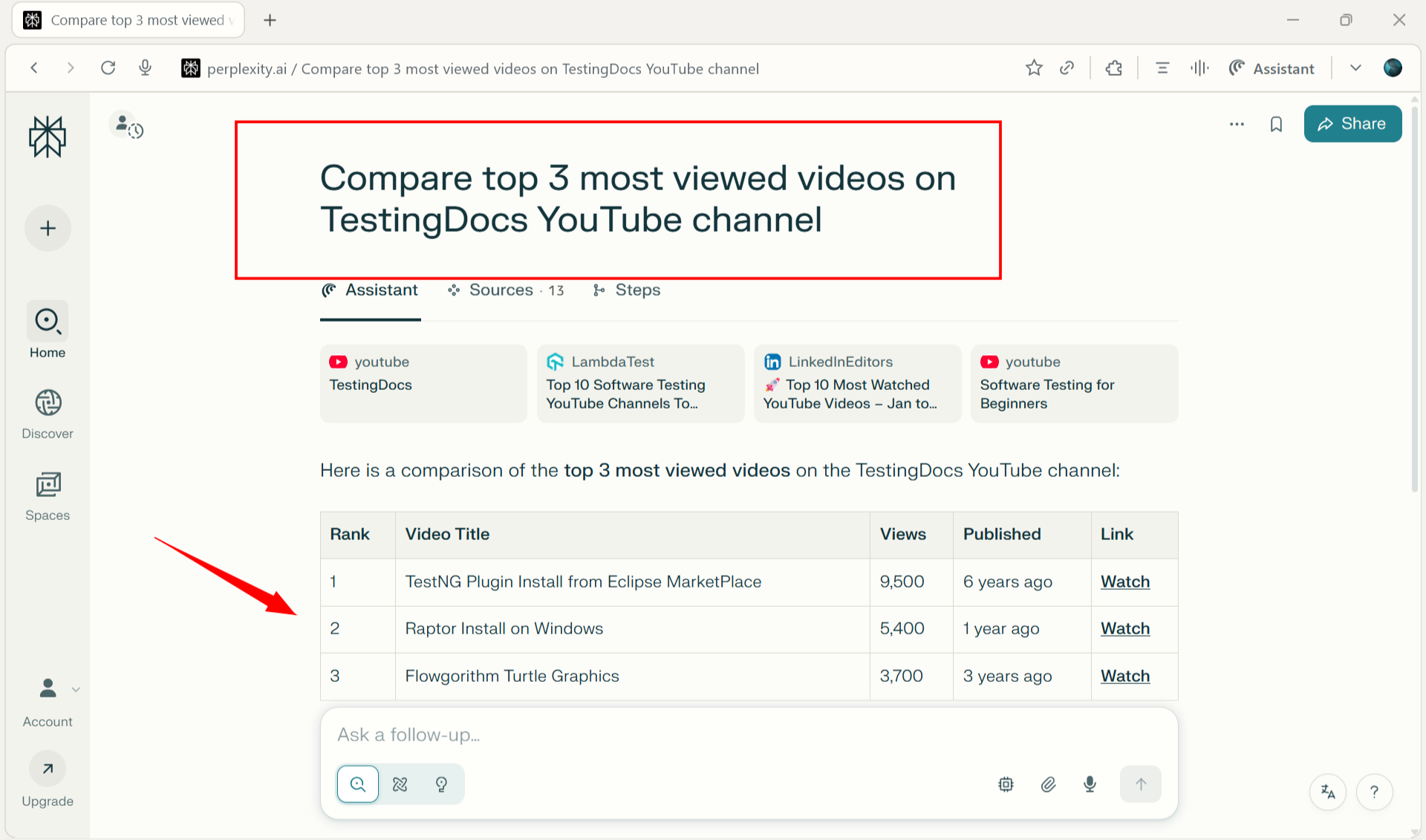
Compare the top 3 most-viewed videos on TestingDocs YouTube channel.
Food Tour:
Plan a 3-day New York food tour under $1,000.
- Prioritize vegetarian restaurants
- Build a daily schedule with travel times between areas
- Include opening hours, must-try dishes, and an estimated budget
- Format as a checklist I can follow
More Prompts…
- Summarize this article in 5 bullet points and extract all dates and numbers.
- Draft a polite email to reschedule tomorrow’s meeting; propose 3 time slots next week.
- Translate this paragraph to simple English and keep technical terms.
Tips
- Be specific: Mention goals, constraints (budget, time), and format you want (bullets, table).
- Iterate: Ask follow-ups like shorter, compare options,or cite the key stats.
- Use Comet for actions: When you’re ready, let it navigate forms or complete checkouts with your approval.