
Blog
Postman API Test Scripts

Postman API Test Scripts
Postman API test scripts allow you to automate the testing of your APIs by writing custom JavaScript code. These scripts are executed after a request is sent, and you can use them to validate the response, check data, or even trigger subsequent requests.
There are two main sections in Postman where you can write test scripts:
- Pre-request Scripts Tab: This allows you to write scripts that run before the request is sent.
- Tests Tab: This is where you can write test scripts to validate your API responses.
Examples
Some examples of basic test scripts that you can use in the Tests tab of Postman are as follows:
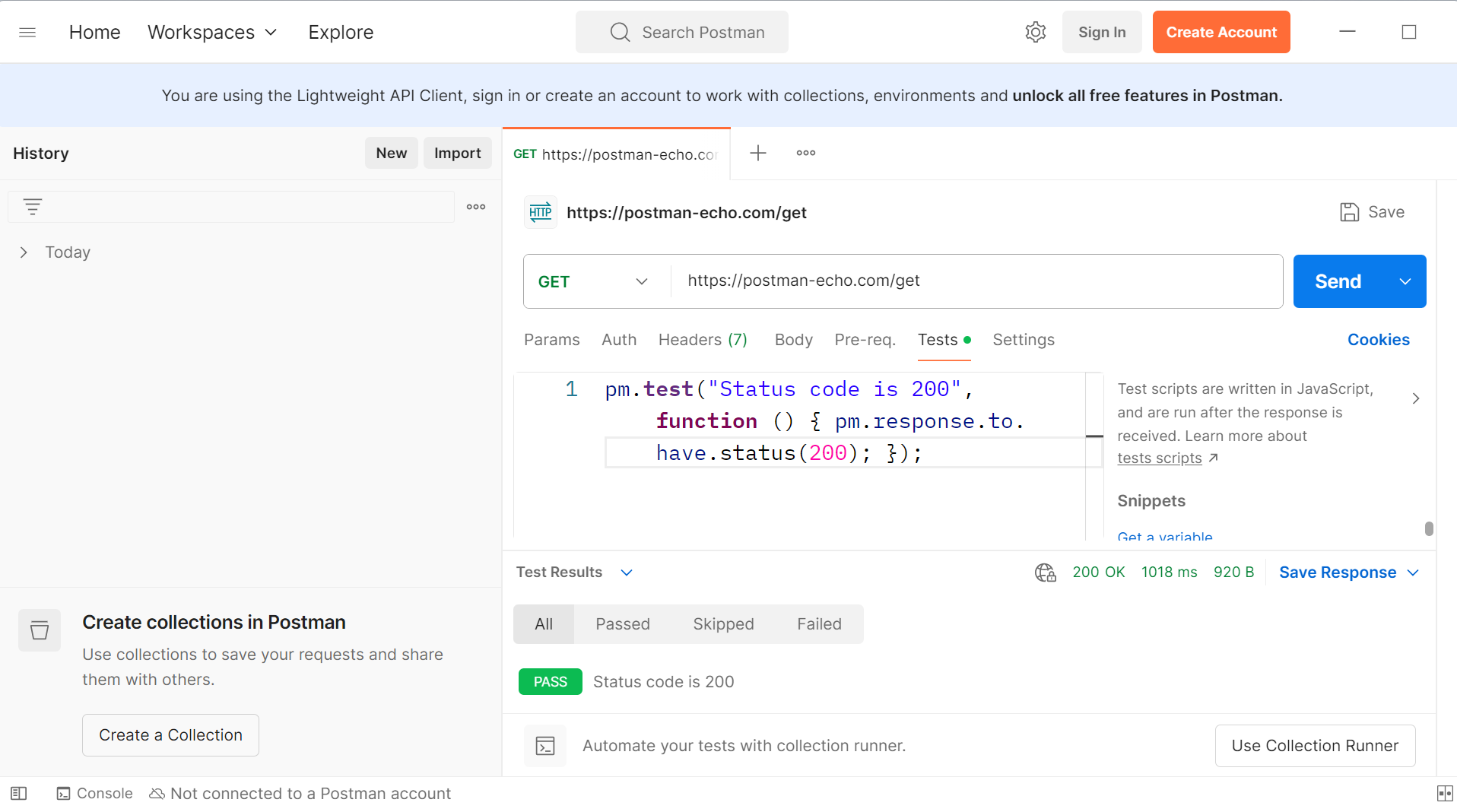
Basic Response Status Code Check
You can test if your API returns the correct HTTP status code.
pm.test("Status code is 200", function () {

pm.response.to.have.status(200);

});
This checks if the status code of the response is 200 (OK).
Response Body Content Type Check
You can check if the response body is in JSON format.
pm.test("Content type is JSON", function () {

pm.response.to.have.header("Content-Type", "application/json");

});
This ensures the response’s Content-Type header is set to application/json.
Response Body Structure Check
You can test if the response contains certain fields.
pm.test("Response has the correct fields", function () {

var jsonData = pm.response.json();

pm.expect(jsonData).to.have.property("id");

pm.expect(jsonData).to.have.property("name");

});
This checks if the response JSON contains the id and name properties.
Response Time Test
You can check if the response time is under a specific limit (e.g., 200ms).
pm.test("Response time is under 200ms", function () {

pm.expect(pm.response.responseTime).to.be.below(200);

});
This ensures that the response time is below 200 milliseconds.