
Blog
Python Create SQLite database

Python Create SQLite database
Let’s learn how to create an SQLite database automatically using the Python program. In SQLite, a database is typically contained in a single file with a .db extension. We can also use other file extensions, like .sqlite or .sqlite3. This file contains the entire database, including tables, indexes, and other structural elements, all stored compactly and self-contained. This tutorial will create the database using the .db file extension.
Python Program
The following Python program creates a new database file, “tdocs_database.db”
# Python program to create SQLite database
# Python Tutorials – www.TestingDocs.com
import sqlite3
conn = sqlite3.connect(‘tdocs_database.db’)
print (‘Created SQLite database successfully’)
cr=conn.cursor()
cr.execute(“””CREATE TABLE employees
( employee_id INTEGER PRIMARY KEY AUTOINCREMENT,
last_name VARCHAR NOT NULL,
first_name VARCHAR,
hire_date DATE,
salary INTEGER
)”””)
print(‘Employees Table created successfully’)
conn.commit()
conn.close()
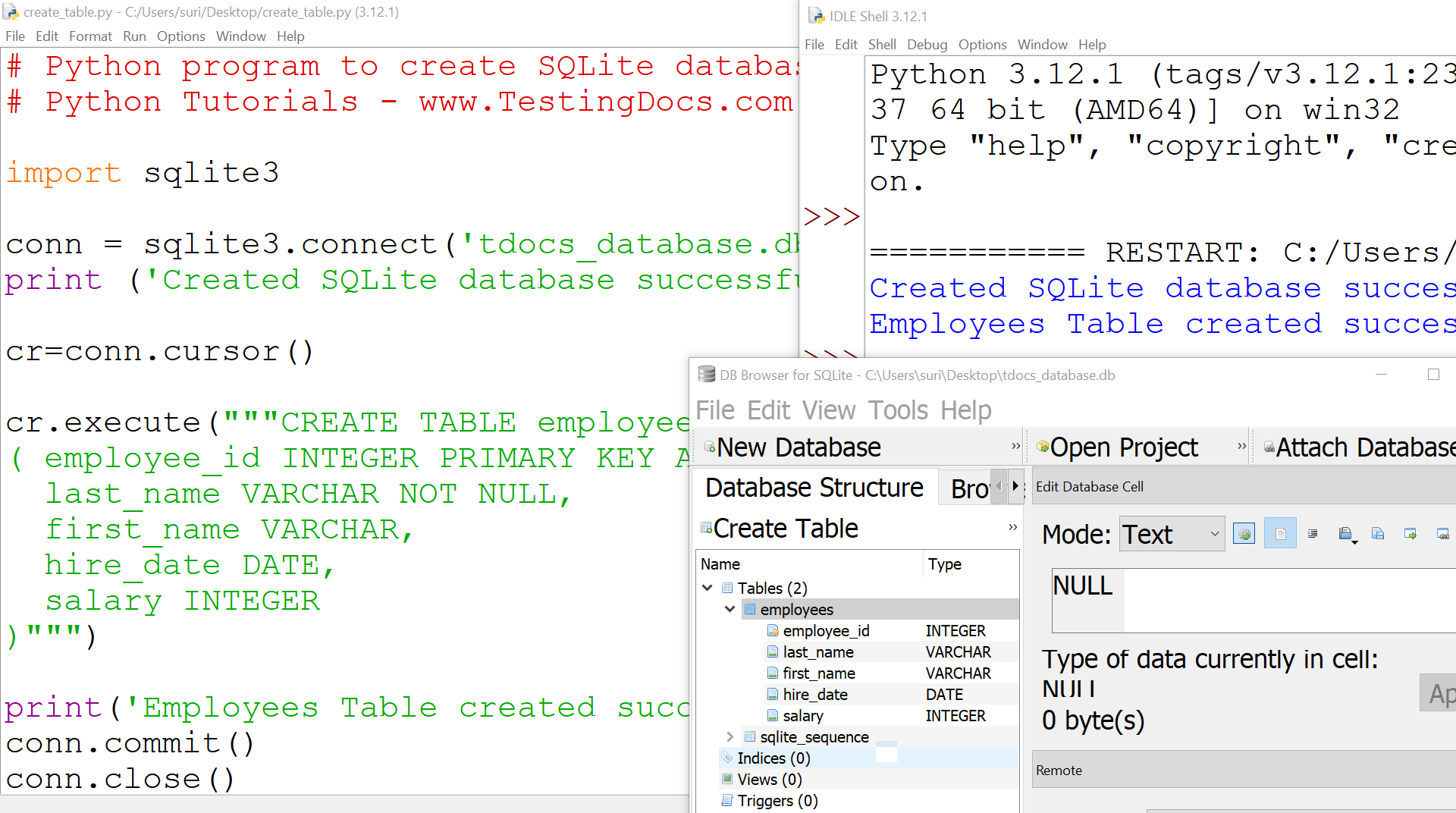
We need to import the Python SQLite database module. For example:
import sqlite3
Connecting to the Database
Use the connect function to establish a connection to the database. This function usually takes connection parameters such as database name, username, password, host, etc.
conn = sqlite3.connect(‘example.db’)
—
Python Tutorials
Python Tutorial on this website can be found at:
https://www.testingdocs.com/python-tutorials/
More information on Python is available at the official website: