
Blog
Selenium IDE on Microsoft Edge

Selenium IDE on Microsoft Edge
This tutorial will guide you in installing Selenium IDE on the Microsoft Edge Browser. Selenium IDE is an open-source record and playback tool for web application testing. The tool is an add-on for the following browsers.
- Mozilla Firefox Browser
- Google Chrome Browser
- Microsoft Edge Browser
Environment
The environment used is:
- Microsoft Edge Browser
- Windows 10 Operating System
Install Selenium IDE
Launch Microsoft Edge browser.
Browse to Edge Add-ons store URL.
https://microsoftedge.microsoft.com/addons
Microsoft Edge Add-on store is a marketplace for different Edge browser add-ons. Add-ons are browser extensions that extend the functionality of the respective browser.
Search for Selenium IDE on the store.
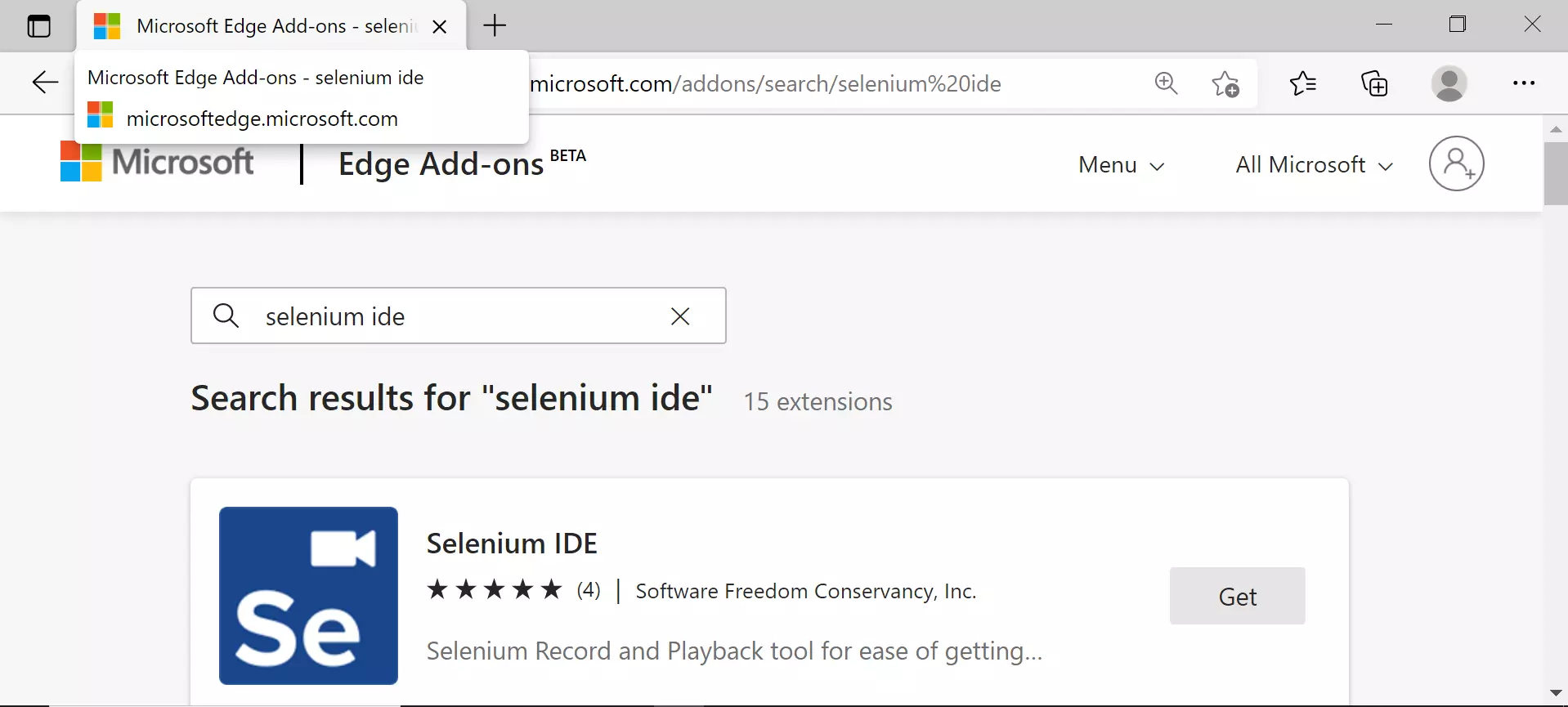
Click on the Get button to install the tool.
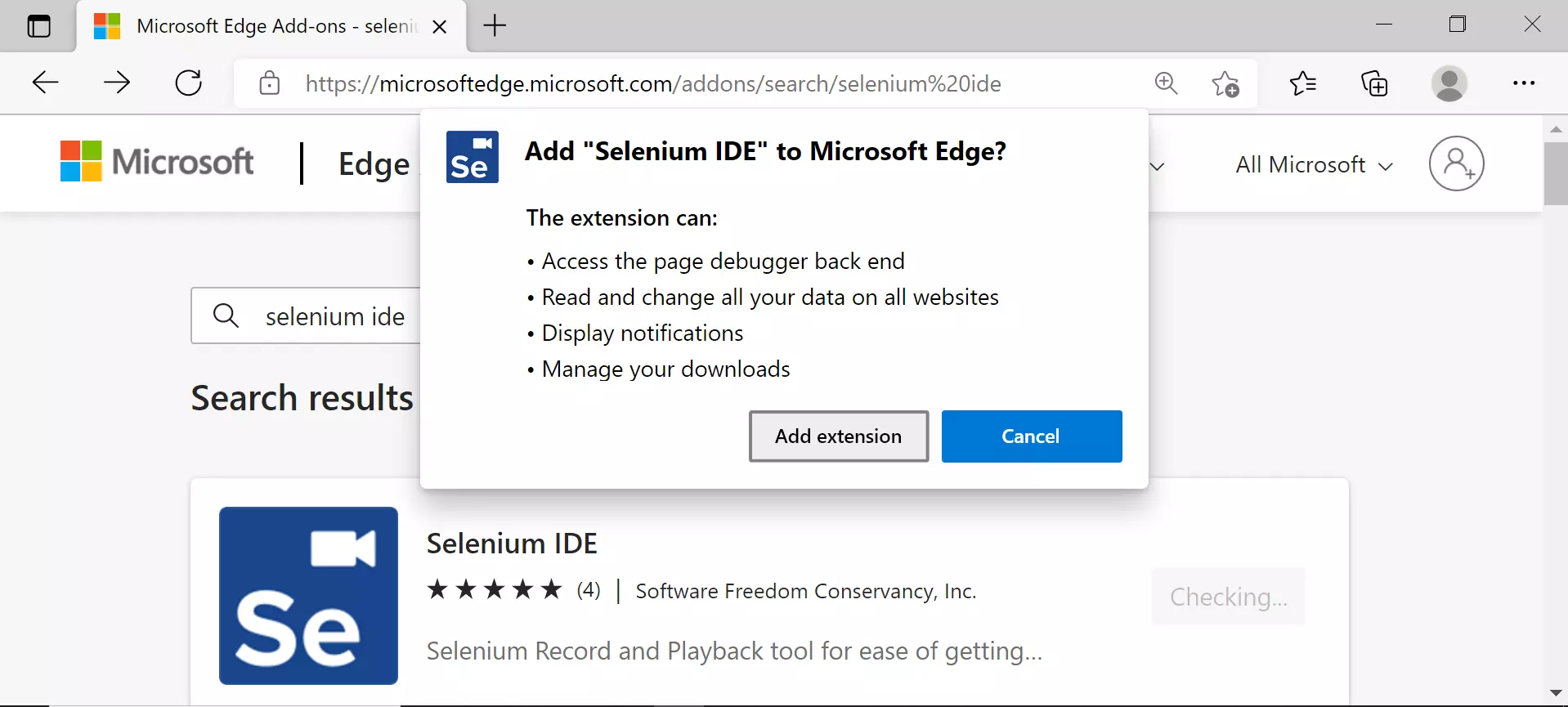
Click on the Add extension button.
The tool would be installed and added to the Edge browser toolbar.
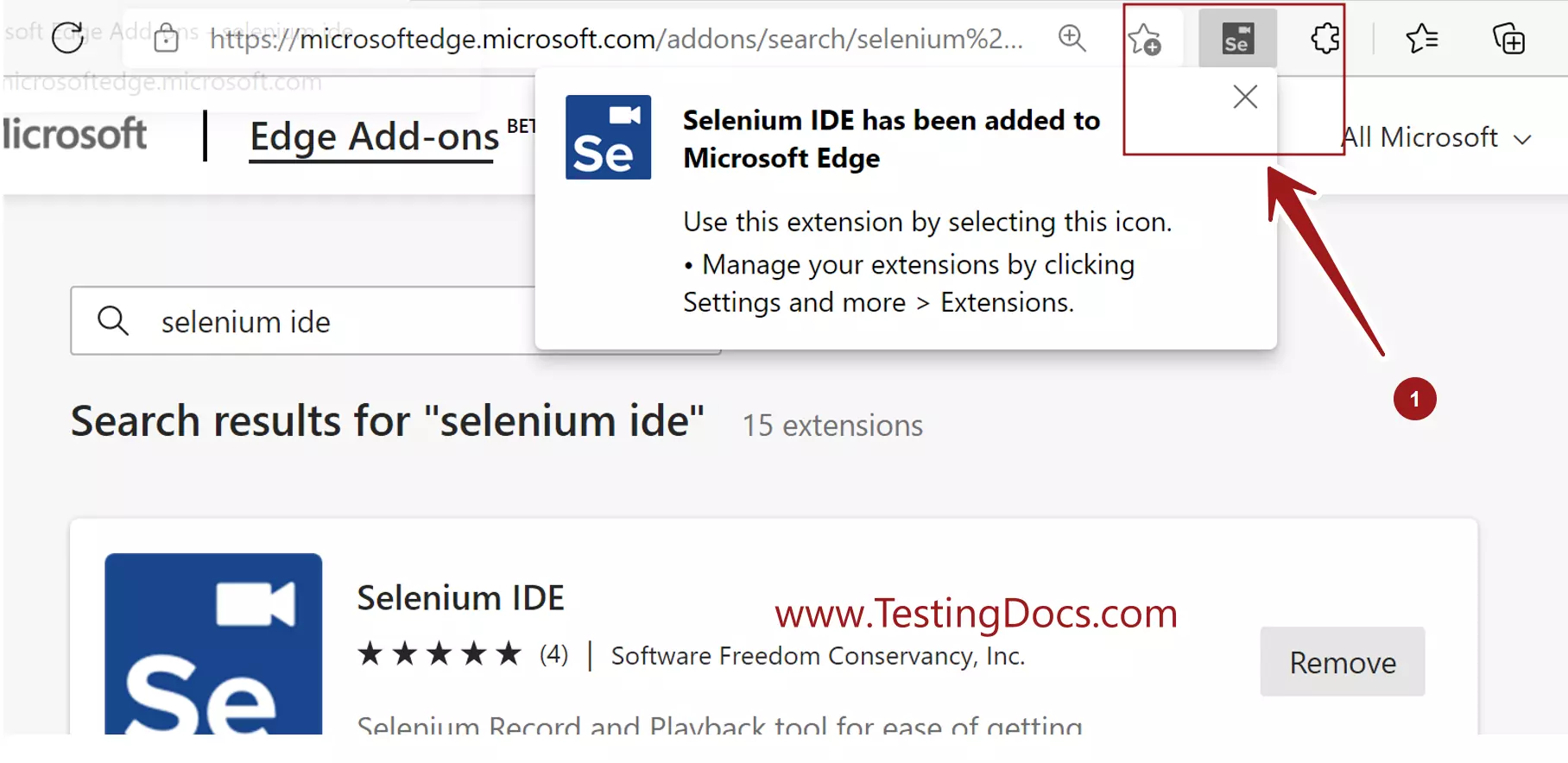
To launch the Tool, click on the Se icon in the browser tool bar.
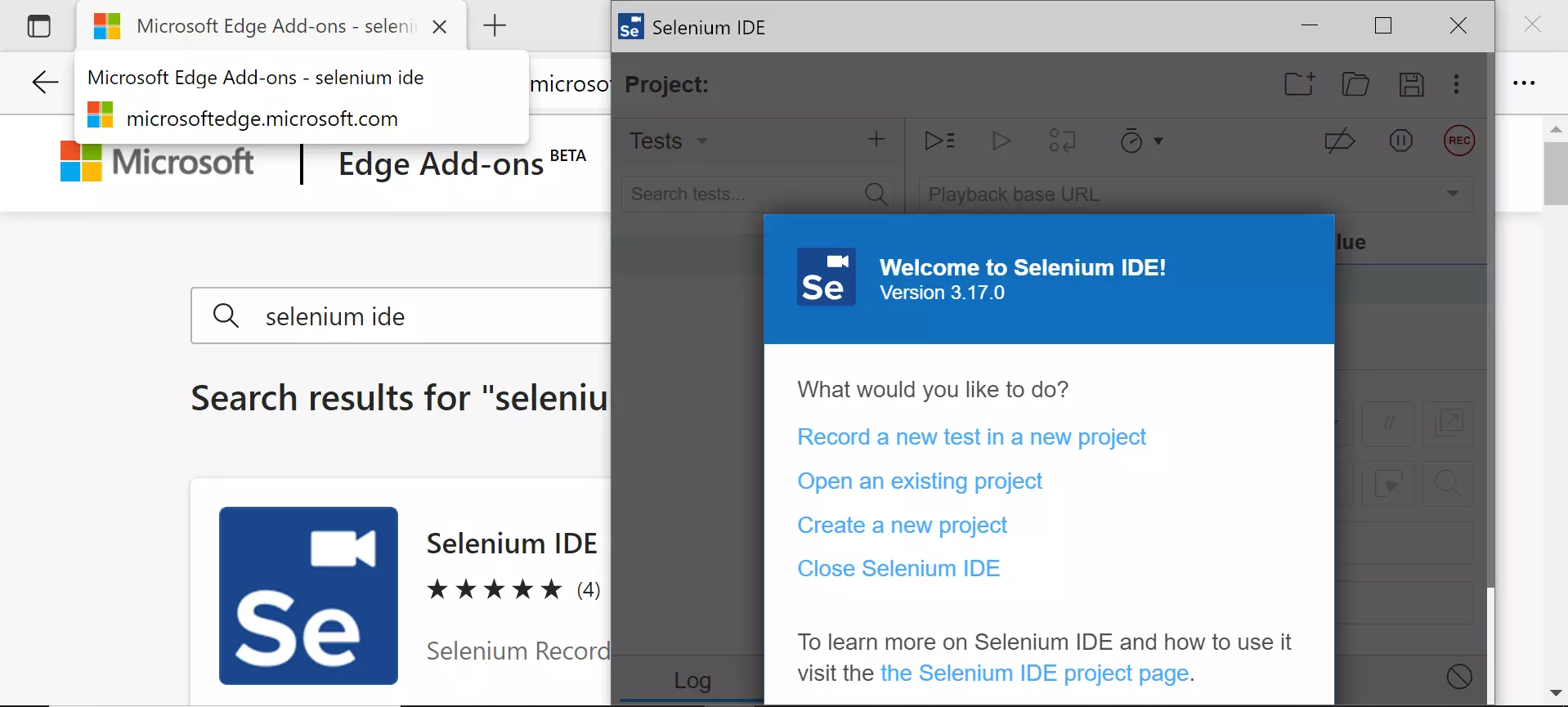
That’s it! We have successfully installed Selenium IDE on Edge browser. Create a brand new automation project and start recording tests.
Next Steps:
Understand Selenium IDE Welcome Screen
https://www.testingdocs.com/selenium-ide-welcome-screen/
Create a Project
https://www.testingdocs.com/create-a-new-project-in-selenium-ide/
—
Selenium IDE Tutorial page:
https://www.testingdocs.com/selenium-ide-tutorials/