
Blog
Selenium Server Error

Selenium Server Error
In this post, you will learn how to fix the Selenium Server Error: No drivers have been configured or have been found on PATH. In this example, we will use Ubuntu Linux machine.
Ubuntu Linux
Selenium Server Error
Error indication is that selenium grid fails to start with the following error trace.
[NodeOptions.addDetectedDrivers] – No drivers have been configured or have been found on PATH
java.lang.reflect.InvocationTargetException
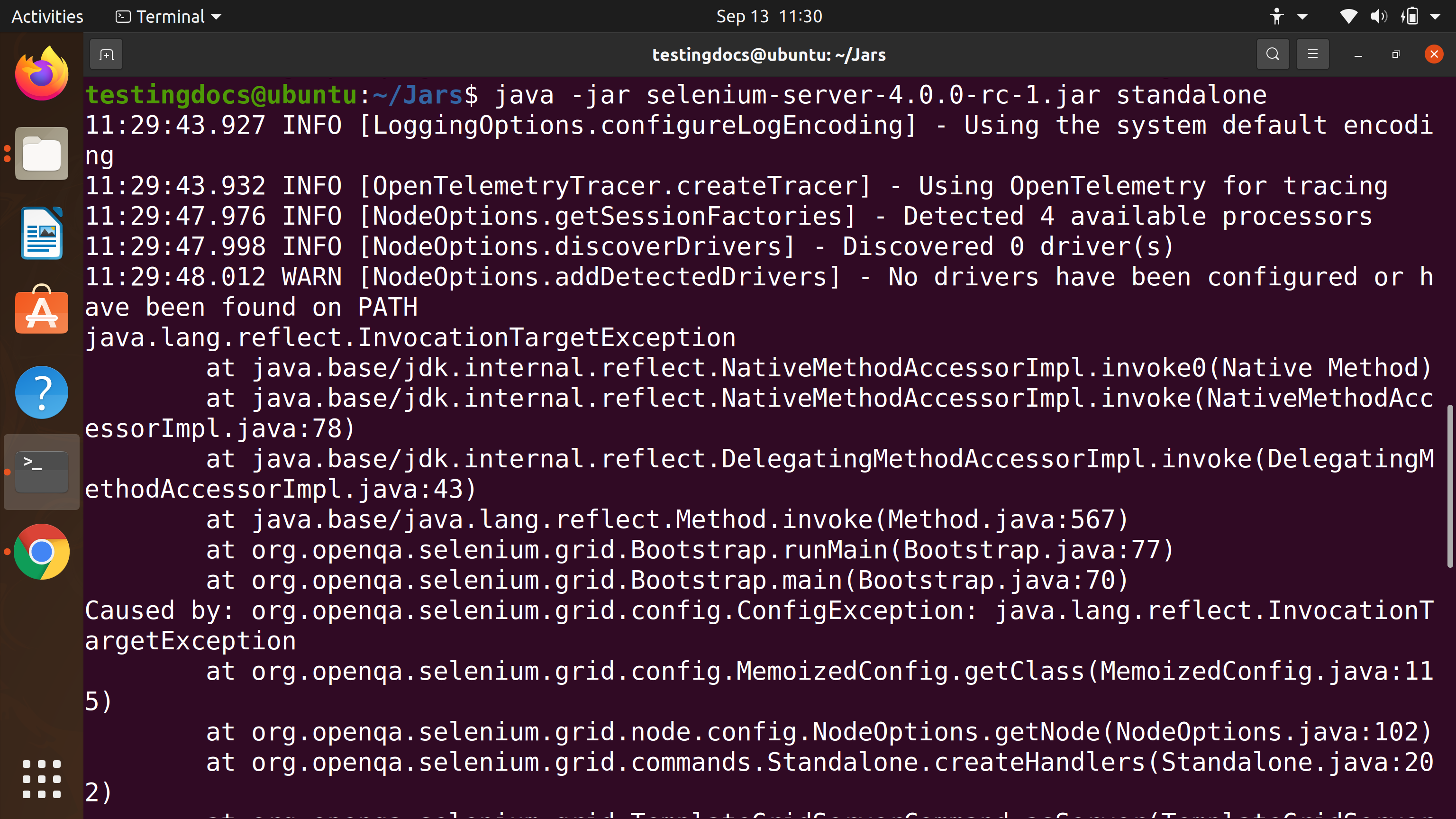
Standalone option
The ‘standalone‘ option the server tries to run all the grid components in process. For example, grid components like Event-bus, Session map, Session queue, Distributor, Router and Node. As the error trace suggests , When adding a node the server did not find any drivers in the System PATH.
To know more on Selenium Grid 4 Distributed Mode:
Error Fix
Download browser drivers like Google Chrome Driver, GeckoDriver executable to a directory. Steps to download various browser drivers:
Chrome Driver
Gecko Driver
Add the directory to the System PATH. For example, if the directory is under home directory in ‘drivers’ directory. Edit /etc/profile file.
$ sudo gedit /etc/profile
Append the PATH system variable with the drivers directory.
PATH=$PATH:$HOME/drivers
export PATH
Verification
Open Terminal and Issue the following command.
$ echo $PATH
Cross check that the driver folder has been added to the PATH.
Start the Selenium server.
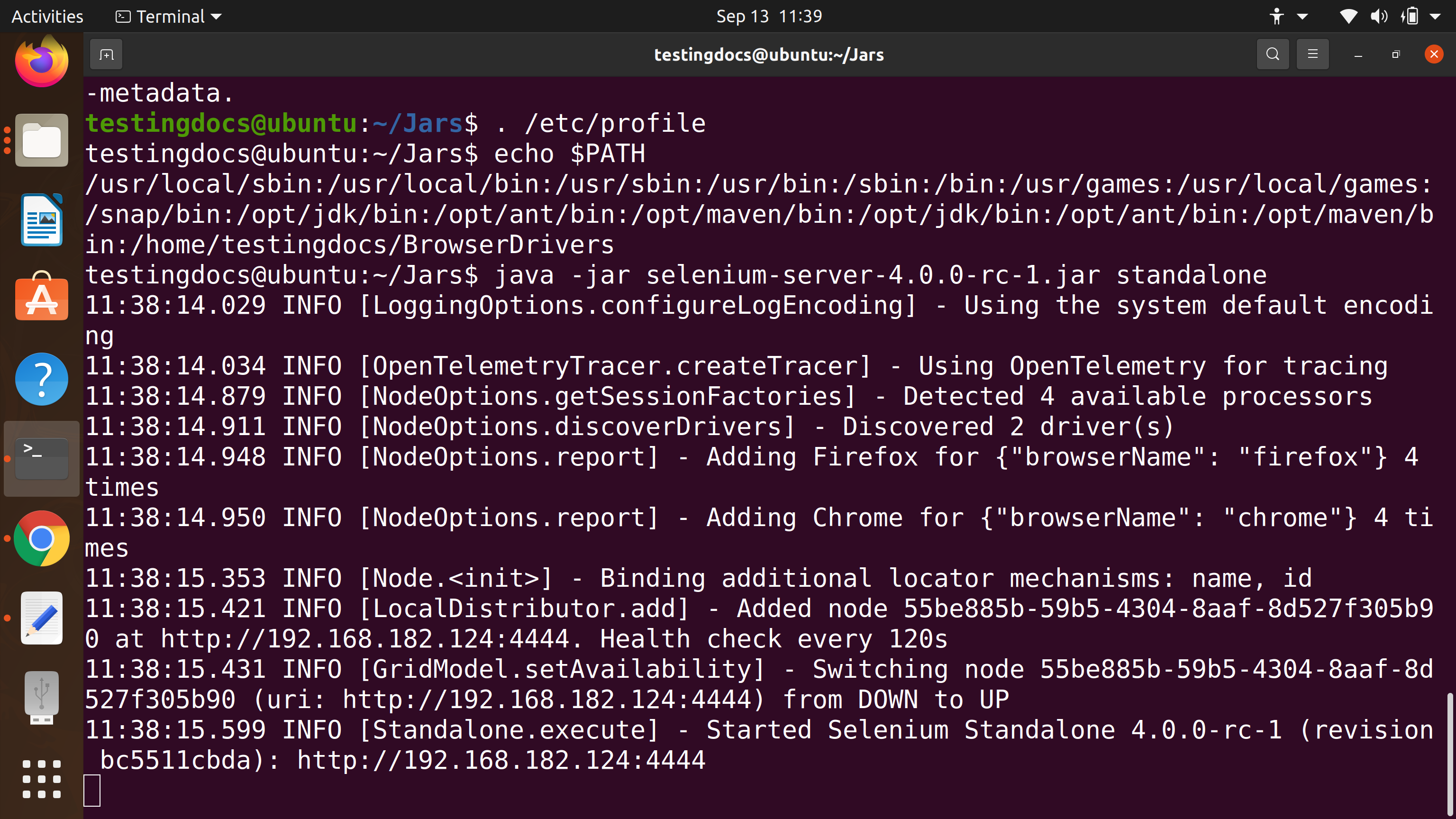
The error should be fixed now.
That’s it.
Windows 11
Steps to edit PATH system variable on Windows 11: