
Blog
SQLite CREATE VIEW

SQLite CREATE VIEW
The SQLite CREATE VIEW statement creates a view. A view is a virtual table based on the result of a SELECT query on the base table(s).
Syntax
The general syntax for the SQLite CREATE VIEW statement is as follows:
CREATE VIEW view_name AS
SELECT column1, column2, …
FROM table_name
WHERE condition;
The table_name is the base table on which the view will be created.
Example
Let’s say we have a table named emp, and we want to create a view that hides the employees’ salaries and employees who earn less than $ 6000. We want to display only the names and job titles in the view. Let’s create a view on the employee emp table.
sqlite> CREATE VIEW emp_view AS
…> SELECT ename, jobtitle
…> FROM emp
…> WHERE salary >= 6000;
sqlite>
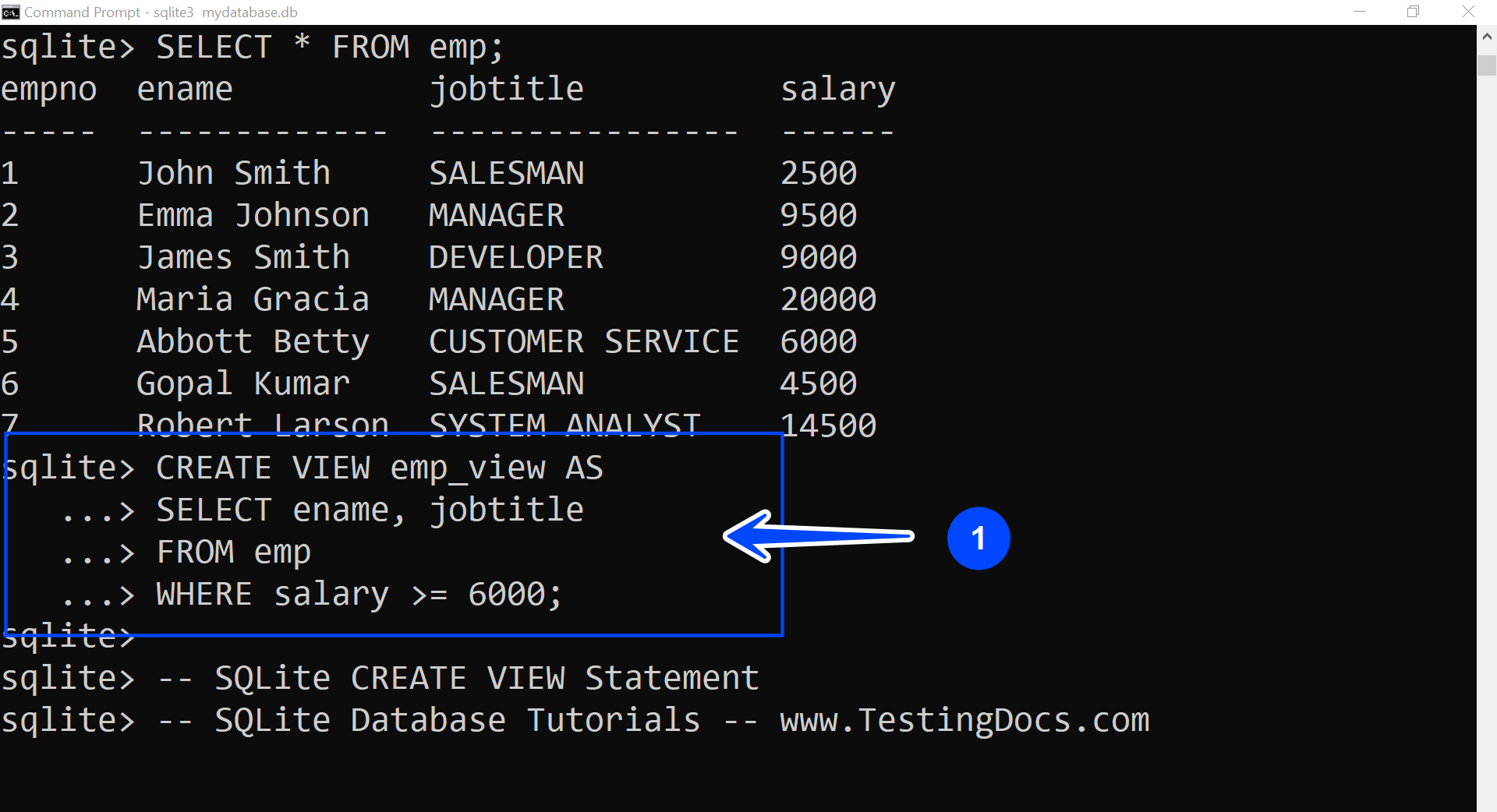
We can use the .tables command to verify that the view was created. The view should be displayed in the list.
VIEWs in the SQLite database are read-only. You cannot execute a DELETE, INSERT, or UPDATE statement on a view.
Database views can simplify complex queries, encapsulate logic, hide data, and provide a way to reuse query definitions.
SQLite Tutorials
SQLite tutorials on this website:
https://www.testingdocs.com/sqlite-database-tutorials/