
Blog
Boolean Operators and Expressions in RAPTOR

Boolean Operators and Expressions
In this tutorial, we will learn to use Boolean expressions and operators in Raptor Flowcharts. Boolean operators combine the Boolean expressions to form more complex decisions.
Boolean Expressions
Expressions that evaluate to either True or False are called Boolean Expressions. In the Raptor flowchart, we will use these expressions to make decisions and control the flow of the flowchart. Boolean expressions are entered in the diamond symbol of selection and loop structures.
Boolean operators
Boolean operators combine Boolean expressions to make more complex expressions. True is represented as 1, and False is represented as 0.
The following table shows the boolean operators in RAPTOR.
| Boolean Operators | Usage | Description |
| AND | expression1 AND expression2 | The expression combined with the AND operator evaluates to True when both the expressions are True. |
| OR | expression1 OR expression2 | The expression combined with the OR operator evaluates to True when either of the expressions is True or both. |
| XOR | expression1 XOR expression2 | XOR is exclusive OR is evaluated to True if the expressions differ in the truth values. i.e. if the expression1 is True and expression2 is False or vice versa. |
| NOT | NOT expression | NOT operator evaluates to True if the expression is False and to False if the expression is True. |
Control Flowchart
The selection or the loop diamond symbol has two paths Yes branch and the No branch. We can control the flowchart control flow using these expressions. If the expression evaluates to True the control takes the Yes control path. If the expression is evaluated as False, the control takes the No control branch.
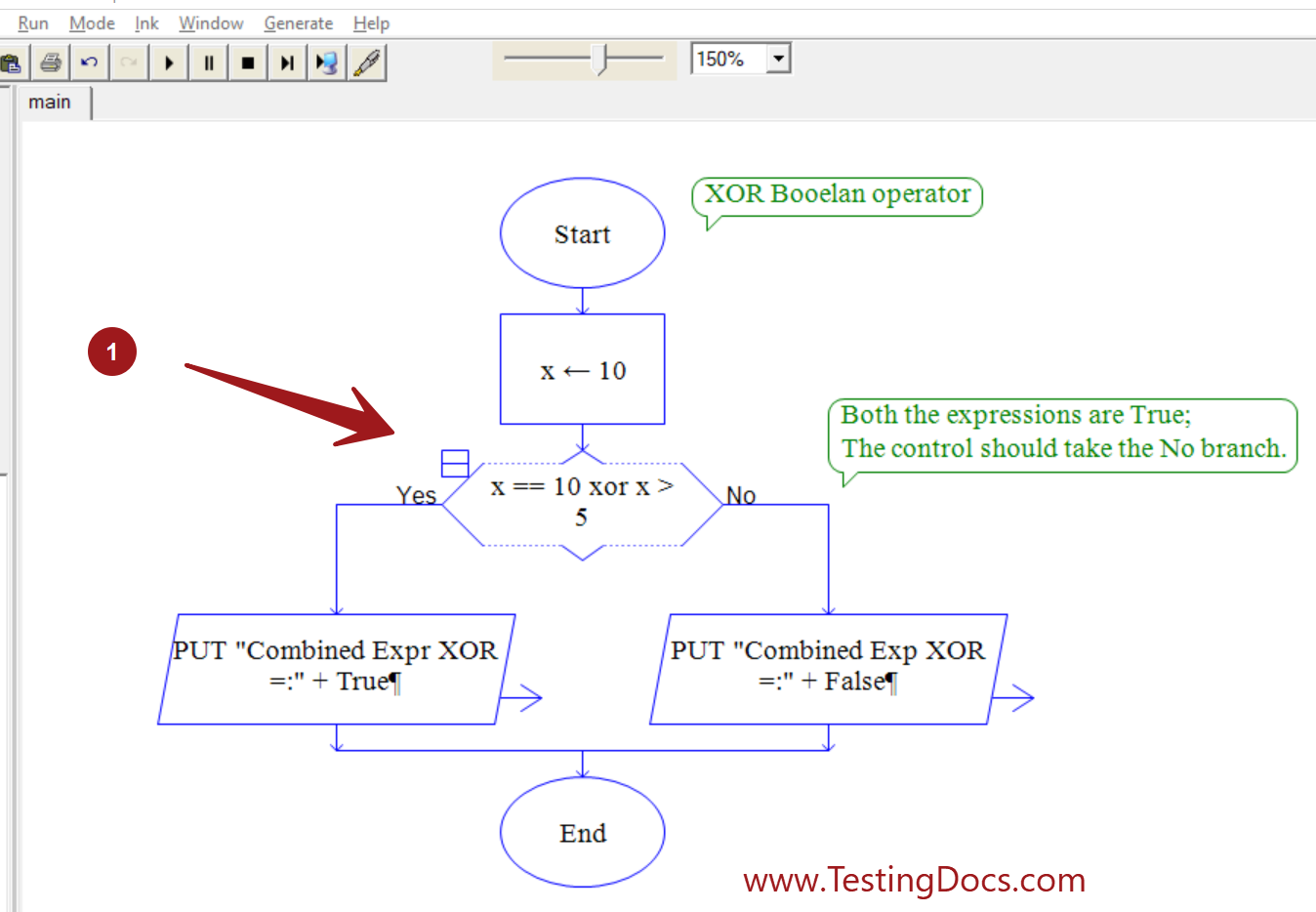
RAPTOR Flowcharts
Raptor Tutorials on this website can be found at: