
Blog
RAPTOR Trigonometric Functions

RAPTOR Trigonometric Functions
We can use trigonometric functions in Raptor flowcharts. Some functions are sin, cos, tan, arcsin, arccos, arctan, etc. The argument for the functions should be in radians. The trigonometric function argument in RAPTOR uses radians, so if you have an angle in degrees, you must convert it to radians.
Trigonometric Functions
The functions accept one argument, the angle in radians.
| RAPTOR Trigonometric Functions | Syntax | Description |
| sin | sin(angle_in_radians) | The sin function returns the sine of the angle provided in radians.
For example: sin(PI/2) returns 1. |
| cos | cos(angle_in_radians) | The cos function returns the cosine of the angle provided in radians.
For example: cos(0) returns 1 |
| tan | tan(angle_in_radians) | The tan function returns the tangent of the angle provided in radians.
For example: tan(PI/4) returns 1. |
| arcsin | arcsin(value) | The arcsin function returns the angle whose sine is the specified value. The result is given in radians. |
| arccos | arccos(value) | The arccos function returns the angle whose cosine is the specified value. |
| arctan | arctan(value) | The arctan function returns the angle whose tangent is the specified value. |

RAPTOR also supports inverse hyperbolic functions like:
- arcsinh(x)
- arccosh(x)
- arctanh(x)
Examples
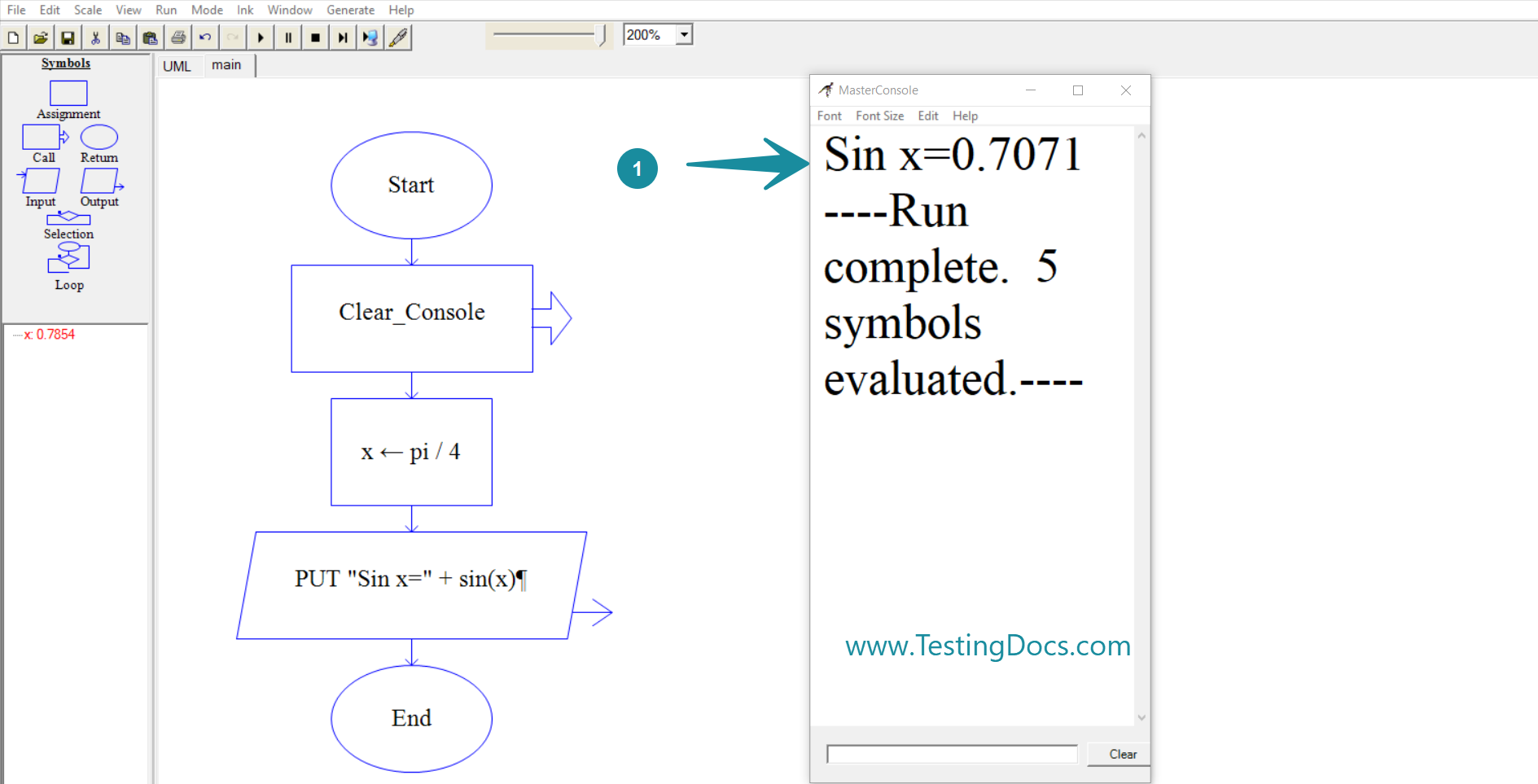
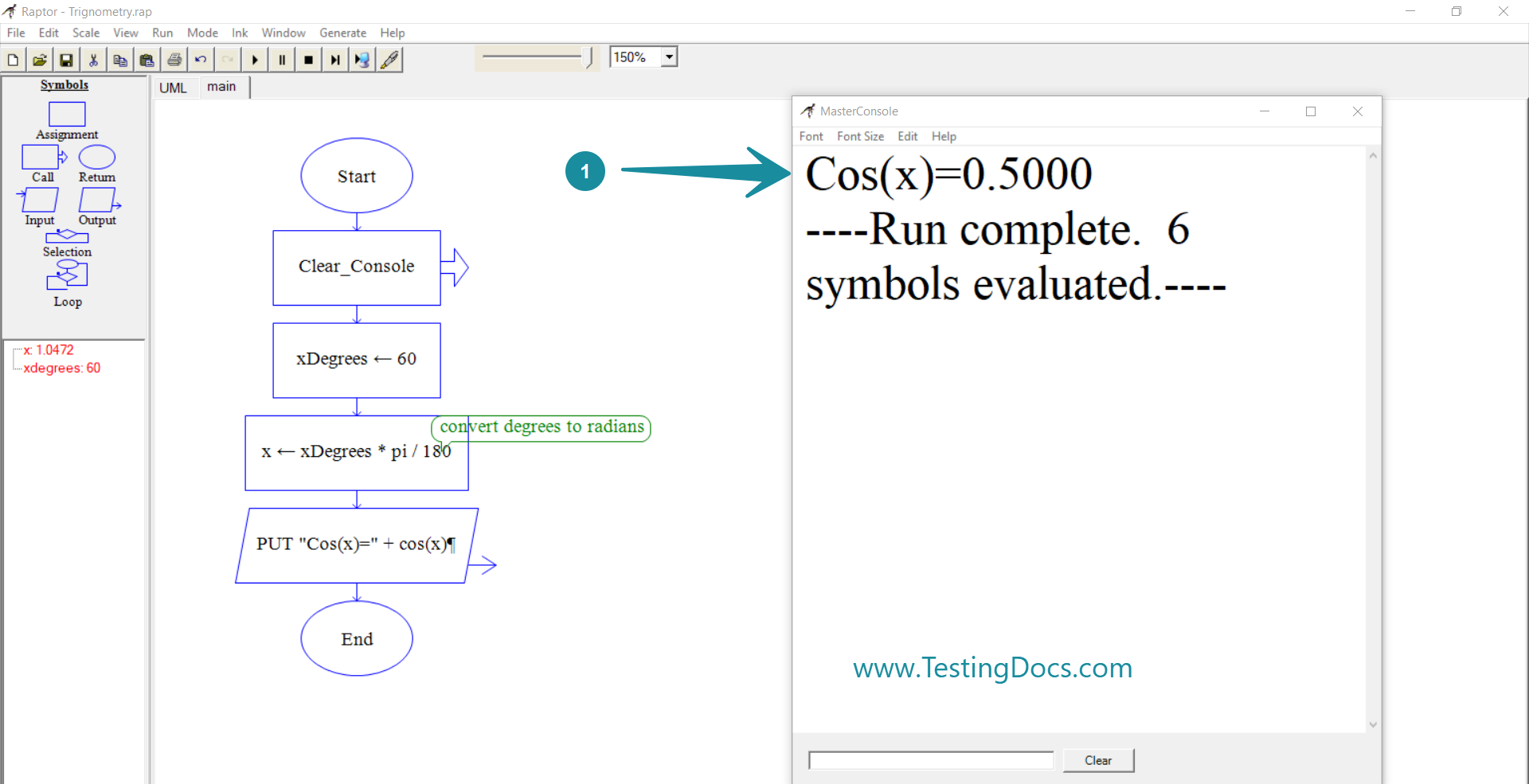
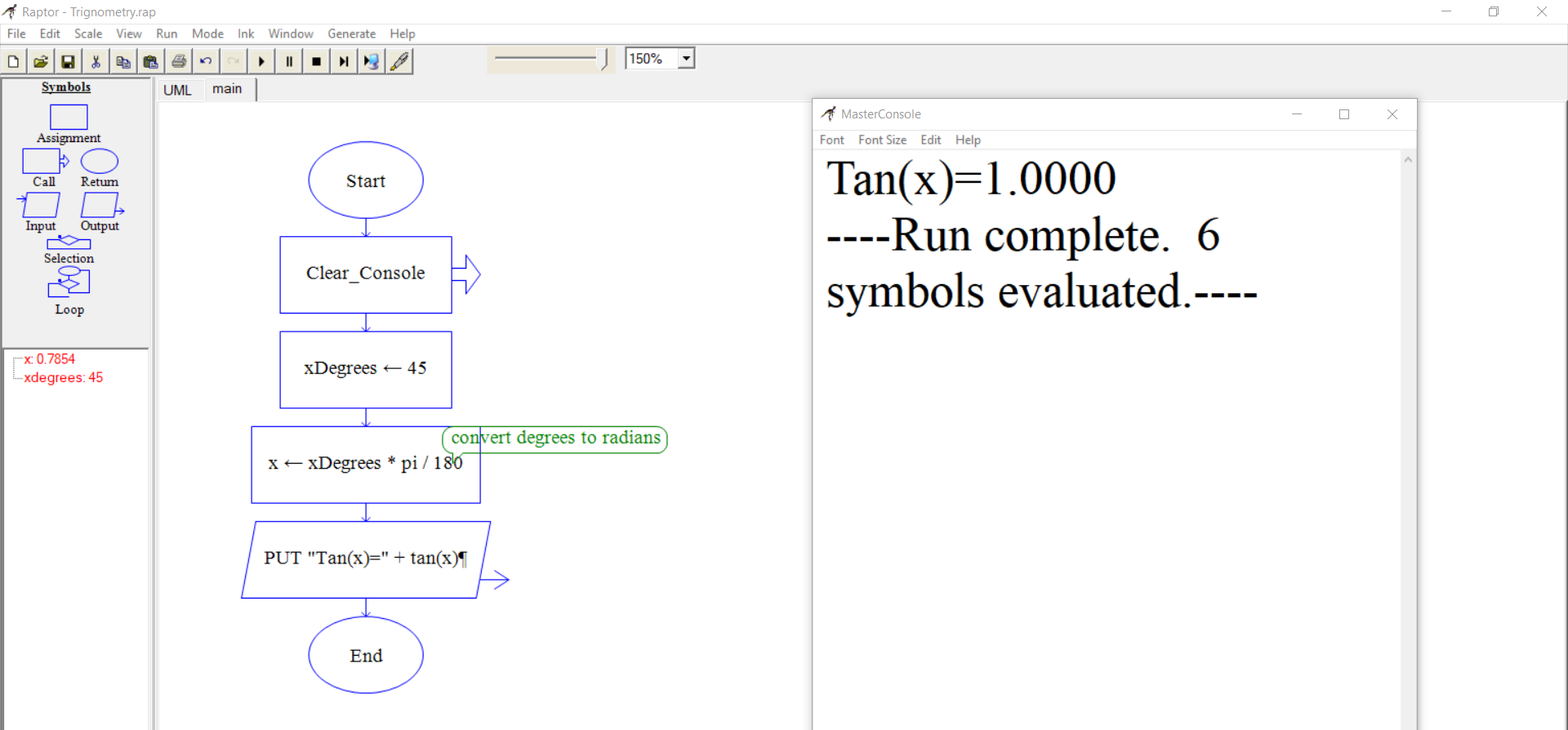
Let’s look at the function usage with examples. You can invoke the functions in the Output symbol to view the function output.
sin(x)
x should be in radians.
cos(x)
Sometimes, if you calculate the functions in degrees. In that case, you need to convert the degrees into radians.
xDegrees = 60
x= xDegrees*pi/180
tan(x)
Learn more RAPTOR functions at:
RAPTOR Tutorials
RAPTOR Tutorials on this website:
RAPTOR official website:
- https://www.raptor.martincarlisle.com/