
Create an Epic in Jira

Create an Epic in Jira
This tutorial outlines the steps involved in creating an epic in Jira software. An Epic is like a big user story that needs to be broken down into smaller user stories. It may take several sprints to complete.
Once we have created a Project in Jira, we can start creating issues. In Jira software, an epic is simply an issue of type Epic.
Steps
Steps to create a new epic in Jira software are as follows:
- Log in to Jira software application.
- Click on the Create button.
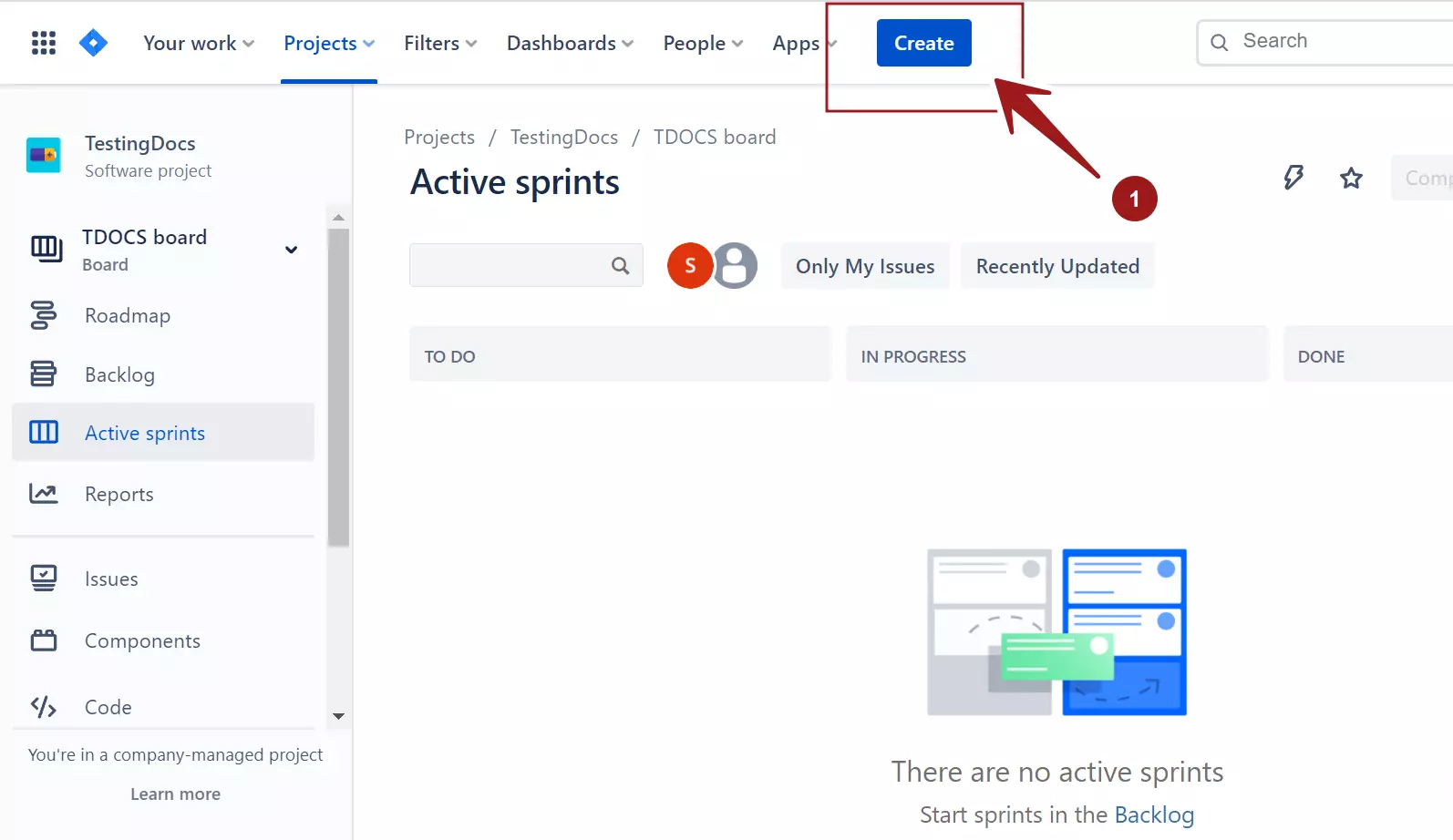
When we click on the Create button, a new window will open. In the Create issue new window
Select the Project. Select the project in which you want to create an Epic.
In the Issue type drop-down, choose Epic.
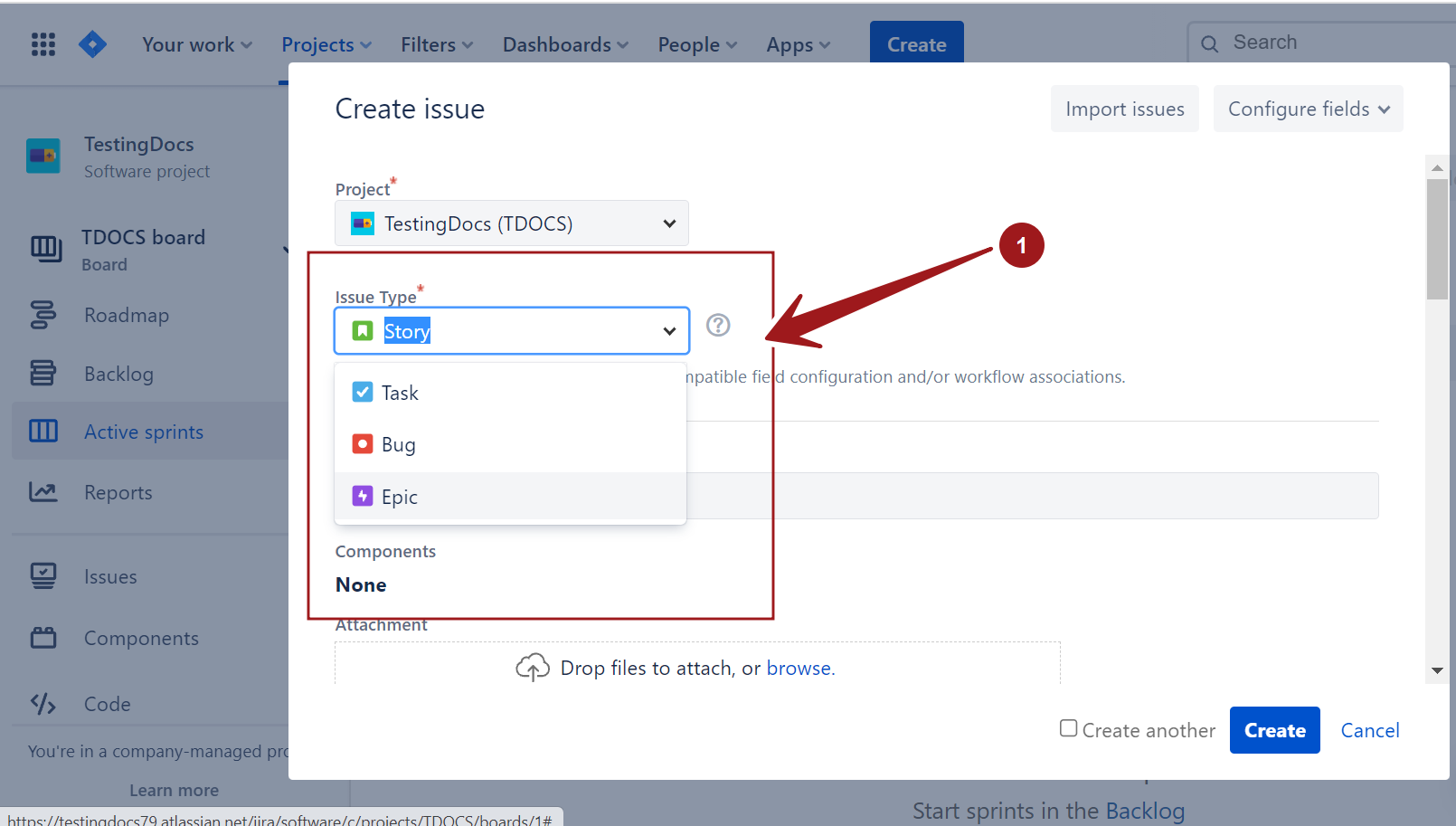
Add other necessary details like Epic Name, Summary, etc. Click on the Create button to create the Epic.
To close the new Create issue window click on the Cancel link.
Create epic from Backlog screen
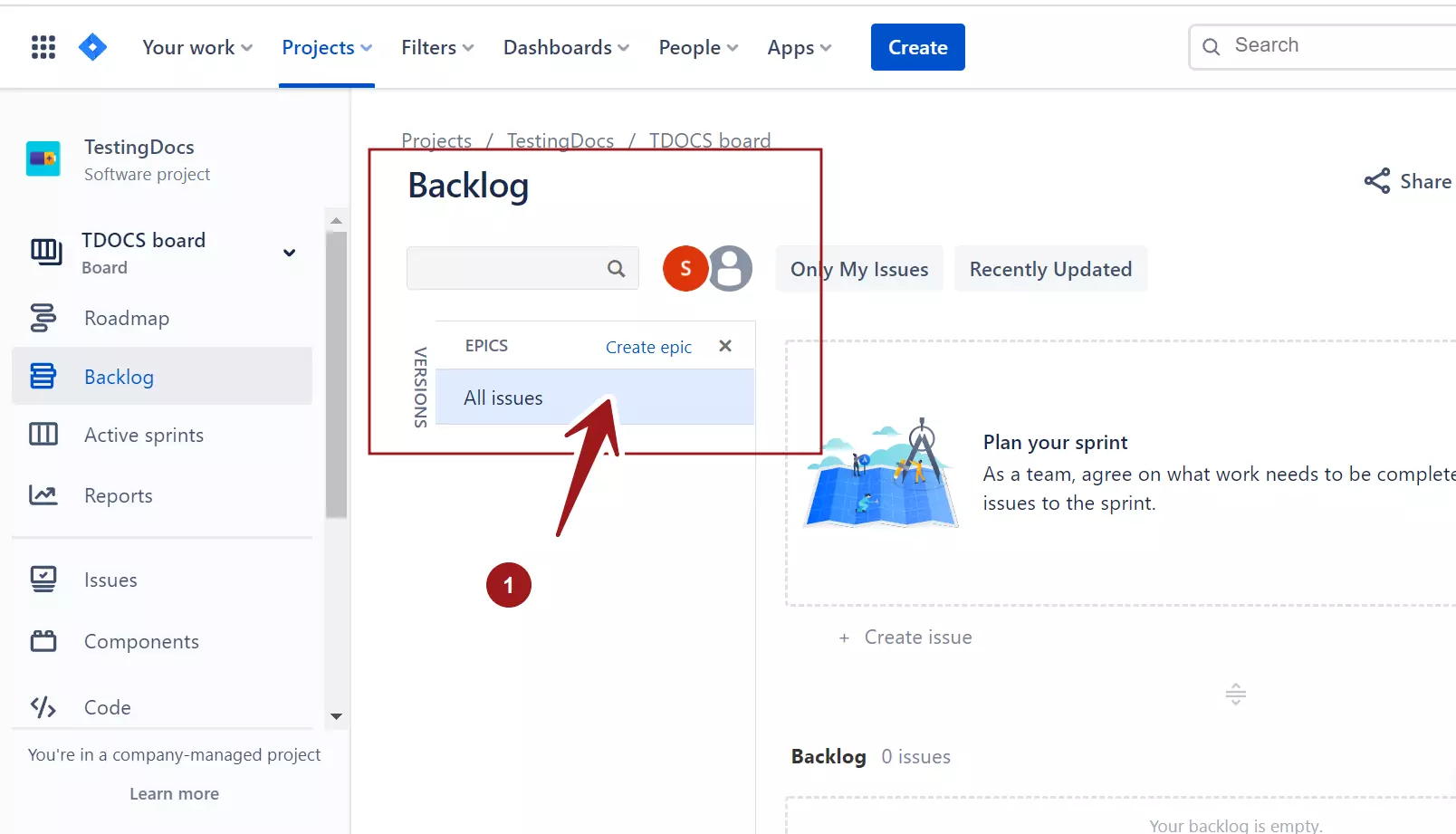
We can also create epic from the Backlog screen. Switch to Backlog screen.
To switch click on the Backlog link in the left navigation.
Toggle to Epic >> Create epic link.
Jira Tutorials
Jira Software Tutorials link on this website: