
Flowchart for Sum of Squares for N Integers

Flowchart for Sum of Squares
Let’s design a RAPTOR flowchart to compute the sum of squares for n integers. The RAPTOR flowchart enables us to create executable flowcharts.
Mathematical Notation
Let’s first understand mathematical notation. The mathematical notation for the sum of squares up to n numbers is as follows:
or in simple notation
Mathematical verification formula:
sum of squares = n(n+1)(2n + 1)/6
Steps to build
The general steps to build the RAPTOR flowchart are as follows:
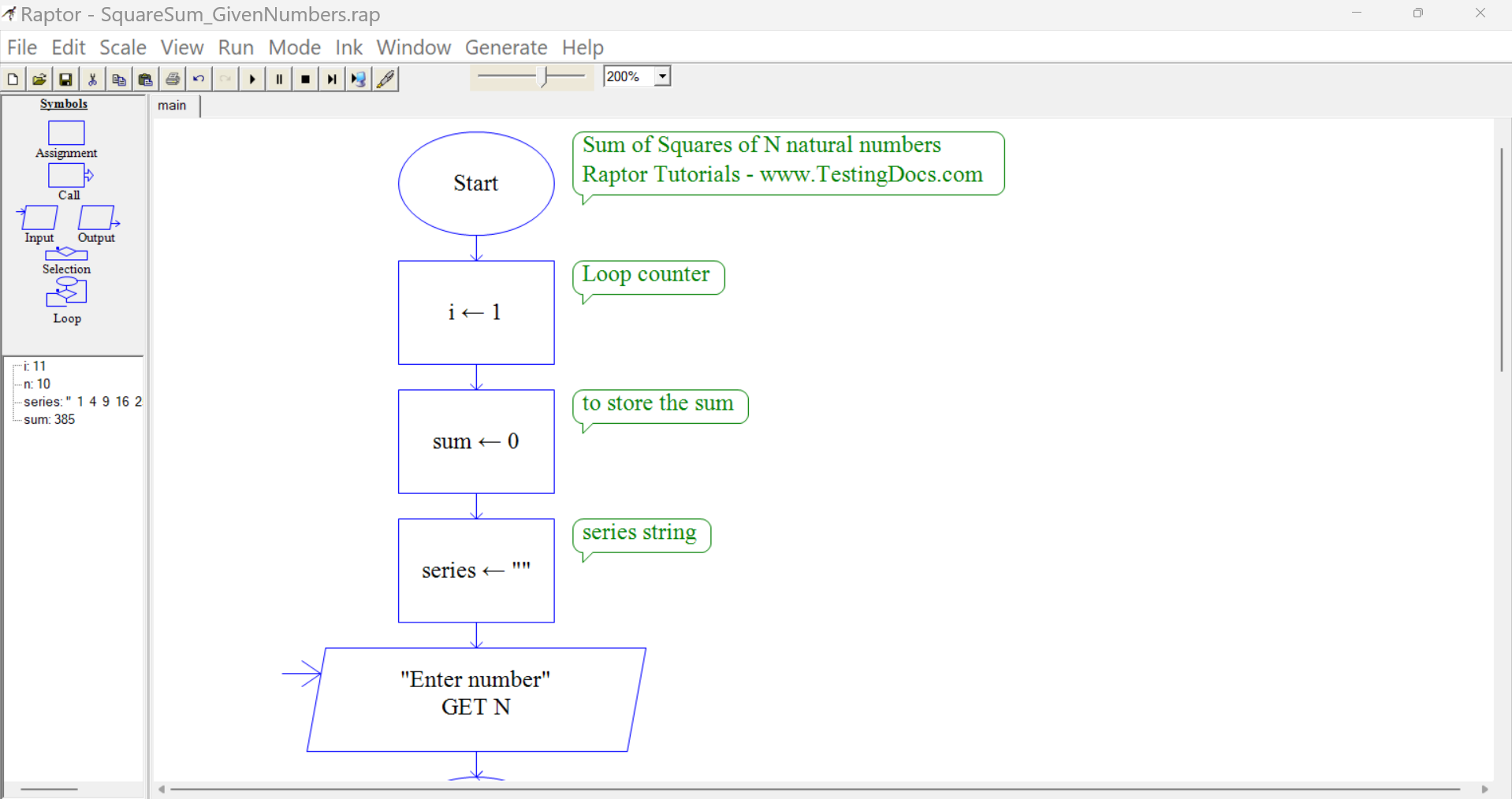
- Launch RAPTOR Flowchart software. A blank flowchart with Start and End symbols will be provided.
- Save the flowchart with a .rap file extension name.
- Add an Assignment flowchart symbol for Assignment( left-click once on the symbol and then add it between Start and End.)
- Initialize the following variables
i <- 1
sum <- 0
series <- ” ”
- Add an Input symbol to the flowchart. Double-click to add the “Enter number” prompt and use the variable name N.
Loop Structure
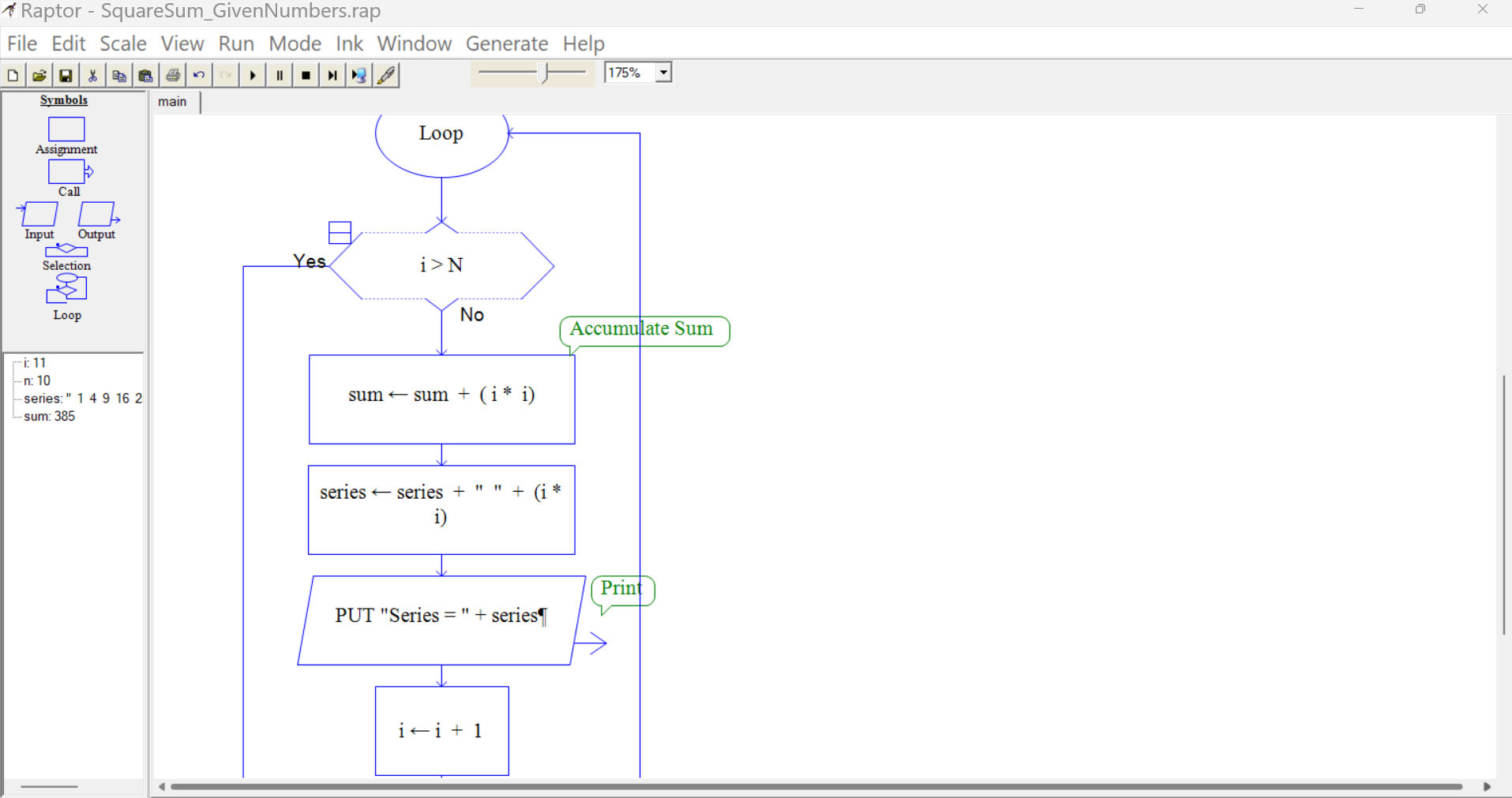
- Add a Loop statement to the flow chart. ( Steps to add the repetition structure Add Repetition Symbol to Flowchart/ )
- Edit the loop expression to
i > N
- In the loop structure for NO decision, do the following things:
- Add Assignment symbols to the flowchart to the flowchart for sum, series and i
sum <- sum + ( i* i )
series <- series + ” ” + ( i*i )
i <- i + 1
- Add an Output symbol to the flowchart to output series
series <- series + ” ” + ( i*i ) statement is to print the series to the output console window.
Sum of squares
In the loop structure for the YES decision,
Add an Output symbol to the flowchart to output the sum
Once you are done with a flow chart, we can execute the Raptor flow chart by clicking on Execute to Completion button.
We can verify the input and output of the flowchart. ( Explore Run menu options for more details).
RAPTOR Flowchart
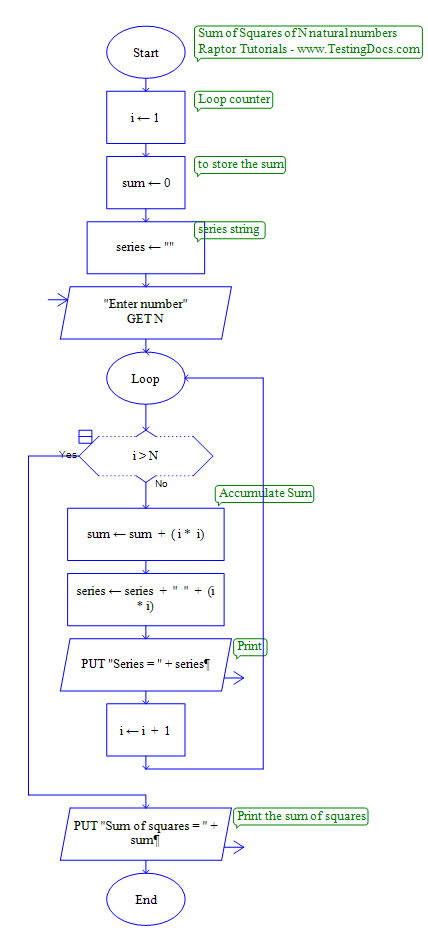
RAPTOR Flowchart for the sum of squares for N integers is as follows:
Flowchart Verification
The following Test case is designed to verify the flowchart output.
| Test Case Scenario | Detailed Steps | Test Data | Expected Result | Actual Result |
| Find the sum of squares of N integers. |
|
10 | 385 | To be filled after executing the flowchart. The actual result should match the expected result. |
Sample Output
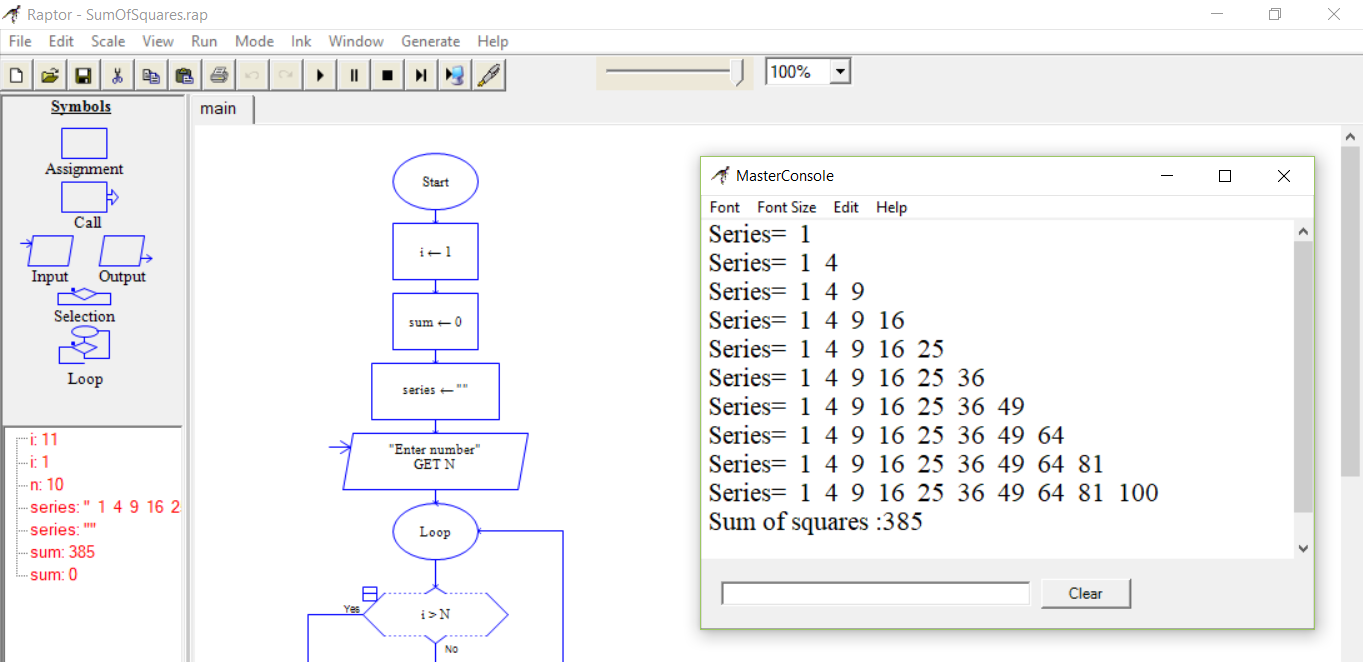
Series= 1
Series= 1 4
Series= 1 4 9
Series= 1 4 9 16
Series= 1 4 9 16 25
Series= 1 4 9 16 25 36
Series= 1 4 9 16 25 36 49
Series= 1 4 9 16 25 36 49 64
Series= 1 4 9 16 25 36 49 64 81
Series= 1 4 9 16 25 36 49 64 81 100
Sum of squares:385
That’s it. We have successfully created a flowchart using the RAPTOR software to compute the sum of squares of the first N natural numbers.
Next Question
The more advanced flowchart is to compute the squares of the user-given numbers stored in an array. We can design complex flowcharts using procedures and functions to accomplish the sub-tasks.
RAPTOR Tutorial
Raptor Tutorials on this website can be found at: